
Lead
The interested person, source and next action.
CRM moduleRequired step
- Source & contact
- Individual owner
- Follow-up & status
ERPX CRM
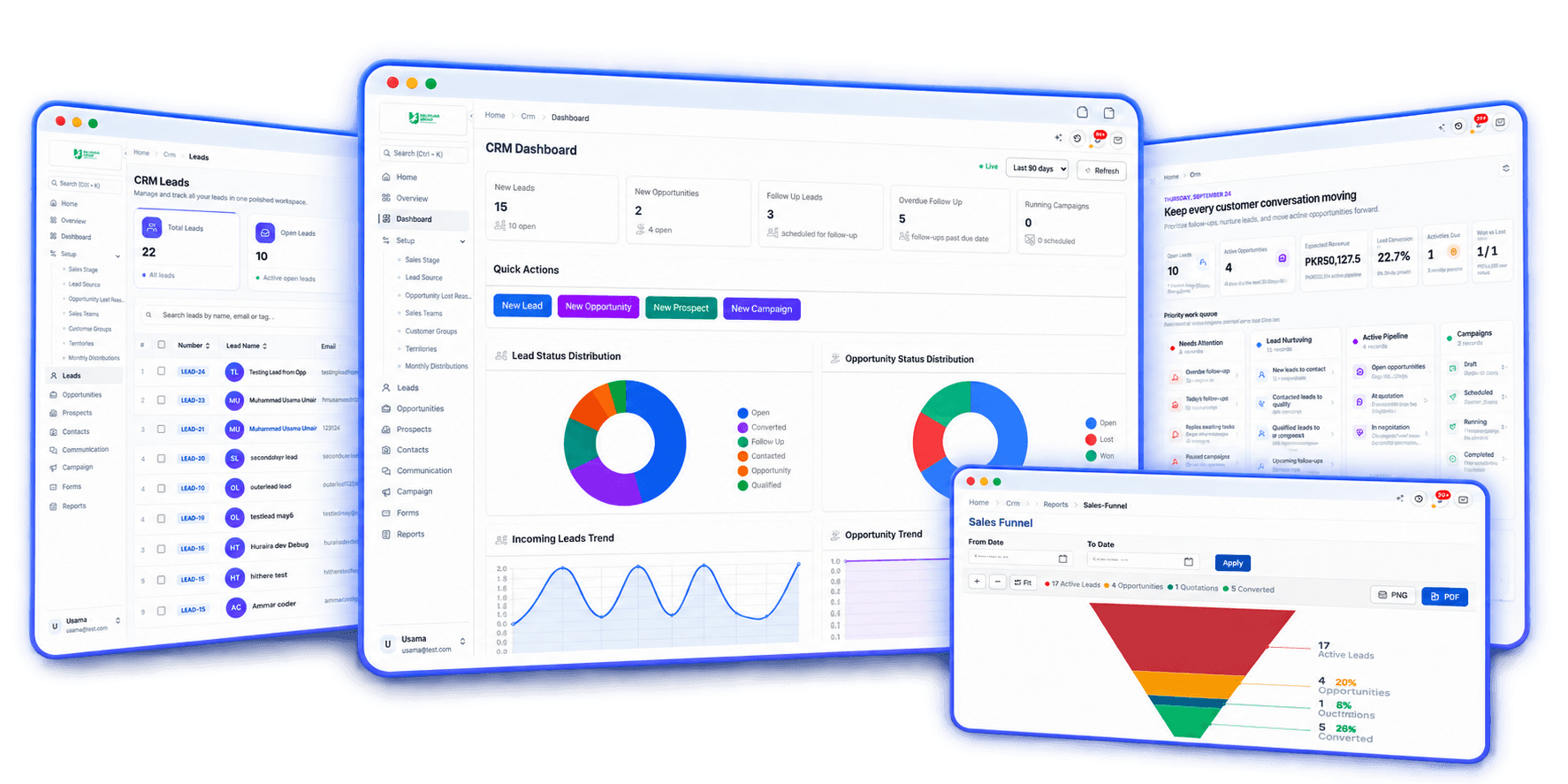
ERPX CRM is CRM software for manufacturers, exporters and distributors. Leads, opportunities and customer conversations flow straight into negotiated quotations and Sales Orders, then on to delivery, invoicing, Letters of Credit and Work Orders, with no re-keying and no duplicate customers.
A complete CRM system
ERPX CRM is the customer relationship management module of ERPX, the cloud ERP by Texinnova. It manages leads, contacts, prospects, opportunities, communications, email campaigns and web forms. Because the CRM system and the ERP share one customer record, a qualified lead can become a quotation, a Sales Order and a delivery without anyone typing it twice.
ERPX CRM is CRM software for B2B businesses whose sales end in a quotation and an order, not a checkout: manufacturers, exporters, traders and distributors. Enquiries arrive through spam-protected web forms, CSV imports or manual entry. Each lead gets an owner, a territory, a source and a follow-up date, and saving it creates the linked Contact. Only a Qualified lead can become an opportunity, which carries an amount, probability, expected closing date and sales stage. Every email, call, note, SMS and meeting is logged against the Lead, Prospect or Customer. Converting to a customer is an explicit step, and converting again returns the existing customer rather than creating a duplicate. From there, ERPX Sales takes over: a Sales Quotation is negotiated line by line, only Agreed lines become a Sales Order, and the order continues to a Delivery Note, Sales Invoice, Letter of Credit or Work Order in the same ERP.
Lead → Sales Order
In ERPX, each step creates the next record from the one before it, so an invoice or Letter of Credit can be traced back to the lead it began as.
A lead arrives from a web form, a CSV import or manual entry, with an owner, source and territory. Its Contact is created at the same time.
The owner contacts the lead, logs the conversation and sets follow-up dates. Only a Qualified lead can become an opportunity.
The deal gets an amount, probability, expected closing date and line items. Its Sales Stage sets the status.
In ERPX Sales, a quotation goes to the Lead, Prospect or Customer and is negotiated line by line before its Valid Till date.
After an explicit, duplicate-safe Convert to Customer, only Agreed lines become a Sales Order, at the agreed price.
The Sales Order continues to a Delivery Note, Sales Invoice, Letter of Credit, Work Order, Purchase Request or Advance Payment.
Explore ERPX CRM
Follow the people, accounts, deals and conversations from first interest into an ongoing customer relationship.
Customers
Connected history
Stronger customer relationshipsLead → Quote
Connected journey
Bring genuine interest into an owned CRM workflow.
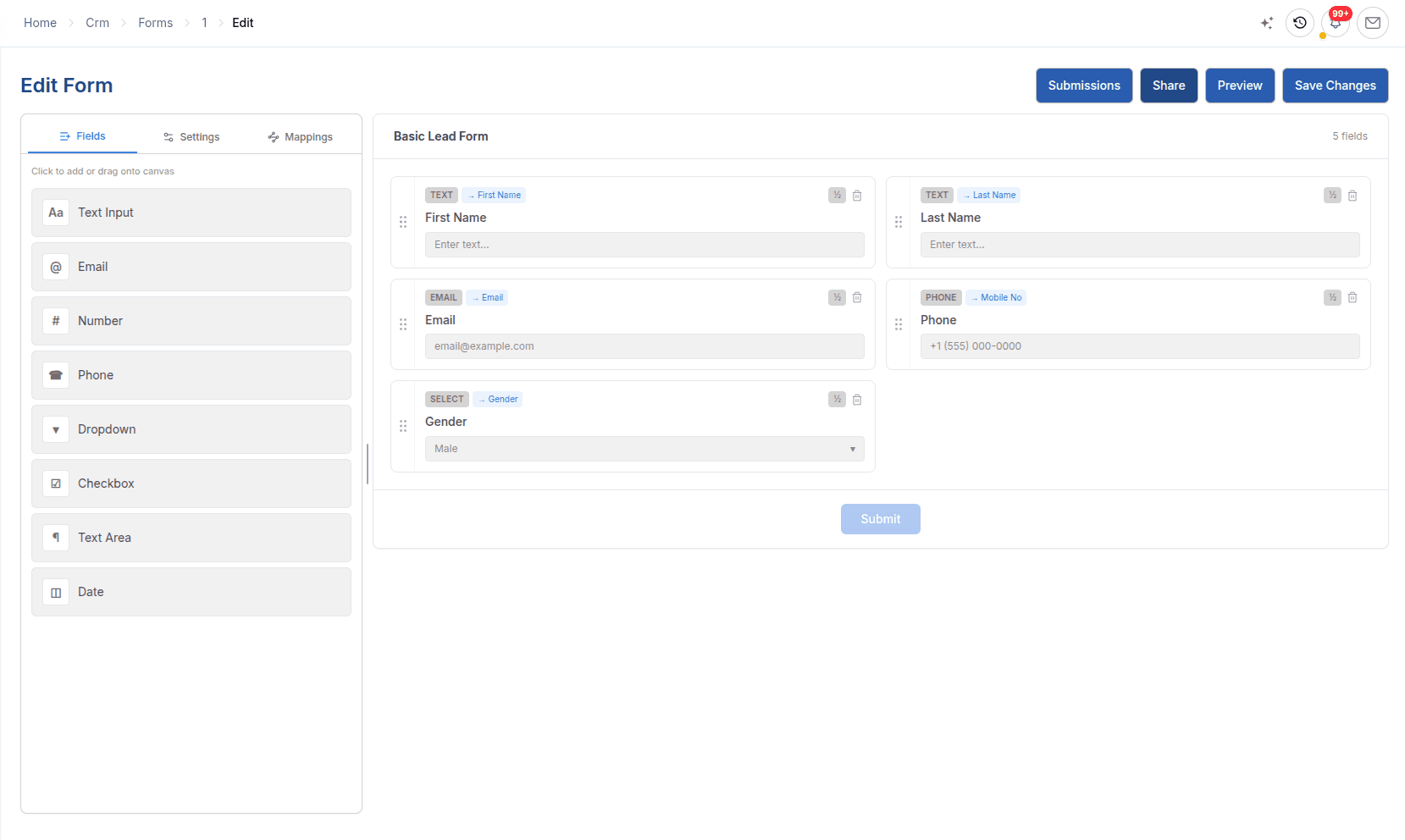
Lead capture forms by link or embed, with CAPTCHA, honeypot, rate limits and duplicate detection by email or phone.
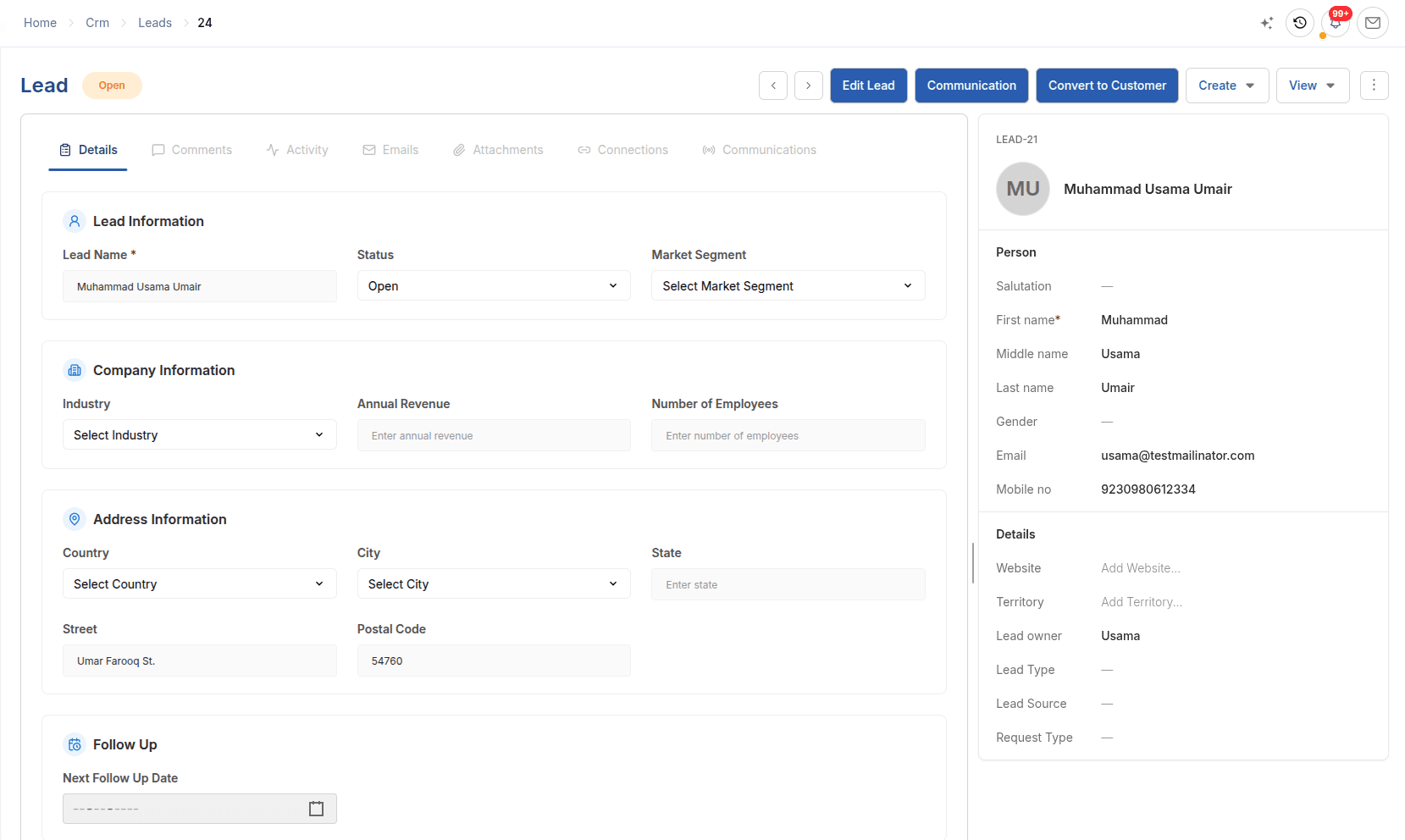
Lead management with an owner, territory, source and follow-up date on every enquiry. Only a Qualified lead can become an opportunity.
Understand the account and progress active commercial potential.
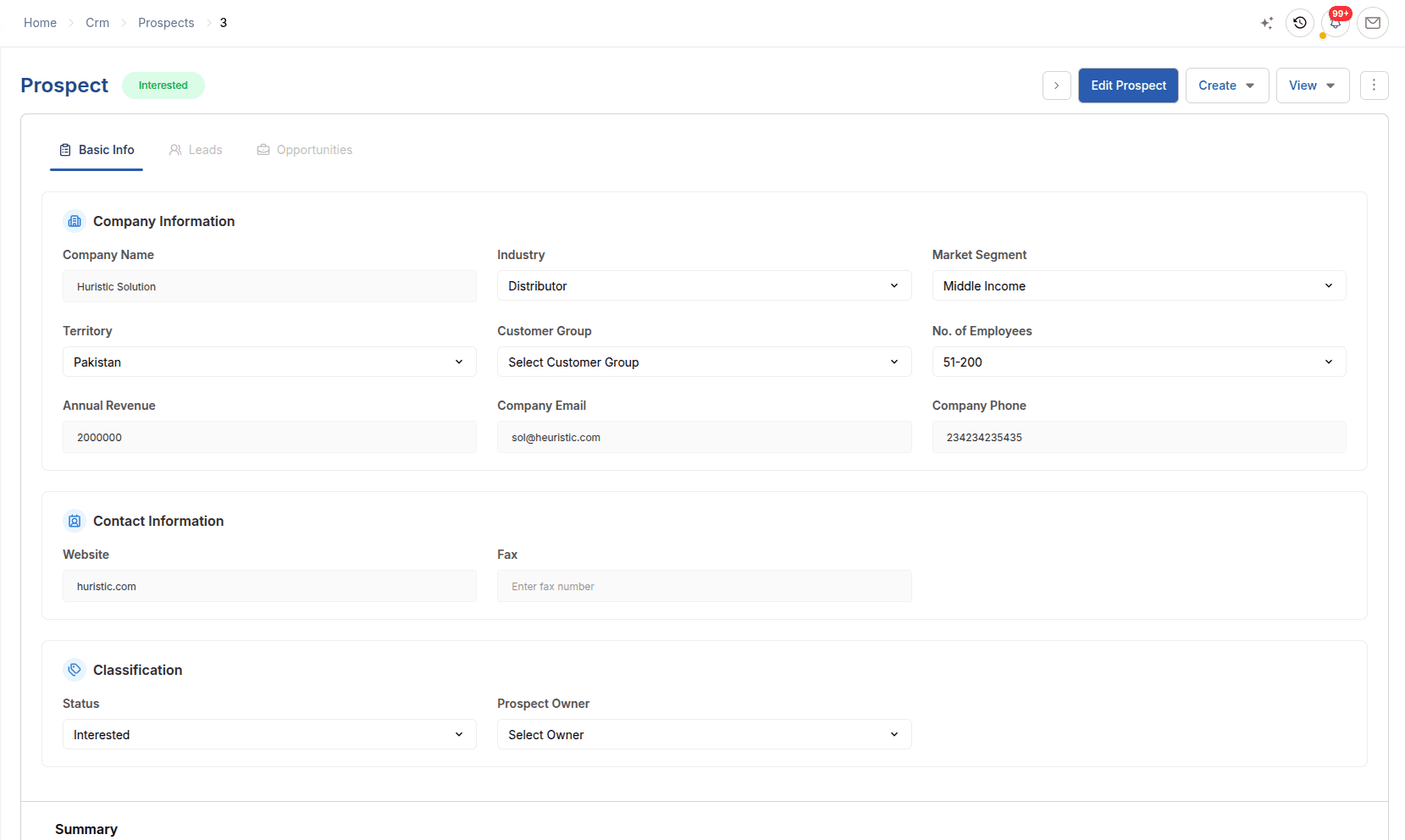
Contact management with one record per person, contacts created from leads, and prospects that group the leads and deals at one company.
Sales pipeline software: amount, probability, expected closing and stage history, with lost reasons and competitors, continuing into Sales.
Keep interactions visible and reach existing CRM audiences.
CRM activity tracking: emails, calls, notes, SMS, meetings and attachments logged on each Lead, Prospect or Customer.
Bulk email to email groups, filtered leads and customers, with delivery, open, click, bounce and unsubscribe rates.
Explain the pipeline, funnel, lifecycle and Sales handoff.
CRM reporting on total and weighted pipeline, win rate, the sales funnel, lead lifecycle and the transaction chain into Sales.
Lead → Opportunity → Customer → Sales Quotation
Qualification gates the opportunity, customer conversion is a deliberate step, and ERPX Sales owns the quotation, its negotiation and the Sales Order that follows.
Customer acquisition chain
Qualification, deal outcome and customer creation remain distinct, while source links preserve the handoff into the Sales Quotation.
The interested person, source and next action.
The active deal, its potential and commercial stage.
The converted account with its source lineage retained.
The commercial proposal owned by the ERPX Sales workflow.
Reporting from the same trail
Review the statuses and conversion path behind acquisition.
See value, weighted potential, win rate and stage movement.
Follow CRM source records into the Sales documents that follow.
Lead management
Create leads by hand, import them from CSV or receive them from web forms. Each lead carries a Lead Owner, Territory, Lead Source and Next Follow Up date, and saving it creates the linked Contact.
Every enquiry becomes owned work with a clear next step.
Explore lead management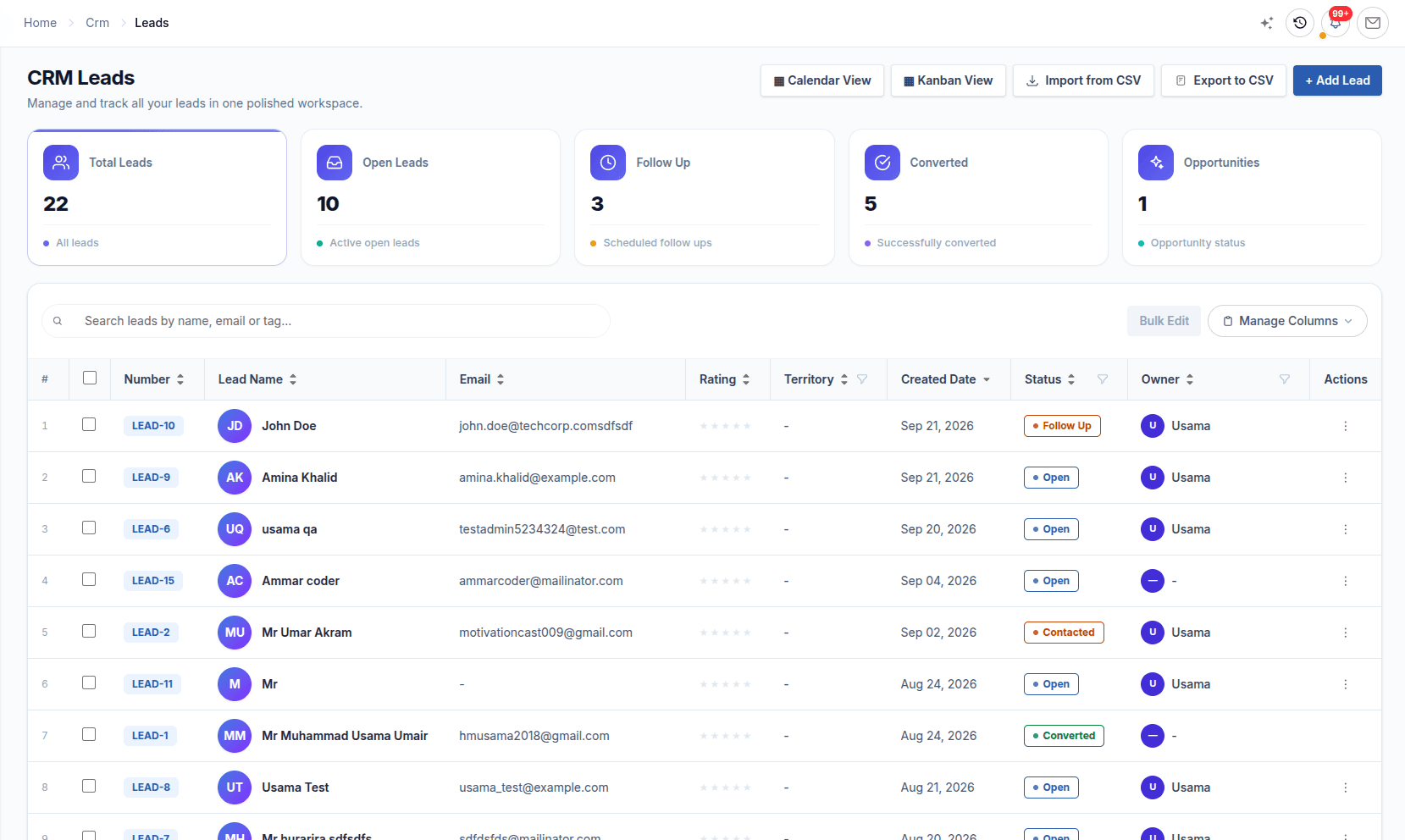
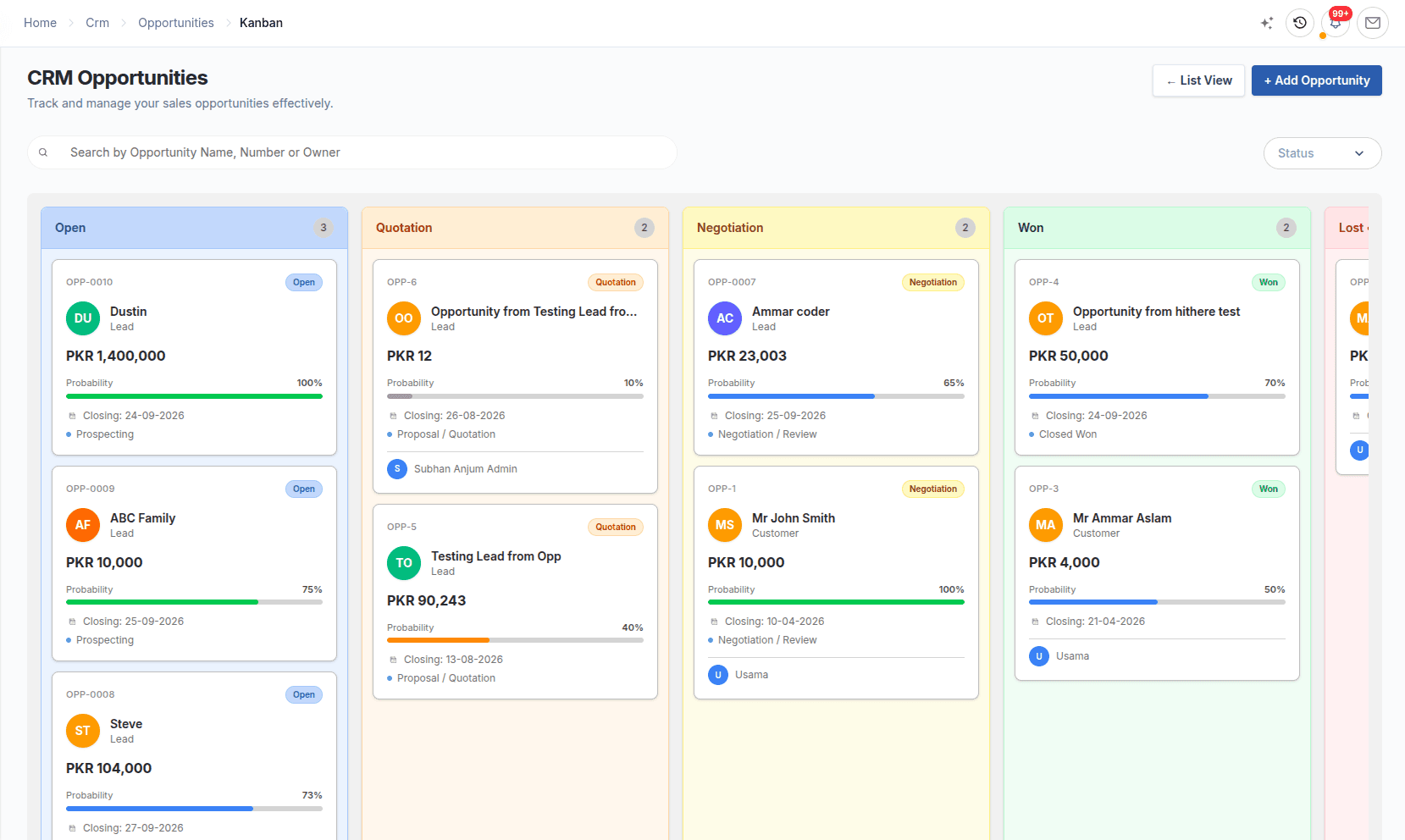
Sales pipeline
An opportunity belongs to a Lead, Prospect or Customer and holds its amount, probability, expected closing date and line items. The Sales Stage sets the status, and every move is kept in the stage history.
Pipeline figures come from the deals your team actually works.
Explore the sales pipeline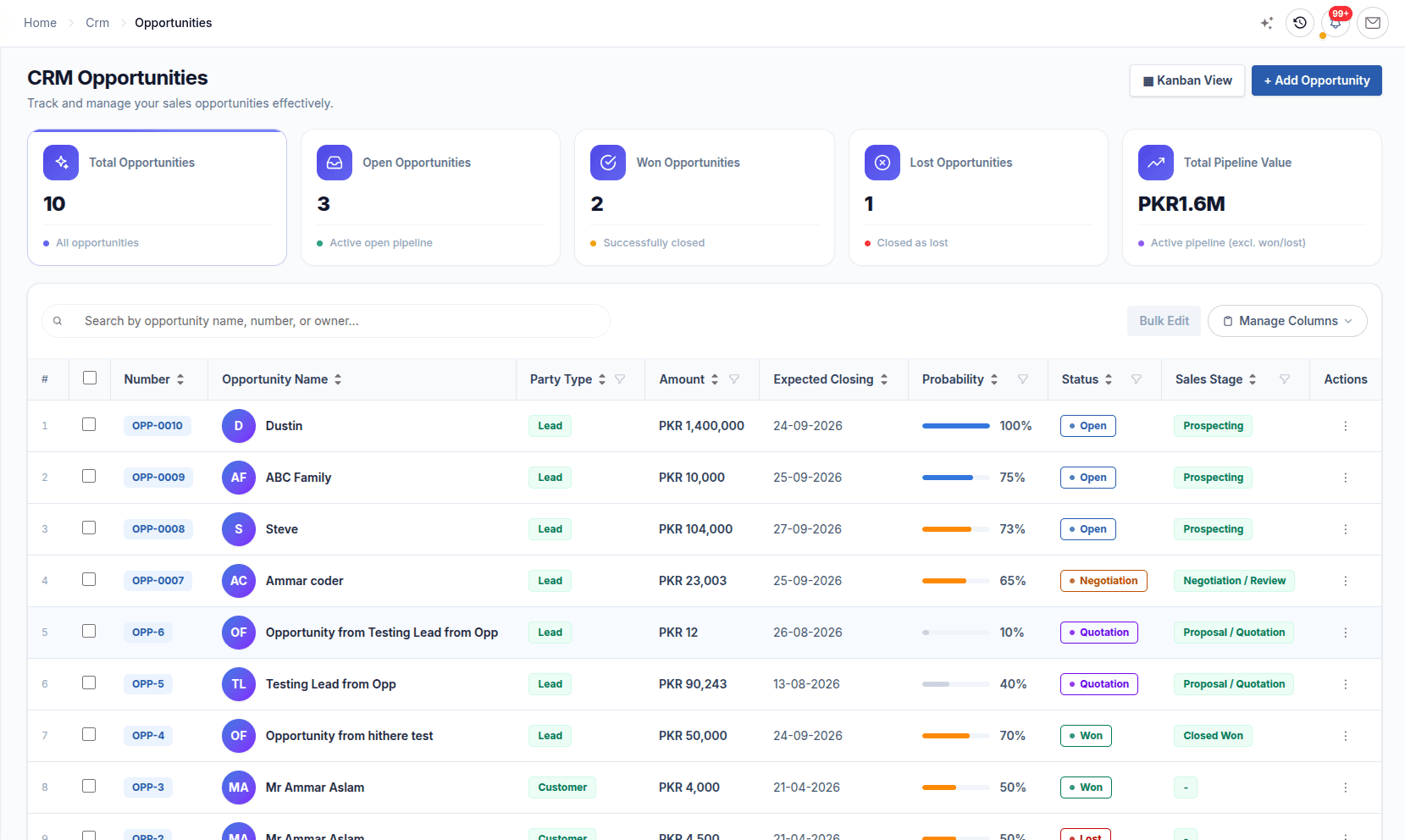
Contacts & communications
Contacts hold the people, Prospects hold the target companies, and the communication log keeps every email, call, note, SMS, meeting and attachment against the Lead, Prospect or Customer.
Whoever picks up the account next starts from the full history.
Explore contact management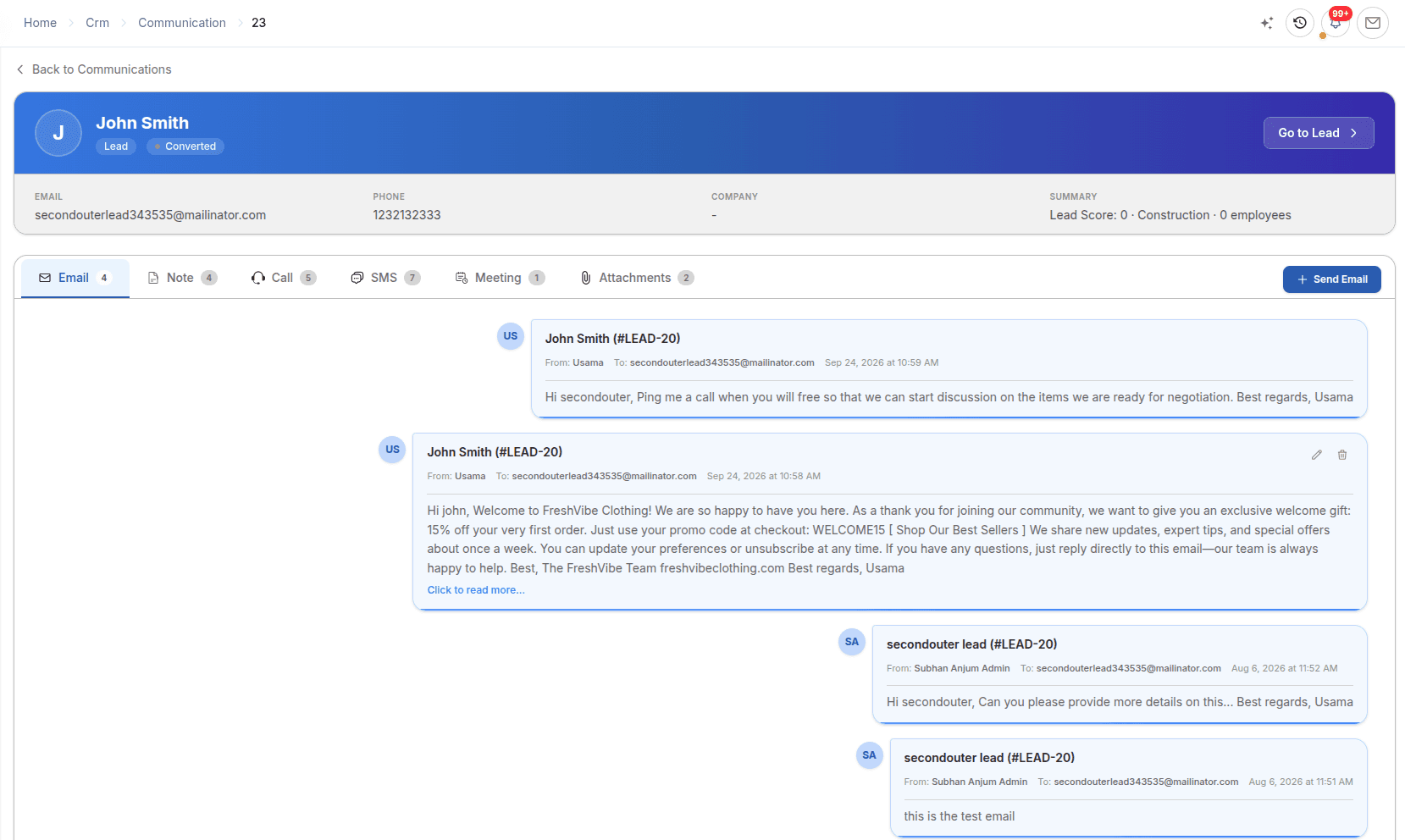
Email campaigns
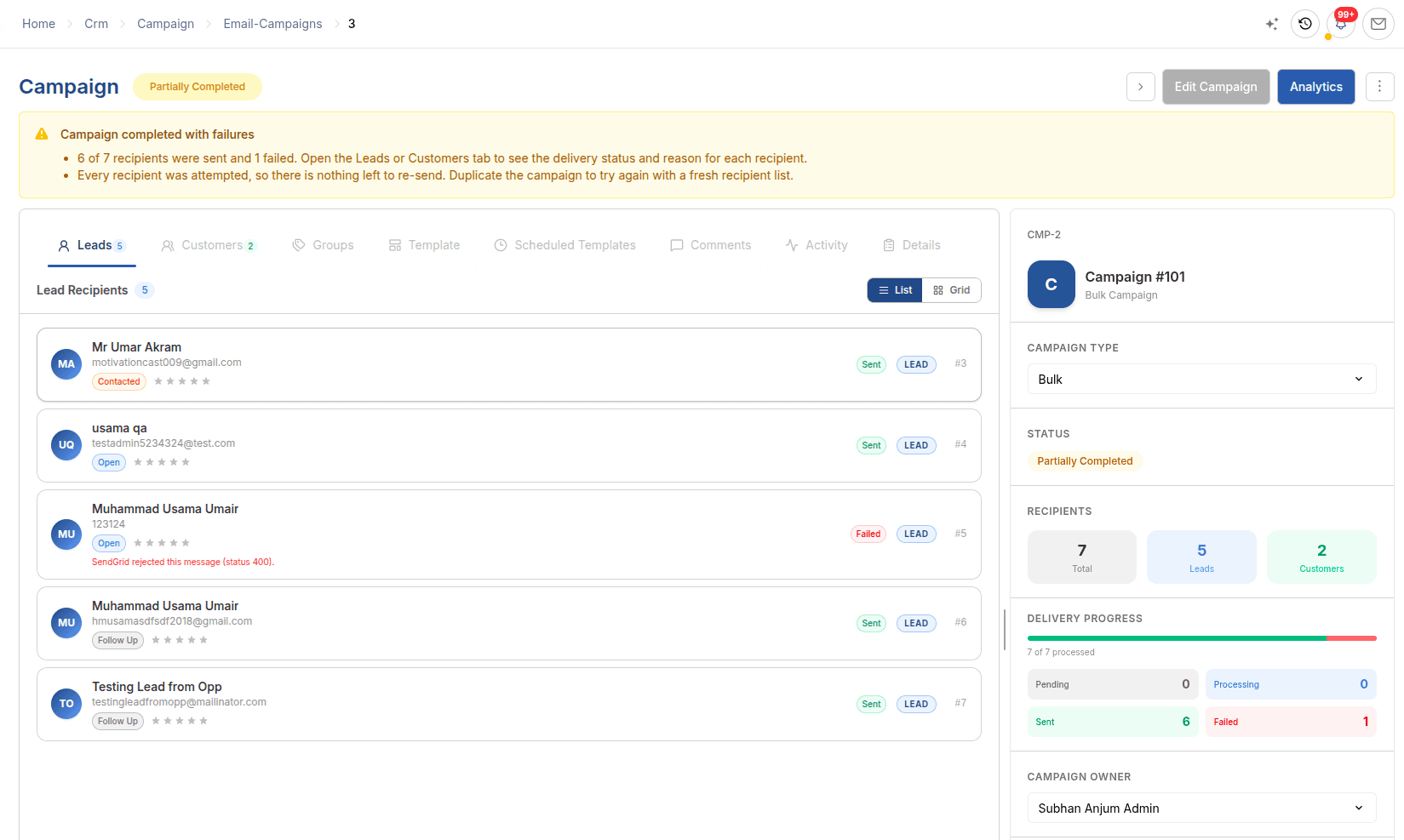
Send one bulk email to email groups, filtered leads and filtered customers through your SendGrid account. Sending runs in the background, and each recipient gets its own delivery status.
Outreach stays tied to known CRM records and real results.
Explore email campaigns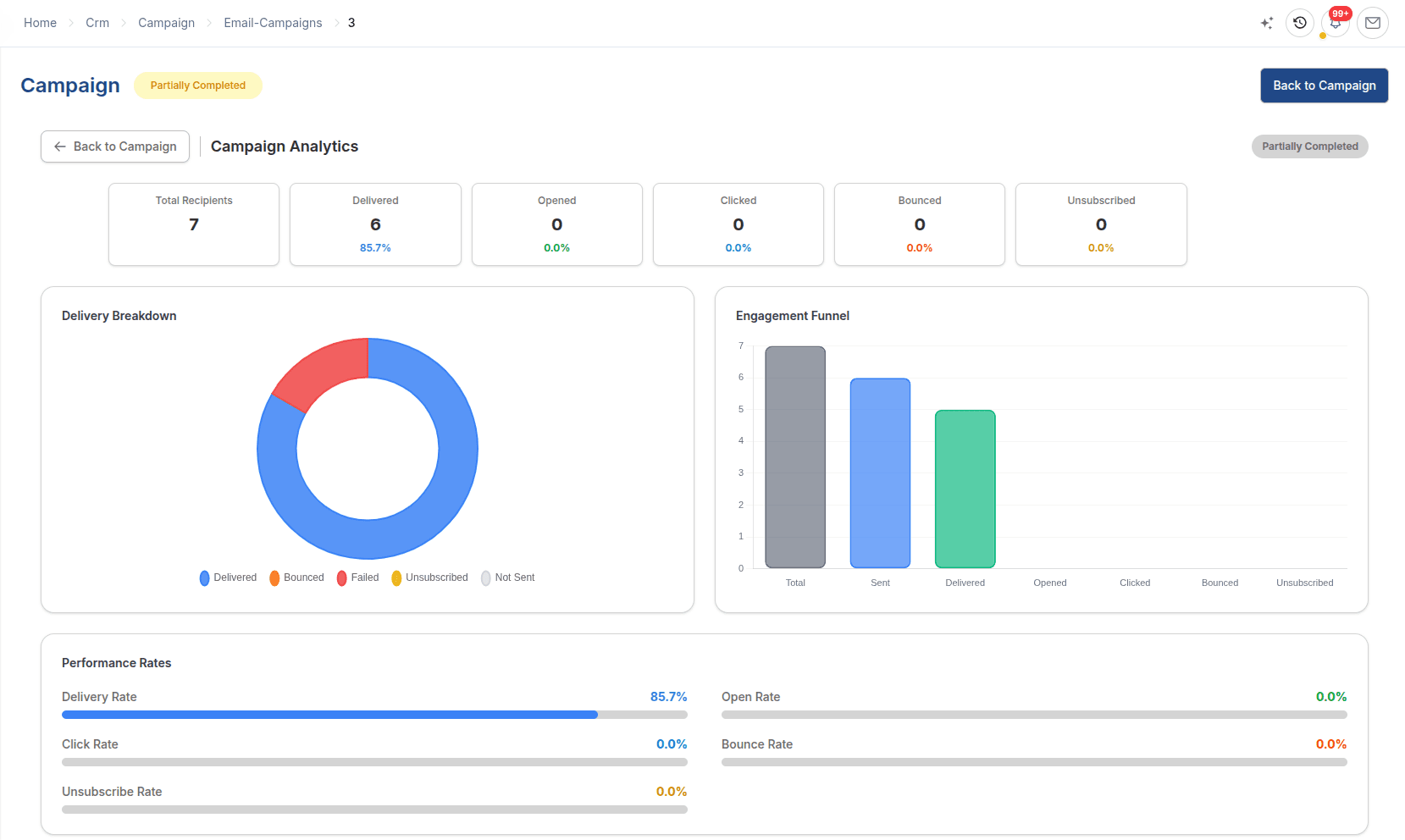
Lead capture forms
Build a lead capture form, share it as a link or embed it on your site. Each genuine submission creates a Lead and Contact with its default source, status and owner already set.
Web enquiries reach the right person without spam or duplicates.
Explore lead capture forms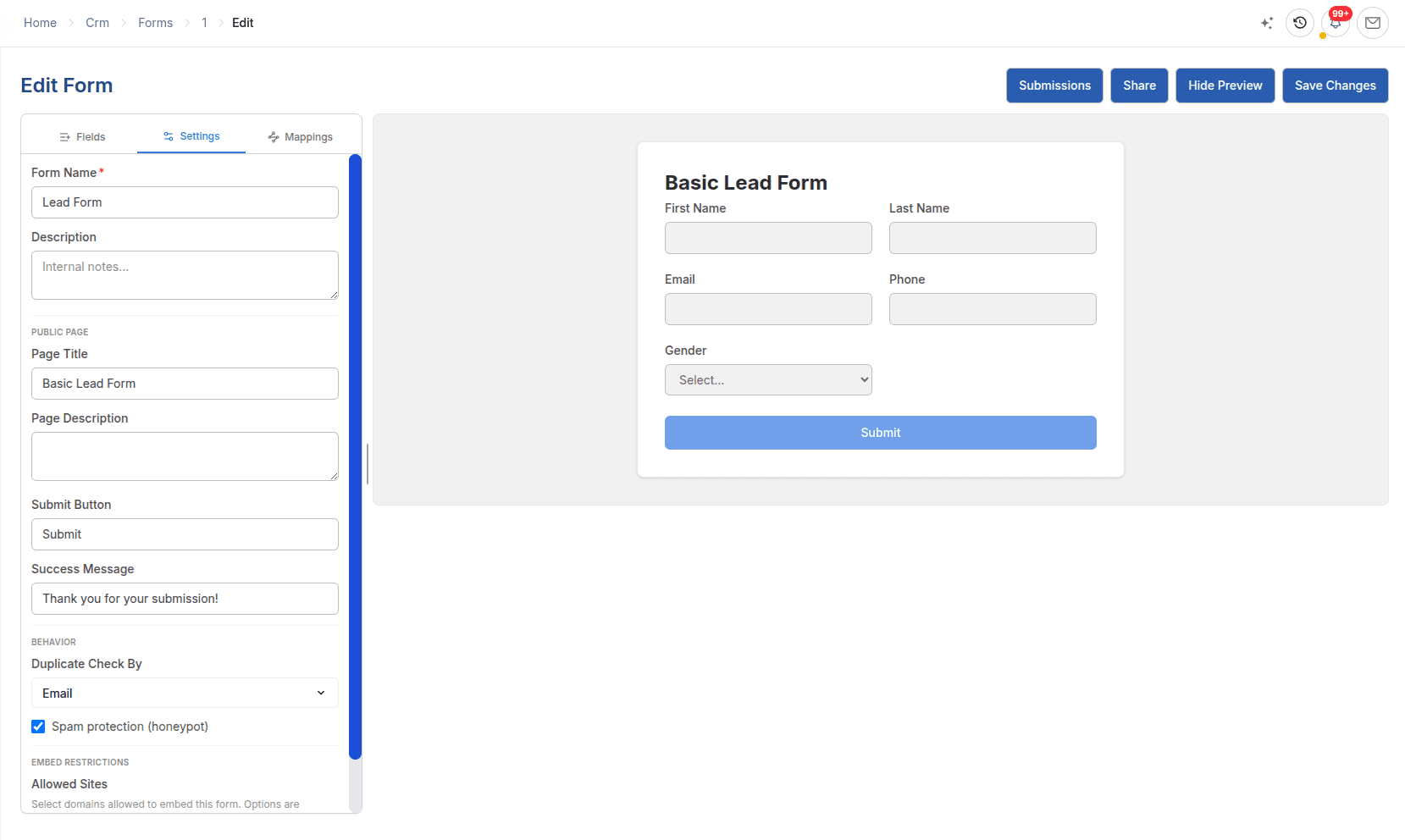
Sales Teams & Territories
In ERPX, Sales Teams and Territories are both tree structures maintained in CRM. Both can carry targets by item group and fiscal year, and Sales Teams carry a commission rate for each member.
CRM and ERP
A standalone CRM usually stops at the won deal, and the order is rebuilt in a separate ERP. In ERPX, CRM and ERP share the same customer, item and order records.
| Capability | ERPX CRM (built into the ERP) | Standalone CRM |
|---|---|---|
| Customer record | One customer master shared by CRM, Sales, Inventory and Financials | Separate customer lists in the CRM and the ERP, kept in step by an integration or by hand |
| Duplicates | Email unique across leads, prospects and contacts; Convert to Customer returns the existing customer | Duplicate rules depend on the tool and on the sync between systems |
| Quotation | Sales Quotation to a Lead, Prospect or Customer, negotiated line by line | Quote built in the CRM or a separate tool, then re-entered in the ERP |
| Order | Only Agreed lines become a Sales Order, at the locked agreed price | Order keyed into the ERP from the quote |
| Fulfilment | Delivery Note, Sales Invoice, Letter of Credit and Work Order raised from the Sales Order | Not visible in the CRM without an integration |
| Traceability | Transaction Chain follows a lead to its customer and Sales Quotations | Lead-to-order trail split across two systems |
Industries
ERPX CRM follows each industry’s sales flow as far as the ERP documents it, from the first enquiry to the document that fulfils the order.
Enquiry → Opportunity → Negotiated quotation → Sales Order → Work Order
See the solutionBuyer enquiry → Quotation in USD or EUR → Sales Order → Letter of Credit
See the solutionEnquiry → Quotation → Sales Order → Purchase Request or Delivery Note
See the solutionRepeat customers by territory → Quotation → Sales Order → Delivery Note
See the solutionBuilt for B2B trade
Most CRM tools stop at the won deal. ERPX CRM carries the relationship into quotation, order, delivery and export documents in the same ERP.
Capture buyer enquiries from website forms, trade-fair lists imported by CSV, and calls or emails logged by the sales team.
Opportunities and quotations carry their own currency, so a domestic order and an export enquiry in USD or EUR sit side by side.
Agreed quotation lines become a Sales Order, which can raise a Delivery Note, a Work Order or, for export business, a Letter of Credit.
A process the team can follow
A lead arrives from a web form, a CSV import or manual entry, with an owner, source and territory. Its Contact is created at the same time.
The owner contacts the lead, logs the conversation and sets follow-up dates. Only a Qualified lead can become an opportunity.
The deal gets an amount, probability, expected closing date and line items. Its Sales Stage sets the status.
In ERPX Sales, a quotation goes to the Lead, Prospect or Customer and is negotiated line by line before its Valid Till date.
After an explicit, duplicate-safe Convert to Customer, only Agreed lines become a Sales Order, at the agreed price.
The Sales Order continues to a Delivery Note, Sales Invoice, Letter of Credit, Work Order, Purchase Request or Advance Payment.
Buyer questions
CRM (customer relationship management) software records the people and companies you sell to, the enquiries and deals in progress, and every conversation with them. ERPX CRM does this inside the ERPX ERP, covering leads, contacts, prospects, opportunities, communication logs, email campaigns, web forms and pipeline reports.
ERPX CRM is CRM software built into ERPX, the cloud ERP by Texinnova. It covers leads, contacts, prospects, opportunities, communication logs, bulk email campaigns, web forms and pipeline reports. Won business continues into ERPX Sales quotations and Sales Orders, then to delivery, invoicing, Letters of Credit and Work Orders, all on the same customer record.
A standalone CRM usually stops at the won deal, and the order is re-entered in a separate ERP. In ERPX, CRM and ERP share one customer and item master. A lead can receive a Sales Quotation, its Agreed lines become a Sales Order, and the order raises the Delivery Note, invoice, Letter of Credit or Work Order without re-keying.
Look for one customer record shared with quoting, ordering and invoicing, so sales and operations never keep separate lists. Check that quotations can be negotiated line by line and turned into orders without re-keying, that each deal can carry its own currency, and that you can trace revenue back to the enquiry it came from. ERPX CRM is built around those four points.
No. In ERPX, an email address can exist on only one record across leads, prospects and contacts. Converting a lead to a customer is an explicit step, and converting the same lead again returns the existing customer instead of creating a second one. The lead’s contacts carry over to the customer.
A Sales Quotation in ERPX Sales can be addressed to a Lead, Prospect or Customer. Each line is negotiated separately as our offer, customer offer, agreed or lost. Once the customer is linked, only Agreed lines convert to a Sales Order, partial orders are allowed, and the agreed price is locked on the order.
Yes. ERPX CRM is designed for small and mid-sized B2B businesses, including manufacturers, exporters, traders and distributors. It suits teams that want CRM and ERP in one system rather than two. Opportunities carry their own currency, so domestic deals in your company currency and export deals in USD or EUR sit in the same pipeline.
Yes. Because the CRM and the ERP share one item master, a Sales Quotation has a View Stock action that shows current stock for the quoted items. Sales can confirm what is available before agreeing a quantity or date, instead of asking the warehouse or checking another system.
Yes. Every record on the main CRM path is linked to the one before it: lead, opportunity, quotation, Sales Order, delivery and invoice. The CRM Transaction Chain follows a lead to its customer and quotations, and the Sales Transaction Chain continues to orders, deliveries, invoices and accounting entries, so you can see which enquiry produced a piece of revenue without matching records across two systems.
No. ERPX CRM does not score leads automatically. Lead Score (0–100) and Lead Rating (0–5) are fields your team sets. Campaigns send bulk email and track delivery, but there are no drip sequences, A/B tests or revenue attribution. Calls, SMS and meetings are logged as records; ERPX does not place calls or send SMS.
Personalized ERPX demo
A focused walkthrough built on how your team works today and what you want to improve next.
Pick a workflow from