
Bills of materials that hold the real cost
A BOM here holds more than a parts list. It carries the production steps, the scrap you expect, the by-products you get back, and the cost that rolls up out of all of it. Sub-assemblies keep their own BOMs, versions keep their history, and variants come off one template.
What goes into a product, and what it costs
Everything downstream reads the BOM. Get it right and planning, work orders and costing all inherit it. Get it wrong and you find out at month end.
Multi-level BOM
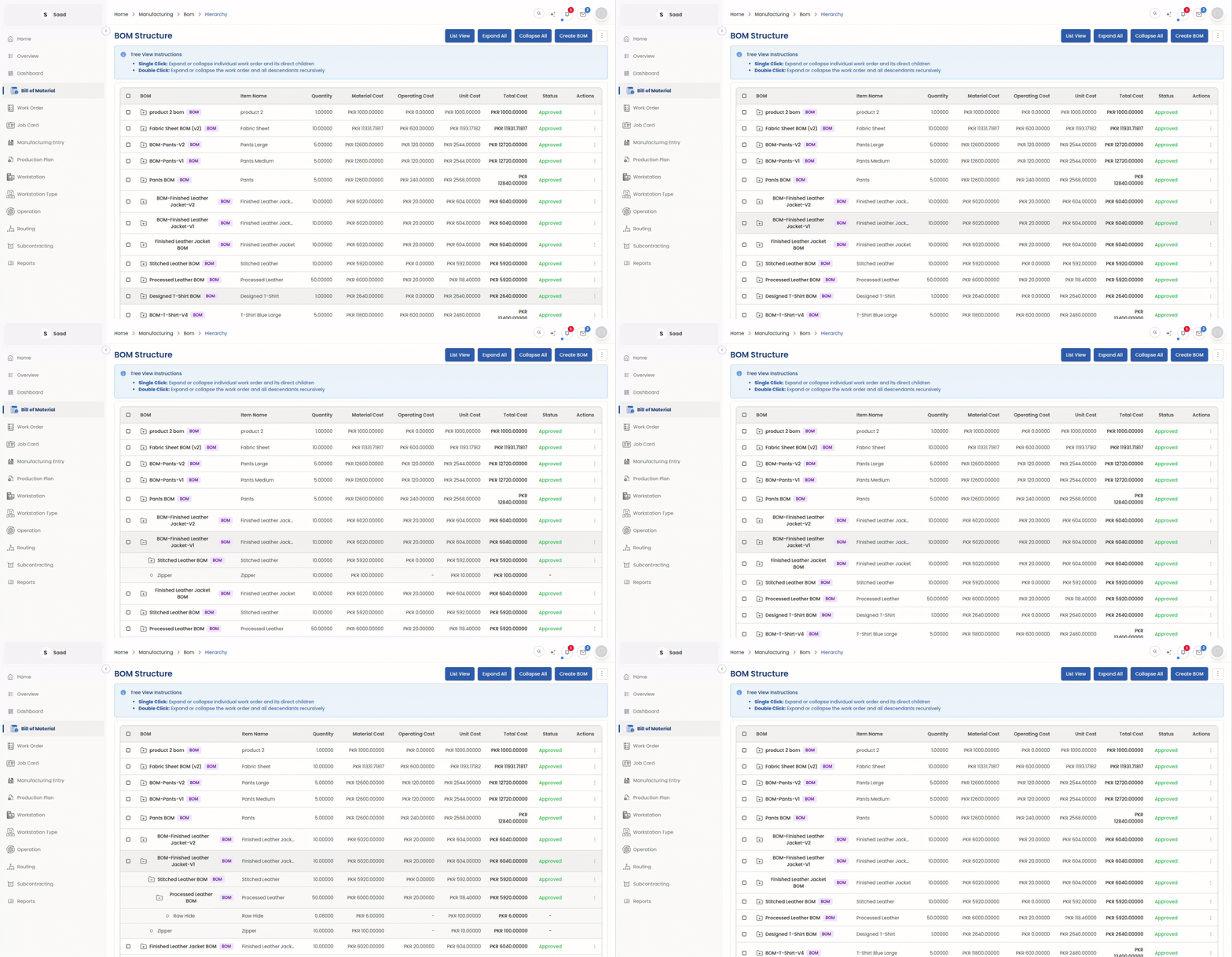
Nest sub-assemblies as deep as the product goes. Material and cost roll up through every level of it.
Operations & Costing
Production steps sit on the BOM next to the materials, each costed from the rate of the workstation it runs on.
Scrap & By-products
Expected waste and anything useful you get back are both netted off, so the cost is what you actually spend.
Versioning & Variants
New versions leave the old ones readable, and variant BOMs come off one template instead of being copied by hand.
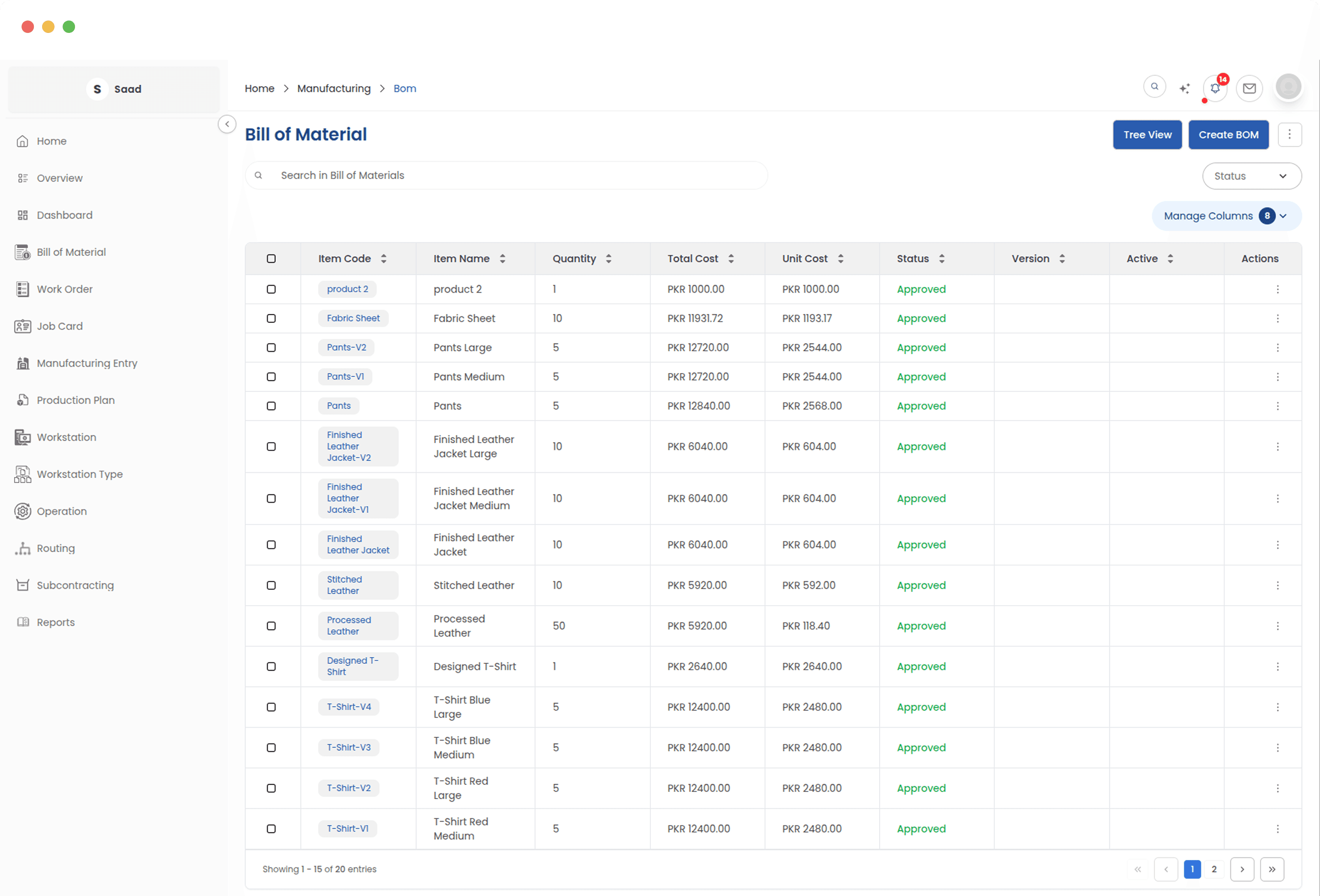
Every BOM in one list
One list holding every product recipe you have. Drafts stay drafts until somebody approves them, so an unfinished BOM cannot be picked up by a work order and taken to the floor.
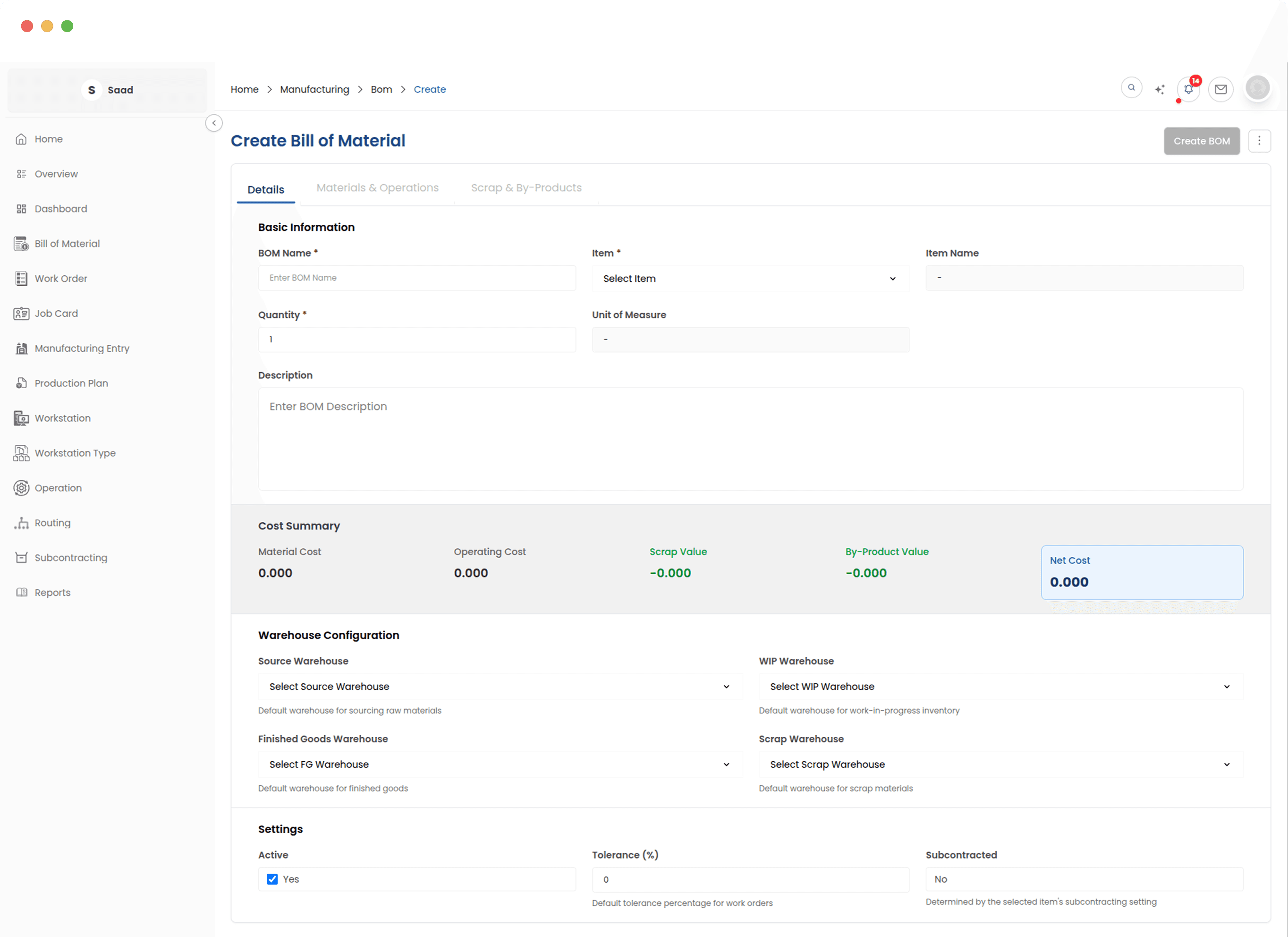
Build the recipe once
Materials, production steps and the outputs you expect, on one screen. Apply a routing template and the whole sequence of operations arrives already set up, in order, on the right workstations.
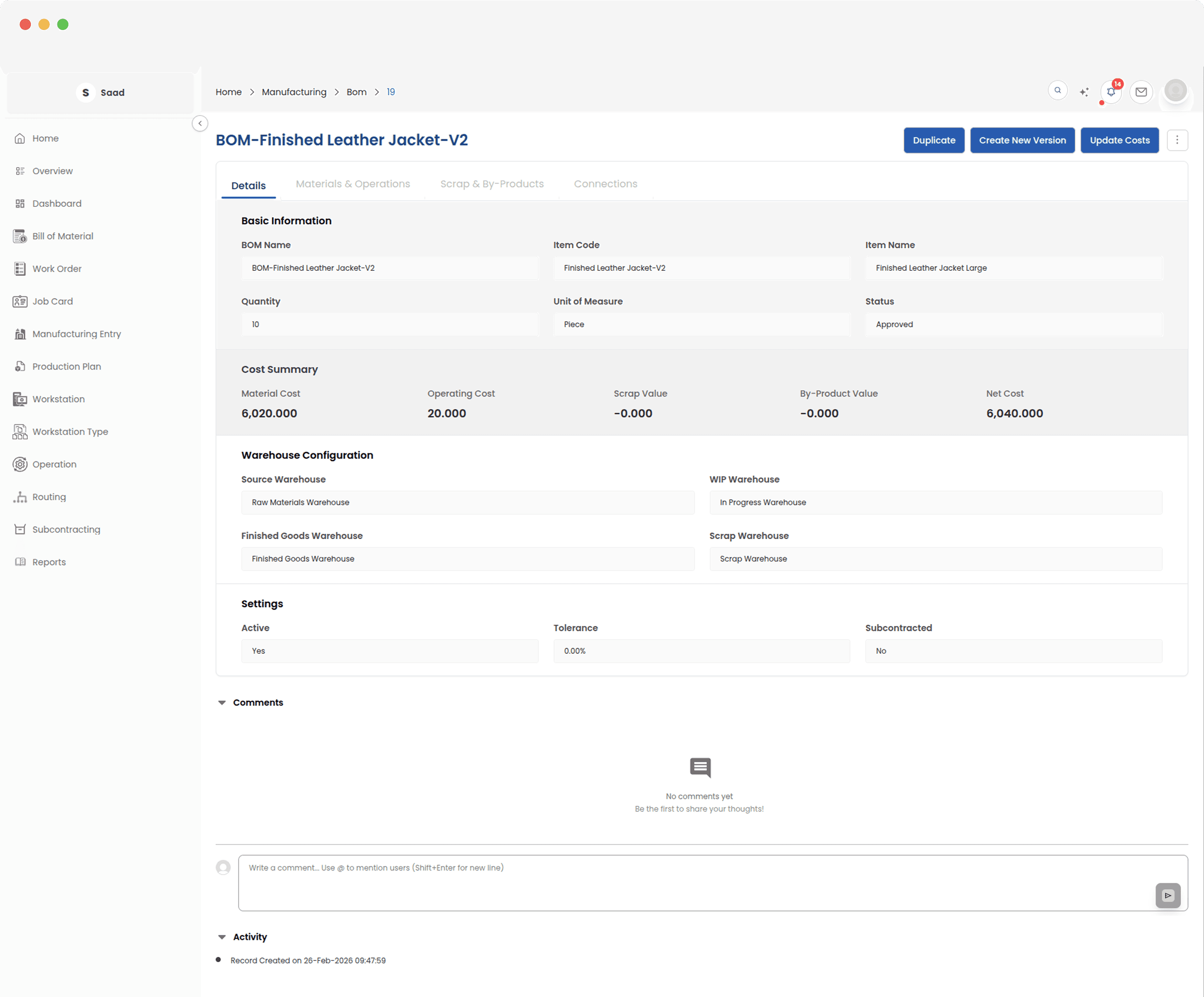
Explode a BOM and see the whole bill
Drill through every sub-assembly level to get the total quantity of each raw material a finished item actually needs, and the production cost that comes with it.
The product tree, and its history
Browse the catalogue as a collapsible tree to see how anything is built. Designs can move on without losing what came before: each version is kept as a snapshot, and variants are generated from one template.
One product or ten thousand variants
The structure holds either way. Variant BOMs come off a single template instead of being copied by hand, and old versions stay readable long after you have moved on from them.