
Operations, workstations and routing
This is the groundwork you do once, before the rest of the module is worth much. Register the machines you have, decide what an hour on each costs, define the steps that run on them, and chain those steps into routings your BOMs can reuse.
Four records that everything else reads
Rush this part and every BOM cost downstream is wrong along with it. It is half a day of work that saves you rebuilding product costs later on.
Operations
A production step defined once and reused on every product that needs it, carrying its own time and cost.
Workstations
Each physical machine, with what it costs to run for an hour and whether it is free right now.
Workstation Types
Machines grouped by category, with the cost rate on the category, so a rate change is one edit rather than forty.
Routing
A saved sequence of operations. Drop it on a BOM and the steps, their order and their costs come with it.
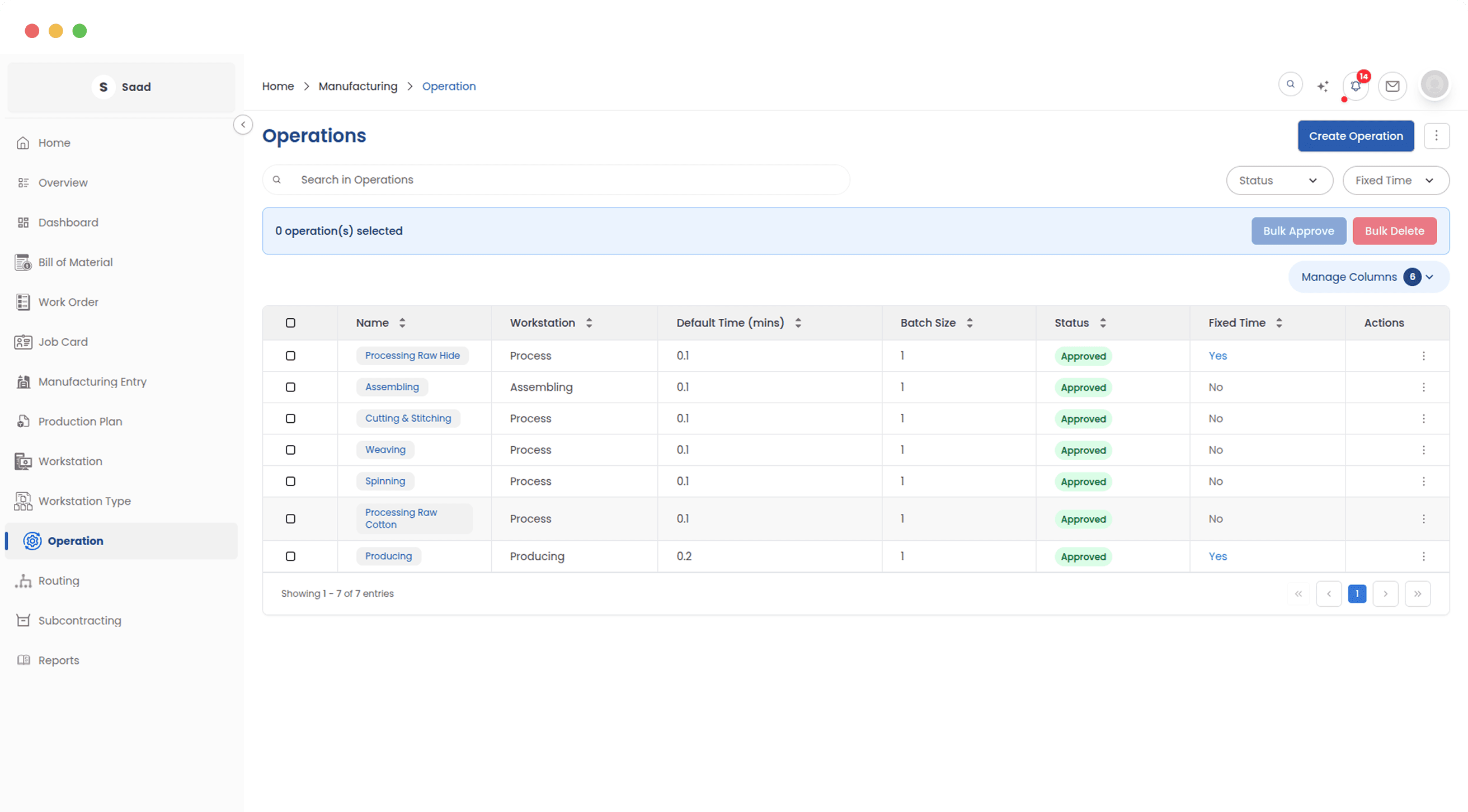
Every production step you perform
One list of the manufacturing steps your factory does: cutting, stitching, curing, whatever it is. Once an operation is approved it can be used on any product. Drafts stay out of the way until someone signs them off.
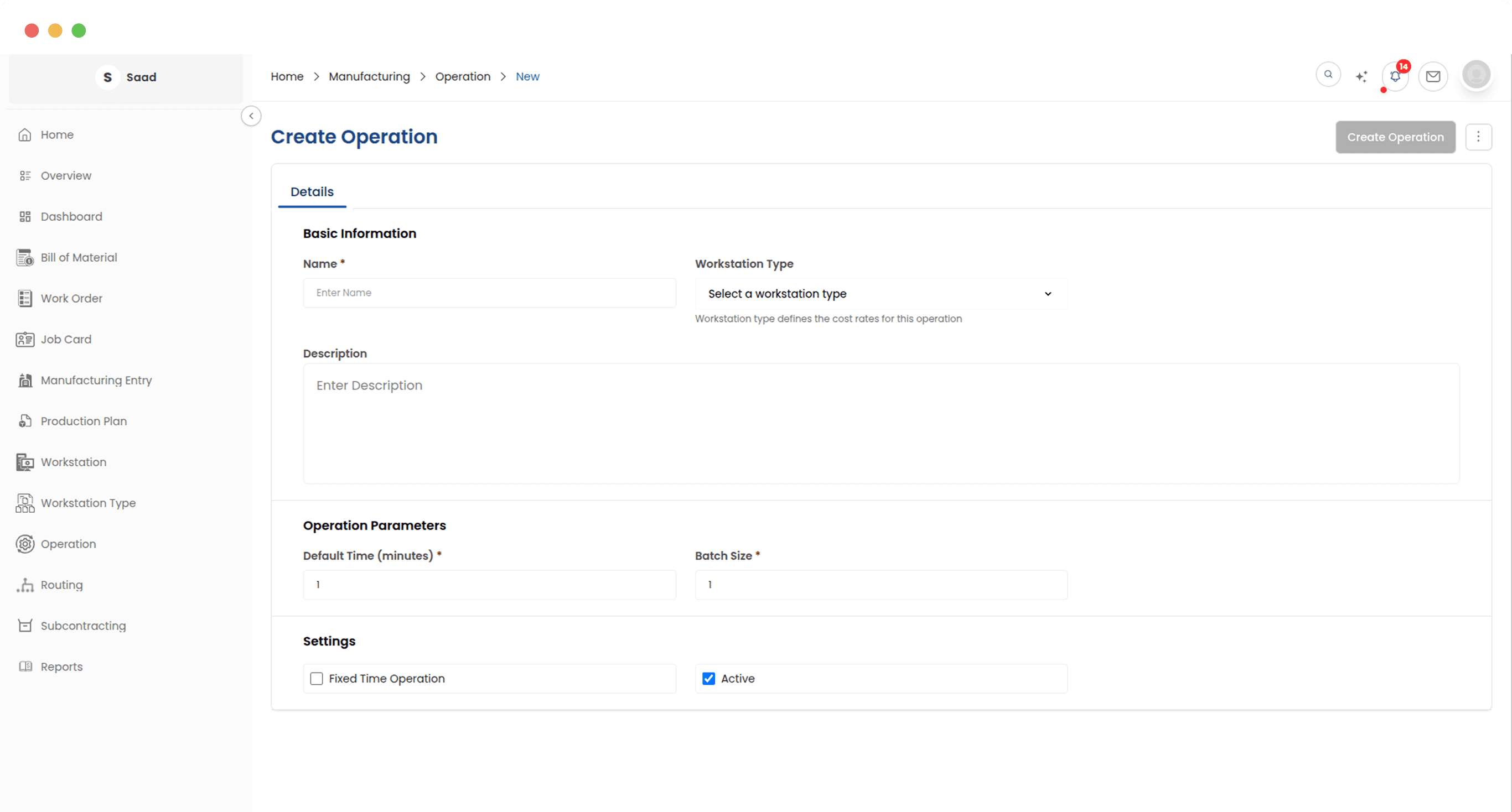
Time, machine and batch size
An operation records the class of machine it runs on, how long it takes, and how many units go through at once. Those three things are what the cost is calculated from, so they are worth getting close to right.
Group machines by what they are
CNC machines, assembly lines, finishing stations. The cost rate lives on the type, and every machine in it inherits that rate, so the whole facility stays costed the same way.
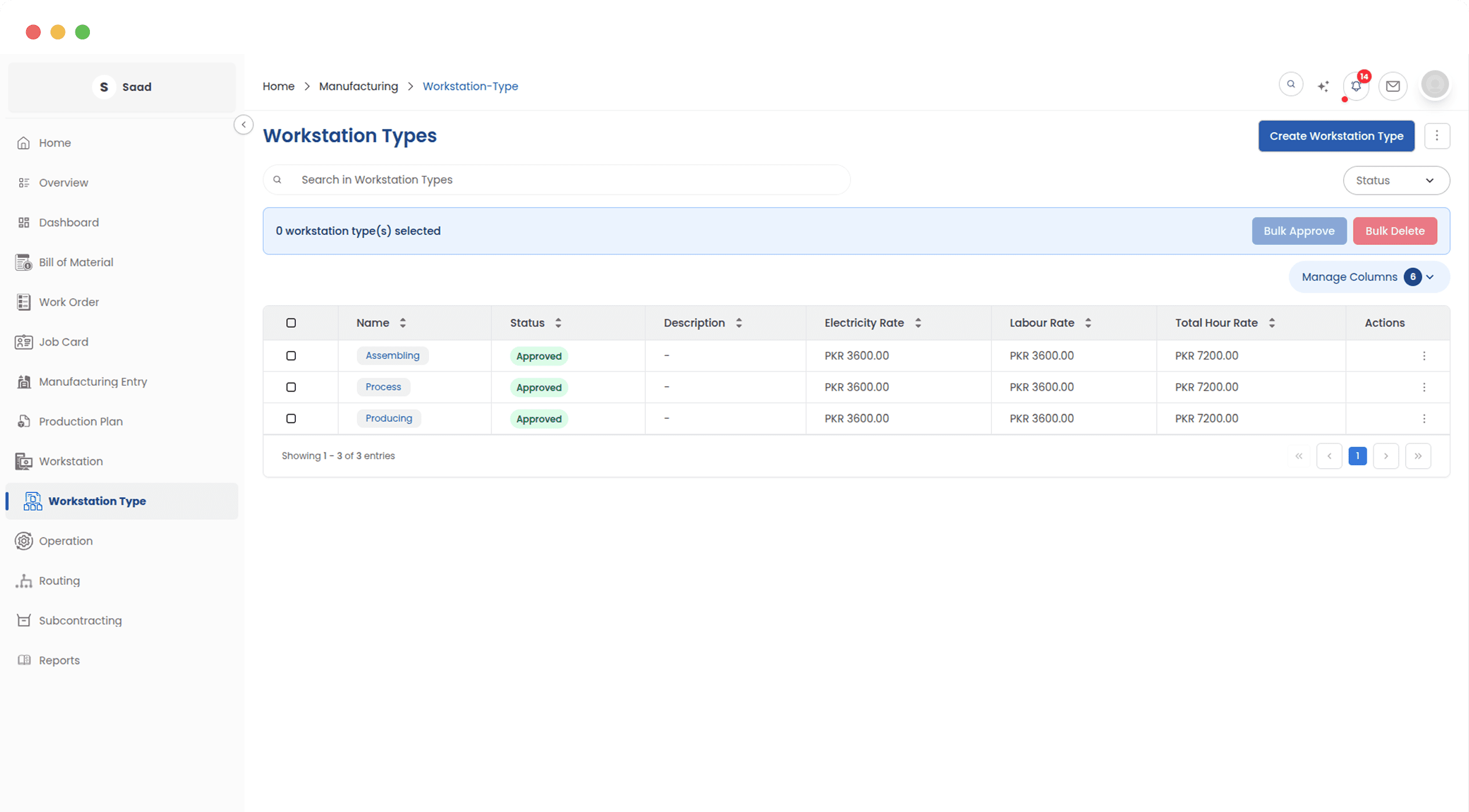
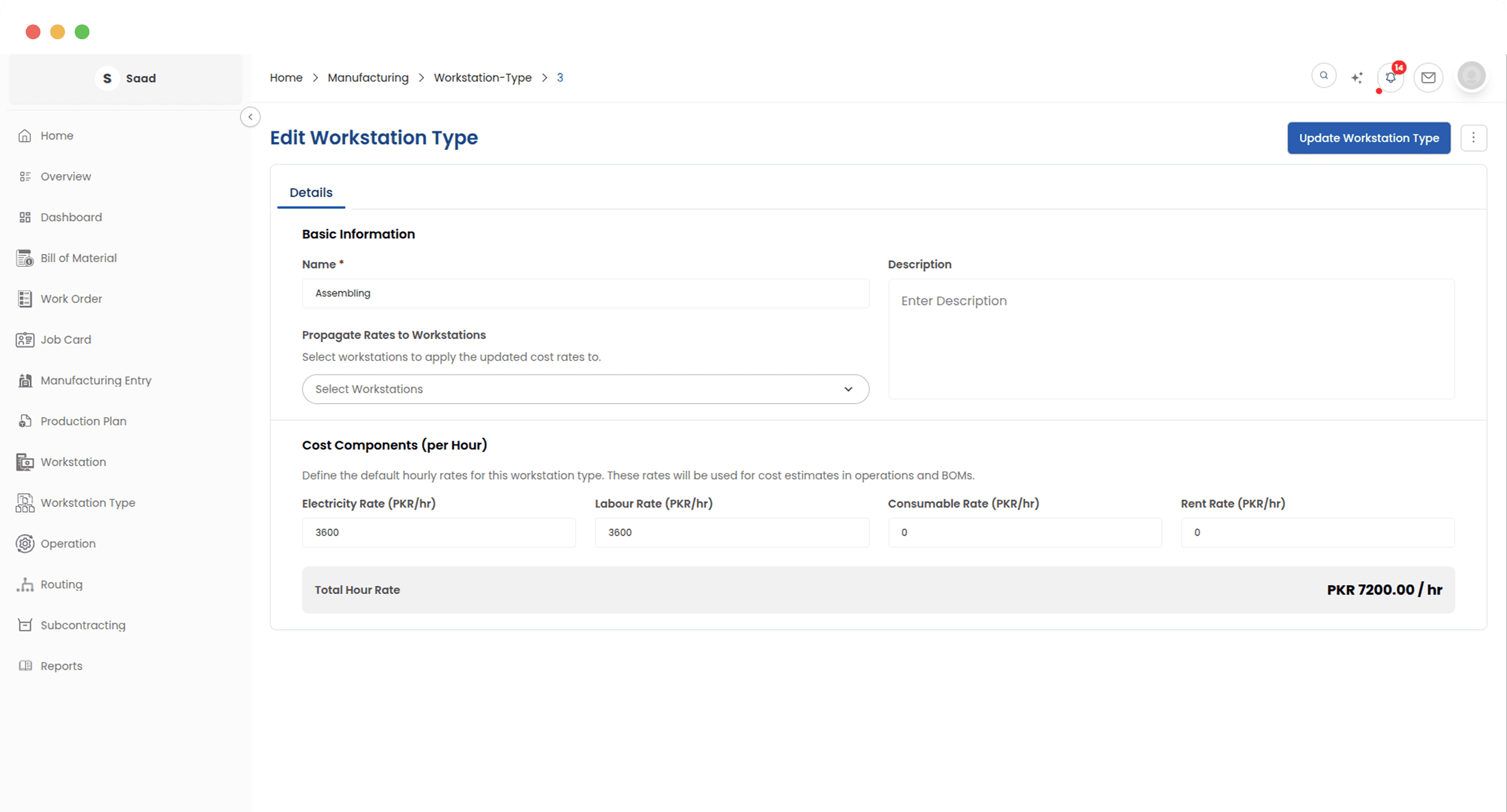
One rate change, every machine
Machine hours are a real cost and they move: power tariffs change, labour changes. Because the rate sits on the type, updating it reaches every linked machine without anyone opening records one by one.
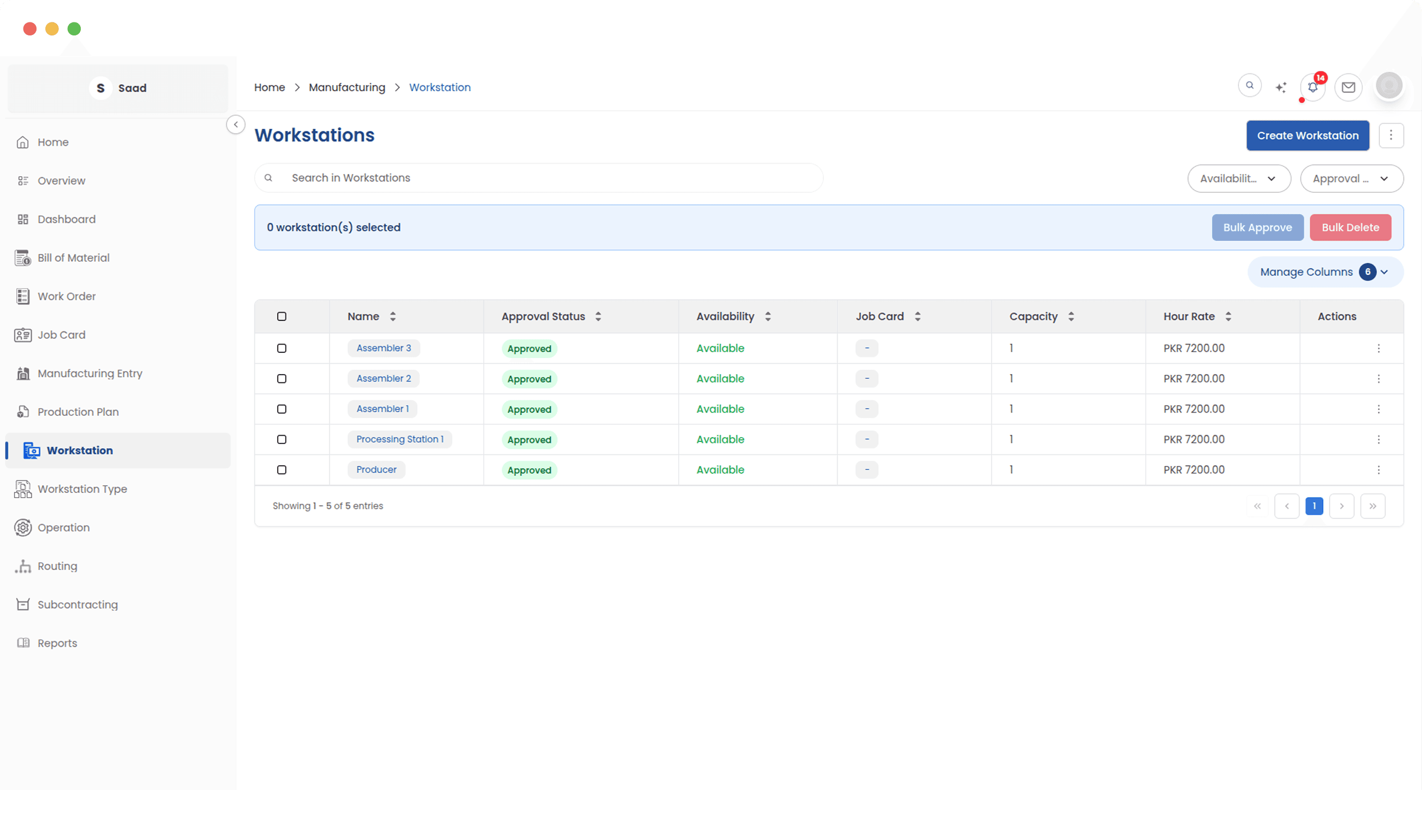
Which machines are free right now
Every workstation in the factory with its current state: available, under maintenance, or already at capacity. Enough to decide where the next job goes without walking over to look.
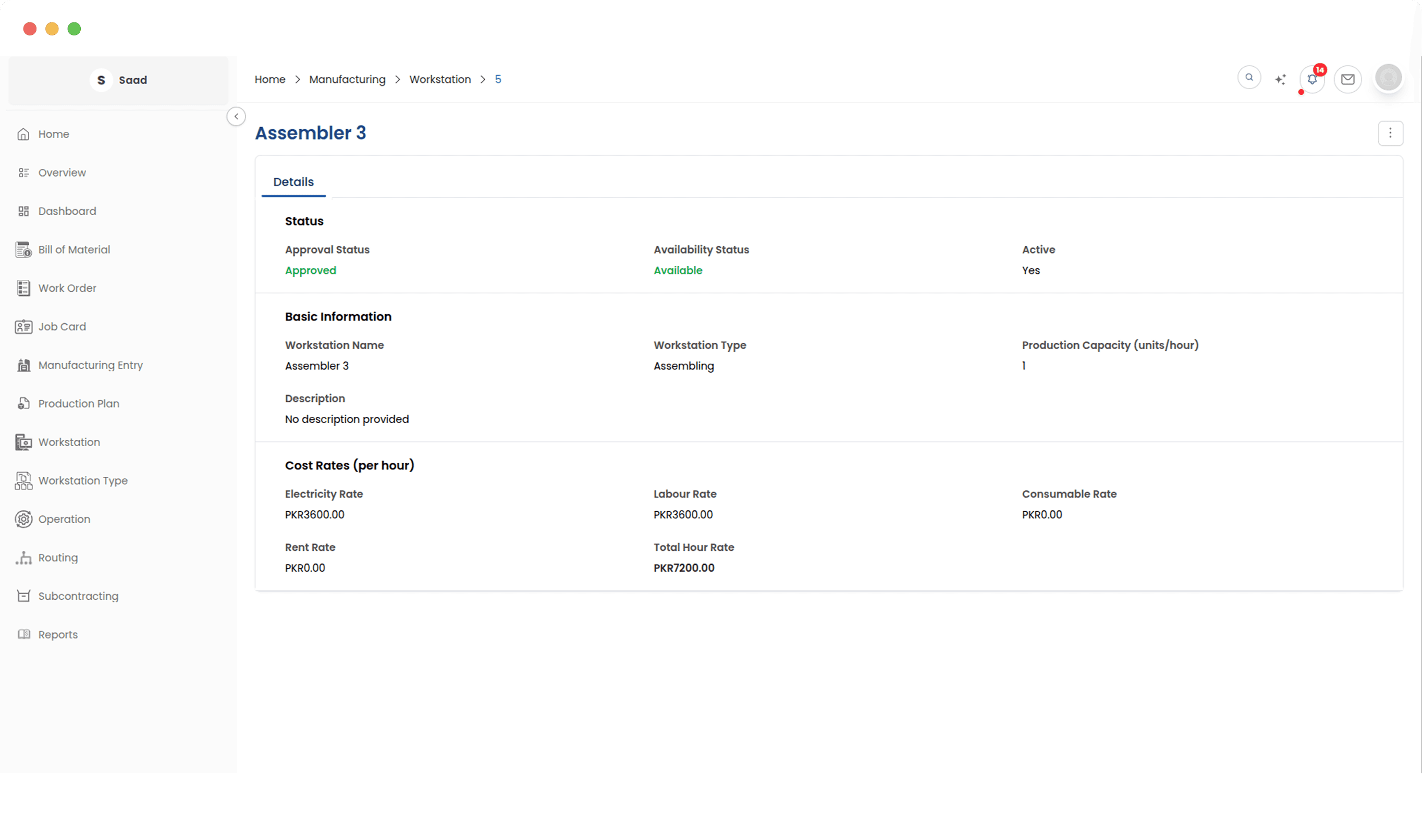
What an hour on this machine costs
A workstation carries its own capacity and an hourly rate broken into parts, so the cost landing on a job is built from the real economics of running that machine rather than a blended factory average.
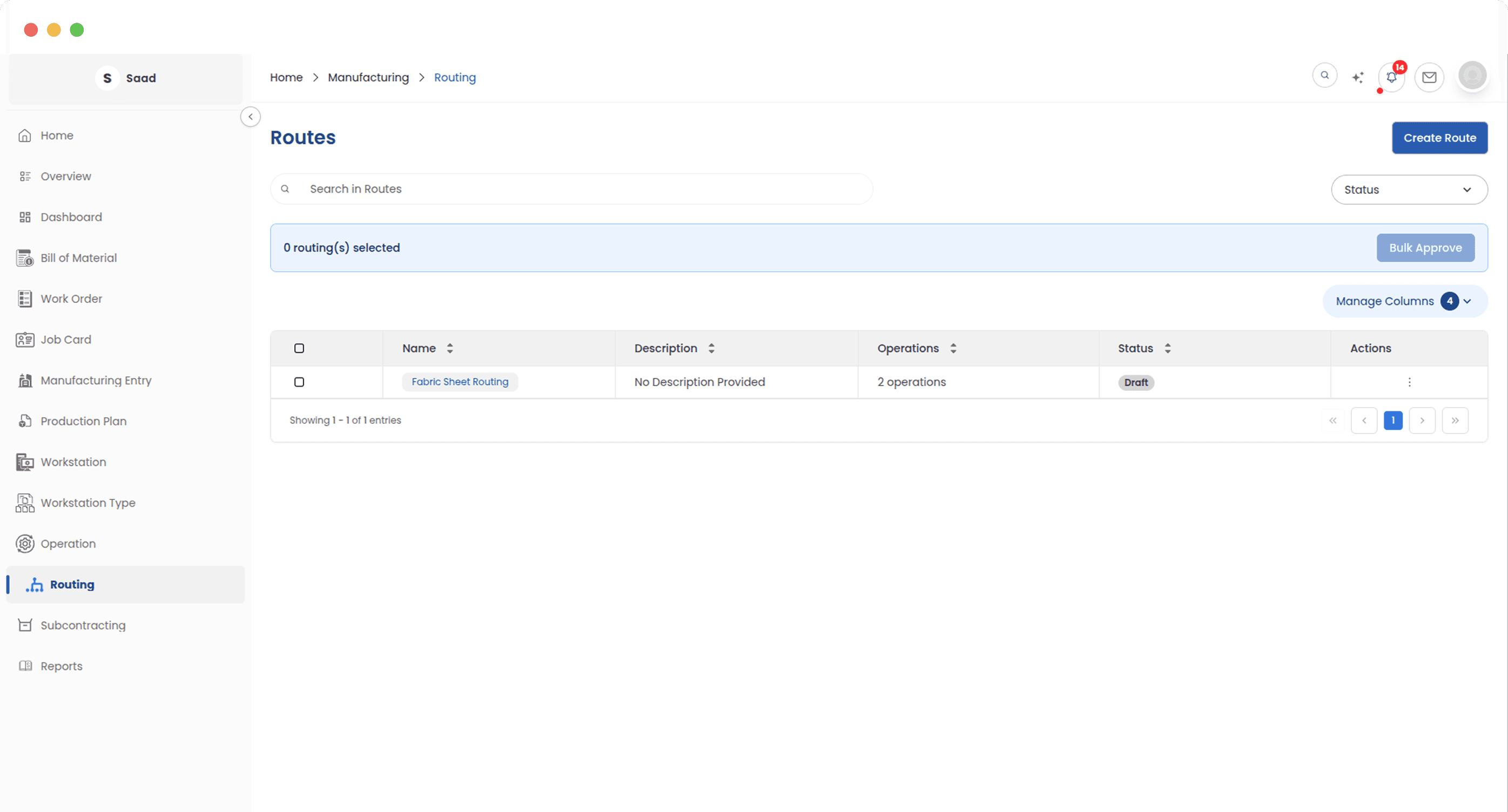
Sequences you already trust
A routing is a production sequence you have settled on, saved so it can be applied to every product that follows the same path instead of being rebuilt each time.
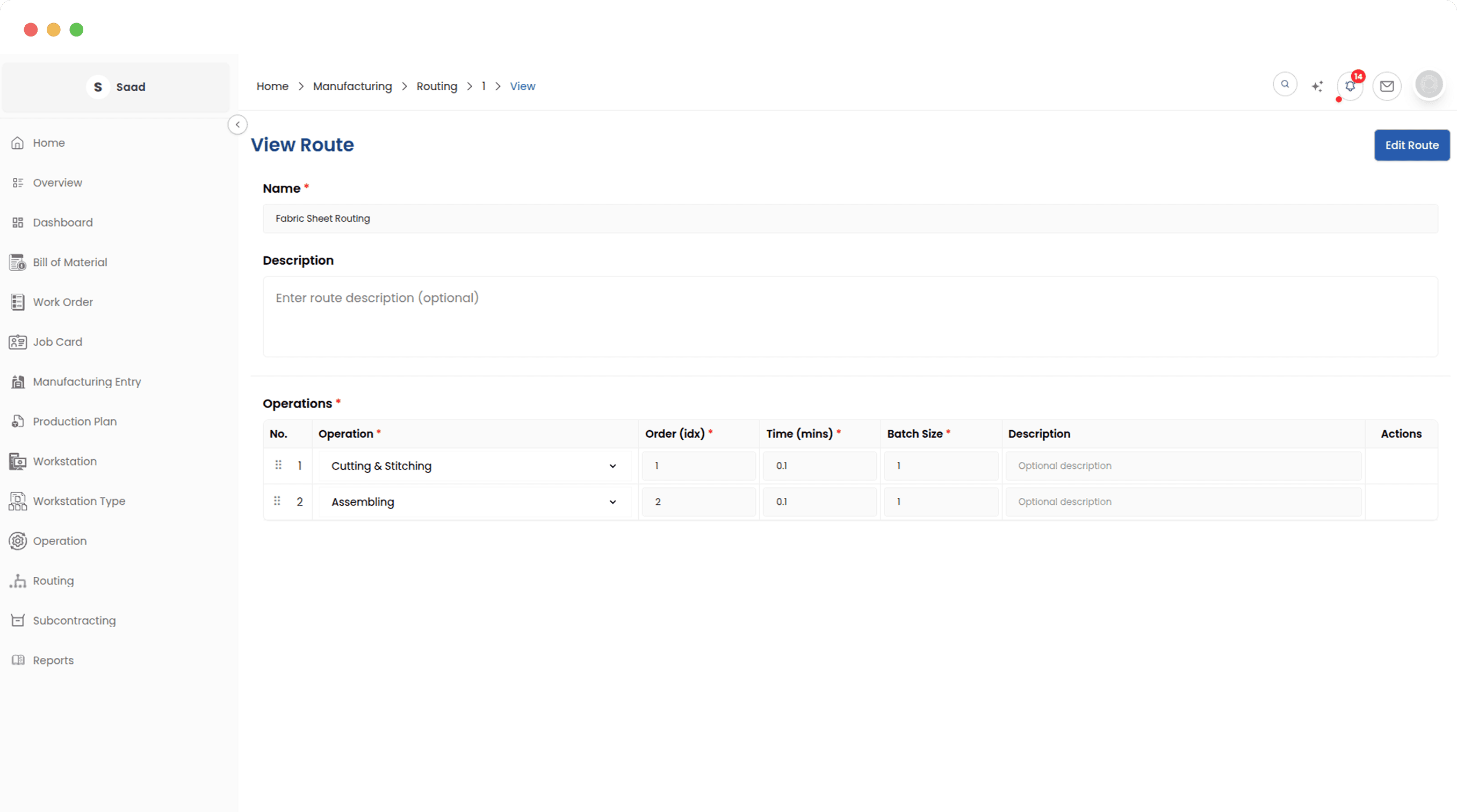
Ordering the steps
Lay out the operations in the order they actually happen, first cut through to final finish. Apply that routing to a product and every step arrives configured, in sequence, on the right workstations.
Set it up once, then stop thinking about it
A single workshop and a multi-line factory use the same four record types. The bigger you get, the more the shared rates and reusable routings save you.