
Ask in your own words
Type or speak a question. ERPX sends it to the right module agent and brings in a second one when the question crosses modules.
Wholesale & Distribution
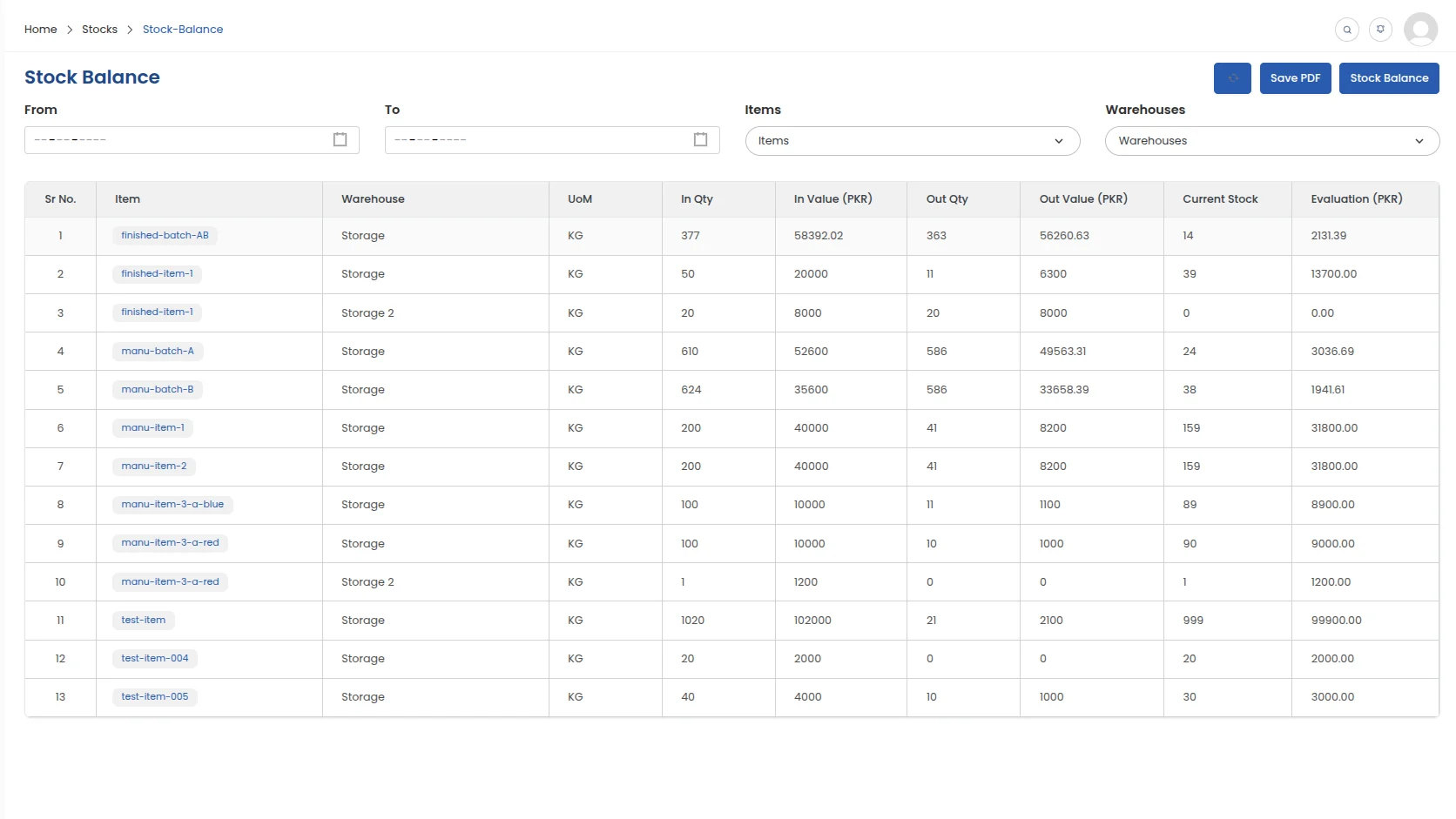
ERPX tracks stock per item per warehouse, warns or blocks when a branch drops below its reorder level and can raise the purchase request itself, while quotations carry line discounts and payment terms.
Direct answer
ERPX for wholesale and distribution is a set of connected ERPX modules for distributors that sell from several warehouses. It holds stock per item per warehouse, warns or blocks when a branch falls below its reorder level, raises purchase requests automatically, and tracks batches, item bundles, discounts and sales-team commission.
Who this is for
Distributors moving fast-selling lines through branch and regional warehouses, where a stock-out at one branch loses the sale.
Wholesalers of products with a shelf life who need to know which batch is on the shelf and when it expires.
Suppliers who sell kits as a single line but stock and count every component separately.
Traders of high-value units who need to know exactly which unit each customer received.
Problems we solve
The problem
Set a reorder level and reorder quantity per item per warehouse. When a delivery or stock issue would take a branch below its level, ERPX warns, blocks or stays silent, depending on the enforcement mode you choose.
The problem
Turn on Auto Create Purchase Request and ERPX raises the request when a level is breached, instantly or at midnight. Draft and pending requests already covering the item are counted, so you are not asked twice.
The problem
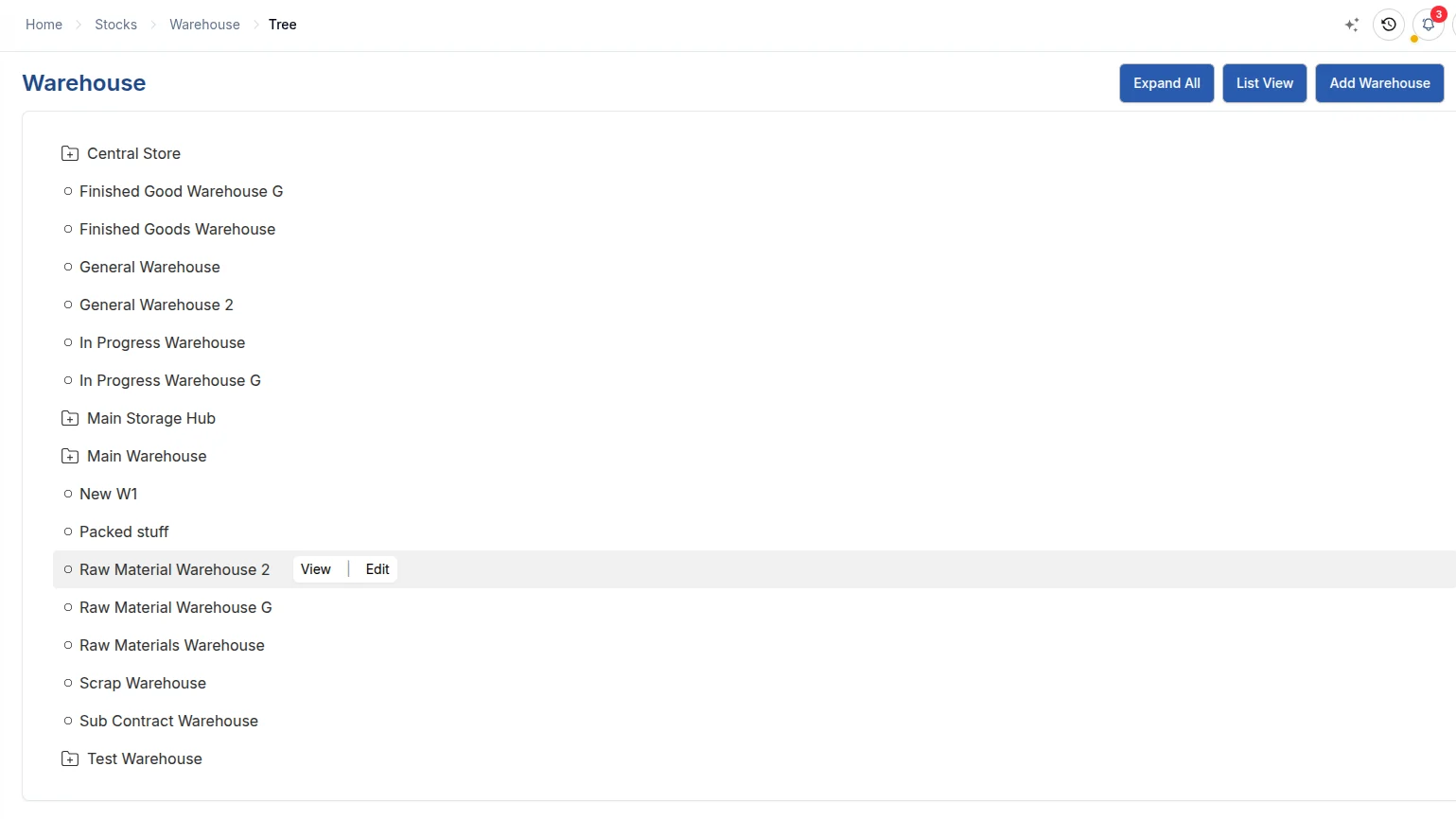
Every quantity is held per item per warehouse. Warehouses form a tree of group and leaf locations, including a Distribution Center type, so you can report on a region or a single store.
The problem
An item bundle is sold as one line at one price while the component items carry the stock and move on delivery.
The problem
Batch tracking records which units came in together and when they expire, for items where Has Batch Number is switched on.
The problem
Sales team members carry a required commission rate, customers record each member’s contribution split, and incentives are calculated from the two. Teams sit in a hierarchy of regions and branches.
End to end
A wholesale order in ERPX moves from a priced quotation to a delivery that checks each warehouse against its reorder level, and replenishment follows automatically where you allow it.
Price each line with its own discount and tax rate, add a quotation-level discount if needed, and set the payment term.
Convert the agreed quotation lines into a sales order with a delivery date that drives pending-delivery reports.
Dispatch on a delivery note from the leaf warehouse that holds the stock, picking batches where the item is batch-tracked.
Saving the outward document compares current stock for that item and warehouse with its reorder level and applies your enforcement mode.
On a breach, ERPX can create the purchase request for the reorder quantity, instantly or at midnight.
Turn the request into a purchase order and receive the goods on a GRN into the warehouse that needs them.
Move stock between locations with a stock transfer. The item’s weighted-average rate is global, so a transfer does not change its value.
ERPX AI for Wholesale & Distribution
Distributors ask about stock and sales across warehouses and customers. ERPX combines the Inventory and Sales agents, flags what needs attention and prepares the next document for approval.
Access follows each user’s role. Changes wait for approval.
Which fast-moving items are below their reorder level?
InventoryPurchase · helper
7 items are below their reorder level. 4 of them moved faster than usual in the last 30 days.
Stock as a share of reorder level
Example questions ERPX AI can answer. The figures shown in the animation are illustrative.
Illustrative data
Type or speak a question. ERPX sends it to the right module agent and brings in a second one when the question crosses modules.
Answers come from your own ERPX data through governed queries, limited to what your role can see.
When the next step creates or changes a record, ERPX prepares it and waits for you to approve, edit or reject it.
Connected in ERPX
Explore the modules behind this workflow and open the relevant documentation.
Replenishment
Levels are set per item per warehouse, so the same item can reorder at 500 in the main store and 50 at a branch. One set of reorder rules for the organisation decides what happens on a breach.
Check In Warehouse lets a level watch a different location. Watch the central store’s balance while ordering for a branch when replenishment is centralised.
| Mode | On a breach, the user… |
|---|---|
| Warn Only (default) | Sees a confirmation and can continue |
| Block Transaction | Cannot save until stock or the level is addressed |
| No Enforcement | Sees nothing; levels are for reporting only |
Warehouses
Group warehouses roll up reporting and never hold stock; leaf warehouses are where goods sit and are the only ones offered on transactions. Each warehouse has a type (Raw Material, Finished Goods, Distribution Center or Scrap), an optional default stock account, and its own address and contact.
Sales teams
Sales people sit in a hierarchy that can model regions, branches and reporting lines. Each member covers a territory and has a required commission rate.
On the customer record, the Sales Team tab lists the people who share that account, their contribution split and commission rate, and the incentives calculated from them.
Batches and bundles
Batches group units received or produced together and answer when stock expires. Bundles let you sell one kit line while the stock moves on its components.
Compliance and local requirements
Tax registration and withholding fields apply to every distribution sale and purchase.
Each customer carries its national tax number and sales tax registration number, kept visible in the record sidebar while you work.
Sales and purchase invoices have a dedicated withholding card. Enable Include Withholding Tax, choose the configured tax type and rate, and the invoice records it separately from ordinary taxes.
Define the tax and charge rules invoices use, each with its own rate and the account it posts to.
Please note: ERPX applies the tax rates and accounts your team configures; it does not decide your legal tax treatment. Finance should verify rules against current local requirements.
FAQ
Keep exploring
See how other teams use ERPX, then go deeper in the product guides.
Proforma invoices with HS codes and Incoterms, shipment records, documents in the deal currency and landed cost that puts freight and duty into item cost.
Explore solutionQuotations negotiated line by line, imported parts costed with freight and duty, serial-number traceability and after-sales issue tracking.
Explore solutionSize and colour variants, fabric sent to job workers, and a proforma-to-shipment document chain for garment, towel and home textile exporters.
Explore solutionProduct guides for this workflow
Distribution demo
Walk through a delivery that breaches a reorder level, the purchase request that follows and the transfer that rebalances your warehouses.
Explore the connected flow