
Manufacturing ERP software for growing manufacturers
ERPX picks up where spreadsheets give out: deciding what to make, buying what is short, tracking who is working on what, and telling you what the job actually cost. Built for small and mid-sized factories in Pakistan and across the region.
Is it a fit
Who it is built for
ERPX suits manufacturers who have outgrown spreadsheets and have no appetite for a two-year implementation. In practice, the factories that get the most out of it look something like this.
- Somewhere between 20 and 500 people, on one site or a handful of them.
- Products with a real recipe: bills of materials with sub-assemblies, not buy-and-resell.
- Orders that land before the goods exist: make-to-order, make-to-stock, or both in the same week.
- Part of the work sent outside for dyeing, stitching, plating, printing or machining.
- A finance team that wants product cost to fall out of production, not out of a month-end estimate.
Where it is the wrong fit
If you assemble a single product, never send work out and never plan more than a week ahead, this is more system than you need. A good inventory tool will serve you better and cost less.
At the other end, if you already run an MES on the floor of a 2,000-person plant, start the conversation with scope rather than a demo. There are integration questions worth settling first.
The problem
Where production usually goes wrong
None of these are exotic problems. They turn up in nearly every factory running on spreadsheets, WhatsApp and memory, and each one is a place where a connected system earns its keep.
The plan does not match the order book
Sales orders feed the production plan directly. What you have committed to is what gets scheduled, and the plan moves when the order book moves.
You find out you are short of material mid-run
Stock is checked before a work order starts. Shortages get flagged and turned into purchase requests from the same screen, not a week later.
Nobody can say where a job actually is
Every operation on the floor carries a job card. Supervisors see what is queued, running and stuck on one board instead of walking the shop.
You learn the real cost weeks after delivery
Cost builds up as material is issued and job cards are logged, so you can compare cost-to-date against the BOM estimate while the job is still open.
Outsourced work vanishes into a black hole
Material sent to a job worker stays on your books. Required against supplied quantity is tracked per material, and the receipt posts stock and ledger entries.
Every product gets set up slightly differently
Routings are templates. Apply one to a BOM and the operations, their sequence and their workstations come with it, the same way every time.
How it works
From a plan to a finished good
Each step writes the data the next one reads. Nothing gets typed twice, and there is one version of what is happening on the floor rather than one per department.
Plan
Production Plan
Pull items from sales orders, net them against stock on hand, and get back what to make and what to buy.
Read moreStructure
Bill of Materials
The recipe every other step reads: materials, operations, scrap, by-products and the cost that rolls up from them.
Read moreExecute
Work Orders
One record holding the materials, the operations and the output for a job, with stock validated before it starts.
Read moreExtend
Subcontracting
Work sent to job workers, tracked with the same material trail and the same ledger entries as anything made in-house.
Read moreTrack
Job Cards
Operations assigned to operators, timed at the workstation, and moved across a Kanban board as they progress.
Read moreRight now
What the floor is doing, without asking anyone
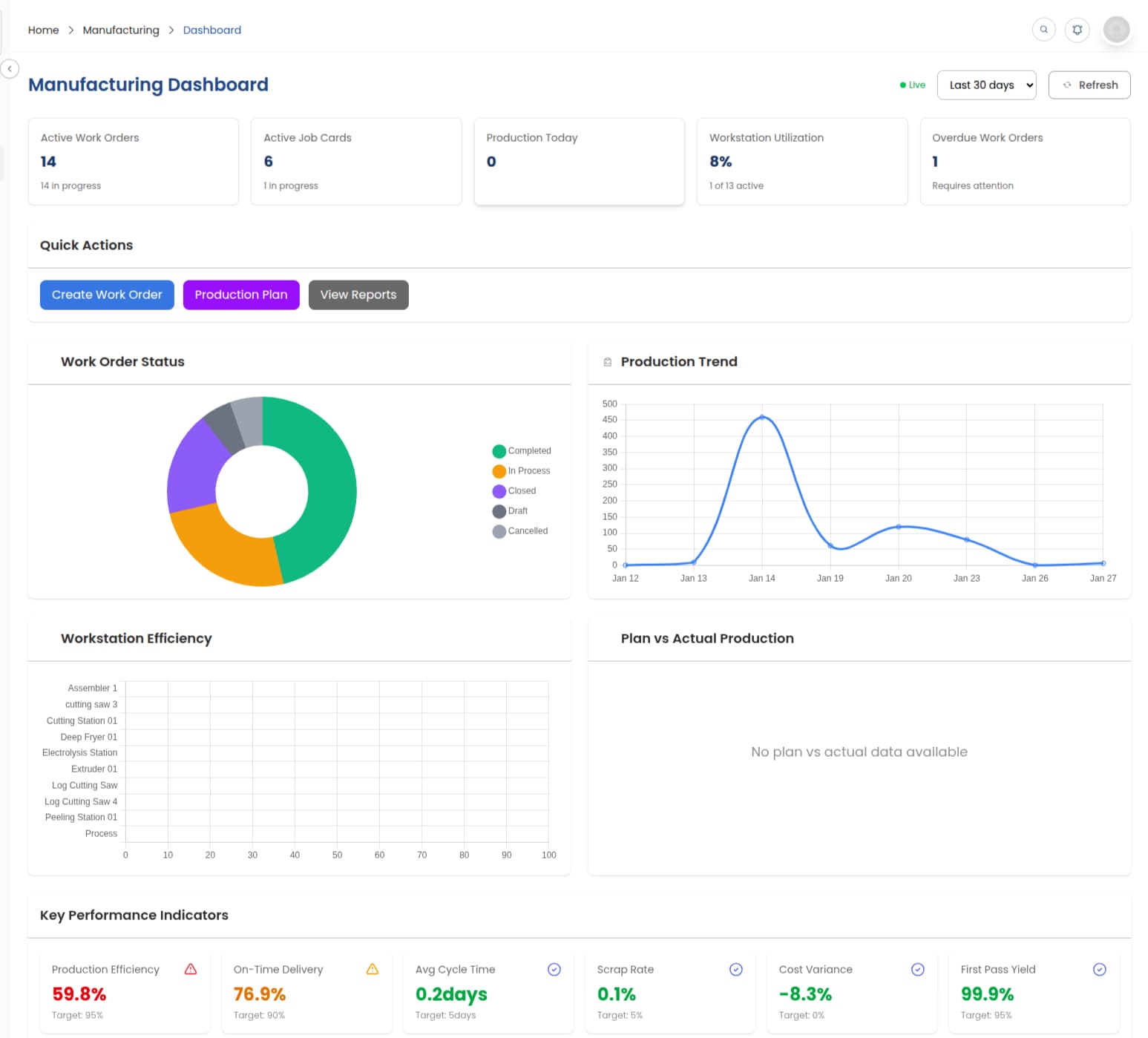
The manufacturing dashboard collects every open job, workstation utilisation and outstanding material request in one view. It fills itself as production moves, so it is current without somebody maintaining it.
- Work order status and quantities produced so far
- Workstation utilisation by machine and by shift
- Cost-to-date against the BOM estimate, per job
- Material requests still waiting on procurement
PRODUCTION PLANNING
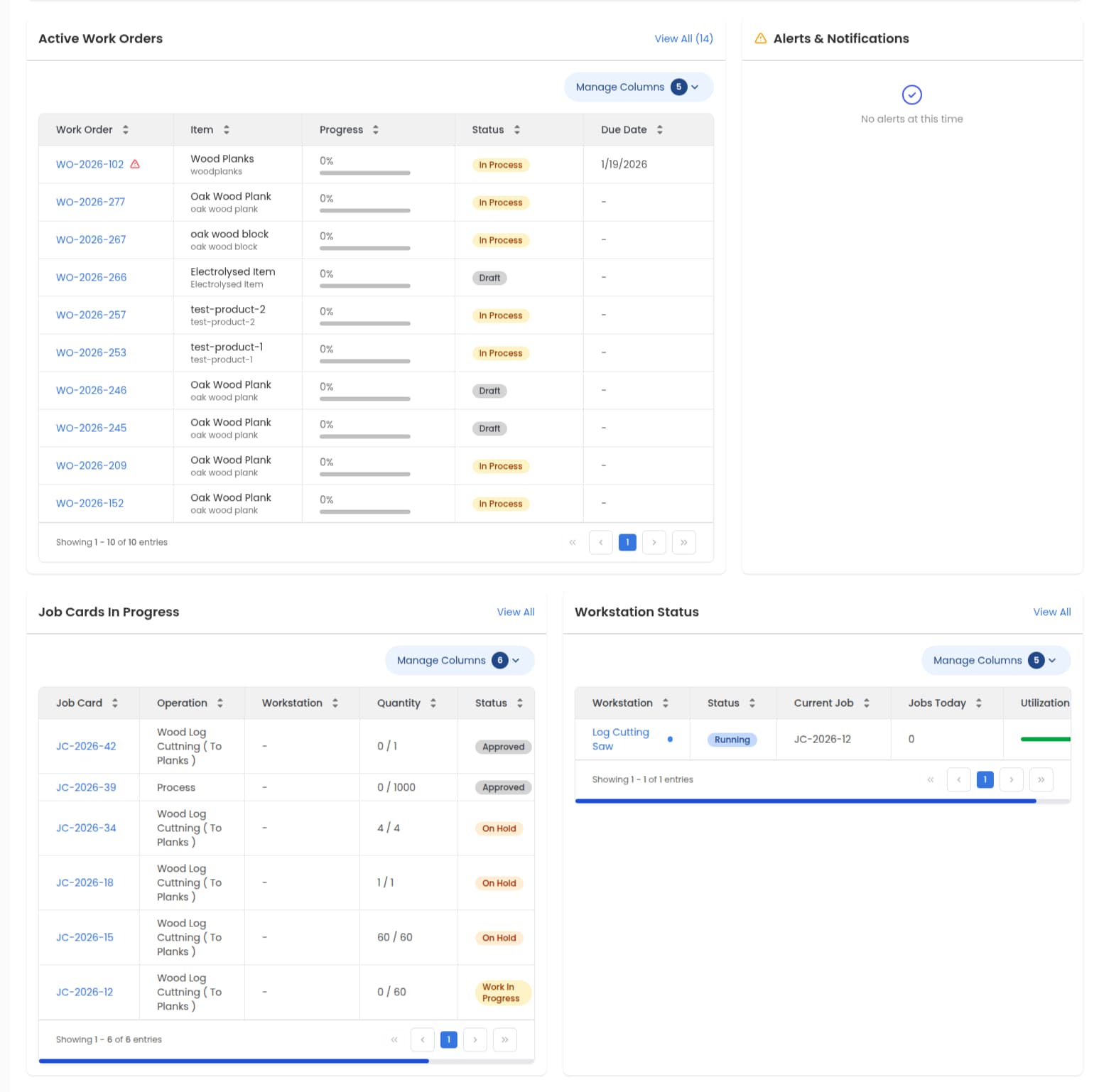
Turn the order book into a plan you can actually run
Pull items straight off your sales orders and let the plan work out what has to be made and what has to be bought, netted against the stock you already hold. The work orders and purchase requests come out of the same screen, so the floor and procurement can both start without a meeting in between.
BILL OF MATERIALS
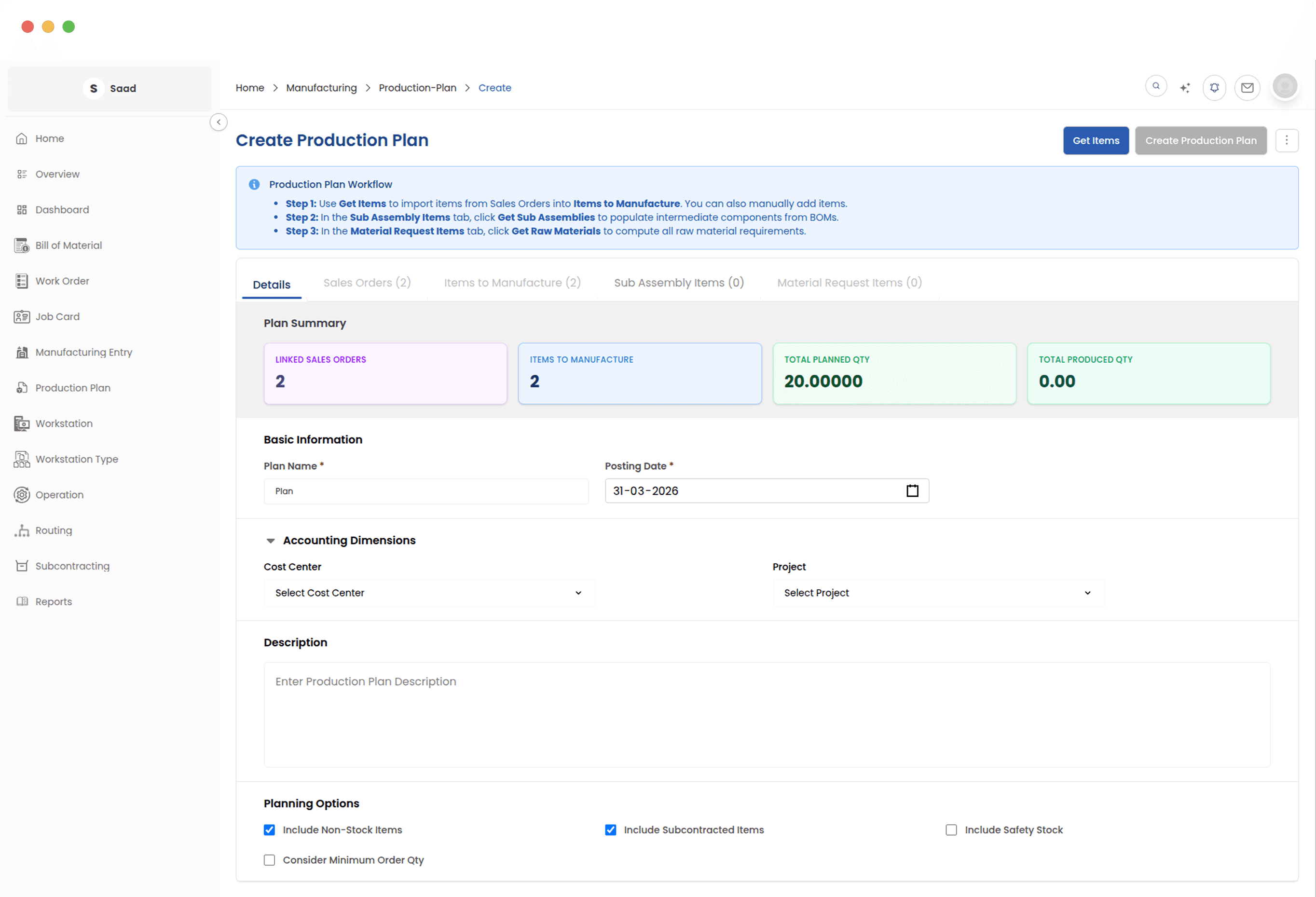
Get the recipe right once and everything downstream follows
Every run starts from a bill of materials. Set out the materials, the production steps and the expected cost once, and every work order, plan and cost report reads the same structure after that. Drafts stay out of the way until somebody approves them, so an unfinished BOM never reaches the floor.
WORK ORDERS
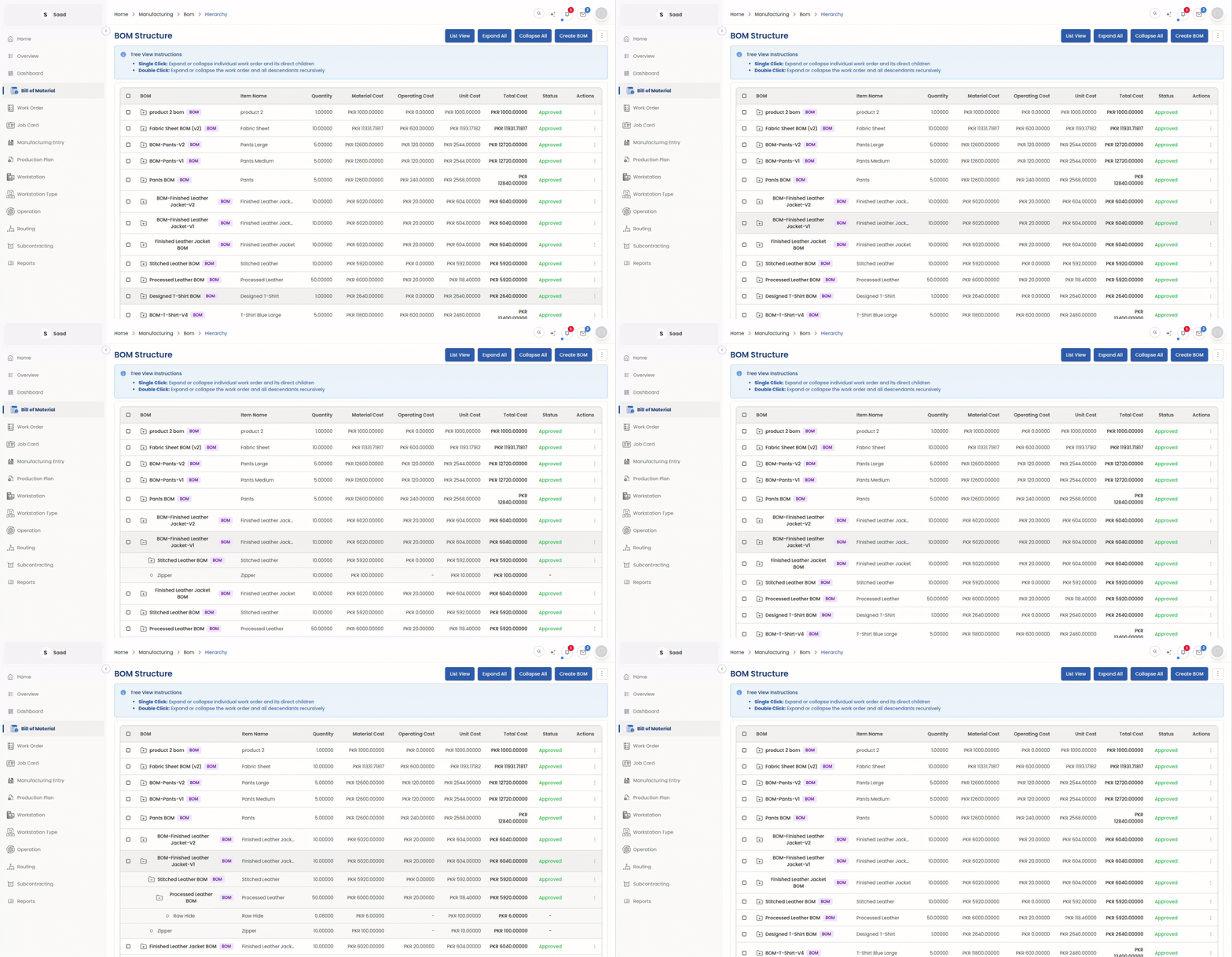
Know where every job stands without asking
One work order holds the materials, the operations and the output for a job. The team can see what to make and what is actually in stock before anything starts, and shortages show up while there is still time to act on them. Cost builds up as the job runs, so finance and the floor are reading the same number.
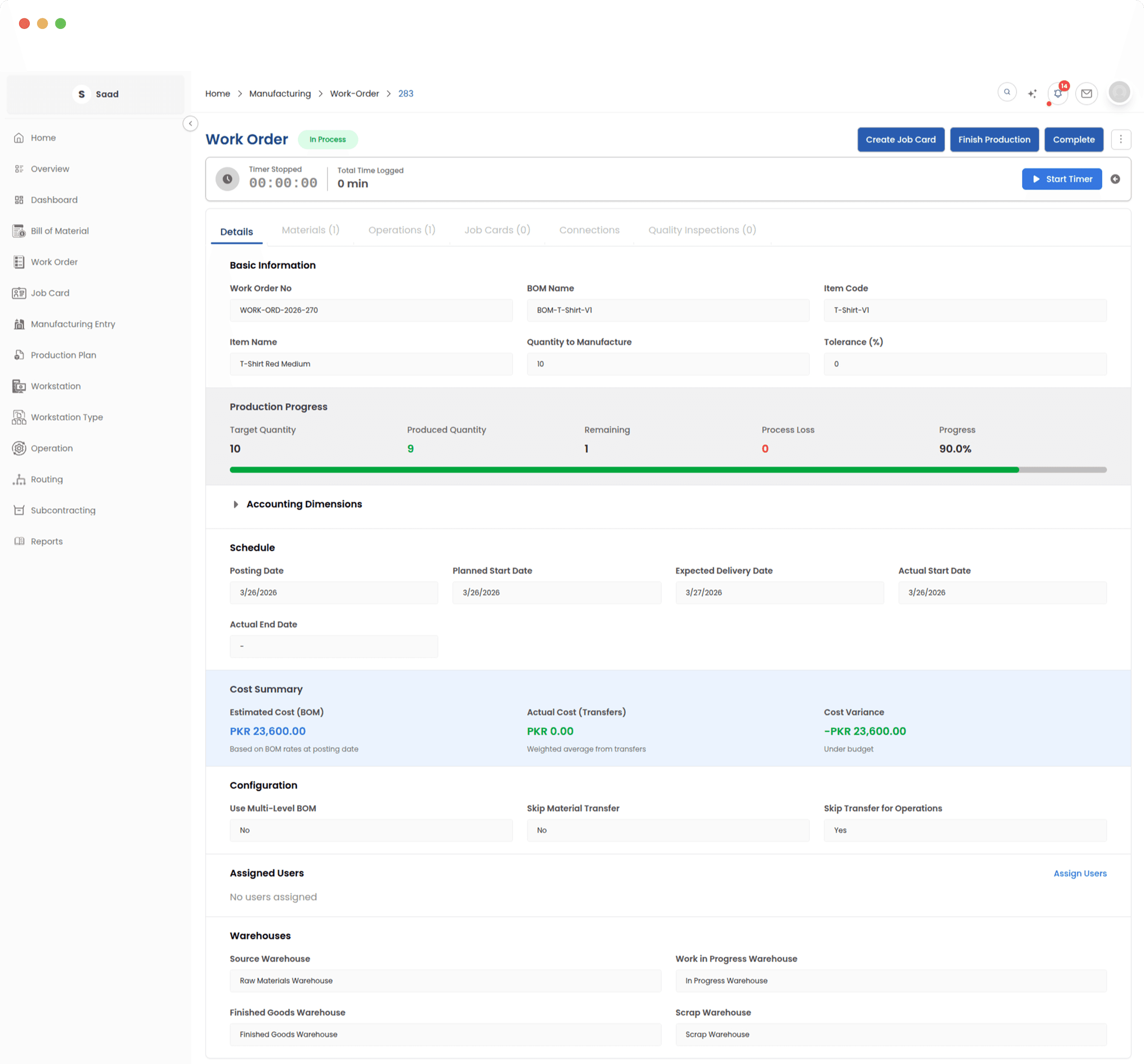
SUBCONTRACTING
Send work out without losing sight of it
Material you send to a job worker stays on your books until the finished goods come back. Required against supplied quantity is tracked per material, and the receipt posts the stock and ledger entries for you. Outsourced work ends up with the same paper trail as anything made in-house.
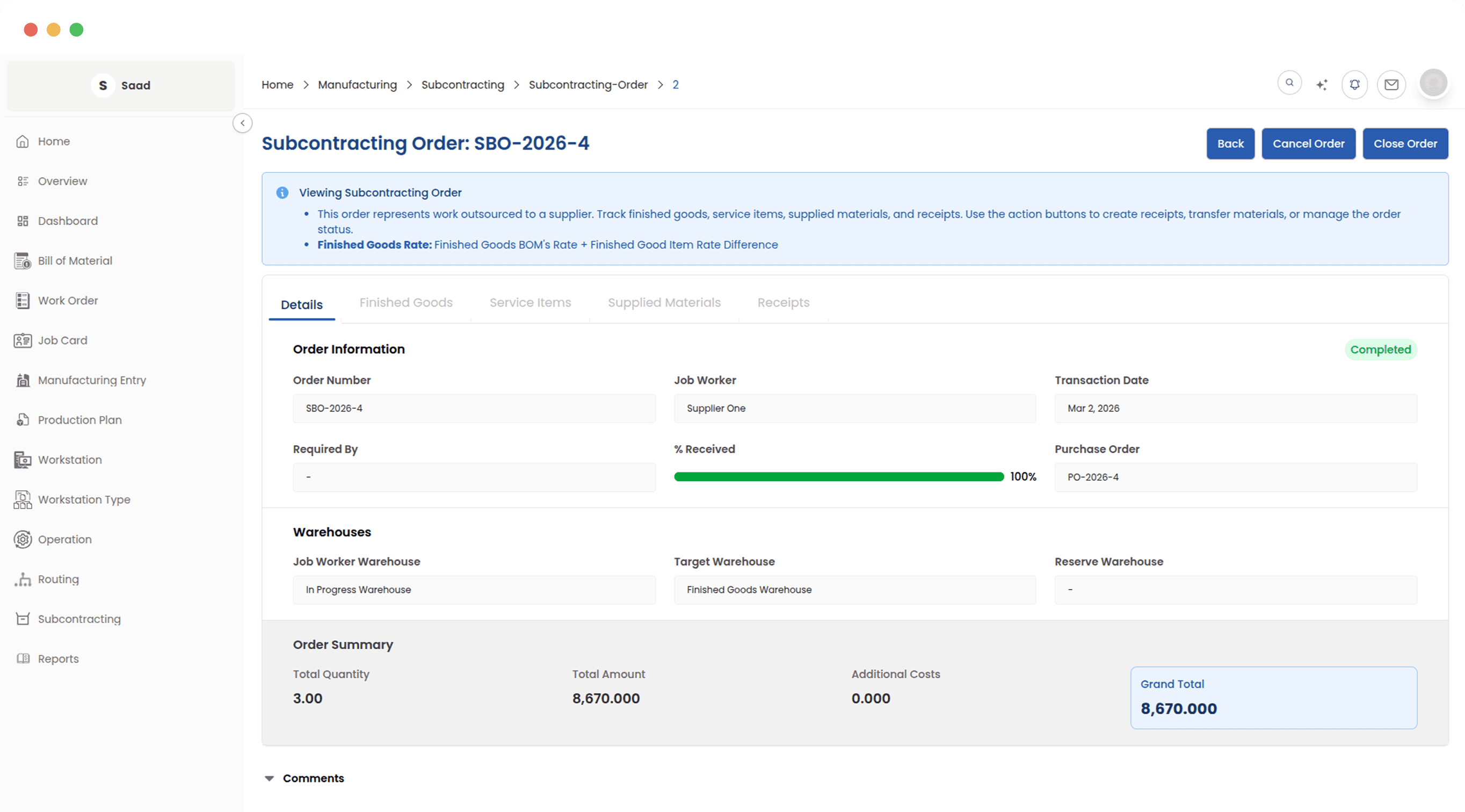
SHOP FLOOR EXECUTION
Give the floor one board instead of six clipboards
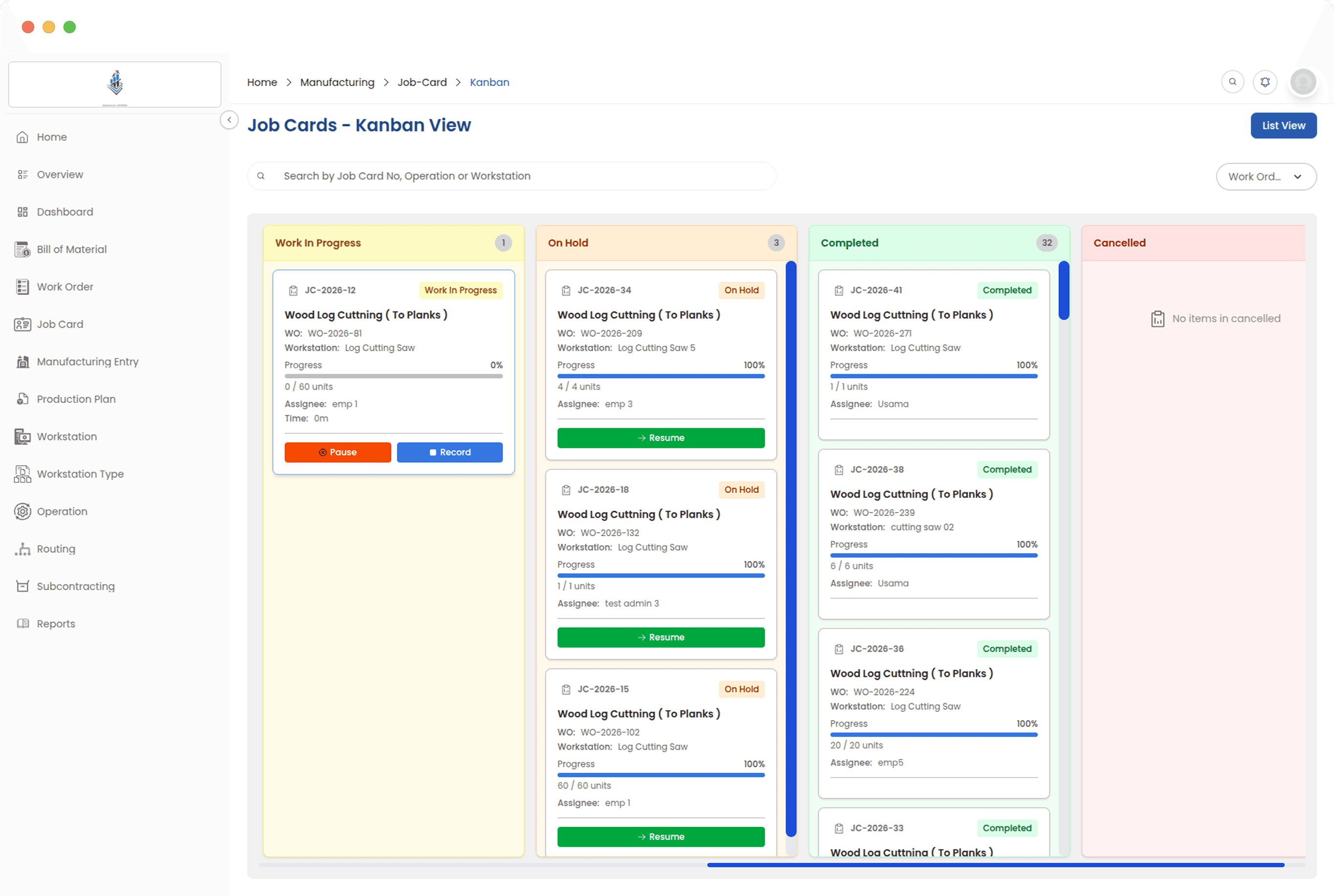
A job card is one operation, assigned to the operators doing it. They start a timer at the workstation and log what they finished. Supervisors read the whole floor off a Kanban board: what is queued, what is running and where it is backing up, without walking the shop or opening a spreadsheet.
Production models it handles
Most factories run more than one of these at the same time, which is the reason none of them are a separate product here.
Make to order
Items come off sales orders into a production plan, so what you scheduled and what you promised are the same list.
Make to stock
Add items to the plan yourself, net them against stock on hand, and build to a target instead of to an order.
Multi-level assembly
Sub-assemblies keep their own BOMs and their own work orders, created alongside the parent rather than one at a time.
Job shop and subcontracting
Whole operations go out to job workers while the material stays on your books until the finished goods come back.
It is not a bolt-on
Manufacturing shares a database with the rest of ERPX. That is the whole argument for buying an ERP instead of a production tool: there is nothing left to reconcile at month end.
Inventory
Issues, transfers and finished goods hit stock as they happen, with batch and warehouse detail intact.
Purchasing
Shortages found while planning become purchase requests without anyone retyping the shopping list.
Sales
Sales orders feed the plan, and committed quantities are visible against what is actually in production.
Financials
Consumption, work in progress and finished goods post to the ledger from the same documents the floor creates.
Export documentation
For exporters, the paperwork downstream draws on the same item and batch data production generated.
People
Operators named on job cards are the same employees on the payroll, so labour time and labour cost line up.
The difference
What changes once it is connected
These are differences in how the work feels, not a promise of a percentage. How much you get out of it depends mostly on how accurate your BOMs are going in.
Fewer stops for missing material
Availability is checked before a work order starts and shortages become purchase requests in the same step. The shortages do not disappear. You just meet them earlier, while there is still time to do something about them.
Costing that keeps up with the run
Material issued and time logged move the job cost while the job is open, so the month-end number stops being a surprise and starts being a confirmation.
One answer about where a job is
Planners, supervisors and the sales desk read the same job card status. The "let me check and call you back" loop gets a lot shorter.
A trail you can walk backwards
Every issue, transfer, receipt and posting stays on the record, so a complaint about one batch has somewhere to be traced to.
Industries already running on it
The list is not a claim that every factory is the same. These are the sectors whose particular habits the module was shaped around.
Garments
Cutting, stitching and finishing spread across in-house lines and job workers, with size and colour variants generated from one BOM template.
Read moreTextiles
Yarn, greige and finished fabric as separate BOM levels, with dyeing and processing handled as subcontracted operations rather than guesswork.
Read moreAuto Parts
Multi-level assemblies, batch traceability down to the component, and machine time costed per workstation instead of averaged across the plant.
Read morePlastic Goods
Scrap and regrind accounted for in the BOM, so the net material cost reflects what is actually consumed on a run.
Read moreElectronics
Deep sub-assembly trees, with component shortages flagged from the production plan before a build is released to the floor.
Read moreImplementation
What a rollout actually involves
No ERP goes in over a weekend, and the length of yours depends far more on the state of your data than on our software. Here is what we will be asking you for.
- 01
Your item master
Every raw material, sub-assembly and finished good, with units of measure that agree with how the floor actually counts things.
- 02
Your bills of materials
This is the long pole. If your BOMs live in one person’s head, or in a workbook nobody fully trusts, that is where the time goes.
- 03
Operations and routings
The steps a product goes through, which workstation does each one, and roughly how long it takes at standard.
- 04
Opening stock and a chart of accounts
So the first month closes against something real rather than against an assumption.
- 05
Someone on your side who owns it
Rollouts stall here more often than on anything technical. One person with authority over the item master beats three people with opinions.
We would rather tell you which of these is going to slow you down during the demo than quote a timeline we would have to walk back later.
Questions manufacturers ask us
The ones that come up on almost every call, answered the way we would answer them on the call.
Is ERPX an ERP or an MRP?
Both, in the sense most manufacturers mean it. The MRP part is built in: working out what to make and what to buy from your BOMs, your orders and your current stock. It runs on the same database as sales, purchasing, inventory and the general ledger, so material issued on the floor moves your stock and your accounts without anyone re-keying it. If all you need is the planning maths, a standalone MRP tool is cheaper. The reason to buy an ERP is to stop reconciling between systems.
We run on spreadsheets today. What actually changes?
Three things, mostly. Your bills of materials live in one place instead of as five versions on five laptops. Material availability is checked against real stock before a job starts, rather than against what somebody remembers. And job cost comes from what was actually issued and actually worked, so you find out during the run instead of in next month’s accounts.
The part people underestimate is preparation: your item master and BOMs have to be right before any of this helps.
Does it handle work sent out to job workers?
Yes. You define a subcontracting BOM that maps the finished item to the service you’re buying, raise a subcontracting order, and transfer material to the supplier’s warehouse. The stock stays on your books while it’s out. Required against supplied quantity is tracked per material, and the receipt posts the stock and ledger entries when the goods come back.
Can I see what a job costs before it is finished?
Yes. Cost accumulates as material is issued and job cards are logged, so you can compare cost-to-date against the BOM estimate while the work order is still open. Job card cost comes from the time actually logged at each workstation, not a standard rate applied afterwards.
Does it work for make-to-order manufacturing?
That’s the common case. A production plan pulls items straight from sales orders, nets them against stock on hand, and creates the work orders and purchase requests for whatever is short. Make-to-stock works the same way, except you add the items to the plan yourself instead of pulling them from orders. Most factories run a mix and don’t have to pick one.
How many levels can a bill of materials go down?
There is no fixed limit. A BOM can contain sub-assemblies that have BOMs of their own, and cost rolls up through every level. When you create work orders from a production plan, the sub-assembly orders are created alongside the parent, so you are not raising them one at a time.
Is it suitable for textile and garment manufacturing?
That’s where most ERPX manufacturing users are. Multi-level BOMs, heavy subcontracting for dyeing, stitching and printing, batch tracking on finished goods, and export paperwork downstream are all part of the same system. There’s a fuller write-up on the textile and apparel export page.
What does it cost?
We quote after a demo rather than publishing a price list. Scope moves the number a lot: how many modules you switch on, how many people need logins, and how much history has to be migrated. A demo is the quickest route to a real figure.
How long does implementation take?
It depends almost entirely on the state of your data. If your item master and BOMs are already accurate and somebody on your side owns the project, it moves quickly. If the BOMs have to be rebuilt from scratch, that is the long pole and no honest answer can skip it. We would rather tell you which of the two you are looking at during the demo than quote a timeline now.
See it against your own products
Bring one of your real bills of materials to the demo. It settles the question of fit far faster than any feature list, this page included.