
ERPX People / Leave Management
Time off. All accounted for.
Set clear entitlements, review time-off requests and keep every balance in view. Bring policies, approvals and leave records together with attendance and payroll.
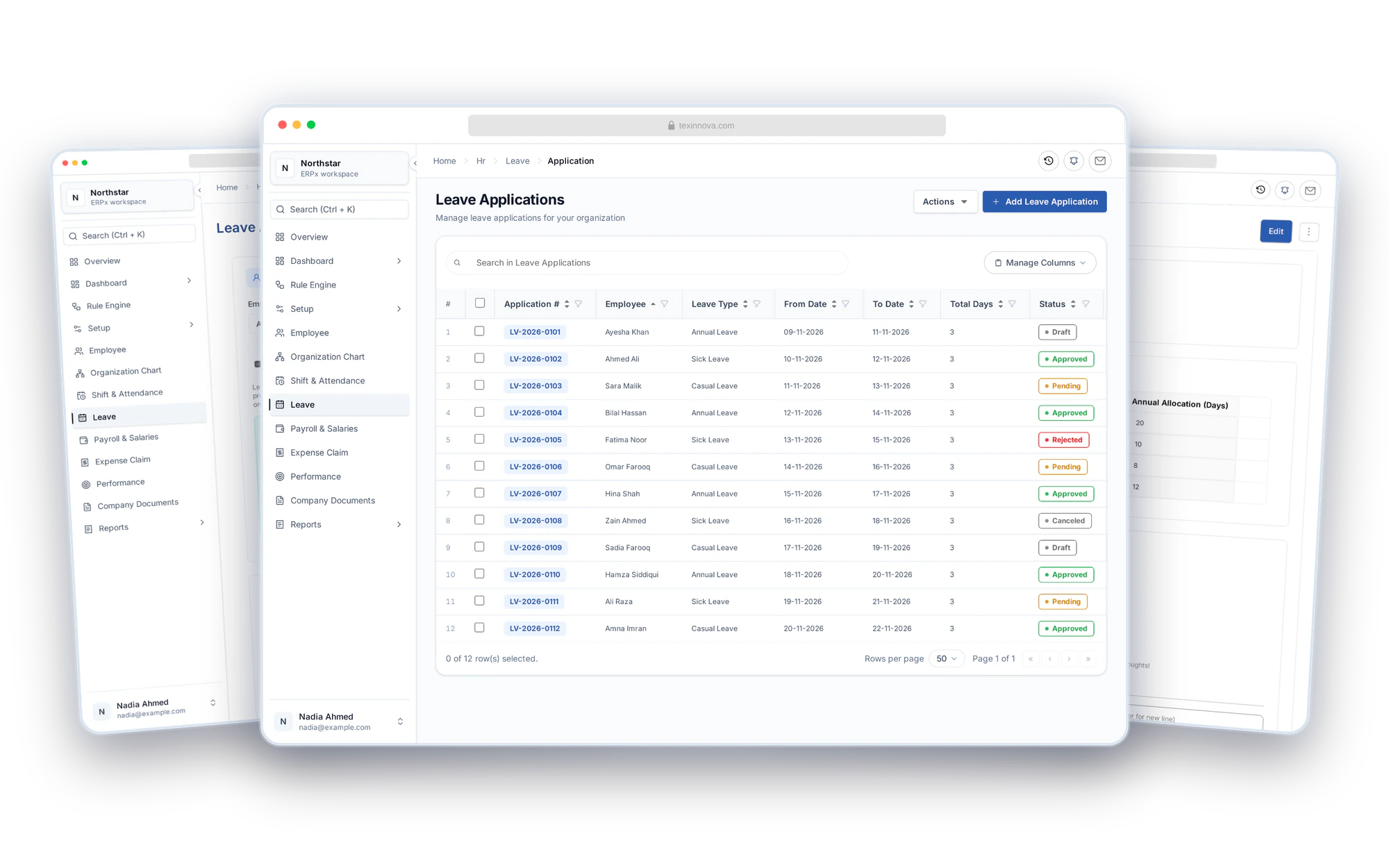
Employee leave management
A clearer process for every day away.
Start with leave types and a policy. Assign it to employees, allocate their days, and review applications against the relevant dates and balances. ERPX keeps the request and the records behind it connected.
Leave types & policies
Set the rules. Make entitlements clear.
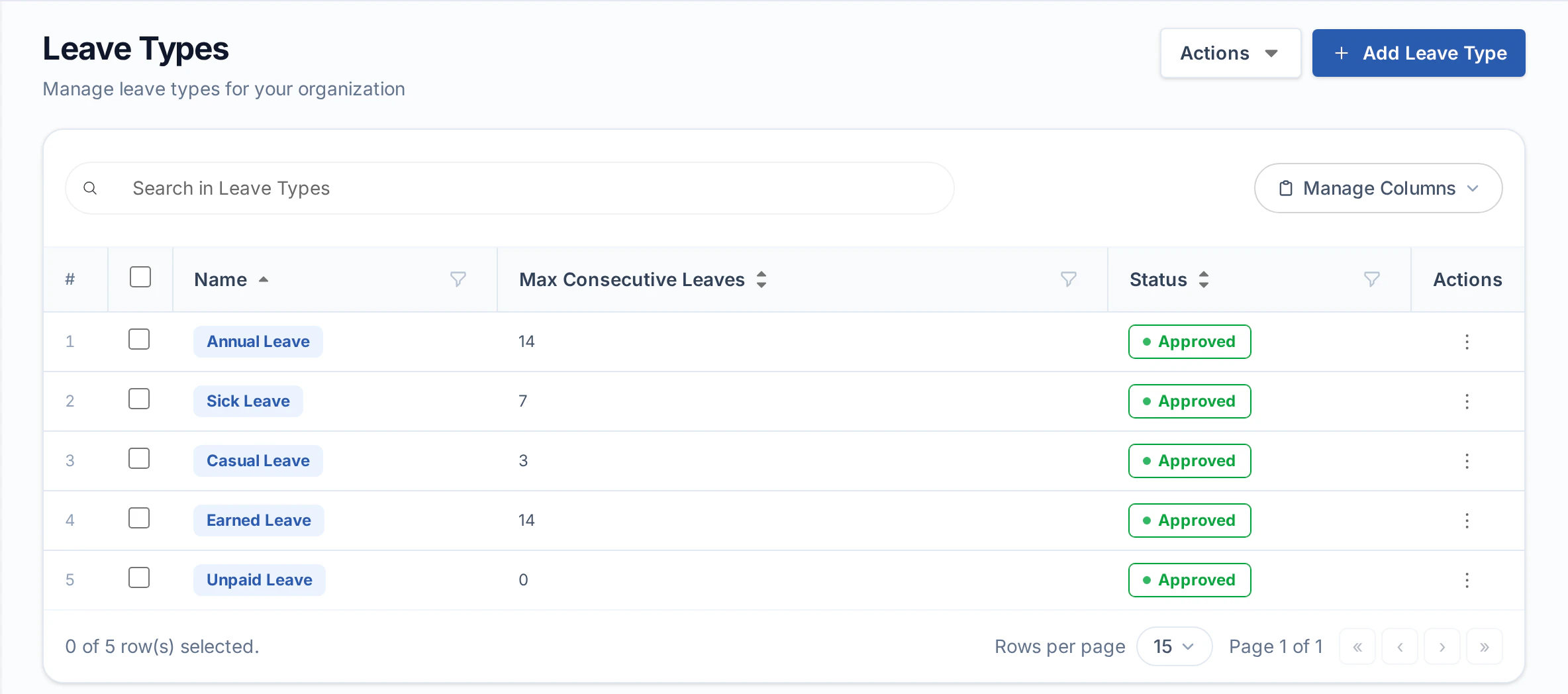
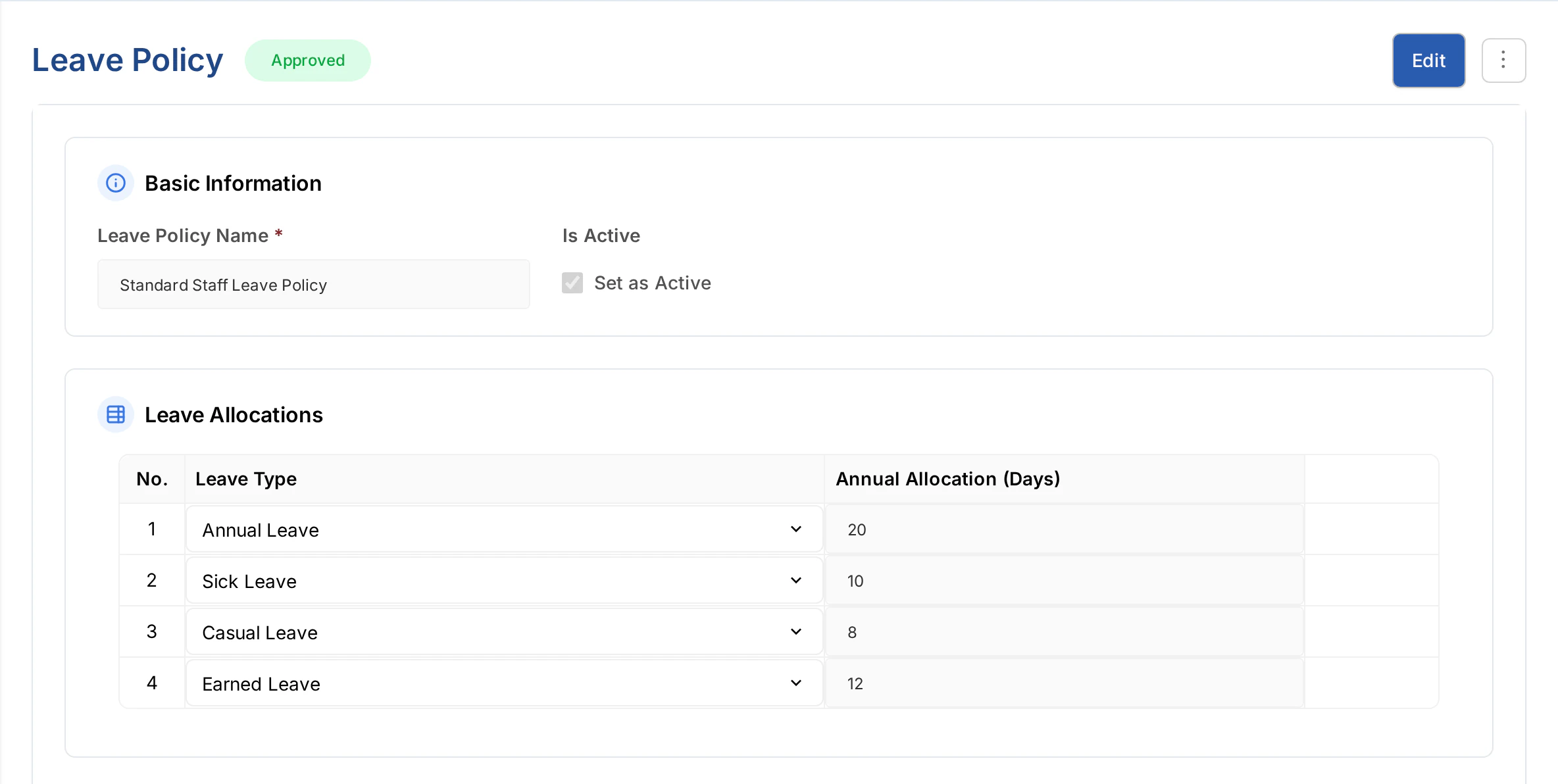
Define annual, sick, casual and other leave types, then group their annual entitlements in a reusable policy. Configure consecutive-day limits, accrual, earned leave, carry-forward and unpaid leave where they apply.
- Leave types with their own rules and consecutive-day limits
- Annual allocations grouped in reusable leave policies
- Accrual, earned leave, carry-forward and unpaid leave settings
Assignments & allocations
The right days. For the right people.
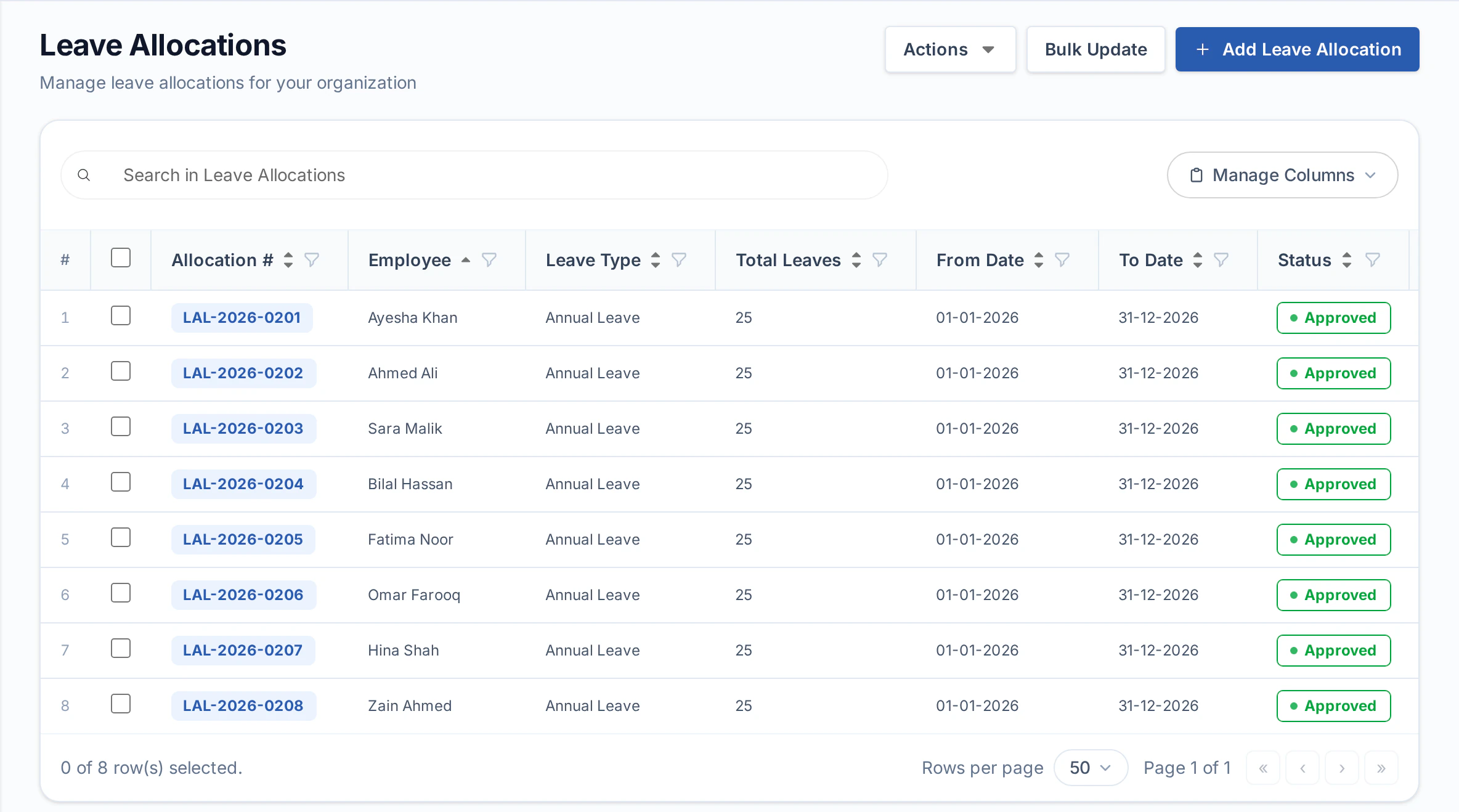
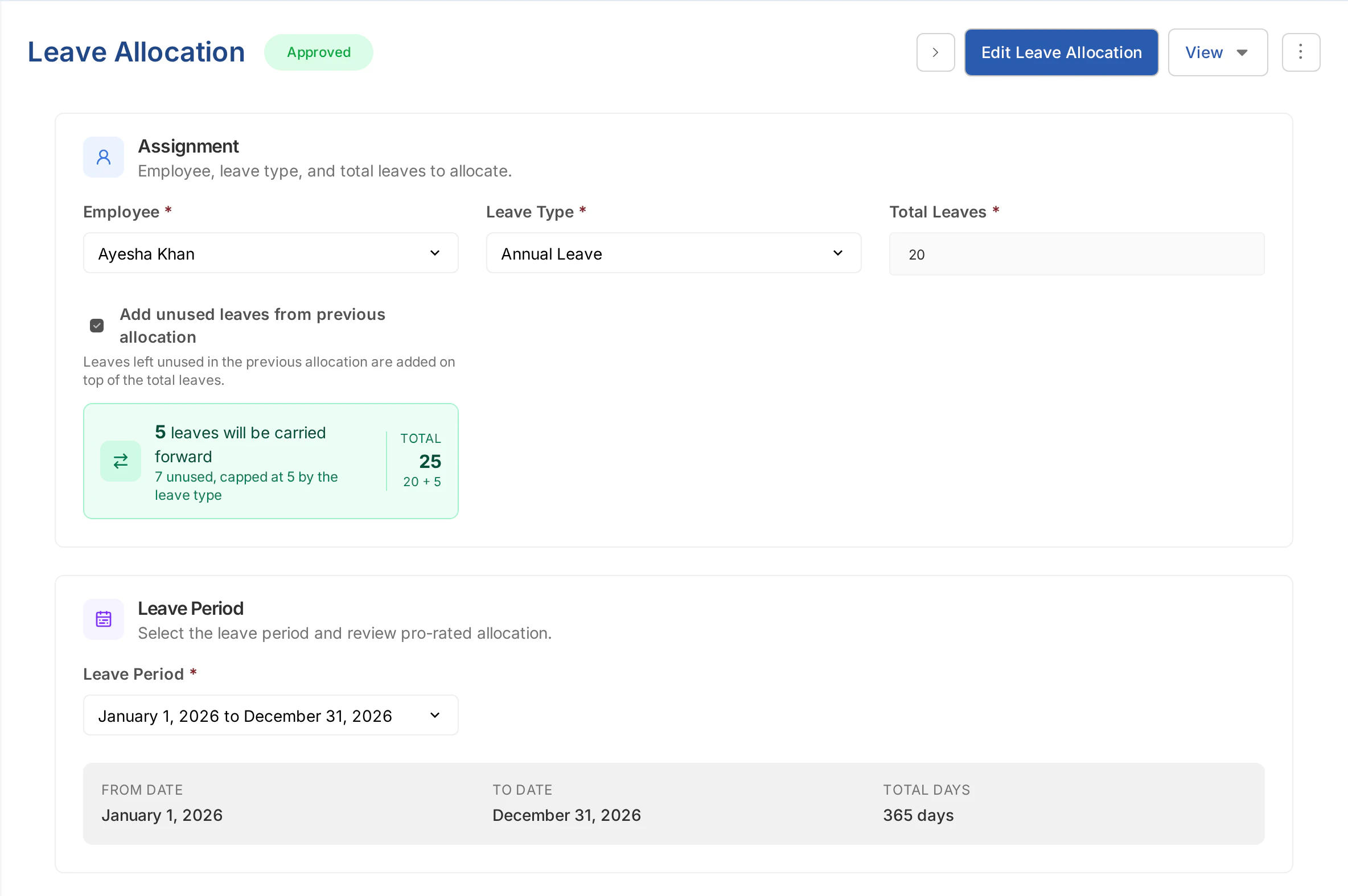
Assign leave policies individually or in bulk, then review employee allocations for the HR period. Preview pro-rated entitlements for joining dates and carry forward unused days within the leave type’s configured limit.
- Individual and bulk leave policy assignments
- Dated allocations with pro-rated leave previews
- Unused days carried forward within the configured cap
Requests & approvals
A clear request. An informed decision.
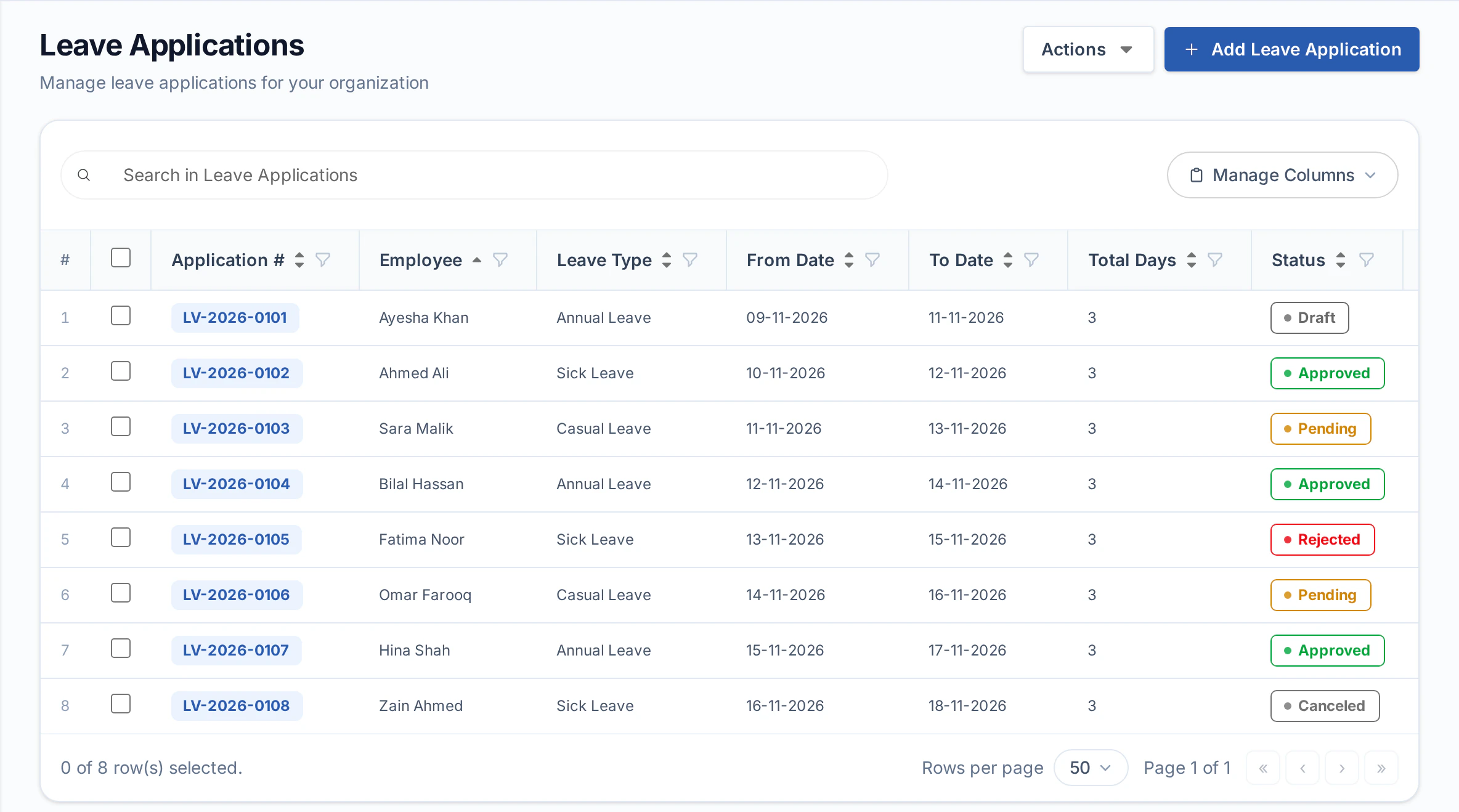
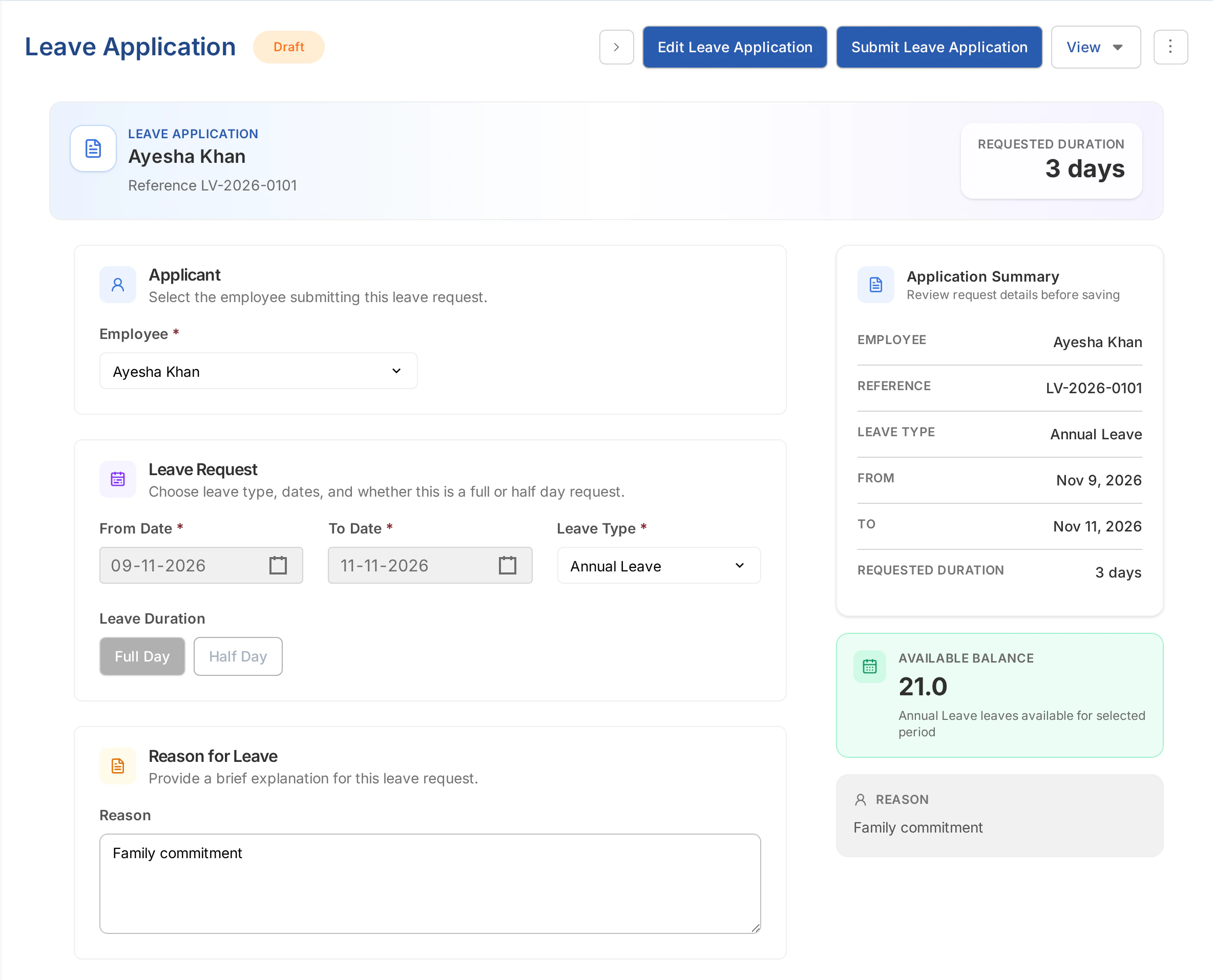
Record the employee, leave type, dates and reason in one application. Review full-day or half-day requests with available balances and the holiday breakdown. Submit for approval, then follow the decision and any rejection or cancellation notes.
- Full-day and half-day requests with holiday-aware durations
- Allocated, used, pending and available days in the request
- Draft, pending, approved, rejected and canceled applications
Balances & leave history
See the days left. Follow every change.
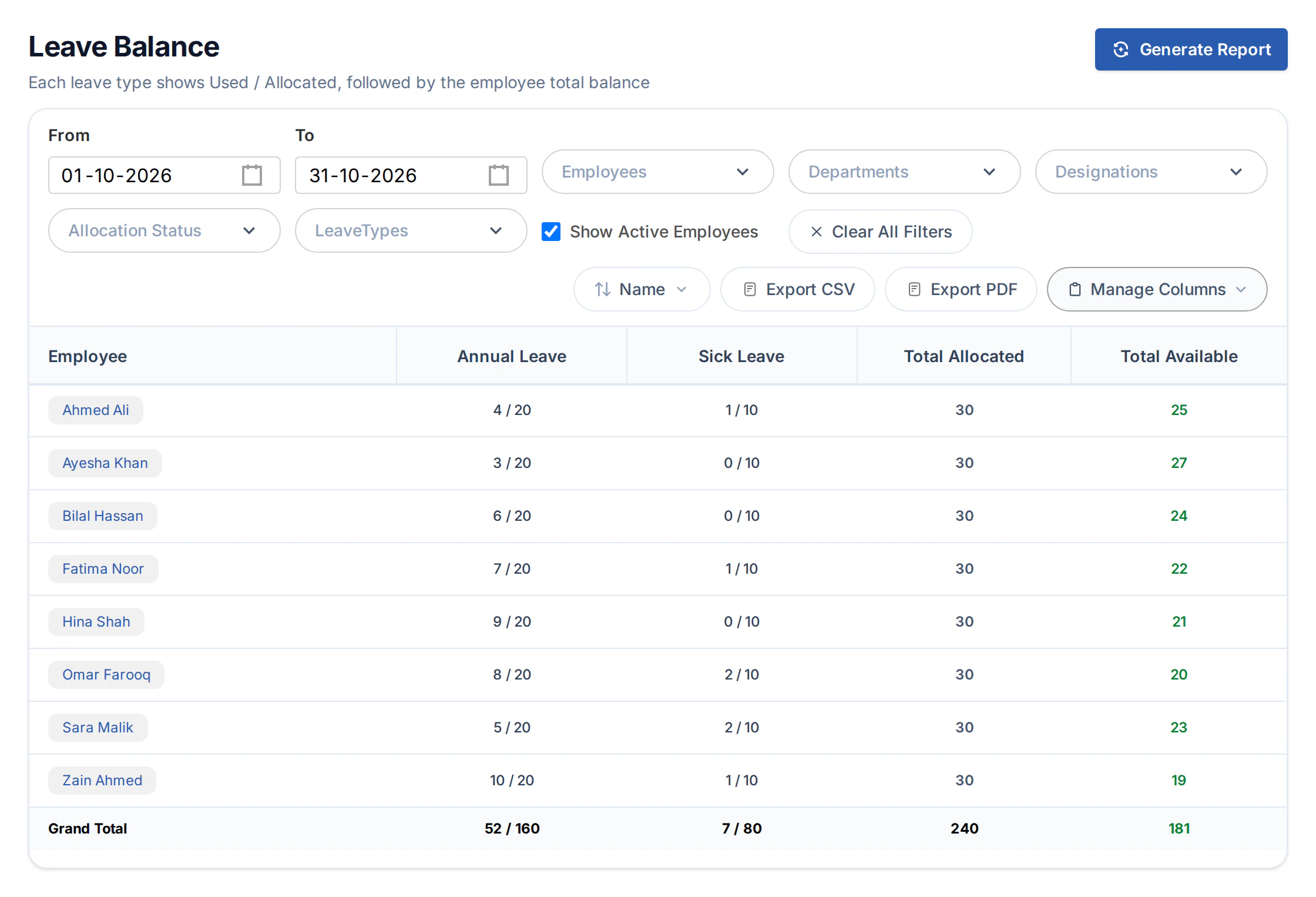
Review allocated, used and available days in Leave Balance. Open the Leave Ledger to trace allocations, approved applications, attendance-related leave, reversals and adjustments back to their source records.
- Employee and leave-type balances for the selected dates
- A running ledger with links to source records
- Filters and CSV or PDF exports on supported reports

Part of ERPX People
Time off stays connected to time worked.
Keep approved leave alongside attendance. Bring unpaid leave into payroll calculations, and let employees request time off through self-service with access to their own leave information.
ERPX AI
Ask about leave in plain language
- Set up leave types, policies, assignments and allocations
- Create and update leave applications
- Analyse leave balances and usage by department
Who has more than 5 days of unused annual leave?
12 employees, mostly in Sales and Operations.
Illustrative exampleBuyer questions
Your leave management questions, answered.
Can different employees have different leave entitlements?
Yes. Define reusable leave policies with annual allocations for each leave type, then assign the appropriate policy to employees individually or in bulk. Employee allocations record the entitlement for the relevant period.
Does ERPX support half-day requests and holiday calendars?
Yes. Applications support full-day and half-day requests. The employee’s holiday calendar is used in the duration preview to show holidays and net leave days for the selected dates.
Can unused leave be carried forward?
Yes. Enable carry-forward on the leave type and configure its maximum. The allocation screen can preview eligible unused days from the previous allocation and apply the configured cap.
Can we configure accrual and earned leave?
Yes. Leave types include accrual and earned-leave settings. Earned leave supports a configured frequency, allocation day and rounding. Leave balances distinguish the allocated entitlement from the days available under those settings.
Can employees apply through self-service?
Yes. Employees can view their leave information and submit applications through the employee portal. Managers with the required access can review requests for their permitted subordinates.
How does leave connect to attendance and payroll?
Approved leave is connected to attendance and leave records. Leave types marked as unpaid are considered in salary calculations; approving or canceling unpaid leave can affect the relevant payroll calculation. HR can inspect the leave ledger and payroll reports to follow the changes.
Can we see why a leave balance changed?
Yes. Leave Balance summarizes entitlements and usage. Leave Ledger shows dated movements with a running balance and links to the source allocation, application or other leave transaction.
Personalized ERPX demo
Bring one real workflow.See it running in ERPX.
A focused walkthrough built on how your team works today and what you want to improve next.
Pick a workflow from
- Operations
- Finance
- People
- Projects