
People & organization
Employee profiles, team structure and company documents, together.
Human resources management software
Bring employee records, attendance, leave, payroll and performance into one HRMS. Give HR, managers and employees a shared place to get work done.
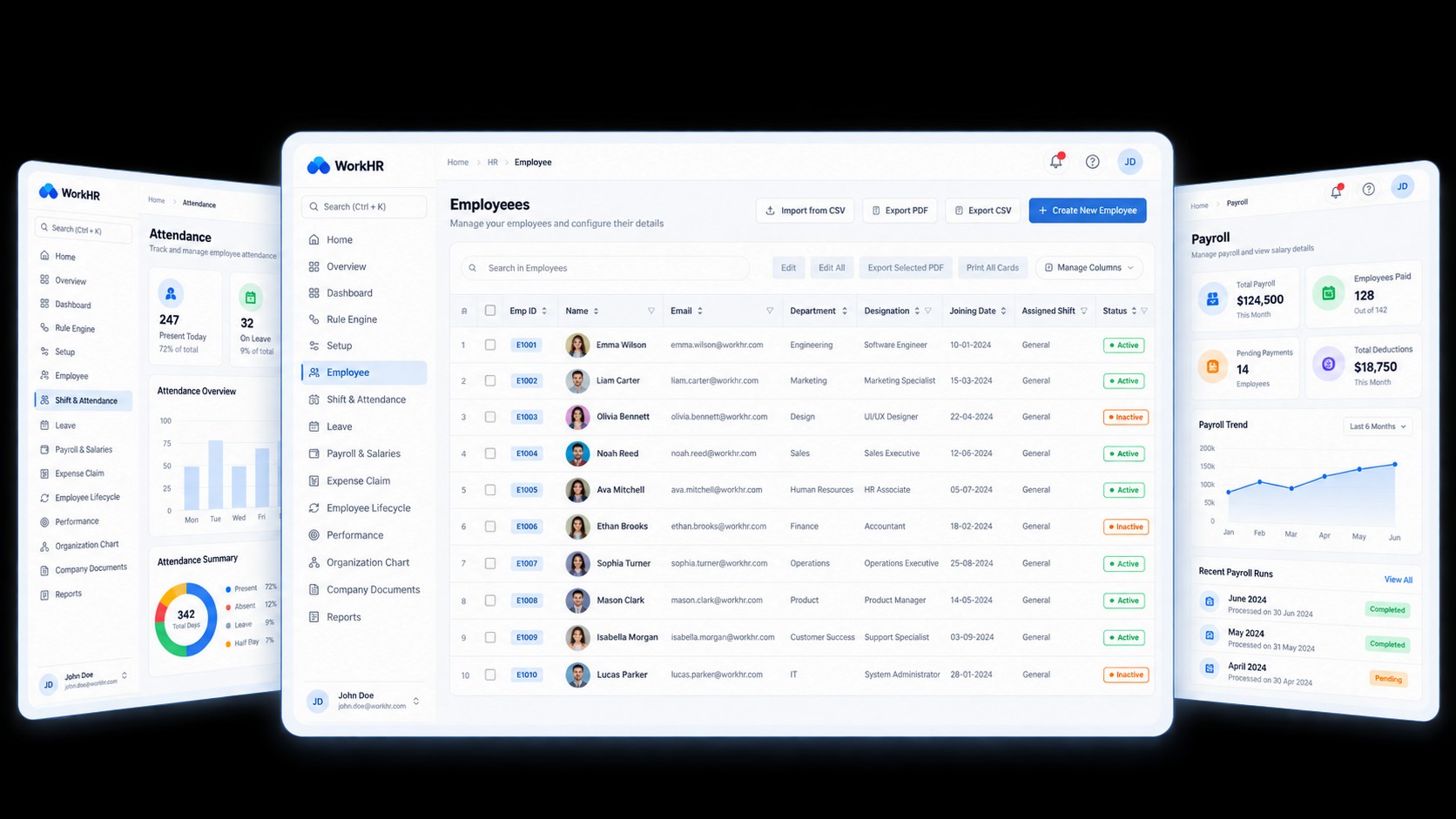
A connected HR management system
From a new colleague’s first day to their next promotion, ERPX connects the people, records and everyday decisions that keep your team moving.
Employee profiles, team structure and company documents, together.
Attendance, leave, payroll and claims that stay connected.
Onboarding, goals, reviews and tools for everyday self-service.
People & organization
Start with accurate employee profiles. Keep documents, job history and reporting lines together as people join, move teams and take on new roles.
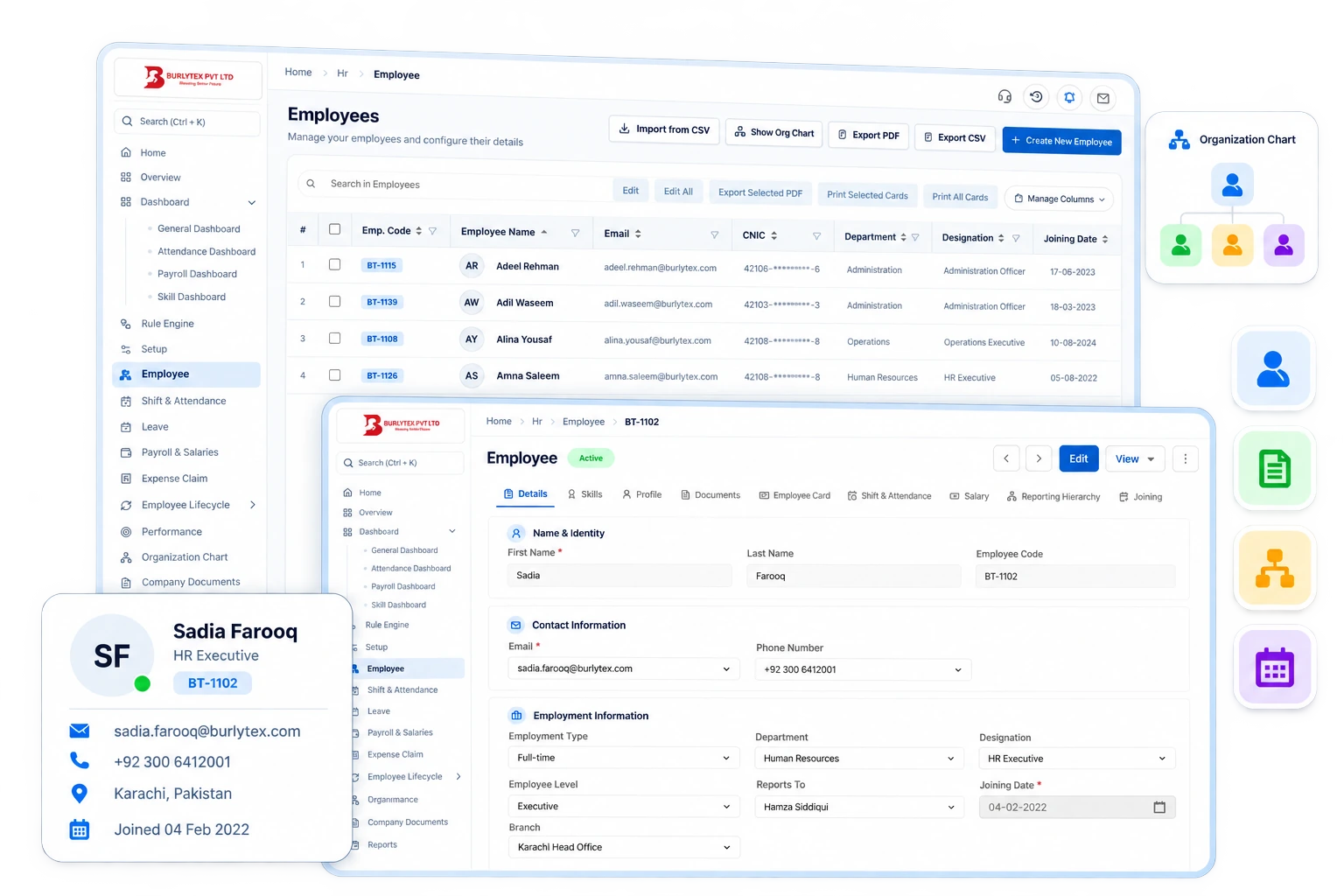
Build searchable employee profiles with personal information, qualifications, documents and employment history. Add people individually or bring existing records into ERPX from CSV.
Give every employee a clear place in your organization. Reporting managers define the hierarchy, alongside departments, designations, branches and employee levels.
Keep policies, handbooks, SOPs and joining guides in a shared library. Publish approved documents to employees with the relevant portal access.
Time, attendance & leave
Plan shifts, capture check-ins and review attendance. Give time off a clear approval path, and keep project and activity hours visible through employee timesheets.
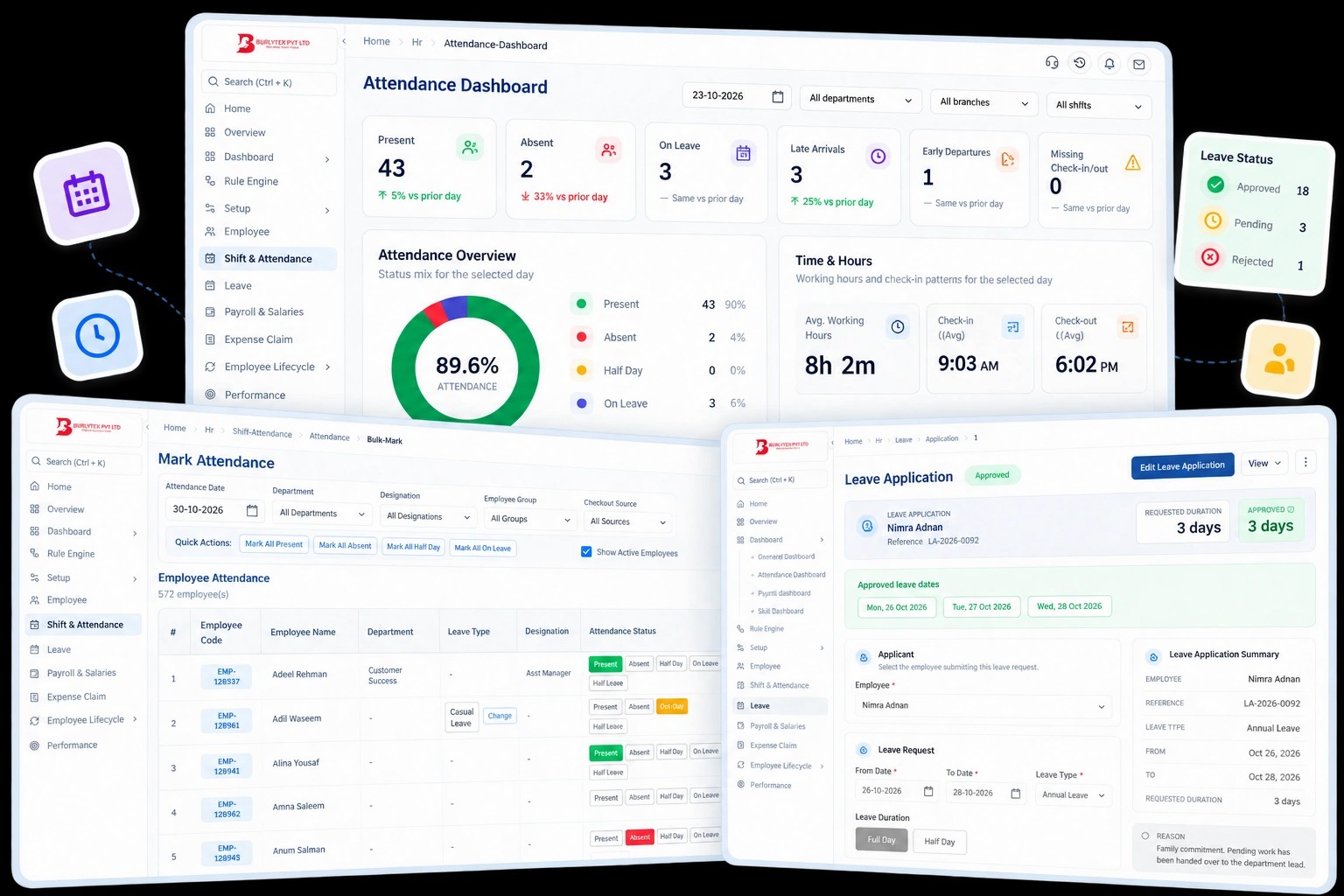
Define working hours, breaks and attendance rules, then assign shifts individually or in bulk. Review check-ins, late arrivals, overtime and short hours.
Set leave types, policies and entitlements for your team. Employees request time off, managers handle approvals, and HR can explain balances through the leave ledger.
Record employee time against projects and activities. Review the entries, distinguish total and billable hours, and use supported time records in configured performance measures.
ERPX Desktop for attendance
Use the ERPX Windows app where the working day begins. Sign in to your organization, sync employees and turn a shared PC into a dedicated check-in terminal.
Explore ERPX DesktopScan a barcode or QR badge, or enter an employee ID at the terminal.
Keep recording punches without internet, then sync when the connection returns.
Review desktop check-ins alongside employee shifts and attendance in ERPX.
Payroll, expenses & advances
Connect salary structures, attendance and approved adjustments to payroll. Generate salary slips, record payments and keep employee spending linked to the financial records.
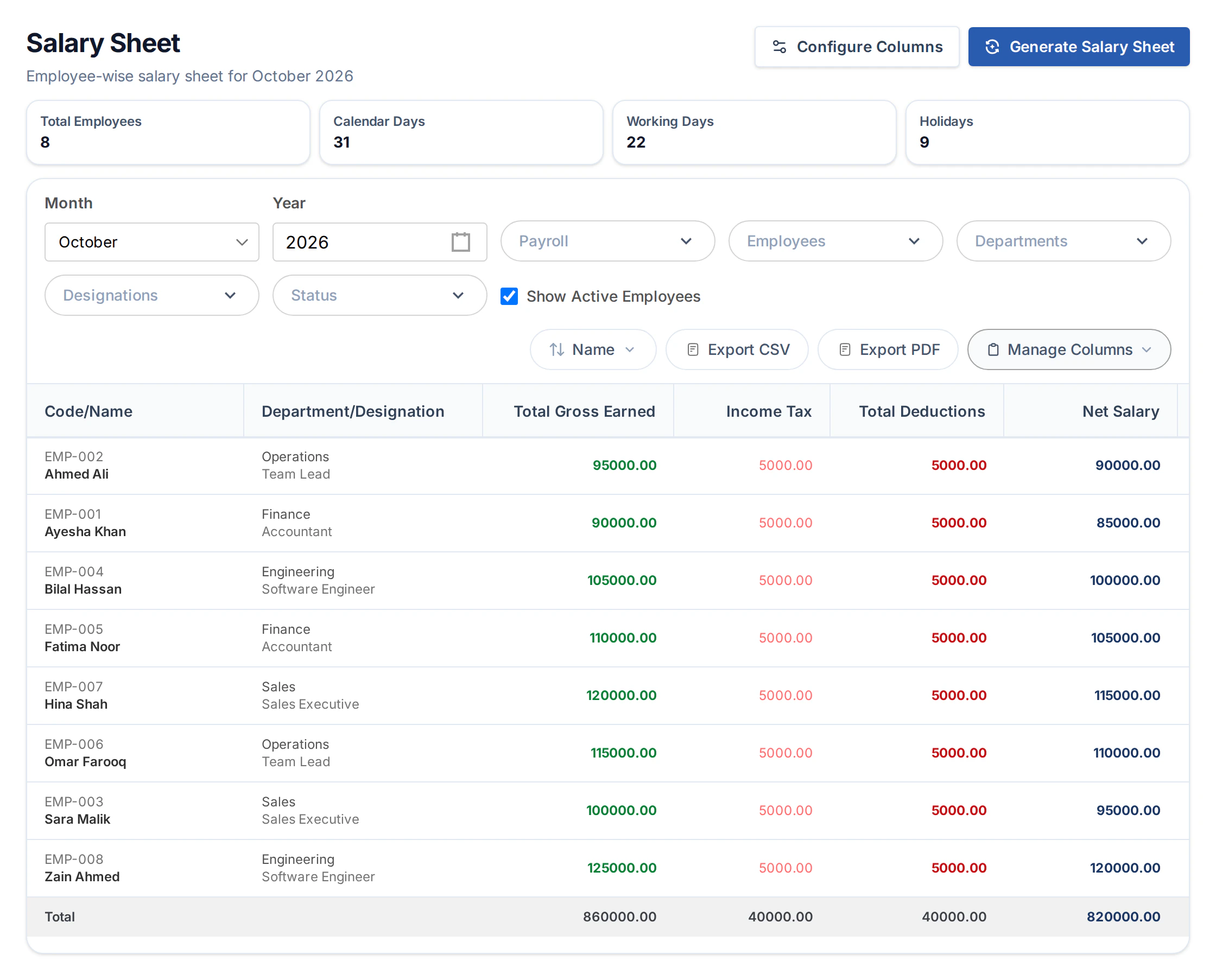
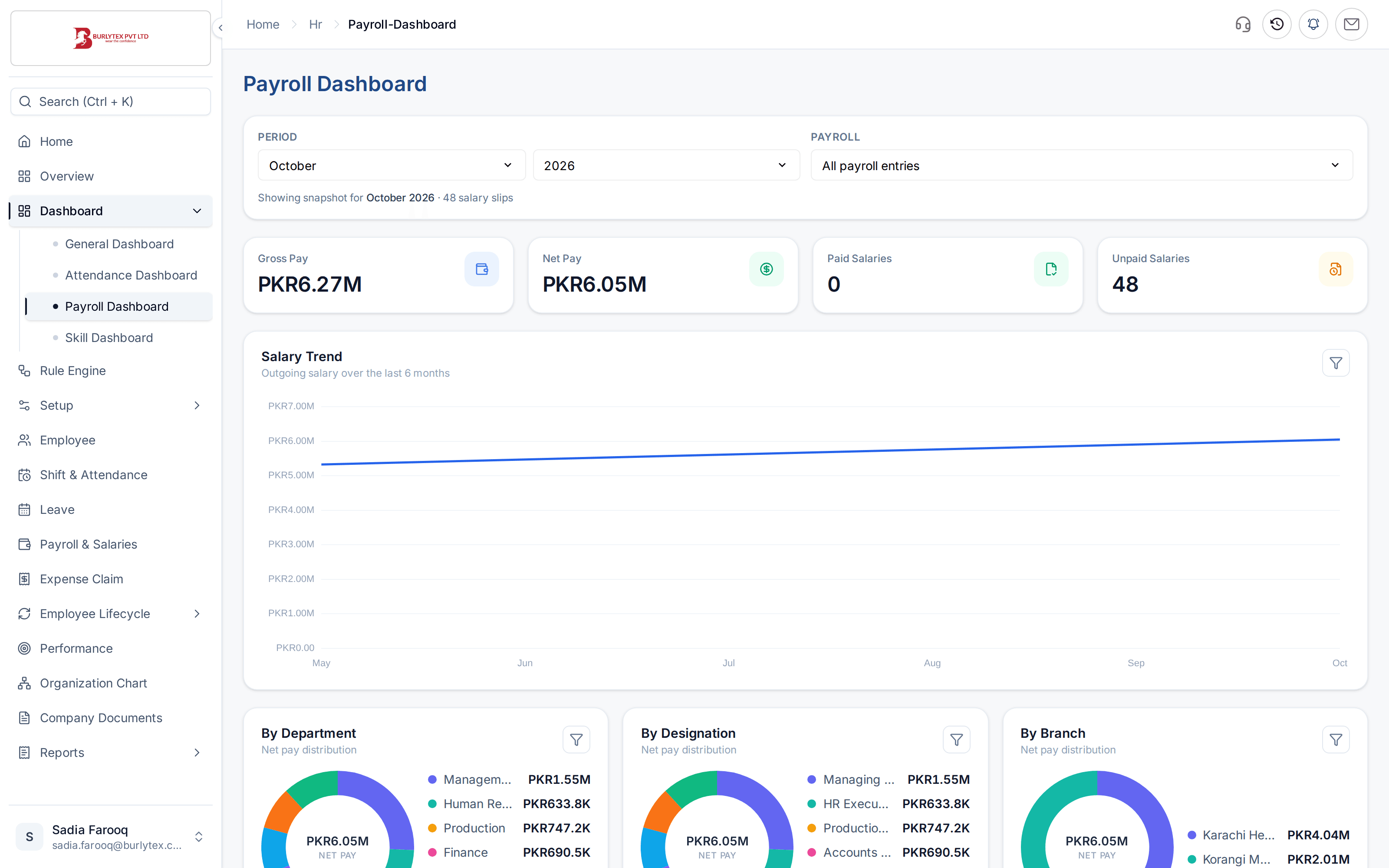
Assign dated salary structures and process payroll for the relevant period. Review earnings, deductions, tax settings and adjustments before recording employee payments.
Keep receipts, expense claims and approvals together. Reimburse directly or through payroll, and track employee advances from disbursement through settlement and recovery.
Keep payroll, employee payments and claims linked to the books.
People & progress
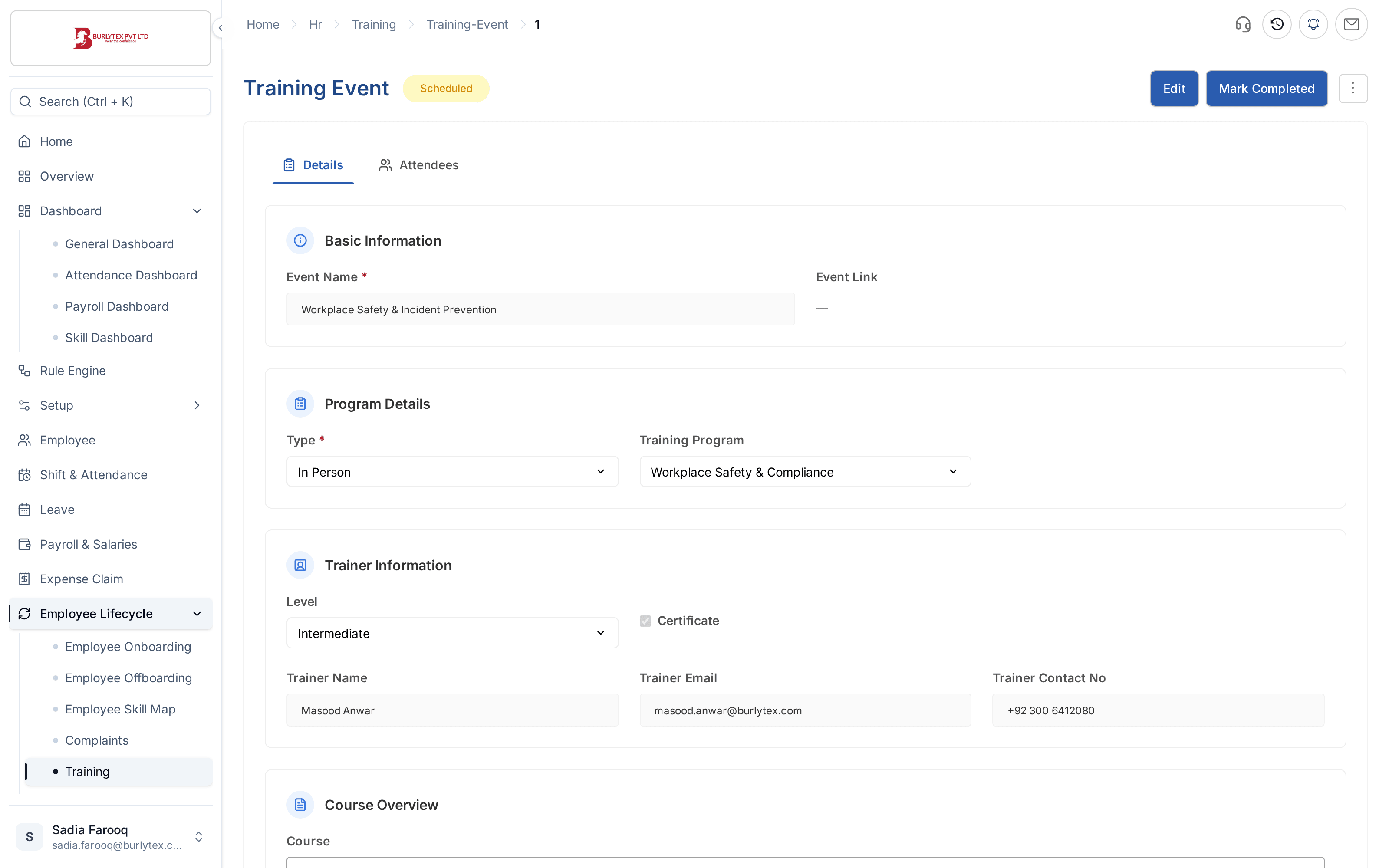
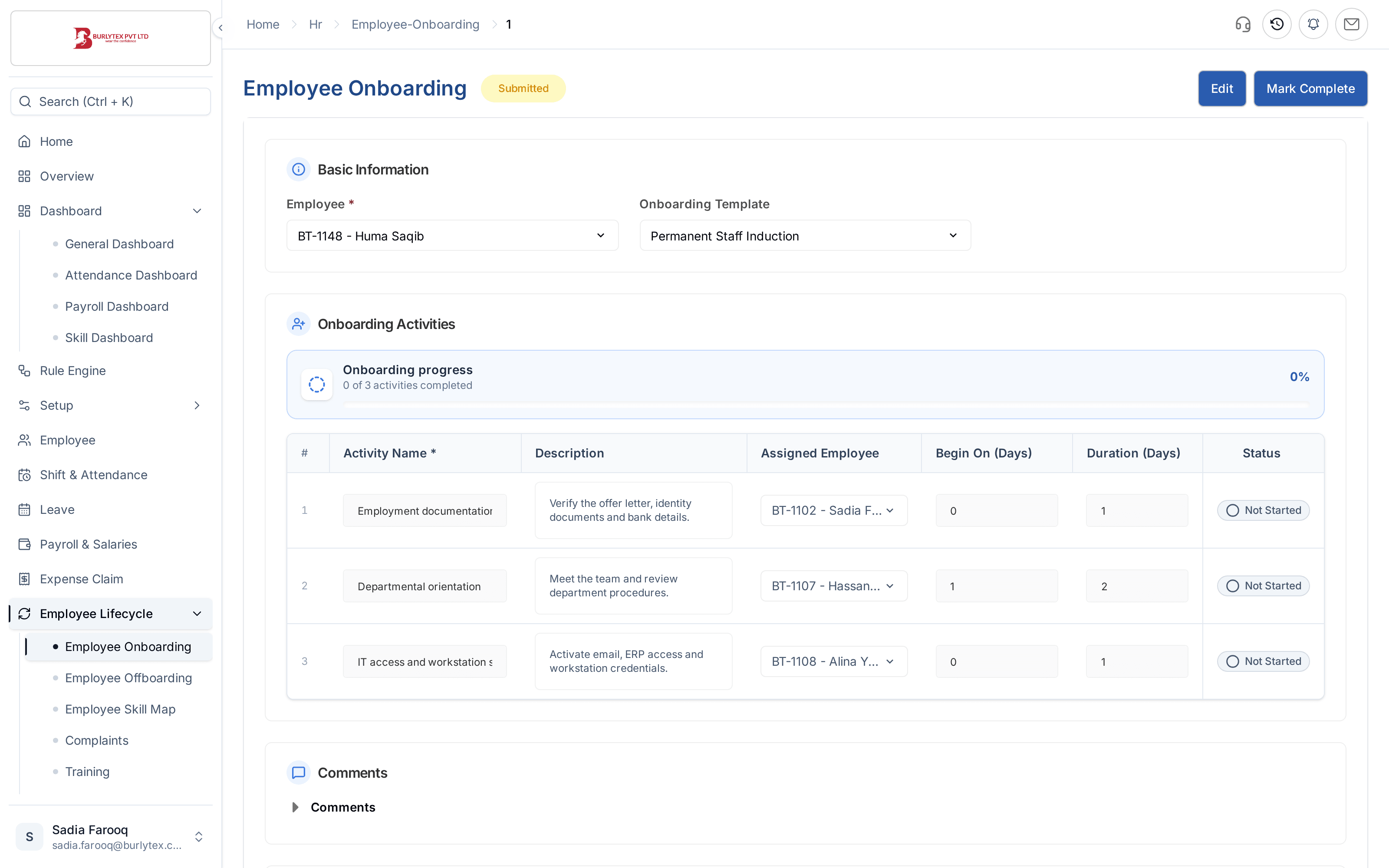
Coordinate onboarding, training and offboarding in one place.
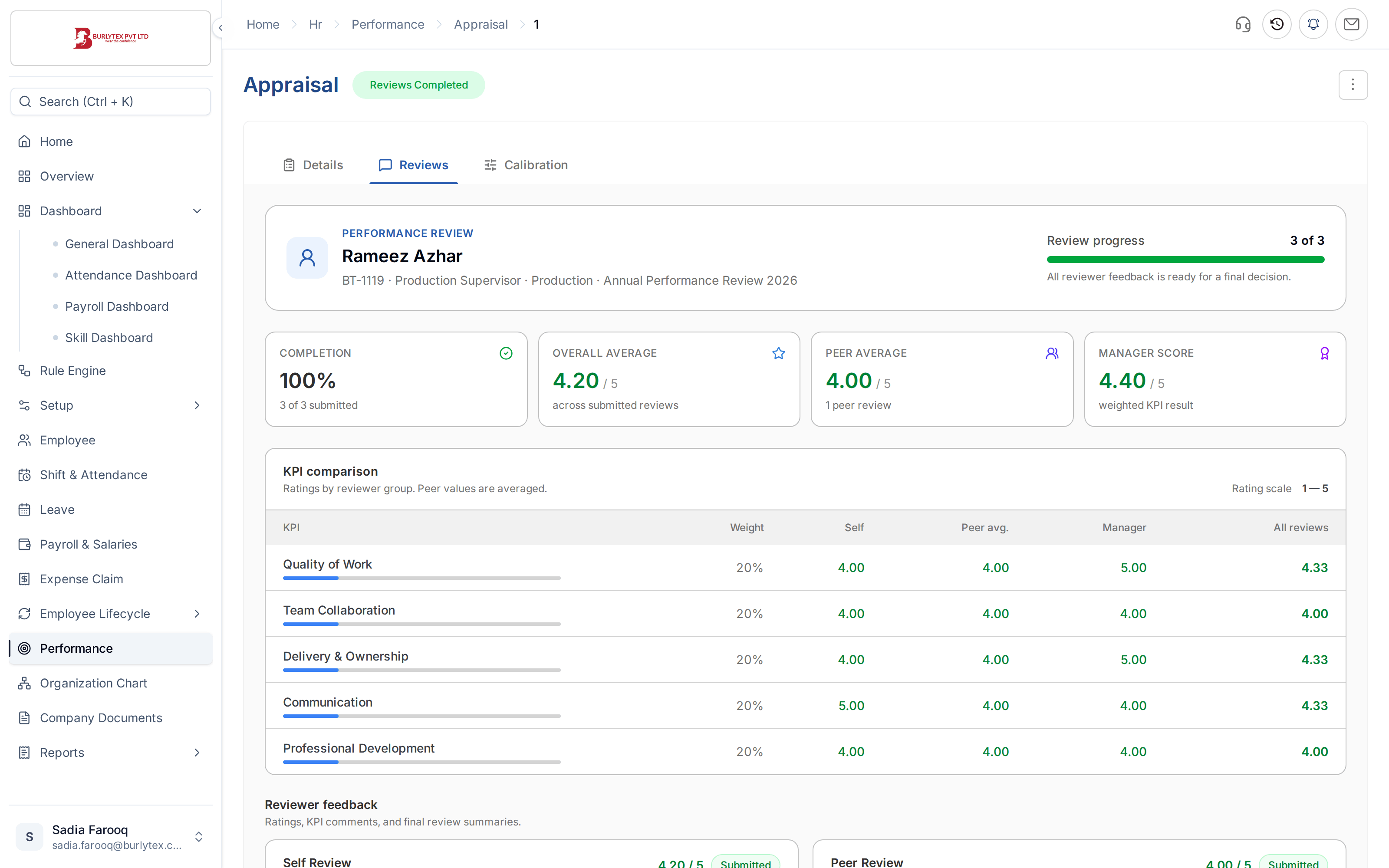
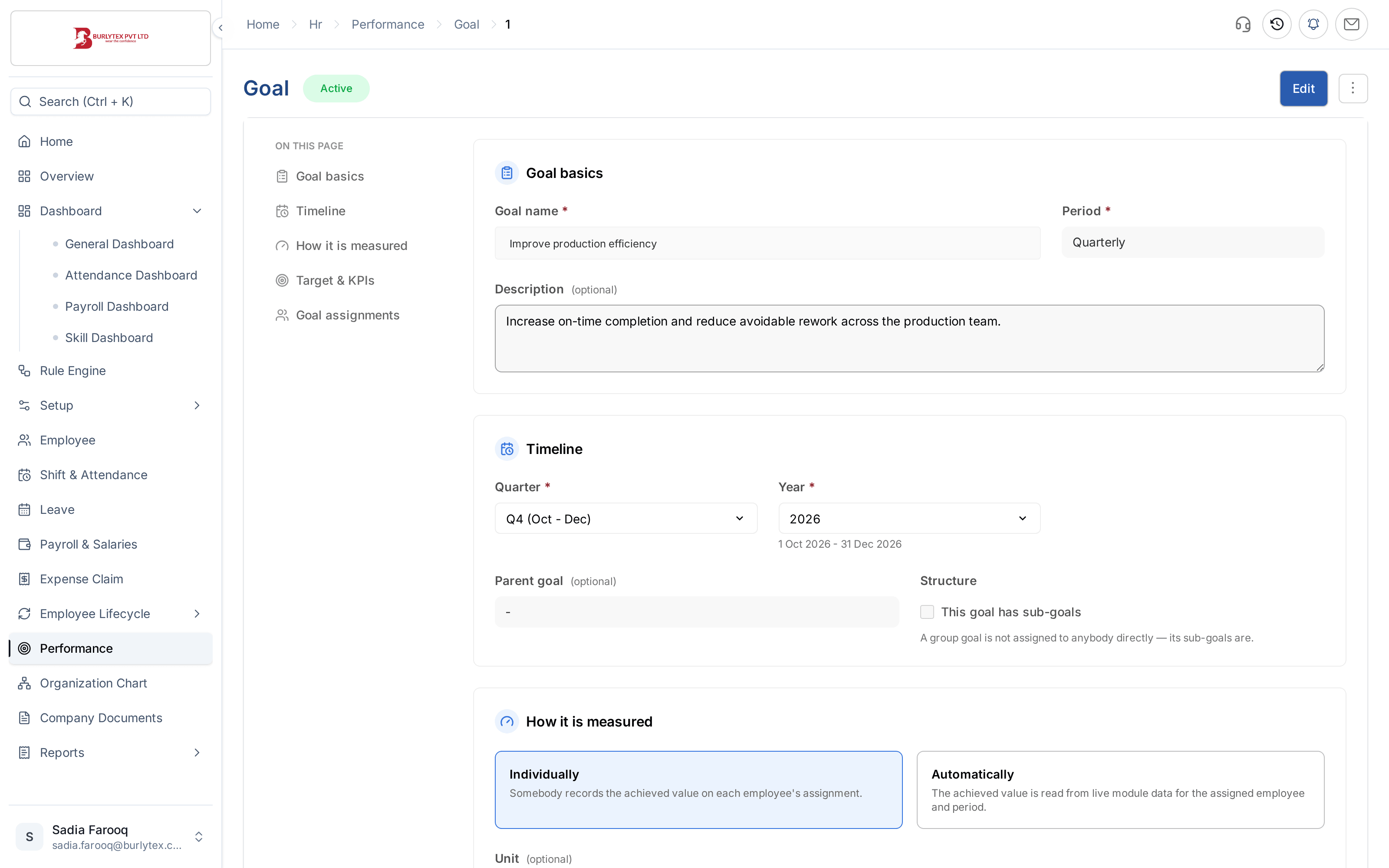
Help people grow with clear goals, reviews and regular feedback.
Employee self-service
Give employees a place to update permitted details, apply for leave, submit claims and take part in training and reviews. Access follows their assigned permissions.
HR reporting
Review headcount, skills, attendance, leave and salary information. Follow workforce changes, unpaid claims and outstanding advances through their supporting records.
AI in ERPX People
Work with your HR agent in plain language, from everyday record updates to a deeper understanding of your people.
Explore ERPX AIAccess follows your role. Changes follow the usual review and approval rules.
Create, find, update and delete supported HR records. Manage bulk employee creation, shift assignments and leave setup with review.
Explore attendance, leave, payroll, claims and employee advances through clear breakdowns, trends and charts.
Compare periods and departments. Review payroll calculations, overtime, deductions and outstanding advances in detail.
Review attendance, leave and monthly paid or draft salaries since joining. Trace job changes, reporting lines and tenure.
How connected HR works
The value of one HR system becomes clearer when work moves between teams. Keep the employee, the approval and the supporting records together as the process continues.
Approve the new role and pay terms together. ERPX updates the employee and creates a revised salary assignment when pay changes, effective from the promotion date.
Follow a promotionKeep the receipt and approval with the employee’s claim. Settle it directly or through payroll, then review the paid and unpaid amounts in the supporting reports.
Explore expense settlementWhere configured, recalculate supported goal metrics from ERP records such as job cards and timesheets. Review those actual values alongside feedback and appraisal scores.
Explore goals and performanceBuilt for the people who use it
HR, managers, employees and Finance work with connected records, with access and approvals based on their assigned permissions.
Maintain employee records, coordinate joining and exits, organize training and follow the requests and changes that need attention.
Review supported team requests, understand attendance and goal progress, and keep appraisals and one-on-one conversations grounded in context.
Find personal information, request time off, submit claims and timesheets, and participate in training, feedback and performance reviews.
Review salary assignments, payroll runs, employee payments, claims and advances with the financial records and reports behind them.
Getting started with ERPX People
Build the foundation first, then connect the processes your team uses every day. Your departments, schedules, policies and pay structures provide the starting point.
Step 1
Define departments, branches and job roles. Configure holiday calendars, shifts, leave policies, salary components and the templates you plan to use.
Step 2
Create employee profiles or import existing records from CSV. Add reporting managers, employment details and the documents that complete each profile.
Step 3
Assign shifts, leave policies and salary structures. Give employees the relevant portal access and start managing attendance, requests and payroll.
Explore the HR suite
Go straight to the part of HR you want to improve.
Buyer questions
ERPX People includes employee records, organization charts, documents, attendance, timesheets, leave, payroll, expenses and advances. Onboarding, training, performance management, employee self-service and HR reports support the wider employee journey.
The HR agent can find, create, update and delete supported records, handle supported bulk assignments, and analyze attendance, leave, payroll, claims and employee advances. It supports period comparisons, department breakdowns and payroll reviews. Employee Analysis brings together attendance, leave and monthly paid or draft salary breakdowns since joining, while job history analysis traces role changes, reporting lines and tenure. Available actions follow your permissions and the usual review and approval rules.
Yes. ERPX supports businesses in Pakistan with salary structures, configurable income tax settings and payroll reporting. Departments, branches, employee groups and shift assignments support different team structures.
Yes. Organize employees by department and branch, assign shifts individually or in bulk, and link the relevant leave policies and holiday calendars to each employee.
Yes. Import employee records from CSV, then complete their profiles, reporting relationships and working assignments. ERPX also supports exporting employee data for review and updates.
ERPX Desktop for Windows can capture attendance punches offline and sync when the connection returns. Its kiosk mode supports barcode and QR badges or employee ID entry. Desktop check-ins connect to ERPX Shift & Attendance.
Yes. The Employee Portal supports permitted profile updates, attendance, leave, claims, timesheets and development activities. Managers can handle supported team actions within their assigned permissions and approvals.
Payroll, employee payments, expense claims and advances remain linked to financial transactions. Approved promotions can create revised salary assignments, while selected claims and advances can be processed through payroll.
Yes. Where configured, supported goal metrics can recalculate actual values from ERP records such as job cards and timesheets. Available measures and employee attribution depend on the selected source.
Bring your team structure, shift patterns, leave rules and salary components. We can follow the employee processes you want to improve across the relevant ERPX modules.
Personalized ERPX demo
A focused walkthrough built on how your team works today and what you want to improve next.
Pick a workflow from