
ERPX Human Resources / Organization Chart
Your people. A clearer picture.
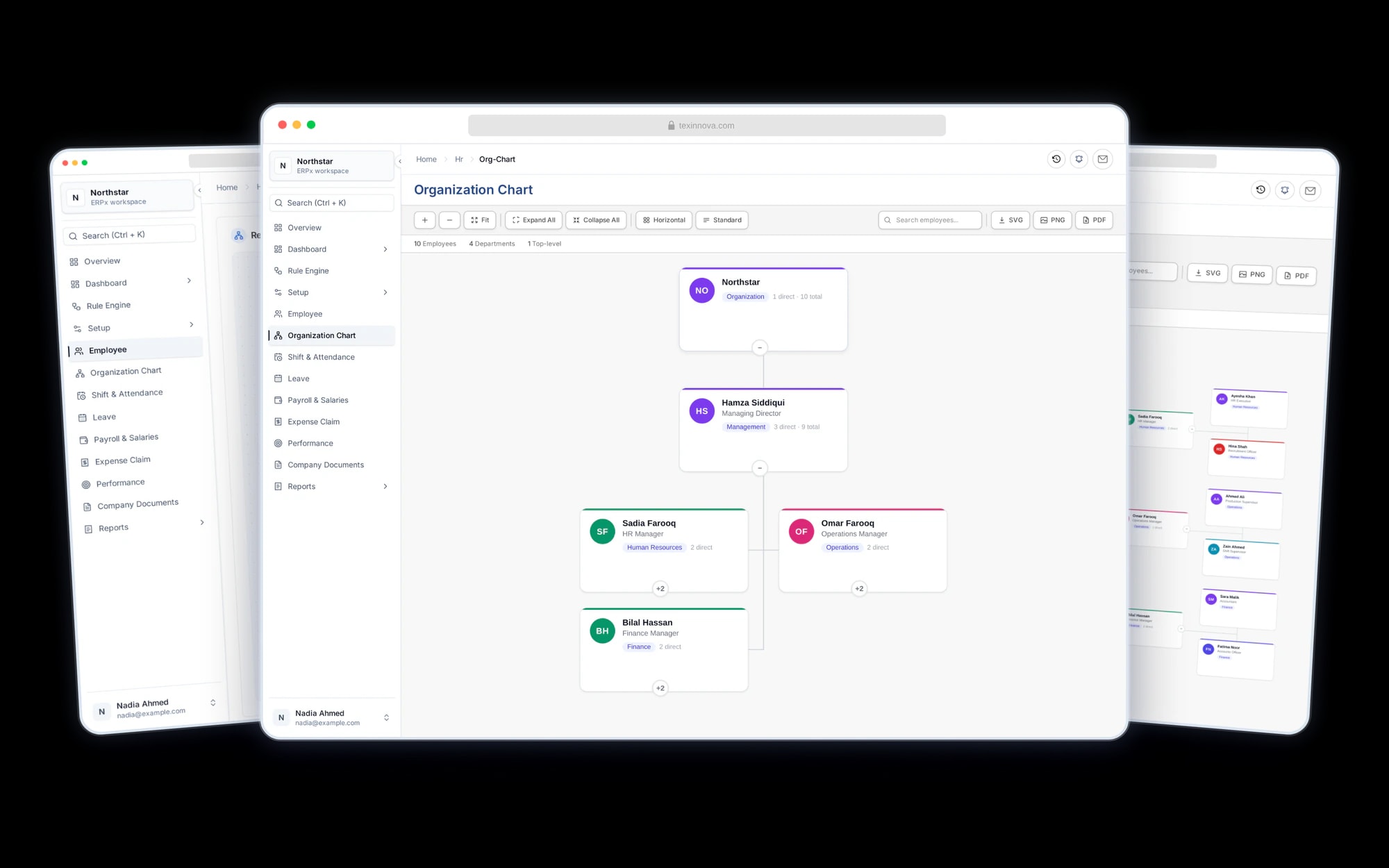
See who reports to whom. Find the right colleague, explore their team and share your organization’s structure using the employee records you already maintain.
People & organization
The people behind your structure.
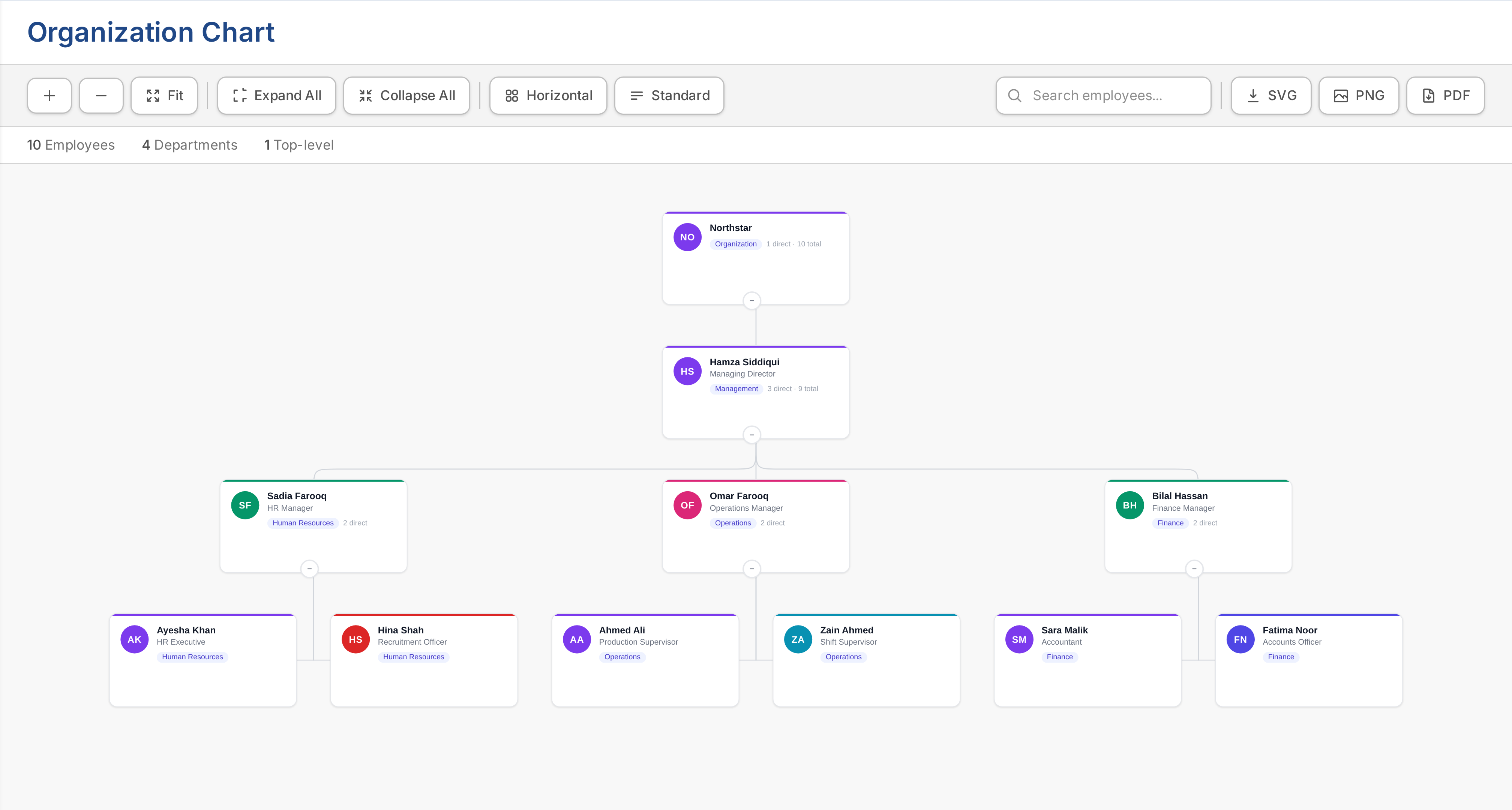
Turn Reports To relationships into a shared view of the organization. Start with the whole company, follow a manager’s team or find the colleague you need.
Reporting hierarchy
Start with one person. See their direct reports.
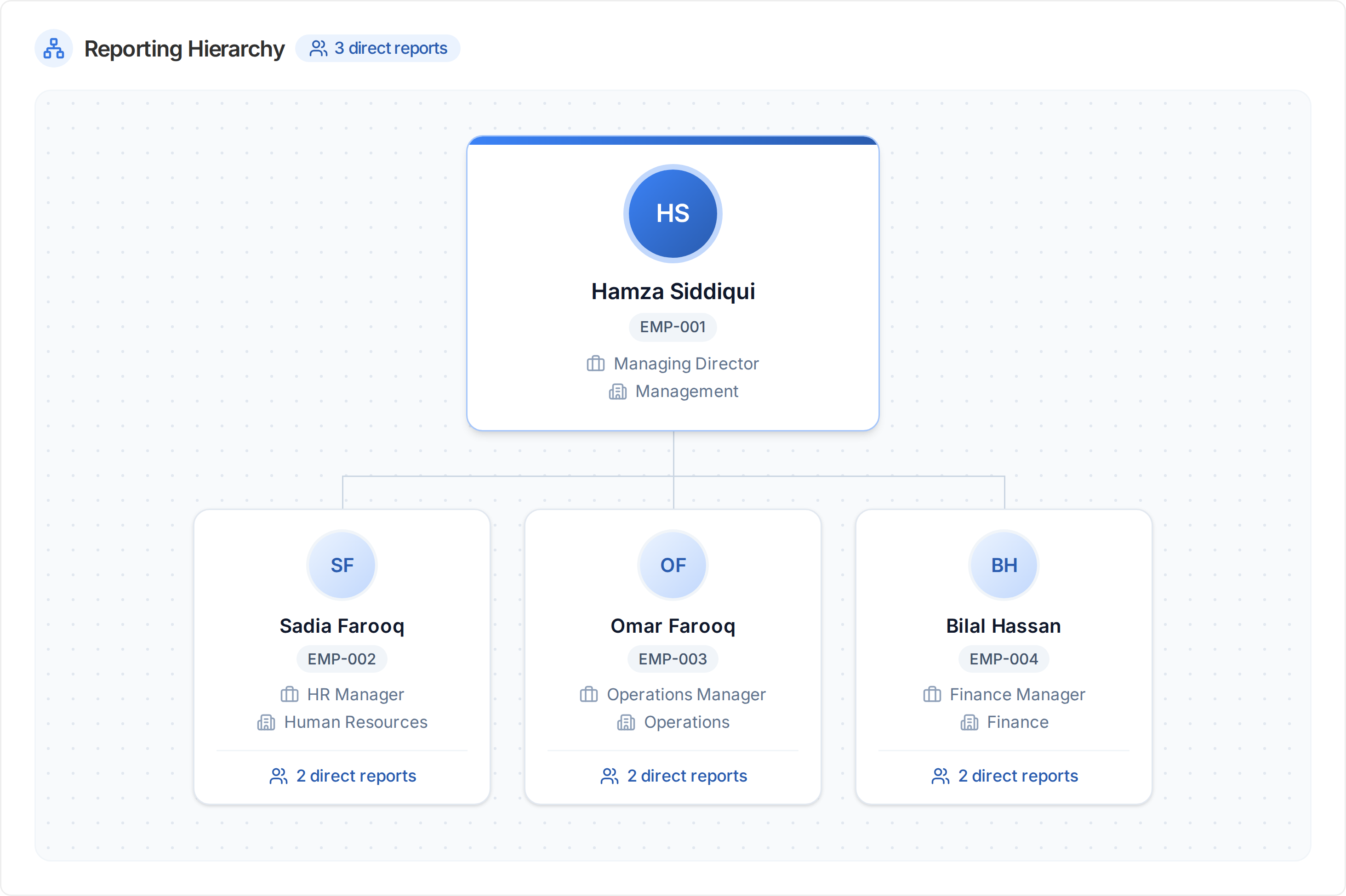
Open Reporting Hierarchy on an employee record to focus on that person and their direct reports. Each card shows the employee code, role, department and report count. Select a colleague to explore their reporting hierarchy.
- Employee codes, designations and departments
- Direct-report counts on employee cards
- Open a colleague’s reporting hierarchy from their card
Find the right colleague
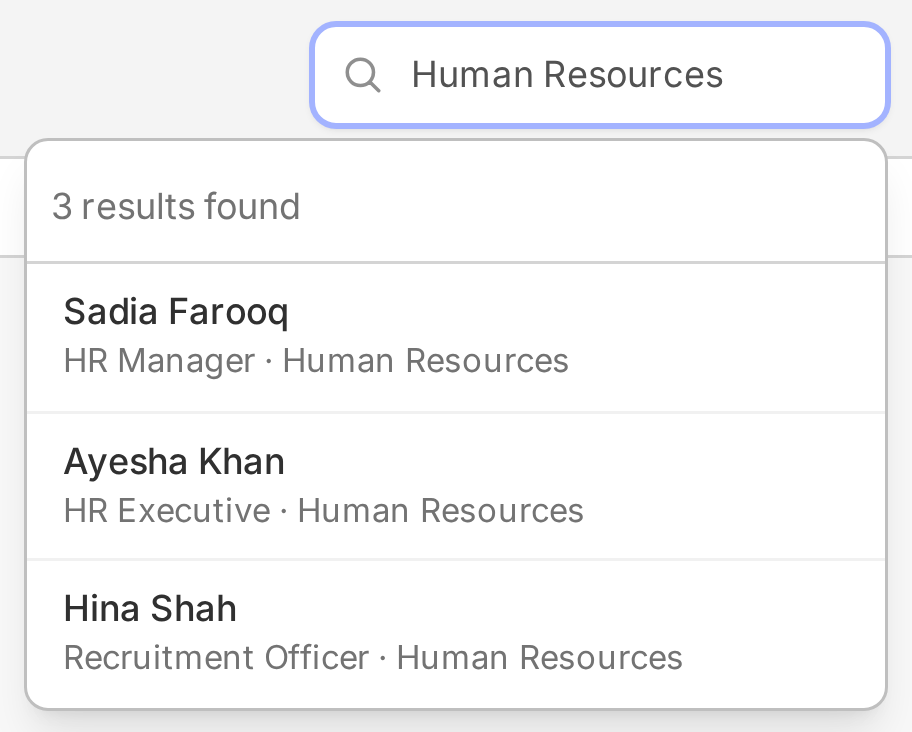
Start with a name. Find your person.
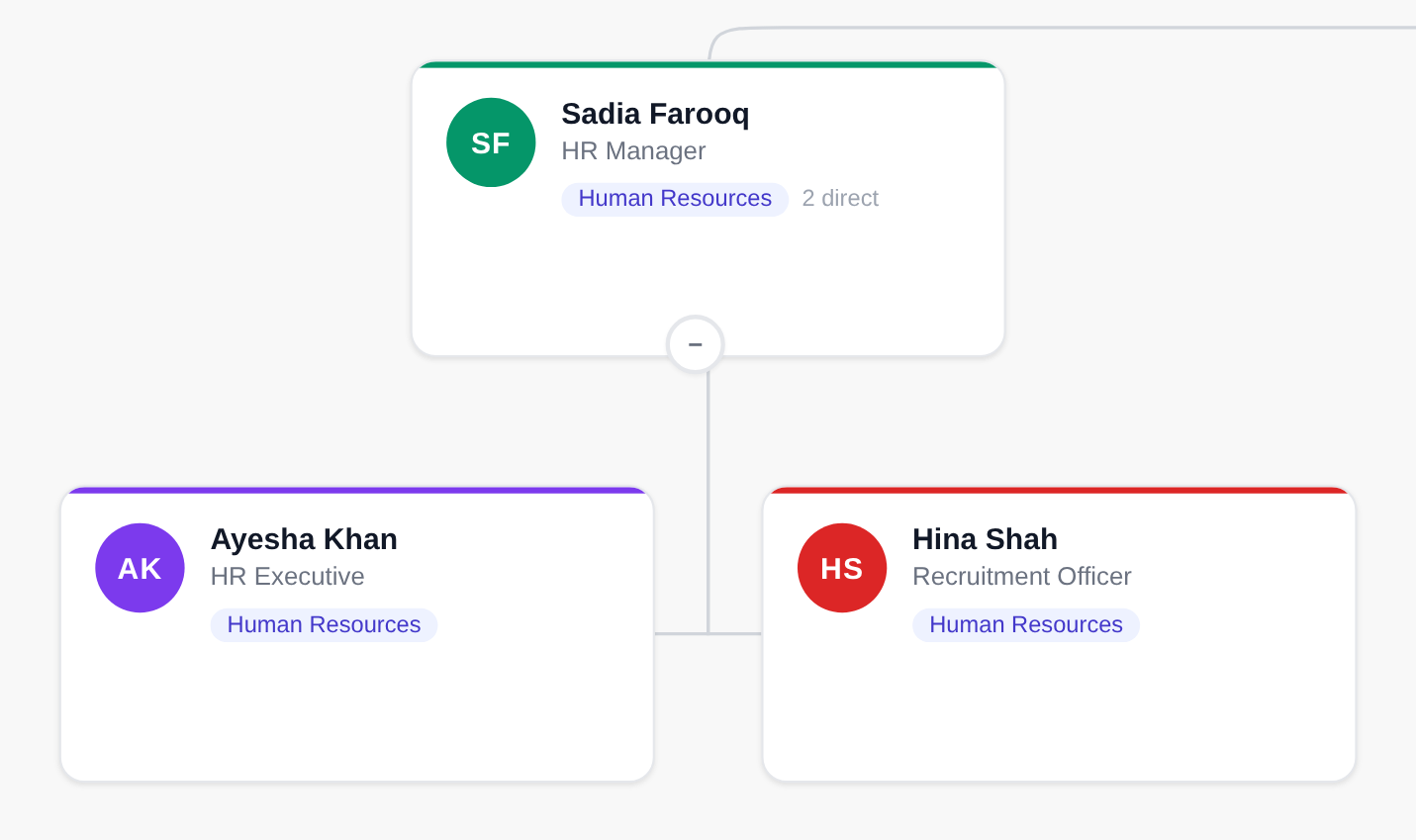
Search by employee name, department or designation. Open a result or click an employee card to reach their record, with contact and employment details available through your access.
- Search by name, department or designation
- Recognize colleagues by photo or initials
- Open the employee record from the chart
Explore & share
Choose your view. Share the picture.
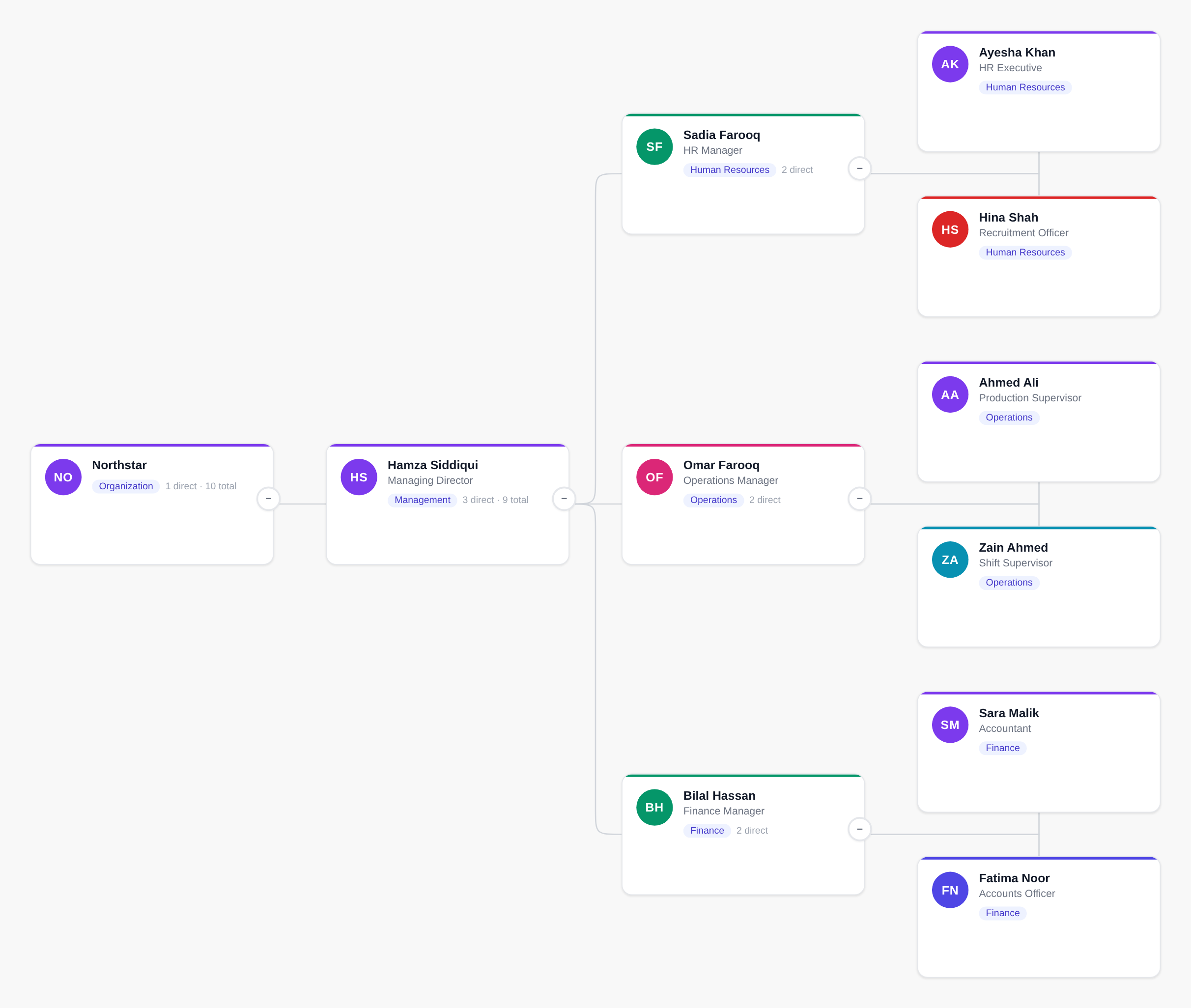
Zoom, pan and fit the chart to your screen. Switch between vertical and horizontal layouts, choose compact or standard spacing, then export the chart for an introduction, planning session or presentation.
- Zoom, pan and fit the chart to your screen
- Vertical, horizontal, compact and standard layouts
- Download as scalable SVG, PNG image or PDF
Connected to employee records
One reporting line to maintain.
When someone changes teams, update their Reports To relationship on the employee record. Reload the chart to see the new structure.
Buyer questions
Your organization chart questions, answered.
How is Reporting Hierarchy different from the organization chart?
The organization chart shows reporting relationships across the company. Reporting Hierarchy is a tab on an employee record that focuses on that employee and their direct reports. Select a report’s card to open that colleague’s reporting hierarchy.
Do we need to maintain a separate organization chart?
No. ERPX builds the chart from the Reports To relationships on employee records. Update those relationships and reload the chart to see the current hierarchy.
How can I find someone in the chart?
Search by employee name, department or designation. Selecting a search result opens that employee’s record. You can also click an employee card in the chart.
What details appear on employee cards?
Cards show the employee’s name, designation and department, with a photo when available or initials otherwise. Managers also show direct report counts and total reports where applicable. Open the employee record for contact and other employment details.
Can I change the chart layout?
Yes. Switch between vertical and horizontal layouts and between compact and standard spacing. Zoom, pan, fit to screen, and expand or collapse teams to focus on the structure you need.
Can I download the organization chart?
Yes. The chart provides SVG, PNG and PDF exports. SVG is scalable, while PNG and PDF give you formats for sharing the chart in documents and presentations.
Personalized ERPX demo
Bring one real workflow.See it running in ERPX.
A focused walkthrough built on how your team works today and what you want to improve next.
Pick a workflow from
- Operations
- Finance
- People
- Projects