
Inside the ERPX Manufacturing module
Setup, bills of materials, production plans, work orders, subcontracting, job cards and the reports on top of them. This is a walk through what each part does and where it hands off to the next.
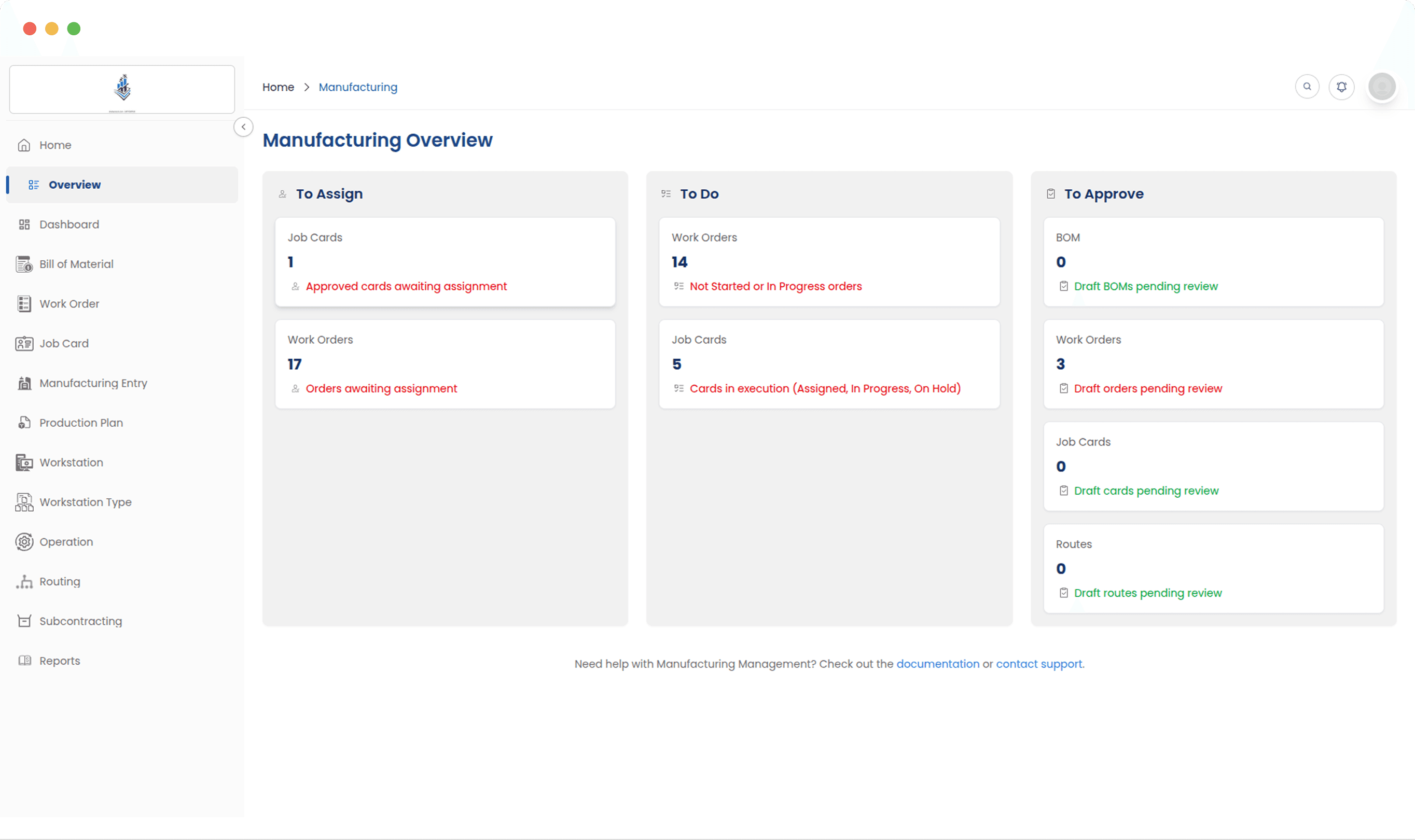
What is in the module
Four areas do most of the daily work. They are listed roughly in the order you would set them up, because nothing downstream is worth much until the routings and BOMs are right.
Manufacturing Dashboard
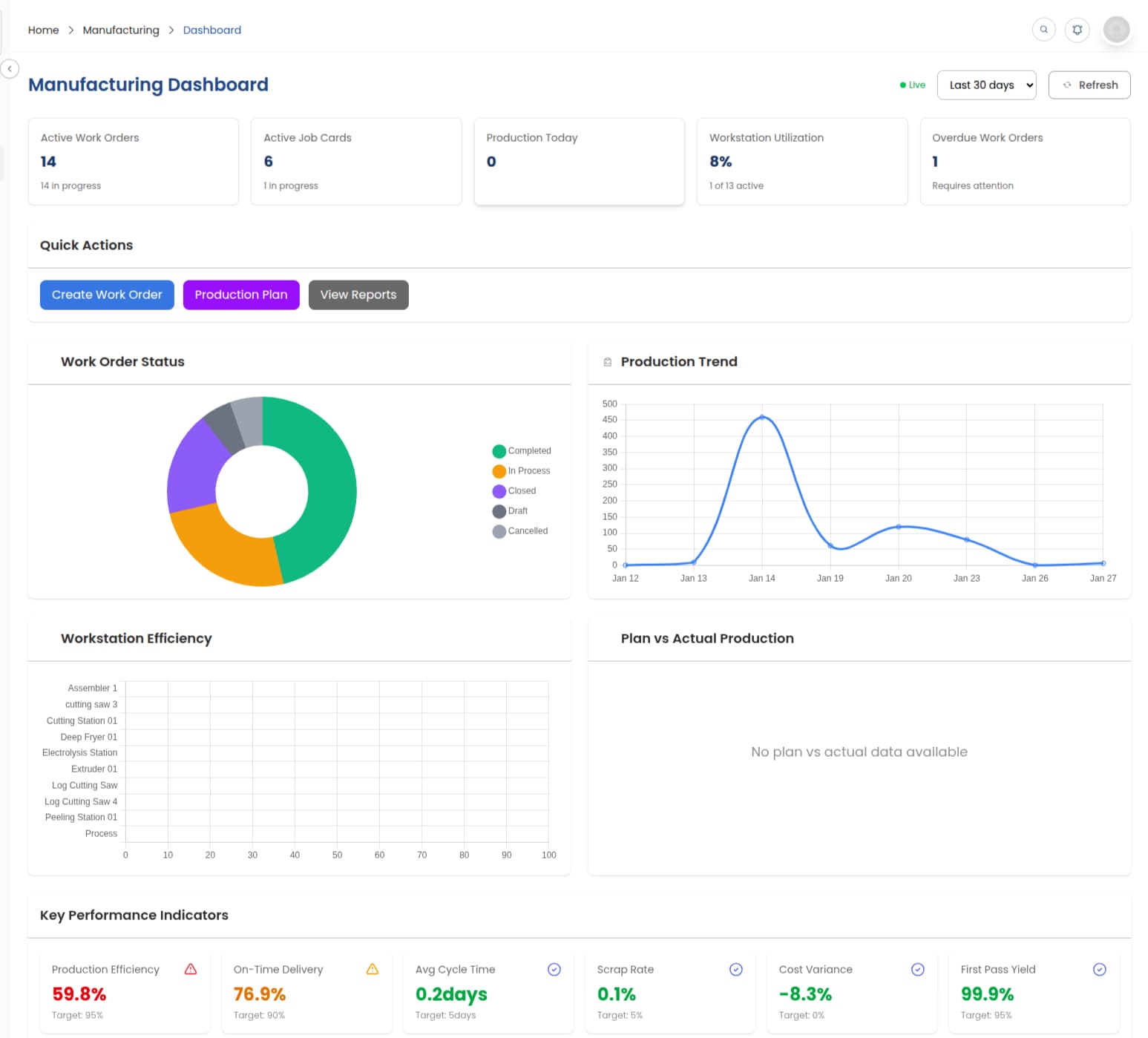
Open work orders, workstation load and cost-to-date on one screen, kept current by the floor rather than by someone updating it.
Bill of Materials (BOM)
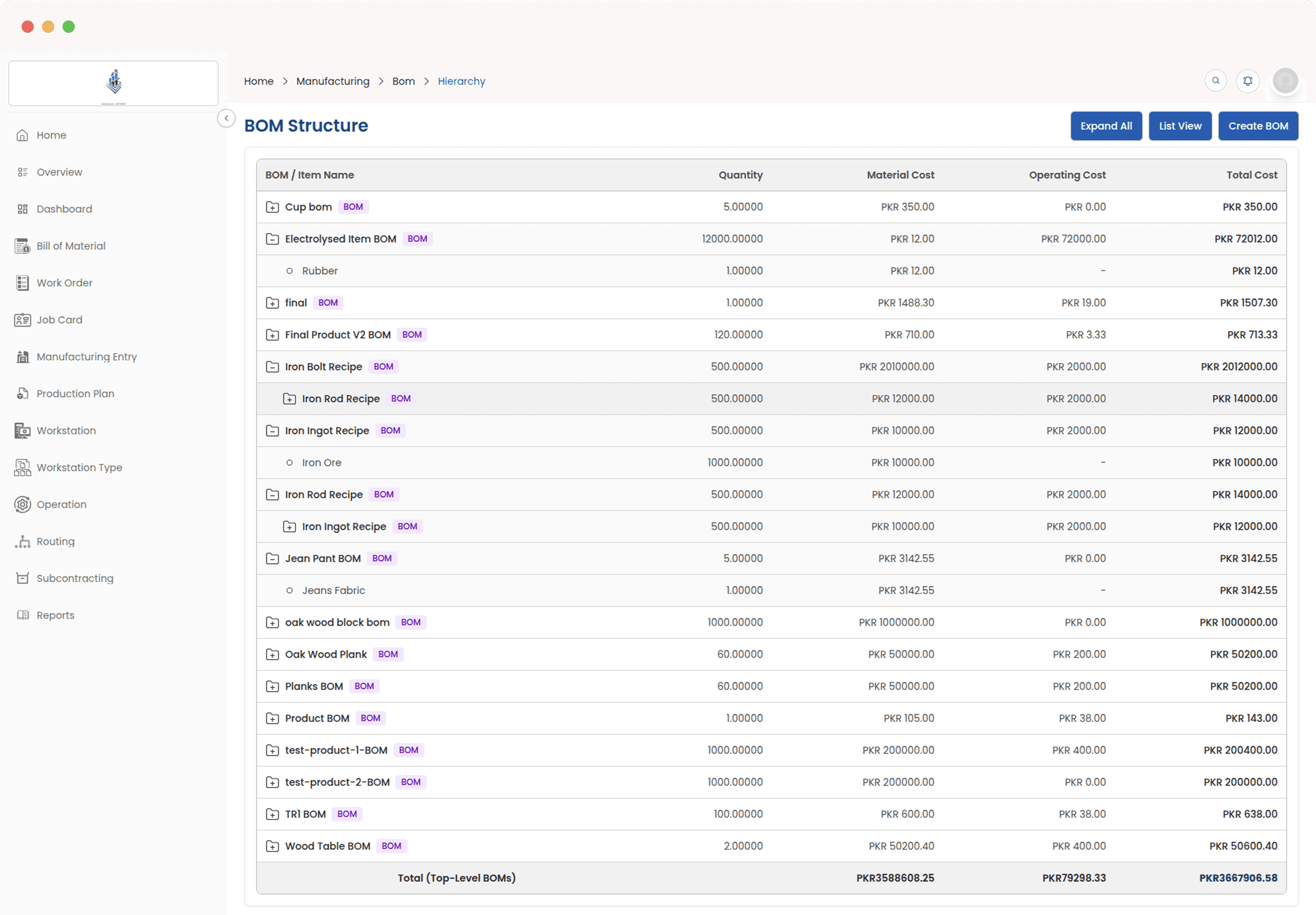
The recipe for a product: what goes into it, which steps it passes through, and what the whole thing costs to make.
Work Orders
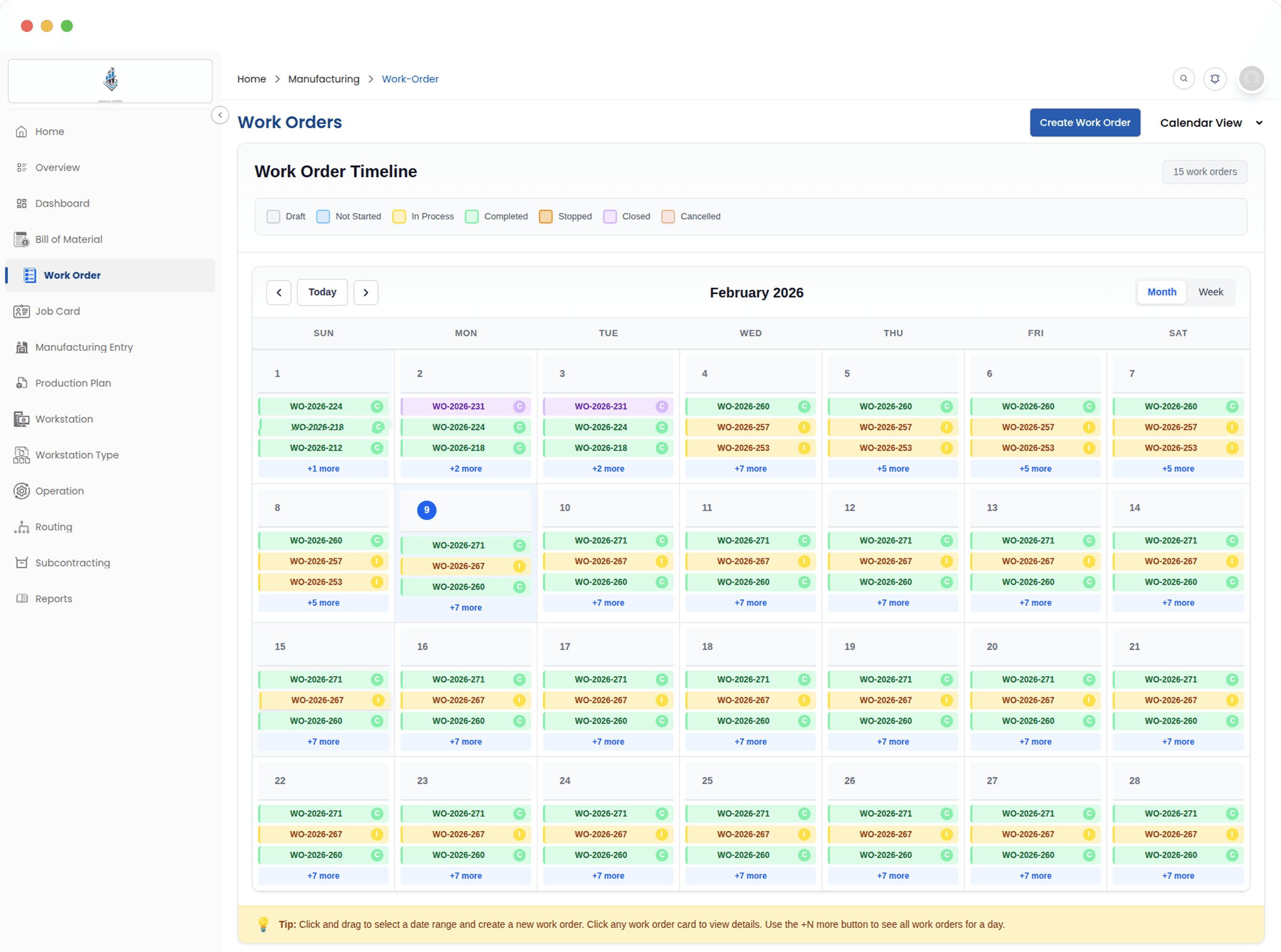
One record per production job, holding the materials, the operations and the finished goods that come out of it.
Job Cards & Tracking
One card per operation, assigned to operators, timed at the workstation and moved across a Kanban board.
Production Plan
Work out what to make and what to buy from your order book, netted against the stock you already hold.
Subcontracting
Work sent to job workers, with the material you supplied tracked and the stock and ledger entries posted on receipt.
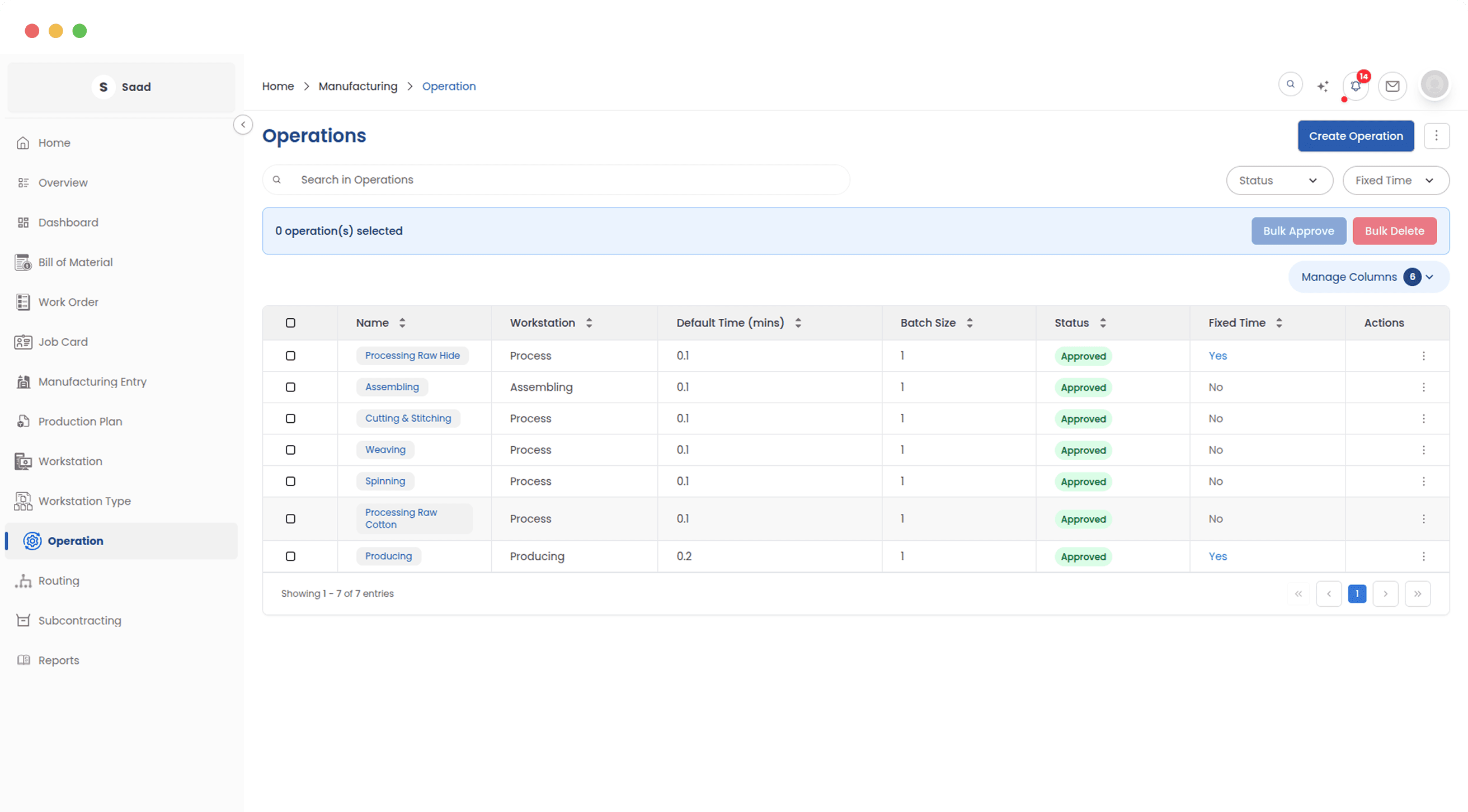
Workstations & Operations
Your machines, work centres and the production steps that run on them, with the cost rate each one carries.
Routing
A saved sequence of operations you apply to a BOM, so a product is set up the same way every time.
What the floor is doing, right now
The dashboard is the first screen most people open in the morning. It fills itself as production moves, so what you see is what the floor last reported and not what somebody typed into a status sheet yesterday.
Bill of Materials (BOM)
Everything else in the module reads the BOM, so it is worth getting right first. It holds the materials, the production steps, the scrap you expect and the by-products you get back, and the cost of all of that rolls up into one number.
Work Order
A work order is the instruction to make a quantity of something, built from the BOM behind it. It carries the material list, the operations, the schedule and the finished goods that come back. Sales reads the same record, so a question about where an order is has one answer rather than three.
Job Cards
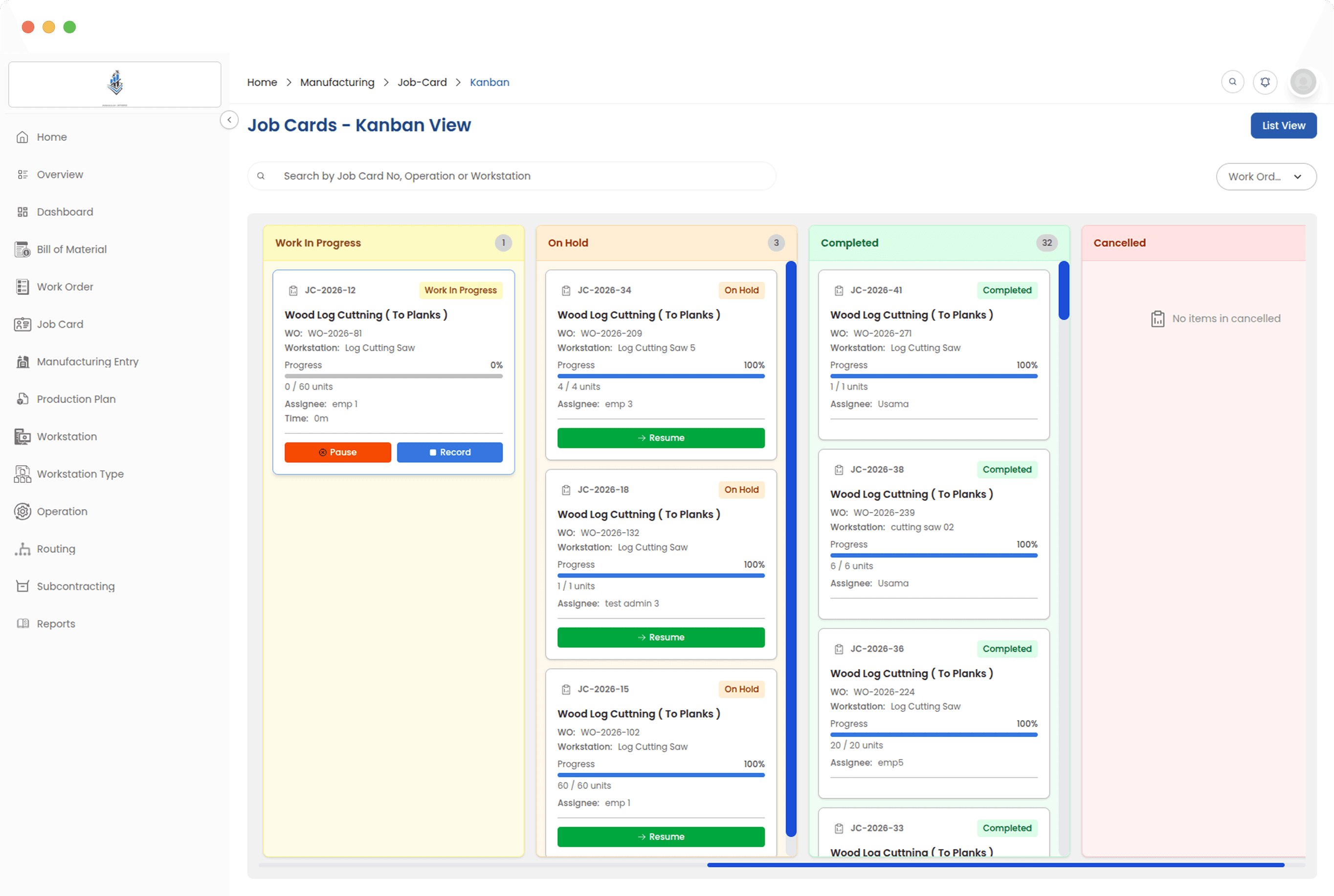
A work order is split into one job card per operation, and each card goes to the operators doing that step. They start a timer at the workstation and record what they finished. Supervisors read the whole floor off a Kanban board instead of chasing individual cards.
Production Plan
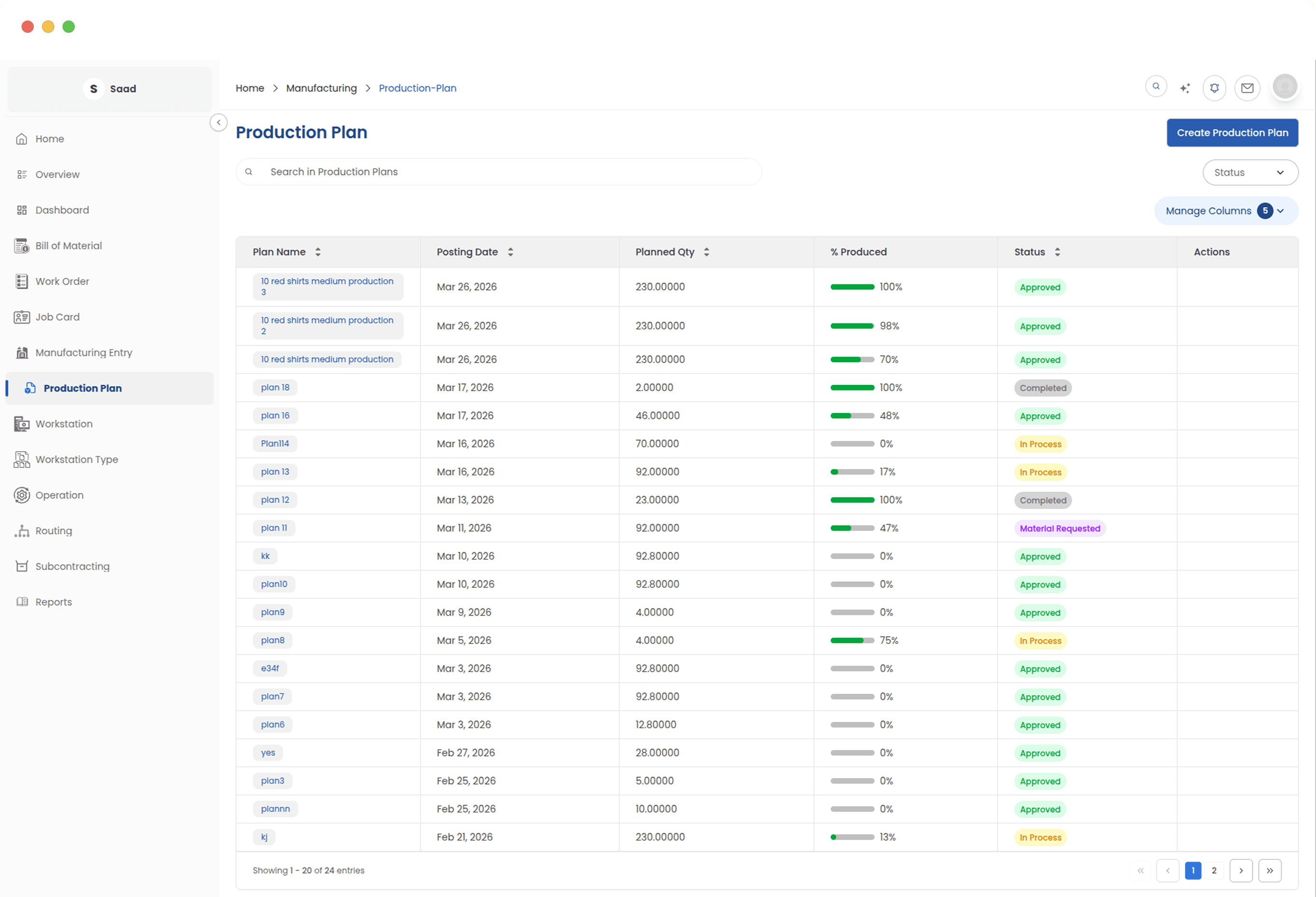
A plan starts as a list of things to make, pulled from sales orders or added by hand. It then works out what raw material that needs, checks it against stock, and shows you the gap. From there the work orders and the purchase requests come out of the same page.
Subcontracting
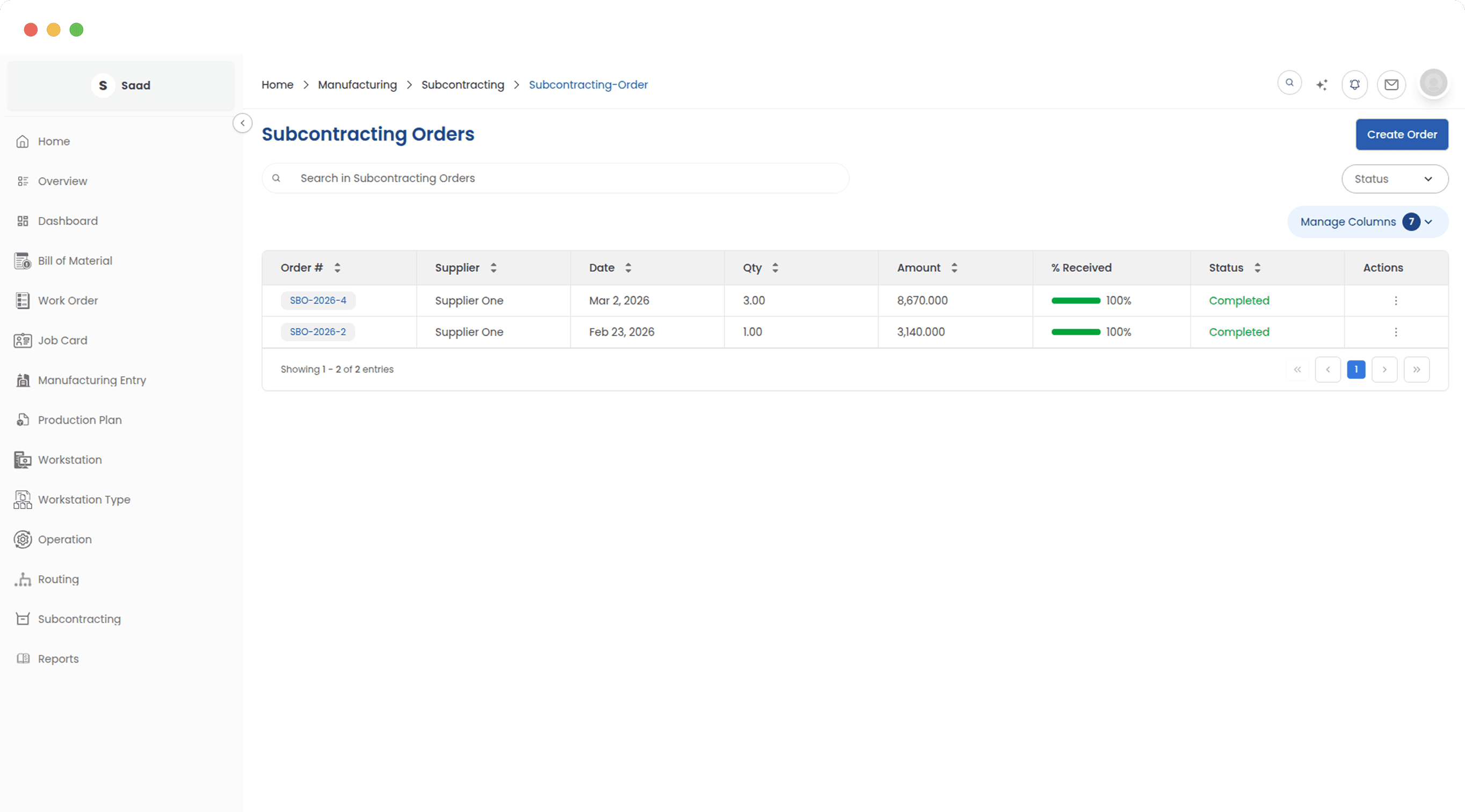
Most factories send some work out: dyeing, stitching, plating, printing. Subcontracting covers that cycle without the material leaving your books. You raise an order against a job worker, transfer the raw material to their warehouse, and receive the finished goods back with the stock and ledger entries posted for you.
Workstations, operations, and routing
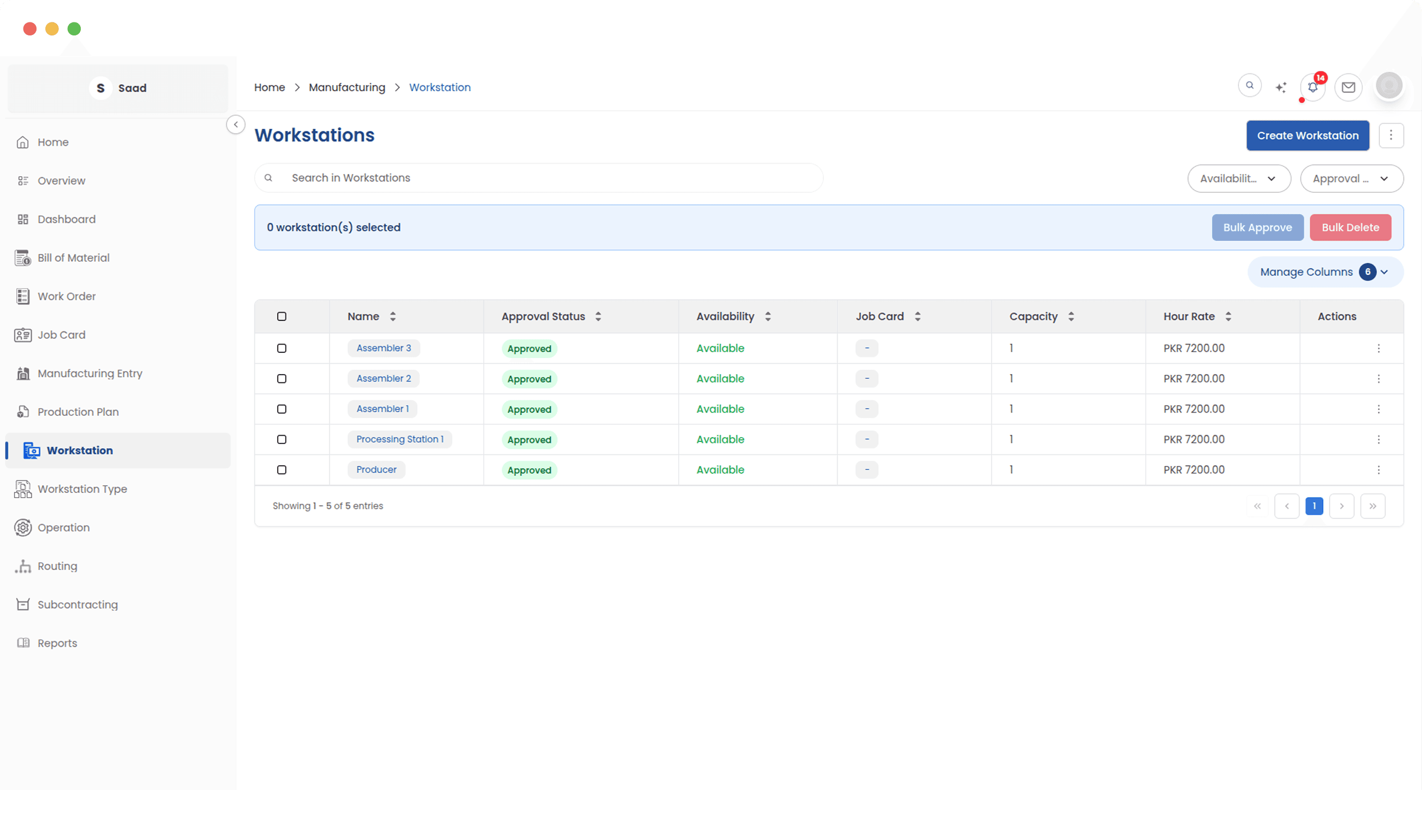
This is the groundwork the rest of the module stands on: the machines you have, what an hour on each one costs, and the operations that run on them. Chain those operations into a routing and you can apply the whole sequence to a BOM in one go, instead of rebuilding it per product.
Every part of it, in order
Each page below covers one area in detail, with the screens you would actually be using.
Setup
Set up the operations, workstation types and routing templates your BOMs and work orders run on. Define a routing once and reuse it on every product.
02Bill of Materials
Build multi-level bills of materials with operation costing, scrap and by-product handling, version history, and variant BOMs generated from one template.
03Production Plan
Turn sales orders into a production plan. ERPX works out what to make and what to buy against current stock, then creates the work orders and purchase requests.
04Subcontracting
Send materials out to job workers and receive finished goods back with stock and ledger entries handled. Track required against supplied quantity on every order.
05Work Orders
Run production jobs end to end. Check stock before you start, transfer materials, watch job cards progress, and record finished goods with batch details.
06Job Cards
Assign shop floor operations to operators, track them on a live timer and a Kanban board, and get actual job costs from the time logged at each workstation.
07Reports
Twelve manufacturing reports covering work order progress, production cost, BOM stock readiness, operator output, and the materials still waiting to move.
How it holds up as you grow
A five-person workshop and a three-line factory use the same screens. What changes is how much of the module you switch on.
One dashboard
Open jobs, workstation load and pending material requests in one place
Work orders end to end
Stock checked before you start, batch details recorded when you finish
BOMs as deep as you need
Sub-assemblies with their own BOMs, and cost that rolls up through all of them
Wired into stock and accounts
Issues and receipts move inventory and post to the ledger from one document