
Production planning from your order book
A plan starts as a list of things to make, pulled from sales orders or typed in by hand. It works out the raw material that needs, nets it against the stock you already hold, and shows you the gap. Work orders for the whole product tree and purchase requests for the shortfall both come out of the same page.
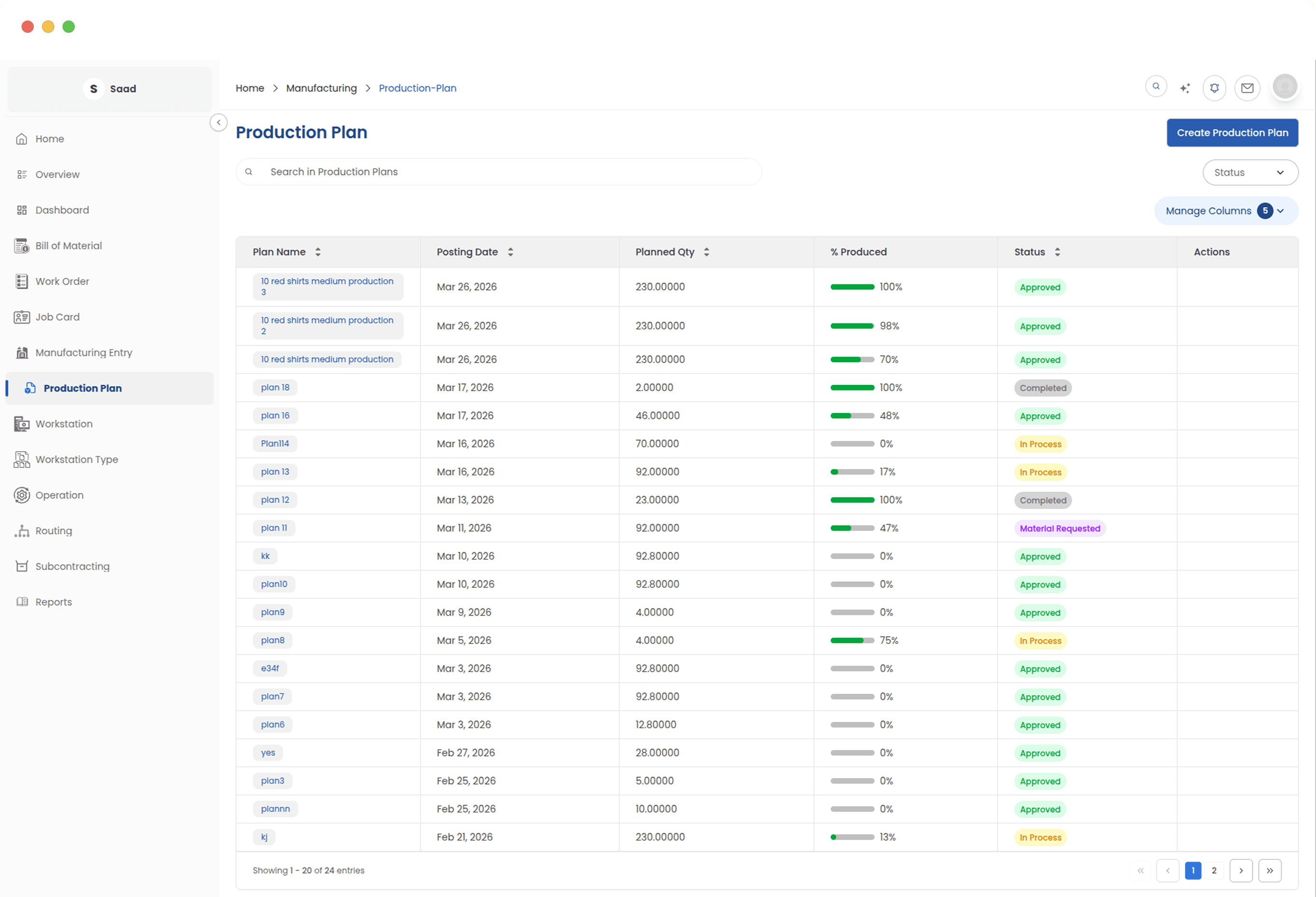
What to make, and what to buy first
Planning is where those two questions get answered together. Requirements are worked out across every level of the product, not just the top one.
BOM explosion, every level
Work out what to make and what to buy from your demand, netted against the stock already sitting in your warehouses.
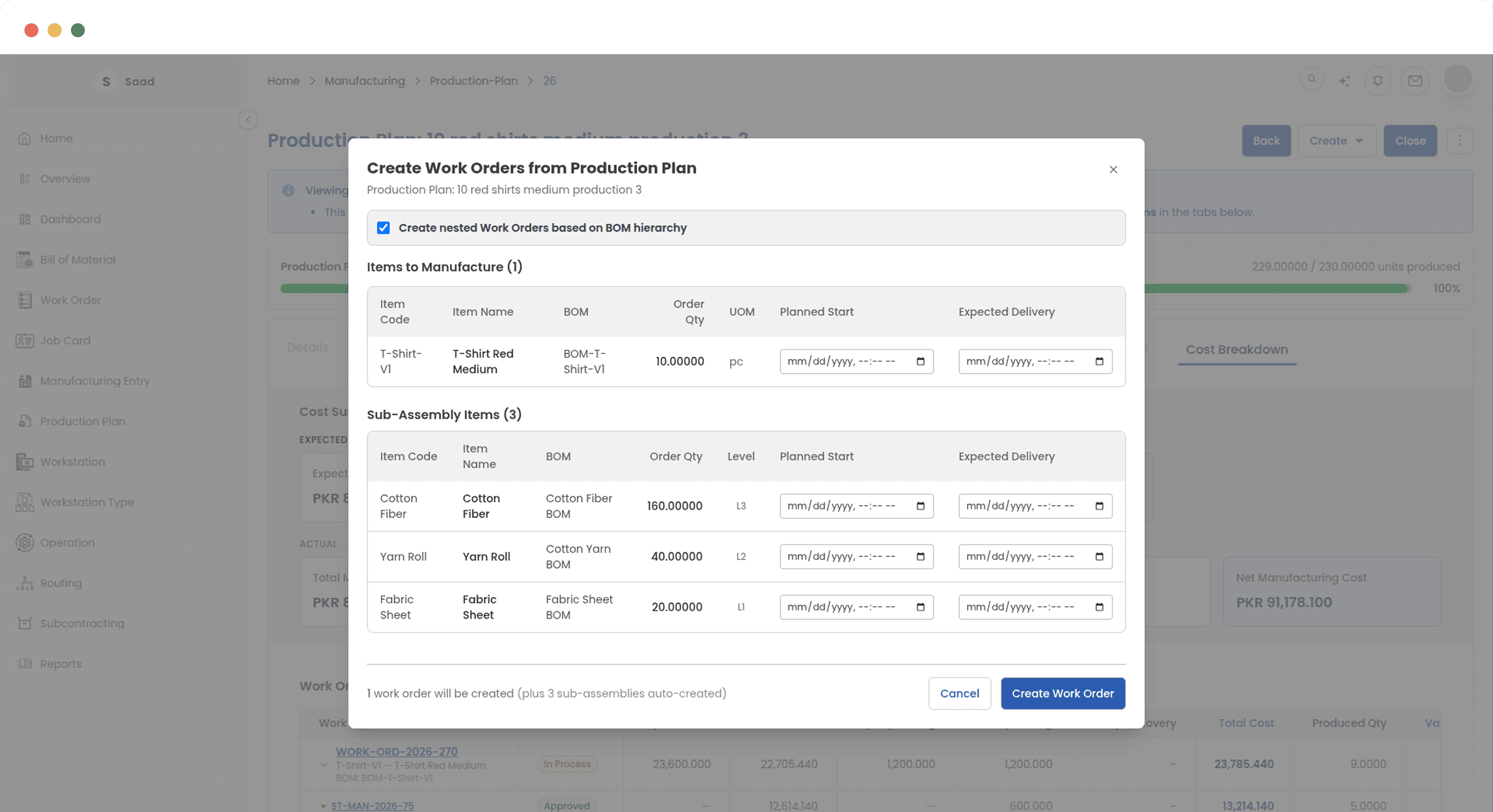
Nested work orders
Parent and sub-assembly work orders for the whole product tree, raised together and already linked to each other.
Purchase requests
Turn the raw material shortfall into purchase requests without leaving the plan or retyping the list.
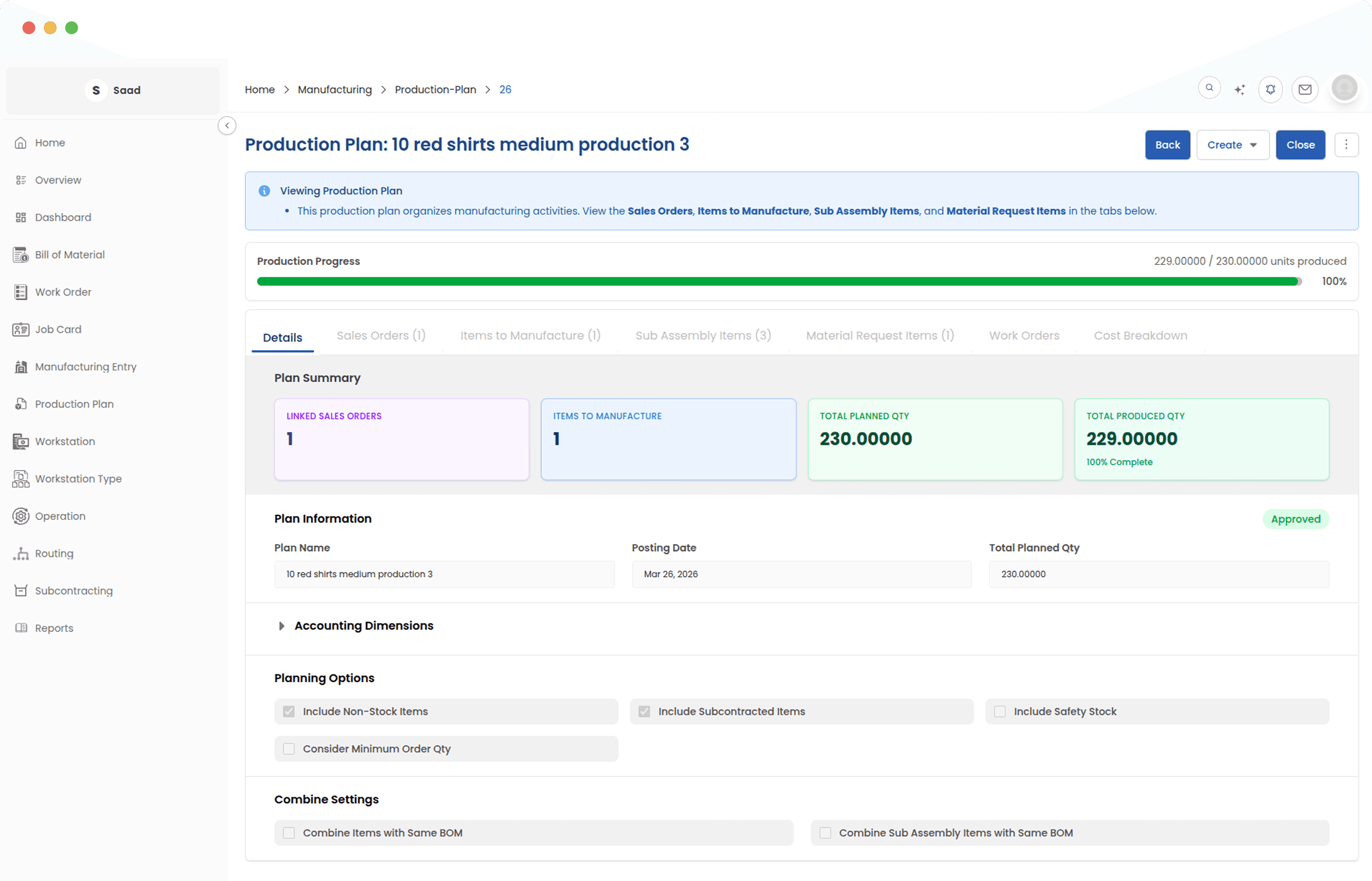
Progress while it runs
Production progress, job card status and cost so far, per item in the plan, without opening the work orders.
Every plan, and what stage it is at
Drafts, plans in production and finished ones, in one list with the stage each is sitting at. It is the fastest way to see which plans are waiting on somebody and which are just running.
From the order book down to raw material
Building a queue means weighing delivery dates against what you have in stock and what you would have to buy. The plan walks that in steps, so you know what to make and what to order before anything is committed to the floor.
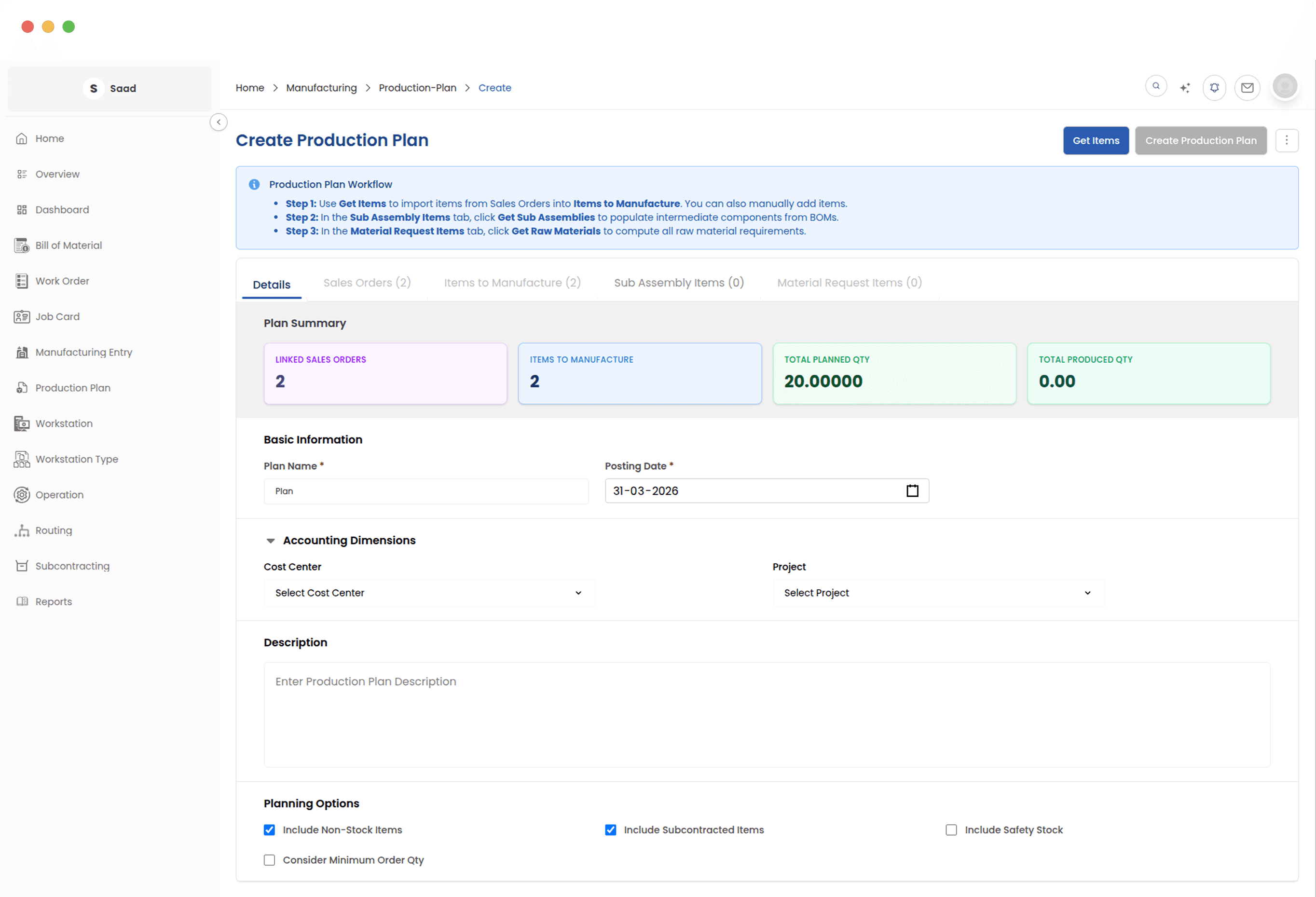
What has to be made, and what has to arrive
The finished items, the sub-assemblies underneath them, and every raw material the whole thing needs. Each material carries its procurement status, so you can see what has been requested, what has been ordered and what has actually landed.
Raise the work orders in one go
Parent orders for the finished goods and child orders for every sub-assembly, created together and linked, so a four-level product is one action rather than fourteen.
Push the job cards out
Once the work orders are running, generate job cards for every operation at once. Set the quantity per operation, let the sequence be checked, and the floor has work without anyone building cards one at a time.
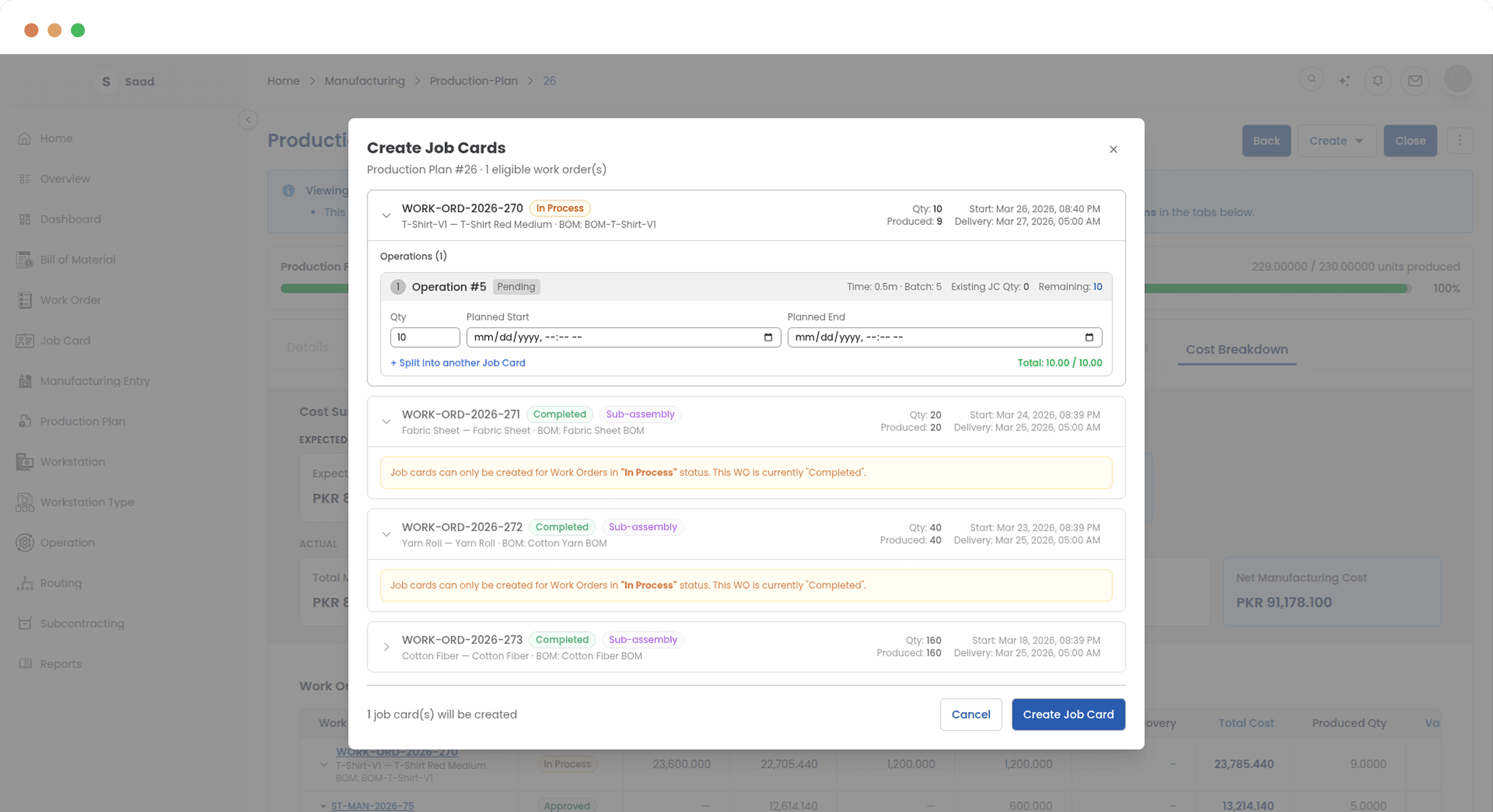
Hand the shortfall to procurement
Turn material requirements into purchase requests from inside the plan. You choose what goes and in what quantity, and each request stays linked back to the plan it came from.
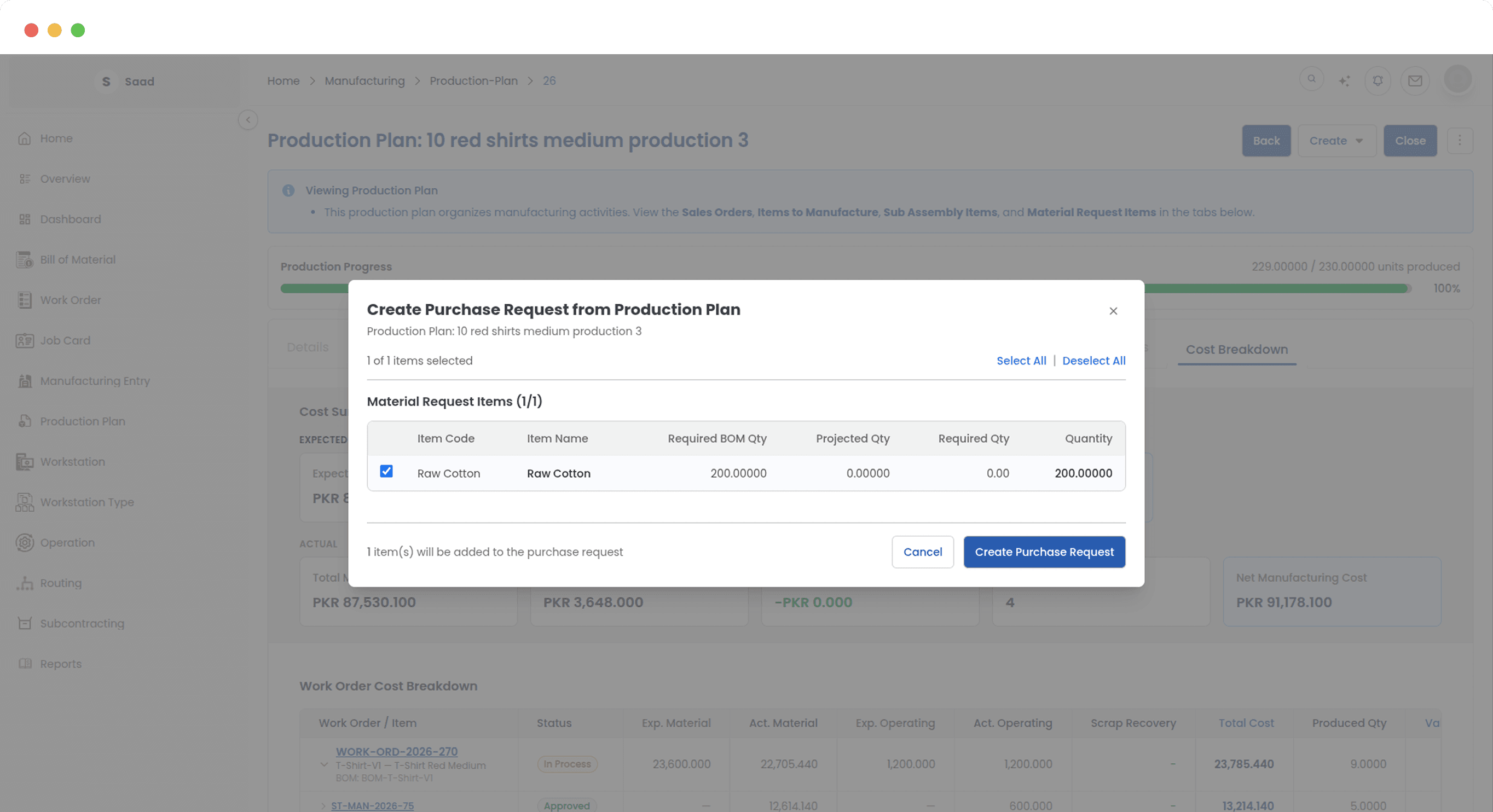
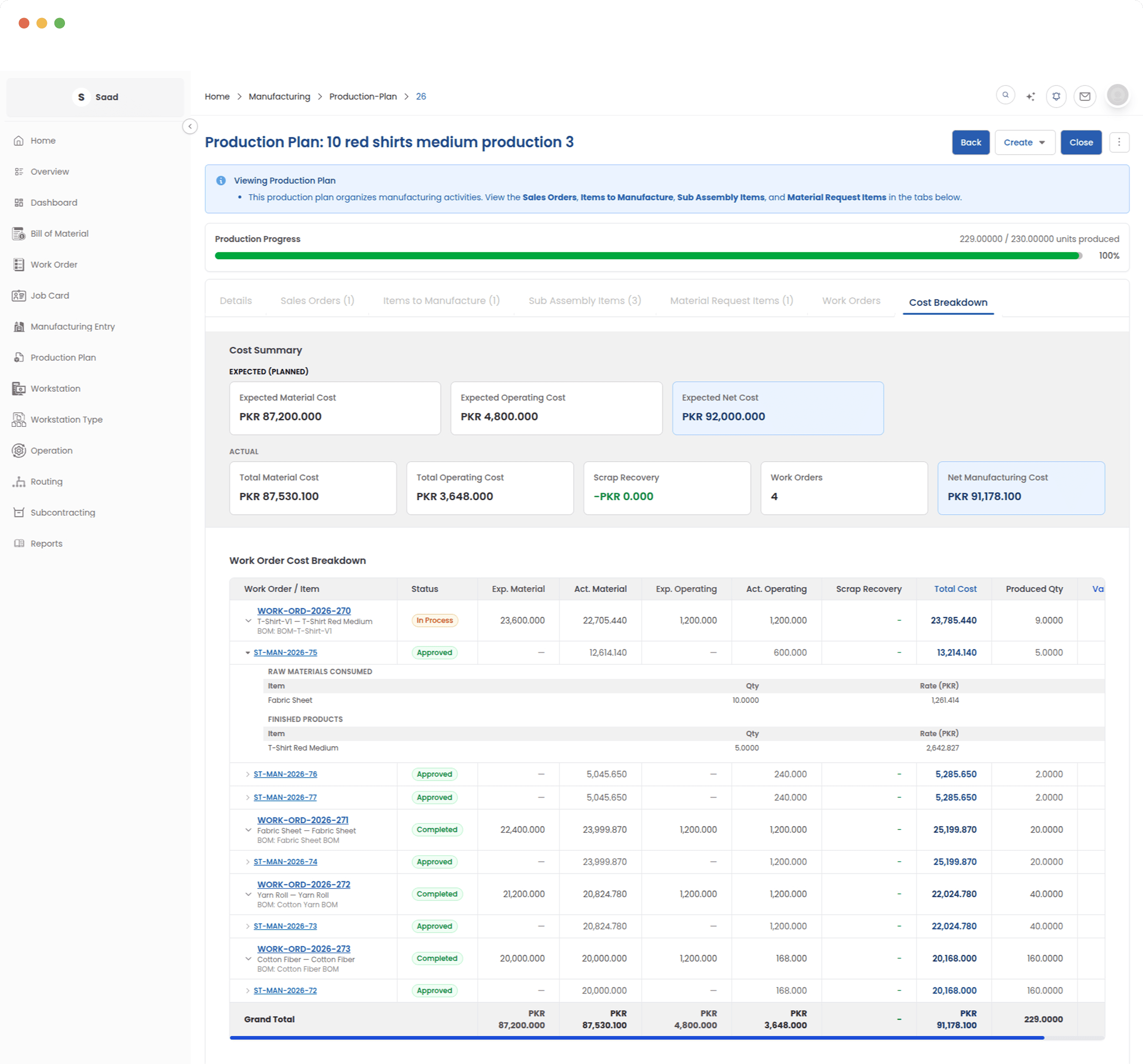
What the plan has cost so far
Cost accumulates across the work orders as the plan runs, so real spend can be read against the estimate while there is still something to be done about the gap.
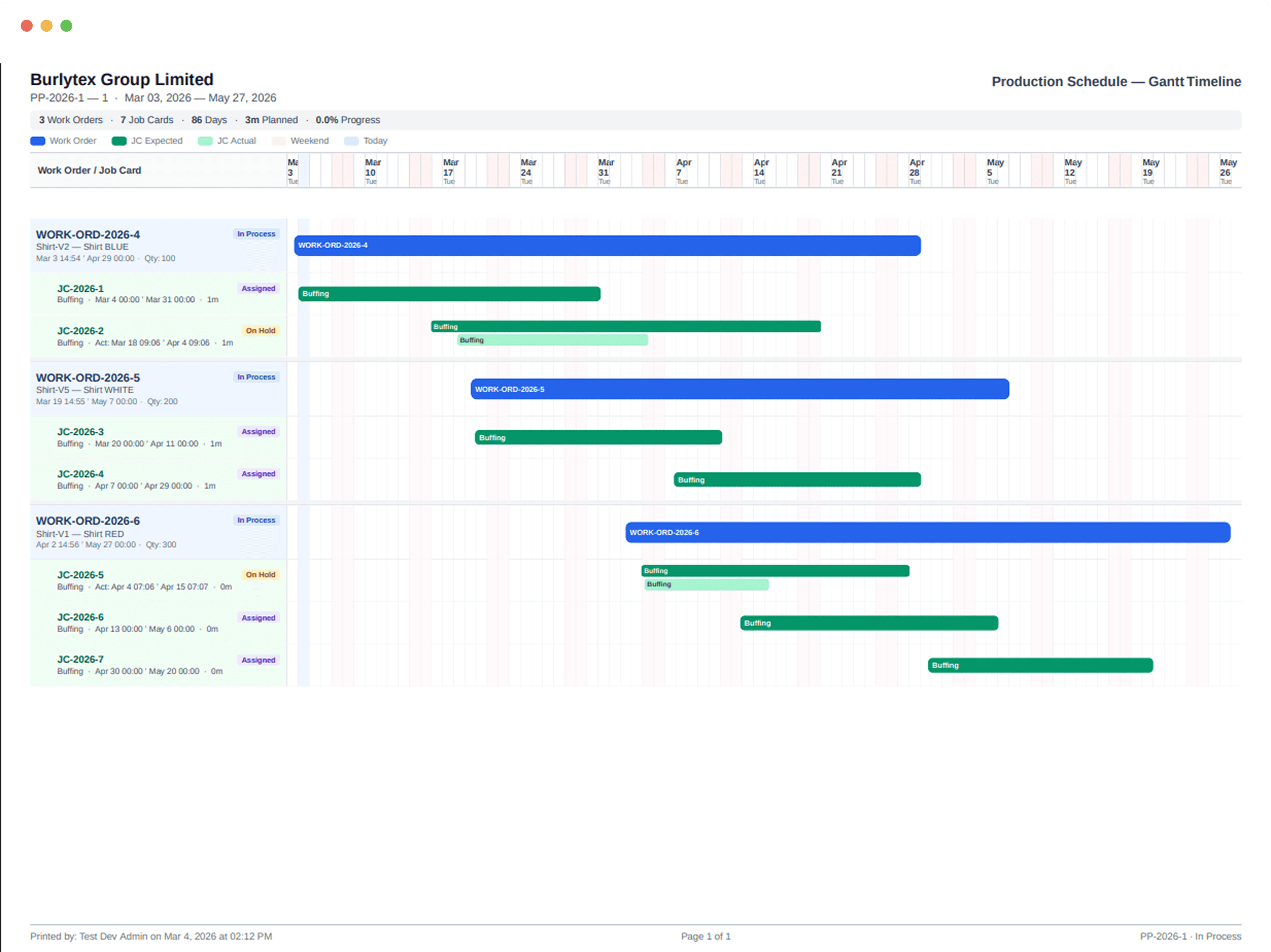
Planned against what actually happened
Which operations ran on time, which came in early and which slipped. Comparing the two across a few plans is usually how a recurring bottleneck stops being a theory and starts being a number.
From the order book to the shop floor
The gap between what was sold and what got made is where most surprises live. A plan closes it by carrying one set of numbers from requirement to work order to cost breakdown.