
Job cards for the shop floor
Every operation on a work order becomes a job card, assigned to the operators doing it. They pick a workstation, start a timer, and record what they finished. Supervisors read the floor off a Kanban board, and the cost that comes back is built from logged minutes rather than a standard rate.
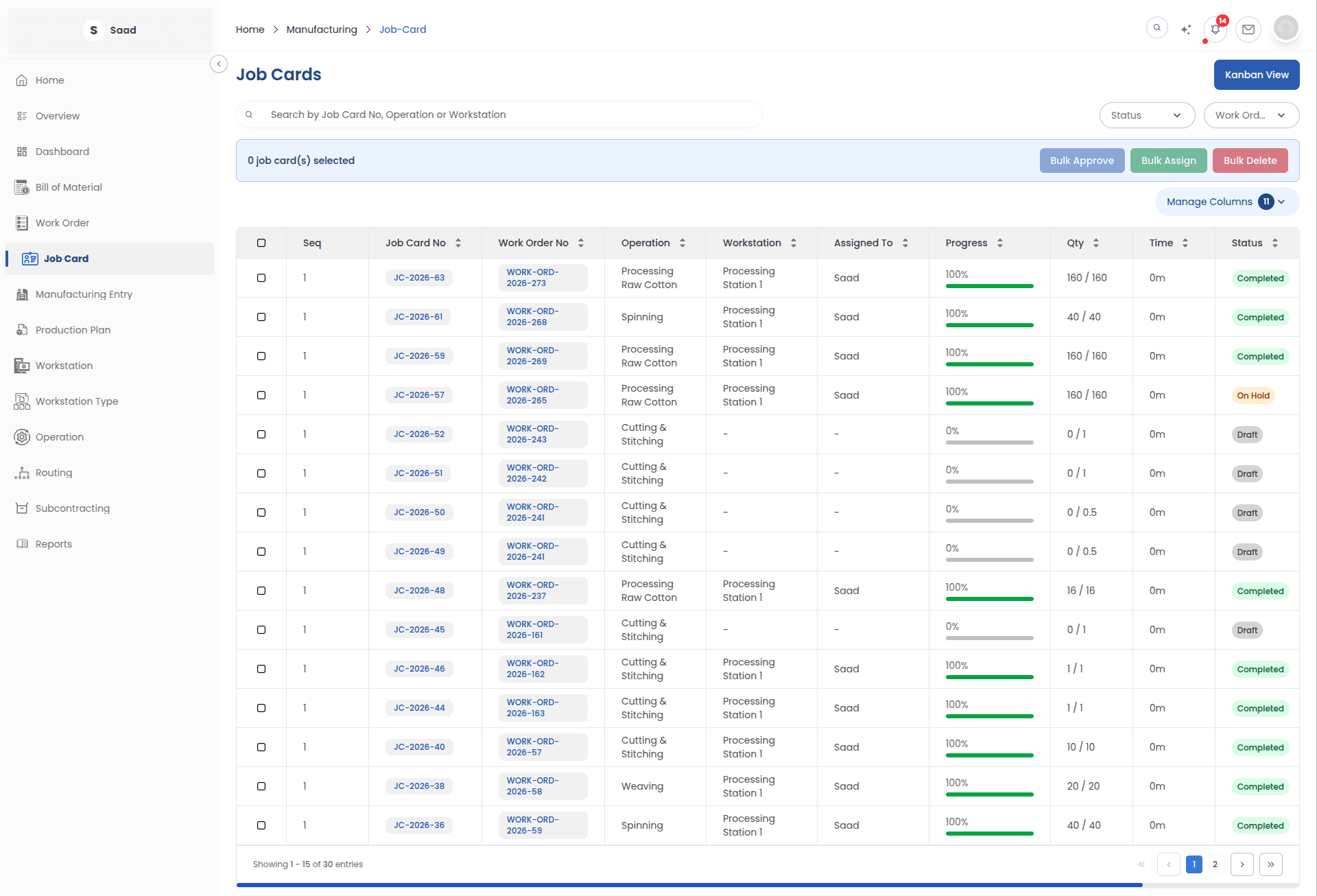
What the floor is doing, card by card
A job card is the smallest unit of production here. It knows its operation, its work order, its workstation and the people working on it.
Live timer
Time logged against the card and the workstation it ran on, turned into operating cost without anyone doing the arithmetic.
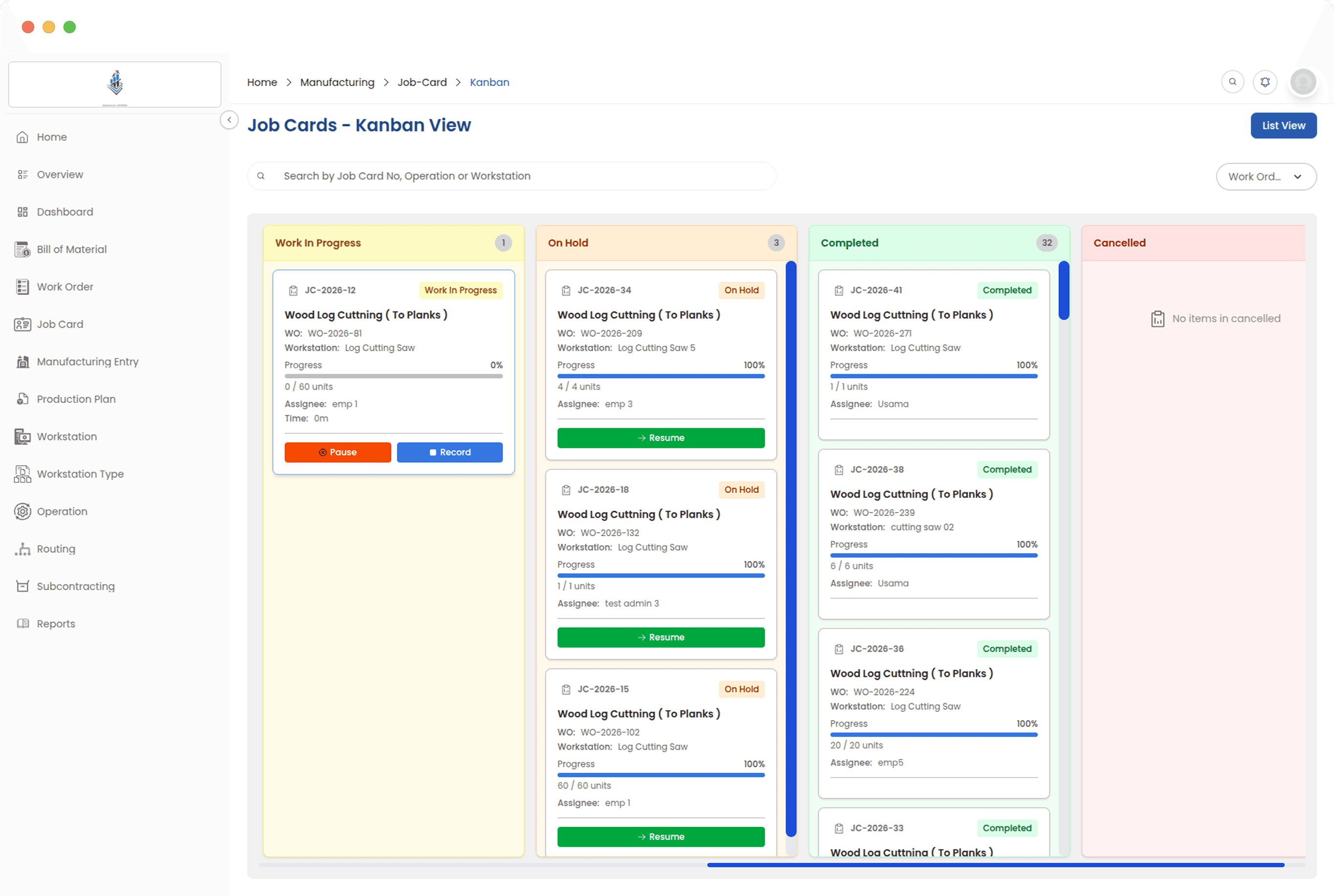
Kanban board
Cards move through coloured stages, so where work is piling up is visible from across the room.
Several operators per card
More than one person can be on a card, and each of them sees only what their role is meant to see.
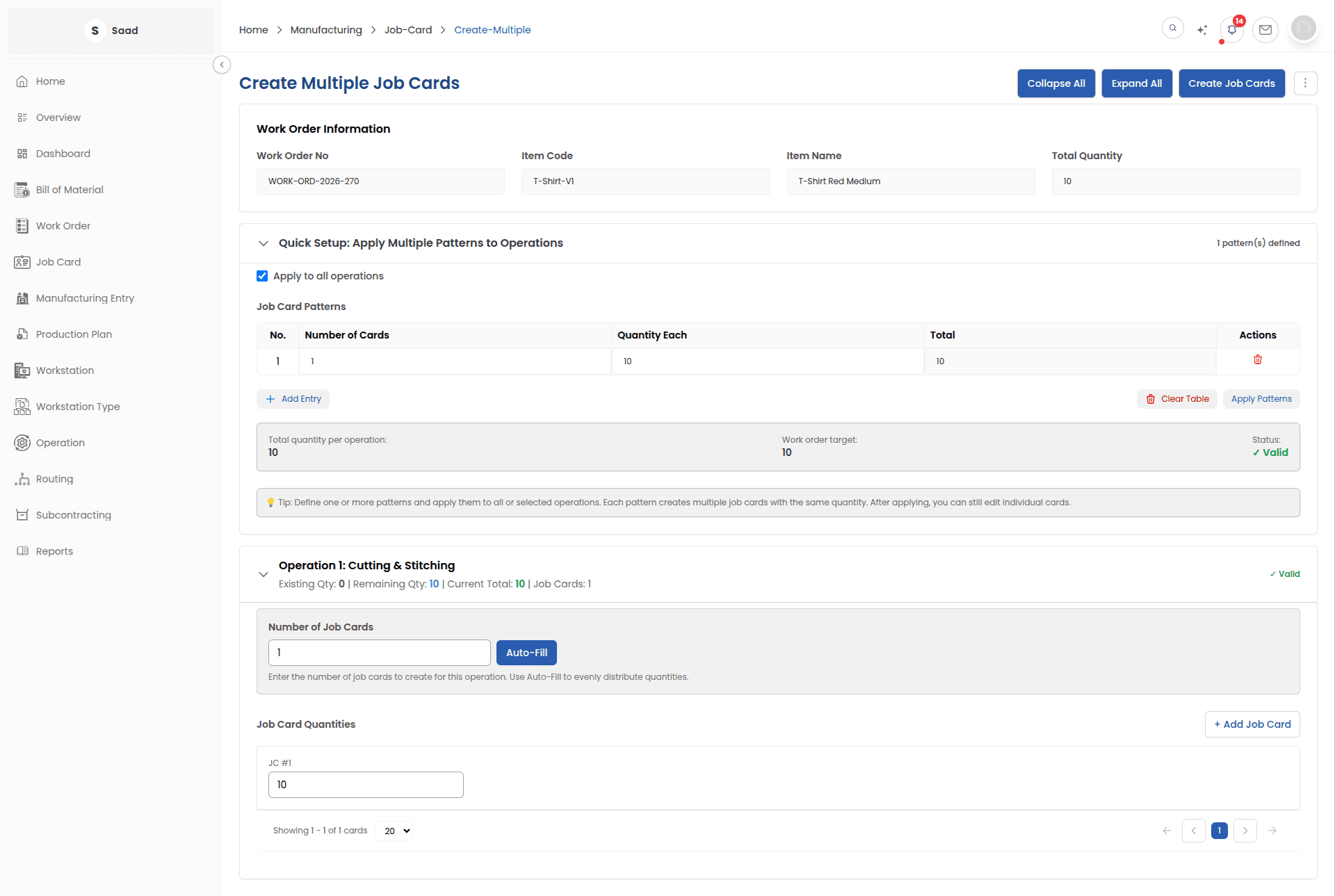
Split across machines
One operation can be split into parallel cards so several workstations or teams run it at the same time.
Every task running on the floor
Who is on what, how far along it is, and which operations are waiting on somebody. Supervisors get the whole floor. Operators get their own cards and nothing else, which is what most of them want.
The floor as a board
Every task is a card in a column: waiting, running, paused, done. Supervisors read the state of the floor off it, and operators start timers, record quantities and close cards without leaving it.
Running one operation on four machines
On a big run, split a single operation into parallel job cards, each on its own workstation or with its own operator, so the same step happens in four places at once instead of queueing.
The minutes, and what they cost
The card records the time actually spent at the workstation and turns it into operating cost using that workstation rate. No standard hours, no reconstruction at the end of the month.
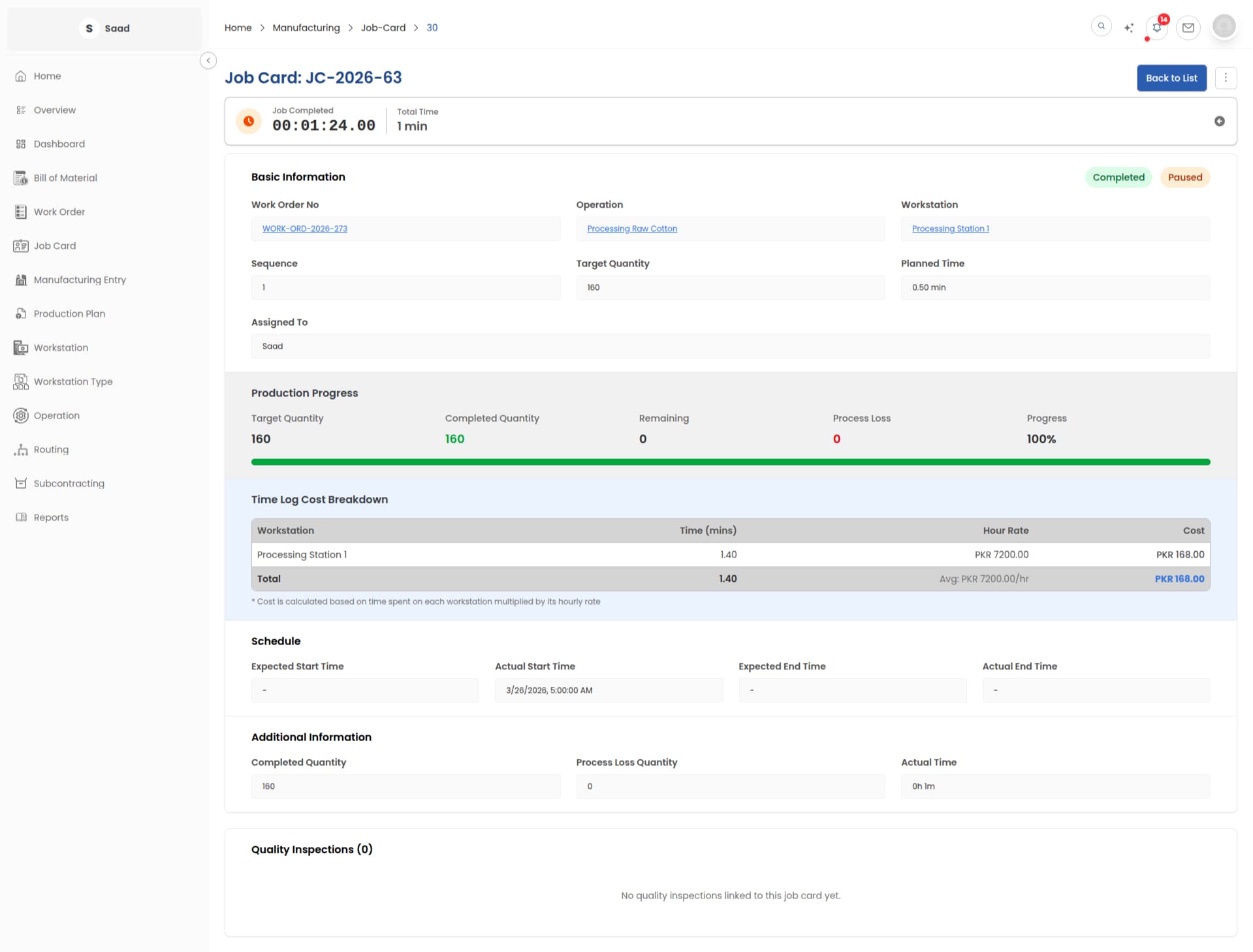
Cost from the shift, not from a standard
Time logged at the workstation and quantities recorded on the card feed the work order cost directly. The number management reads is the number the floor produced.