
Work orders from first issue to finished goods
A work order is one production job: the material it needs, the operations it goes through, the schedule it sits on, and the goods that come back. Stock is checked before it starts, job cards track it while it runs, and finished goods are recorded with batch details when it is done.
One record for the whole job
Everything that happens to a production job hangs off its work order: what was issued, what was transferred, what each operation logged, and what came off the line at the end.
Where every job stands
Where a job stands, how much has come off it, and whether the delivery date is still realistic.
Material transfer
Availability is checked as you transfer, so a shortage shows up before the job starts rather than halfway through.
Finishing production
Record what came off the line, with inspection and valuation done before the goods land in stock.
Nested work orders
Sub-assembly orders are created and linked to their parent, so a deep product is one chain rather than a pile of jobs.
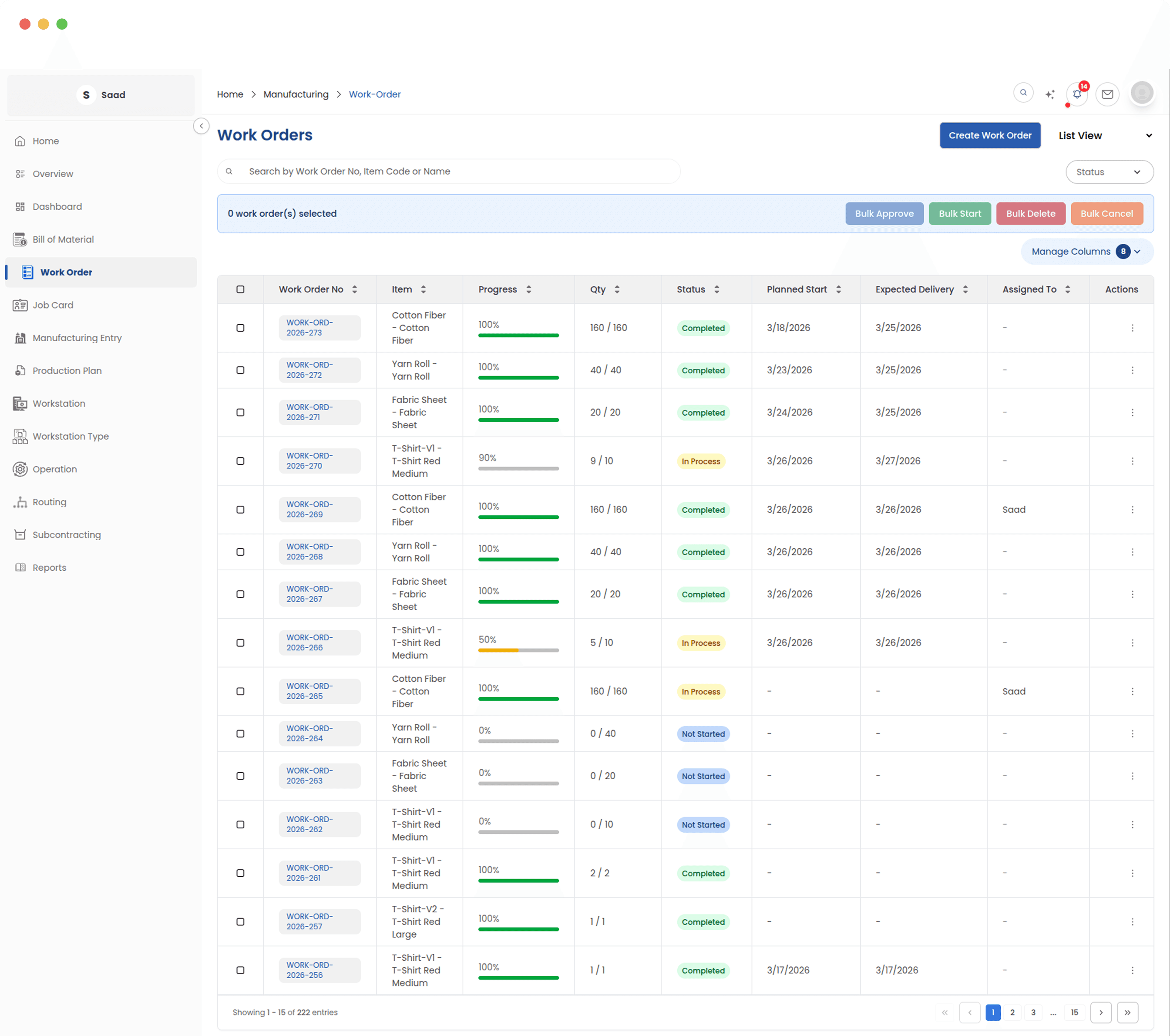
Every production job in one list
Ordered against produced quantity, current status and delivery date, for every job running in the factory. Products with sub-assemblies show their whole chain in the same list, so you are not opening records to work out what depends on what.
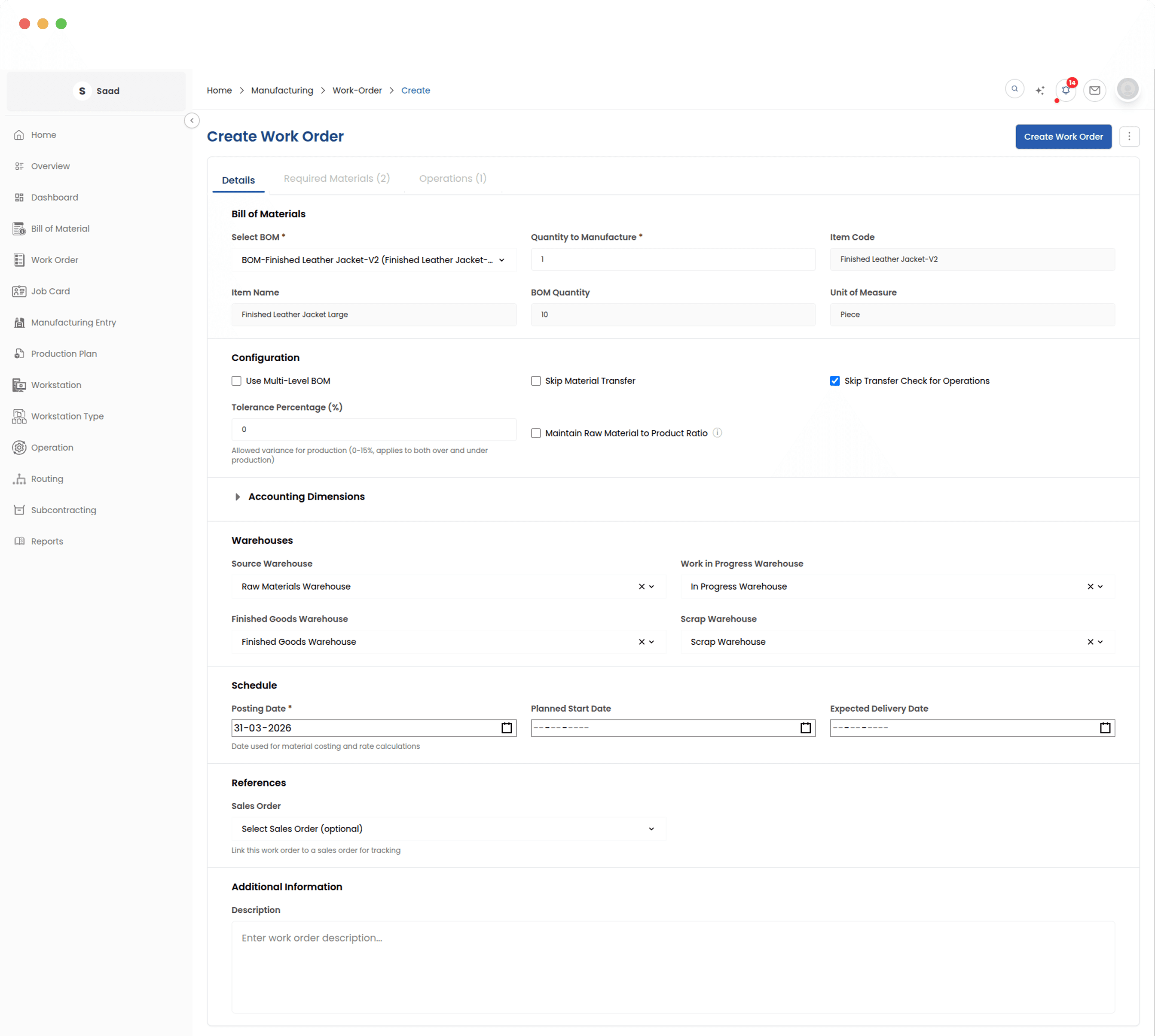
From a BOM to a running job
Pick the product and the quantity. The material list, the operations and the schedule are all pulled from the approved BOM behind it, so what the floor receives matches what was costed.
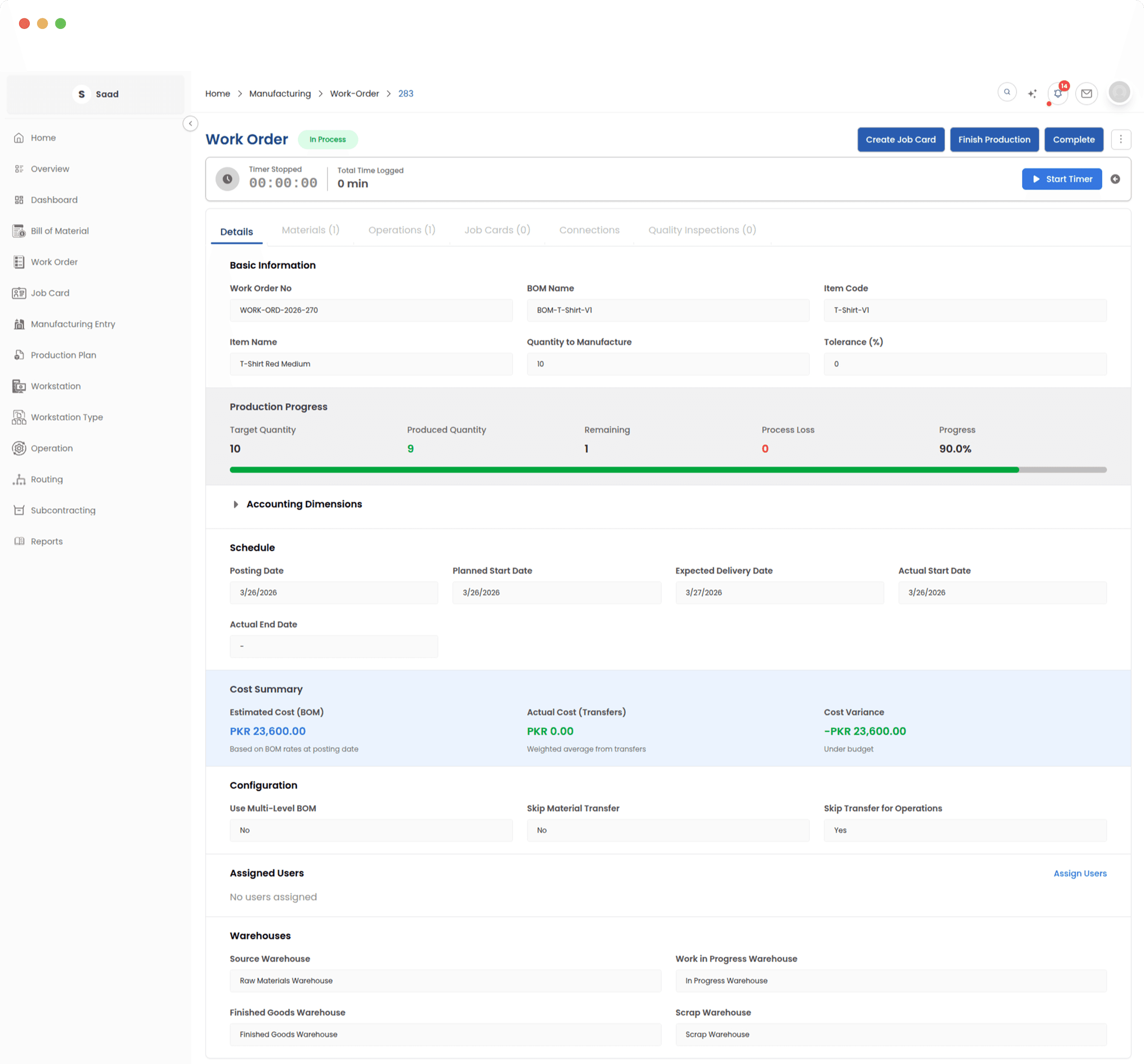
Materials, operations and cost on one page
What the job needs, what has been issued to it, which operations have been logged, and what it has cost so far. It is the page a supervisor keeps open while a run is going.
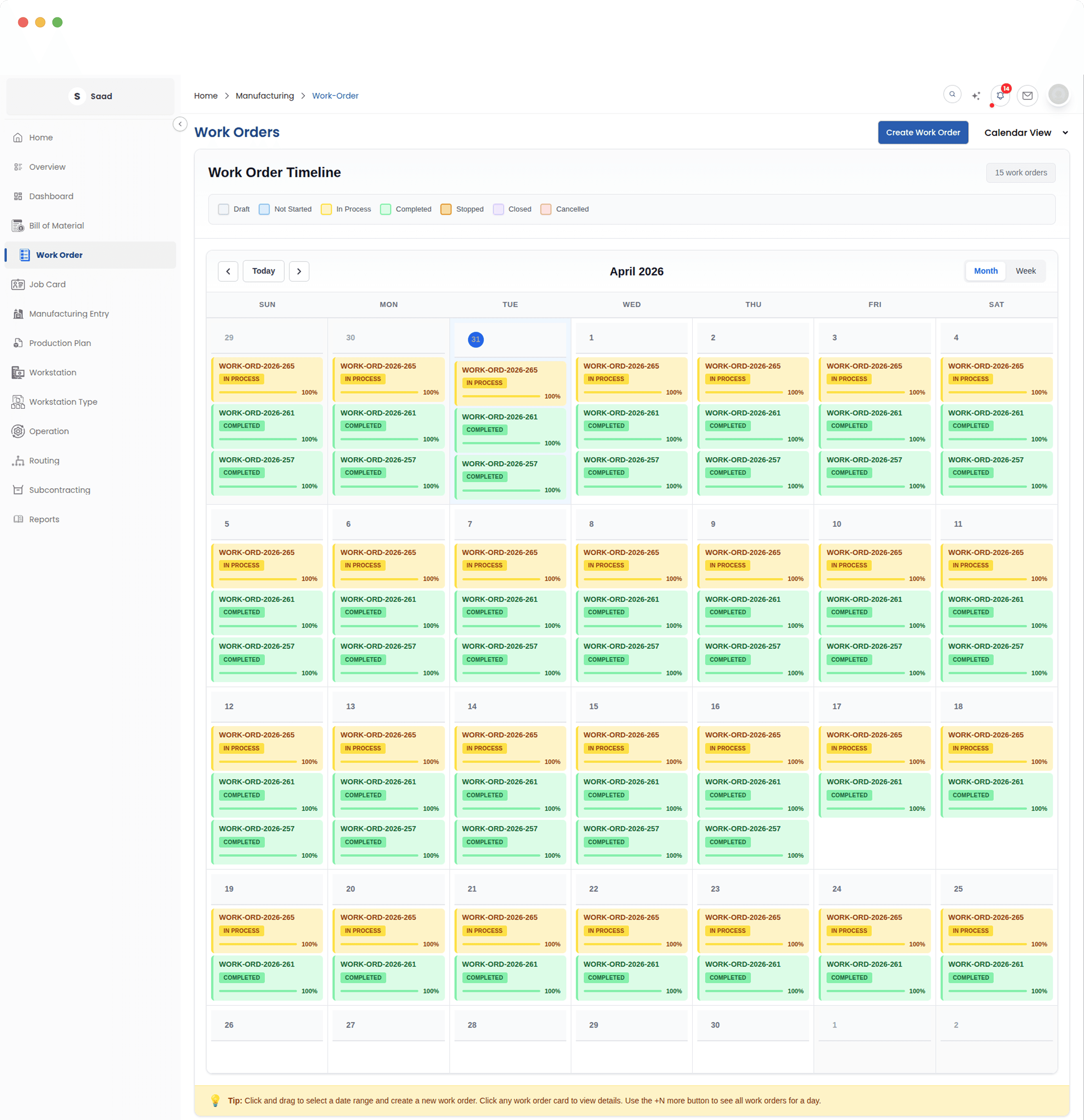
The schedule as a calendar
Jobs laid out from start date to delivery date on a timeline. It is easier to see two jobs colliding on a calendar than to spot it in a list of dates, which is most of the point.
Sub-assemblies get their own orders
When a product contains sub-assemblies, their work orders are created and linked to the parent. Components are made in the order the product needs them, and the trail from finished good back to the smallest part stays intact.
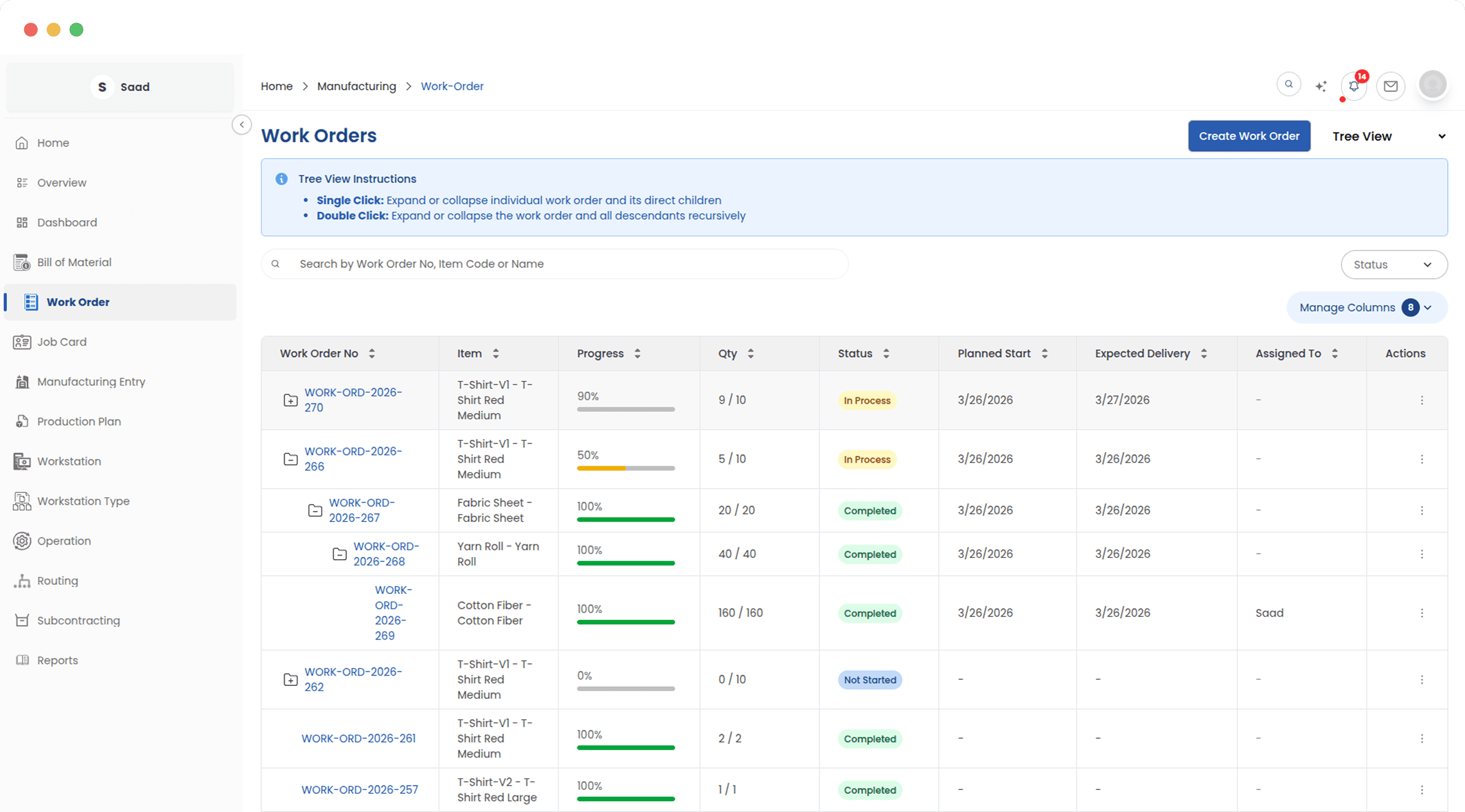
One line or forty jobs at once
Sub-assembly work orders nest under their parent, so a deep product does not turn into a pile of unrelated jobs somebody has to reconcile by hand.