
AI for the way
your business works.
Ask questions across your ERP, prepare supported forms, and understand your reports. All within your team’s existing permissions.
Built around your records, roles, and approval rules.
Ask ERPX AI
You
Which purchase orders need attention this week?ERPX AI
Three orders are due this week. Start with PO-1048: its delivery date needs a review.
| Order | Supplier | Status |
|---|---|---|
| PO-1048 | Atlas Textiles | Review date |
| PO-1052 | Northline Supply | On track |
| PO-1056 | Crescent Mills | On track |
Product capabilities
A practical assistant for everyday work.
Start with a question, a form, or a report. ERPX AI works with the context already inside your ERP.
Start with a request. Finish with a reviewed draft.
Describe the fields or items you need on a supported form. ERPX AI proposes changes in the workflow, ready for you to check.
- Prepare supported fields and item rows
- Review the details before saving
- Keep existing validation and approvals
Available on registered forms and subject to the current form state.
“Add 250 kg of Blue Cotton for the Main Warehouse.”
Proposed fields stay visible for your review before saving.
Inside the product
Assistance where the work happens.
In supported export workflows, upload a Letter of Credit and let AI prepare the fields. Your team reviews the details in the same form before saving.
Explore export documentation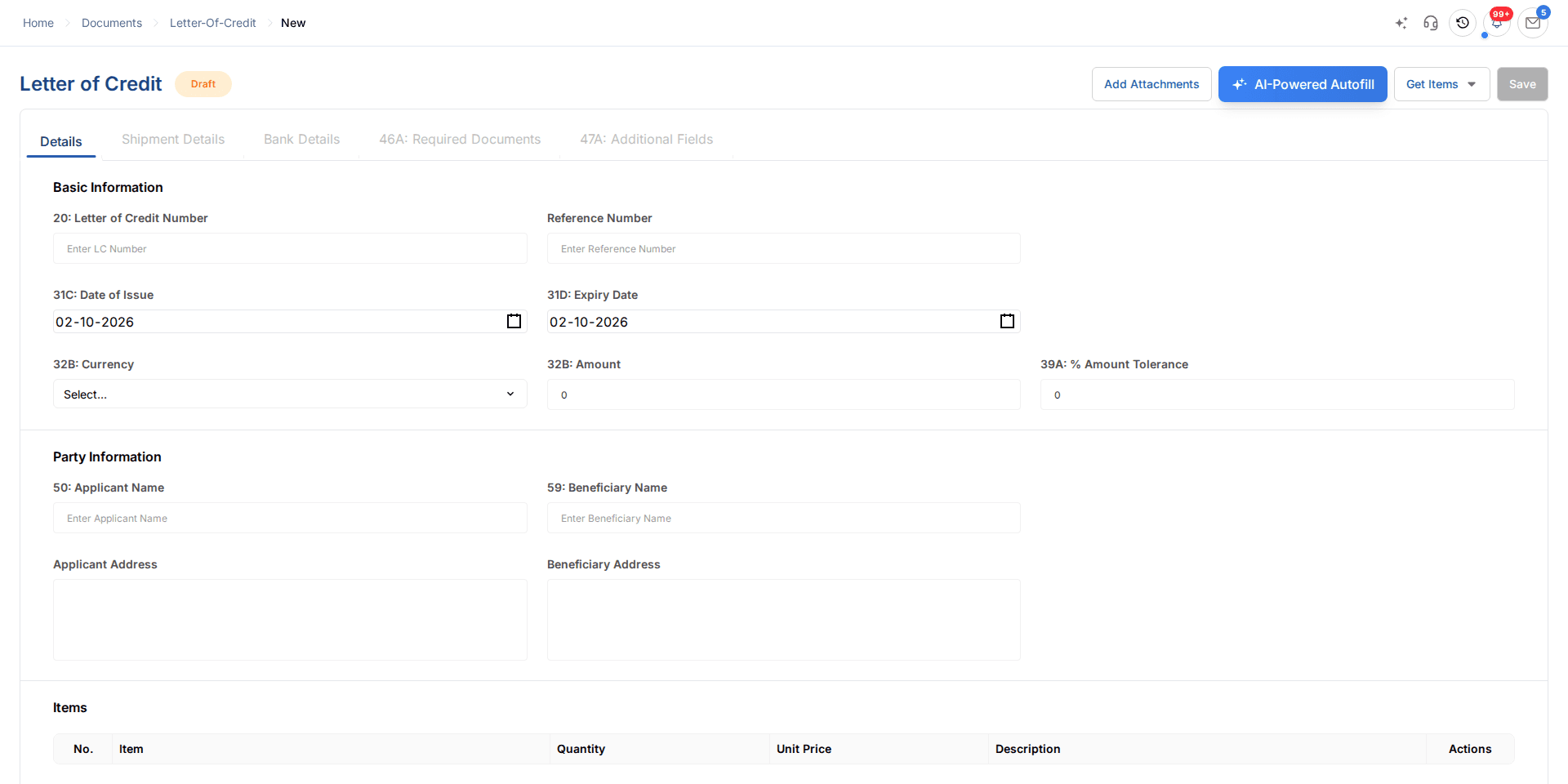
Access and control
Your permissions are part of every request.
The assistant works through defined ERP capabilities and the signed-in user’s access. Business rules, validation, and approval controls remain part of the workflow.
Explore access controlsApproved capabilities only
The assistant works through defined ERP capabilities instead of receiving unrestricted database access.
Scoped to the signed-in user
Available actions are filtered by the user’s organization, role, feature access, and business permissions.
Authorization checked again
Permissions and business rules are rechecked when an AI-requested action is executed.
Managed writes stay reviewable
Supported form changes are staged, and consequential actions follow the product’s approval controls.
Connected across your business
AI availability varies by module and workflow.
Frequently asked questions
A closer look at the capabilities, availability, and controls behind ERPX AI.
Talk through your use caseWhat can ERPX AI help with?
ERPX AI helps you ask questions about authorized business records, prepare supported form changes, and understand supported reports. Available functions depend on the module, enabled capabilities, and your permissions.
Which business areas does it work across?
AI capabilities connect to financials, inventory, manufacturing, HR and payroll, CRM and sales, purchase, projects, and supported export-document workflows. The exact questions and actions available vary by module and user role.
Can it fill in forms for me?
On supported forms, describe the fields or item rows you need to change. ERPX AI proposes updates for you to review. Form state, business validation, and approval rules still apply before the work is saved or moves forward.
Which reports can it explain?
Dedicated report explanations currently cover supported manufacturing and purchase reports. The assistant uses the report’s active filters and results to provide findings, caveats, and next steps. Other business questions use the authorized capabilities of the selected module.
How are permissions handled?
Requests are scoped to the signed-in user’s organization, role, feature access, and permissions. The assistant uses defined ERP capabilities, with authorization and business rules checked again when an action is executed. Managed changes remain reviewable.
Does AI help with export documentation?
Supported export workflows include AI-assisted Letter of Credit autofill. Upload the source document to prepare the LC fields, then review the proposed values before saving. Existing document controls and workflow permissions still apply.
See ERPX AI in your workflow.
Walk through the capabilities that fit your team’s day-to-day work.