
ERPX Human Resources / Company Documents
Company documents. Clear and within reach.
Give policies, handbooks and everyday guides a home. Keep the file and its context together, approve what is ready, and put shared company information within your employees’ reach.
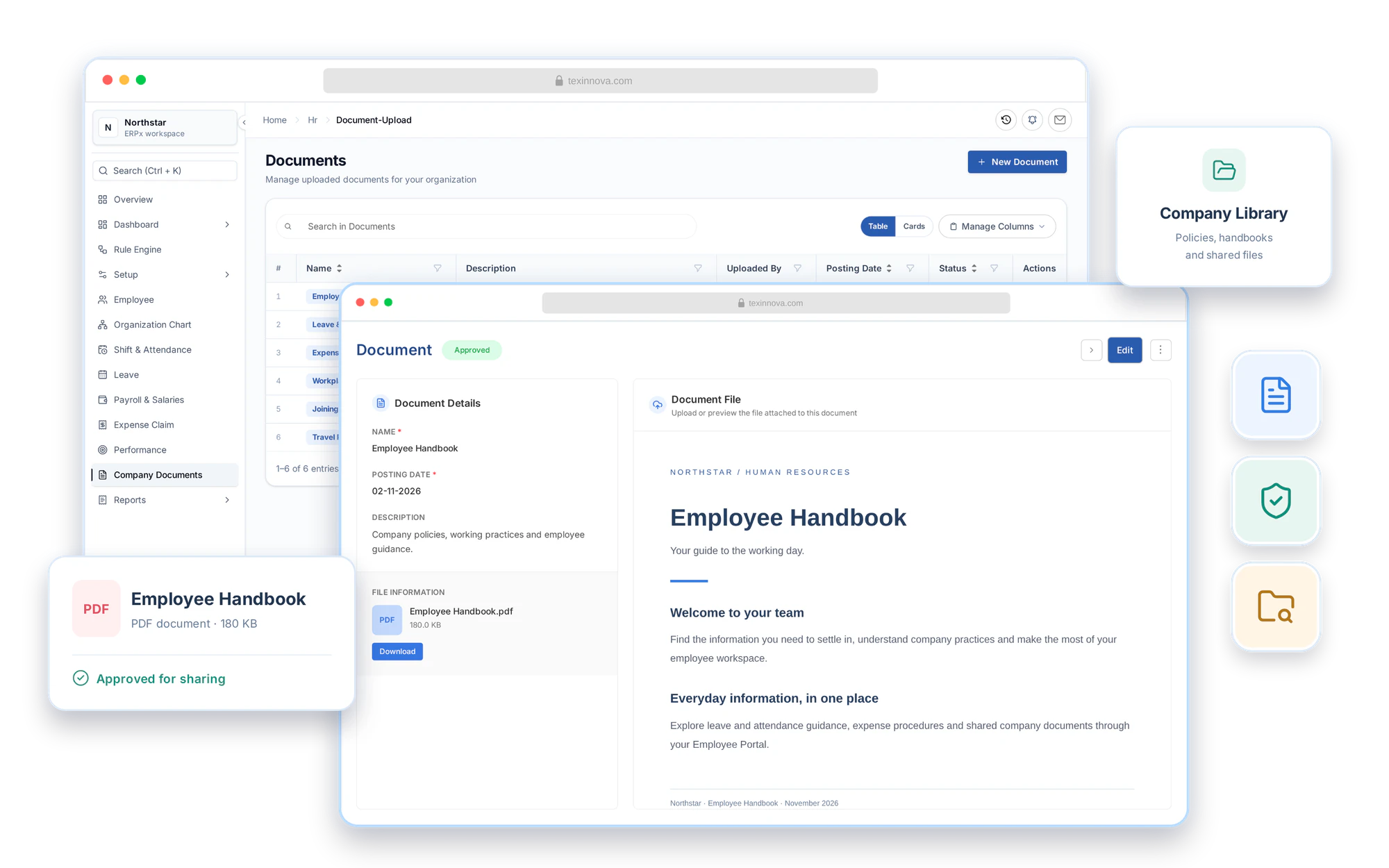
Company information, easy to find
One library. A clearer way to share.
Keep the files people ask for in a searchable HR library. Add a name, description and posting date, manage publication status, and let employees find approved documents from their own portal.
File upload & document details
Add the file. Give it context.
Add a name, posting date and description, then attach the policy, handbook or guide. Update the details or replace the file as needed. Preview PDFs in the document record, or download other supported files to read them.
- Document name, description and posting date
- PDF, Word and Excel uploads, up to 10 MB per file
- PDF preview, file details and download access
Company document
The file, with its context.
- Document name
- Employee Handbook
- Posting date
- 02 Nov 2026
- Description
- Company policies, working practices and everyday guidance.
- Word
- Excel
Company document library
Find the document. Choose your view.
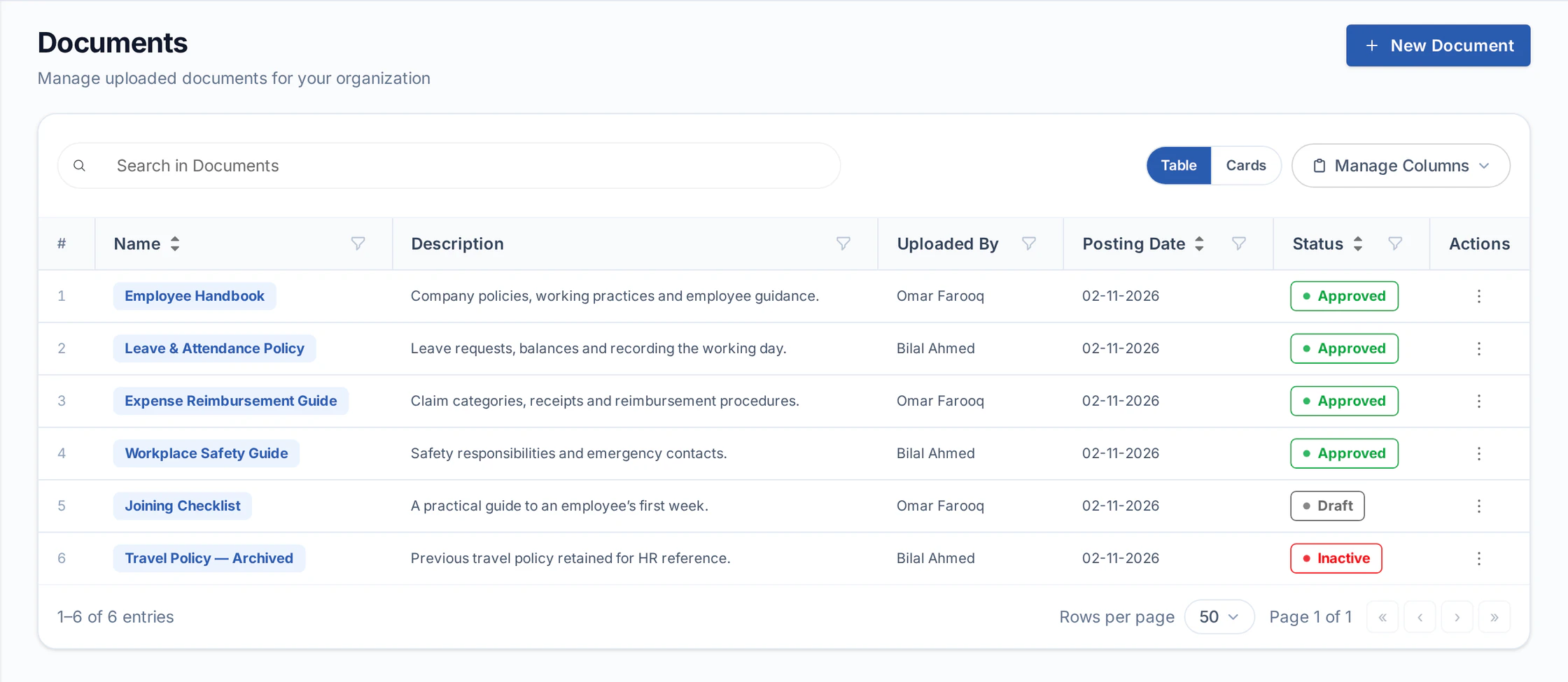
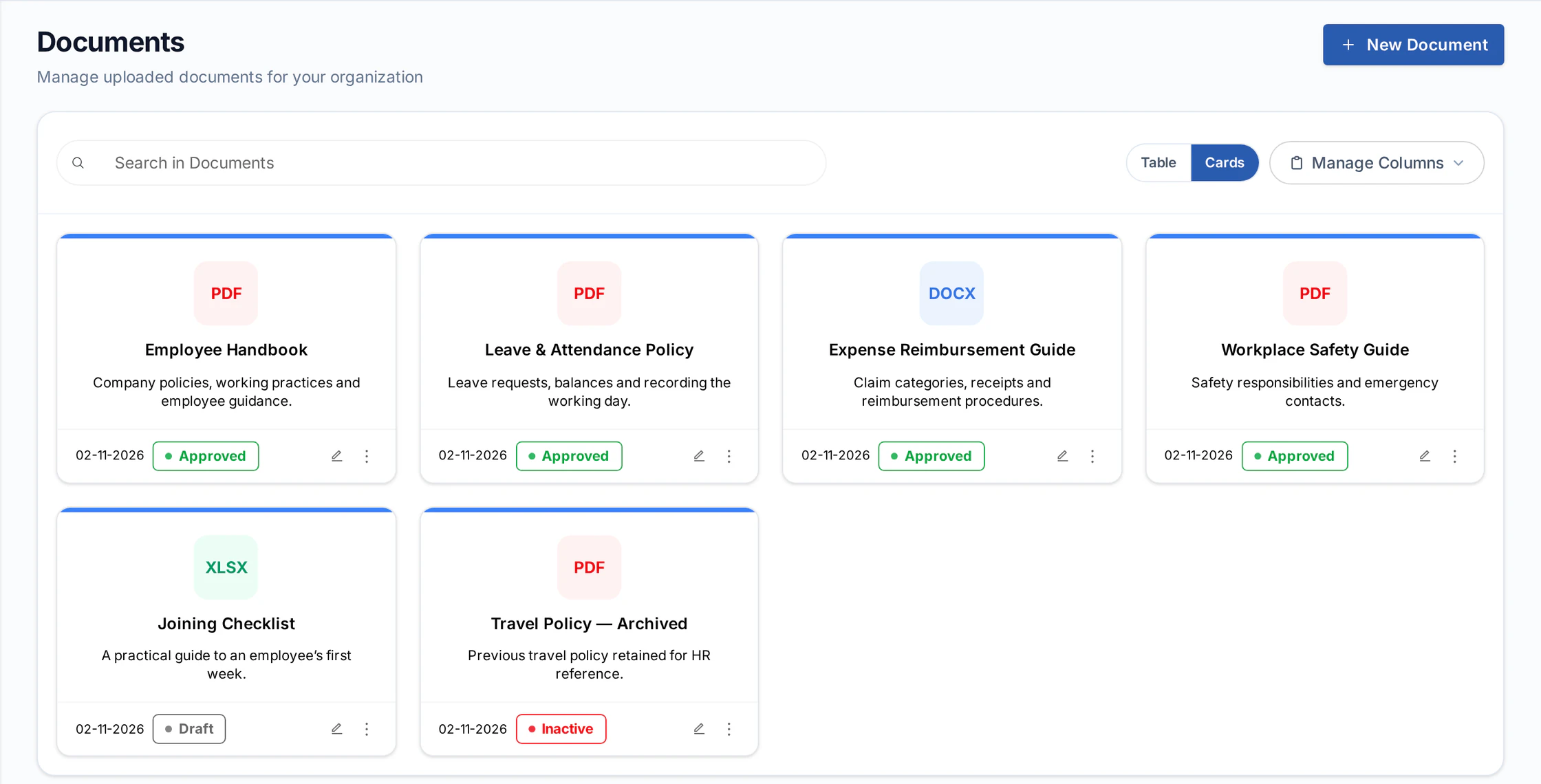
Browse the library as a table or a set of document cards. Search by name, description or uploader, and narrow the table by posting date or status. See what is approved, still being prepared or no longer active before you open a record.
- Table and card views of the same document library
- Search by document name, description or uploader
- Posting date and status filters, sorting and column controls
Publication control
Prepare in draft. Share when approved.
Keep working documents in draft and approve them when they are ready for employees. Revert an approved record to draft when it needs review, or mark it inactive when it is no longer in use. The portal lists approved documents only.
- Draft, approved and inactive document states
- Separate permissions to view, modify and approve documents
- Draft and inactive records excluded from the portal library
- Comments and an activity timeline on the document record
Company document
Employee Handbook
- DraftHR workspace
Prepare the file and its details.
- ApprovedEmployee Portal
Ready for employees to open.
- InactiveHR workspace
No longer listed in the portal.
Only approved documents appear in the Employee Portal.
Employee access
A familiar place. For everyday answers.
Employees open Company Documents in their portal to find approved policies, handbooks and guides. They can search, switch between table and card views, and open the attached file without asking HR to send another copy.
- Approved documents in employee self-service
- Search, table and card views for employees
- Open attached files from the document name or View action
Your shared library
Company Documents
- PDFEmployee Handbook
Company guidance
- PDFLeave & Attendance
Your working day
- DOCXExpense Guide
Claims & receipts
- PDFSafety Guide
Workplace essentials
Find and open shared documents in employee self-service.
Part of ERPX Human Resources
Shared information. Connected to your people.
HR maintains the library. Employees come back to the same portal for their documents, details and everyday requests.
Buyer questions
Your company document questions, answered.
Which HR documents can we publish?
Use Company Documents for employee handbooks, HR policies, SOPs, training guides and other shared files. The upload form accepts PDF, DOC, DOCX, XLS and XLSX files, up to 10 MB per file.
Can employees see drafts or inactive documents?
Draft and inactive documents are kept out of the published company document view in the employee portal. Approved documents are available to users with the required access.
Can we preview or download the attached file?
Yes. PDFs can be previewed in the HR document record. Other supported file types can be downloaded to view, and the record shows the file name and size. Employees can open the attachment from the approved document’s portal entry.
Can HR search and filter the document library?
Yes. Search by document name, description or uploader, use posting-date and status filters in the table, and switch between table and card views. Sorting and column controls help tailor the table view.
Who can change or approve a document?
ERPX uses separate document permissions for viewing, modifying, approving and deleting records. Set access for the HR users who maintain the library and the users who can change publication status.
Is this connected to employee self-service?
Yes. Employees can browse approved company documents in the portal, using table or card views and opening the documents available to them.
Personalized ERPX demo
Bring one real workflow.See it running in ERPX.
A focused walkthrough built on how your team works today and what you want to improve next.
Pick a workflow from
- Operations
- Finance
- People
- Projects