
ERPX Human Resources / Reports
HR reports. A clearer picture.
Know your workforce. Understand the working day. Follow payroll figures and employee balances, then explore supported reports with Explain with AI.
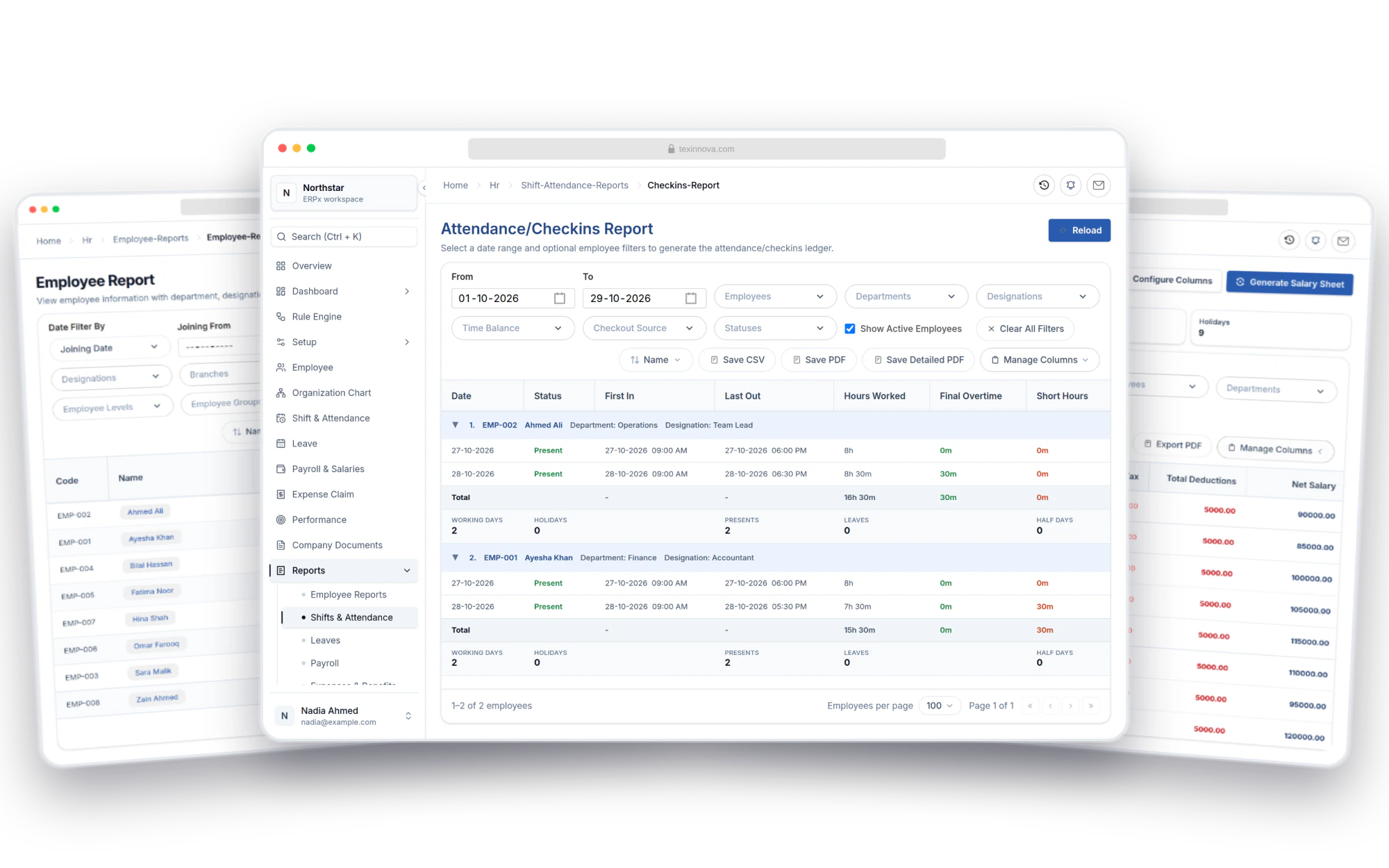
Your HR records, made useful
The answers your team comes back to.
From a missing shift assignment to the month’s net pay, start with the question and open the report that answers it.
Employee reports
A clear picture of your workforce.
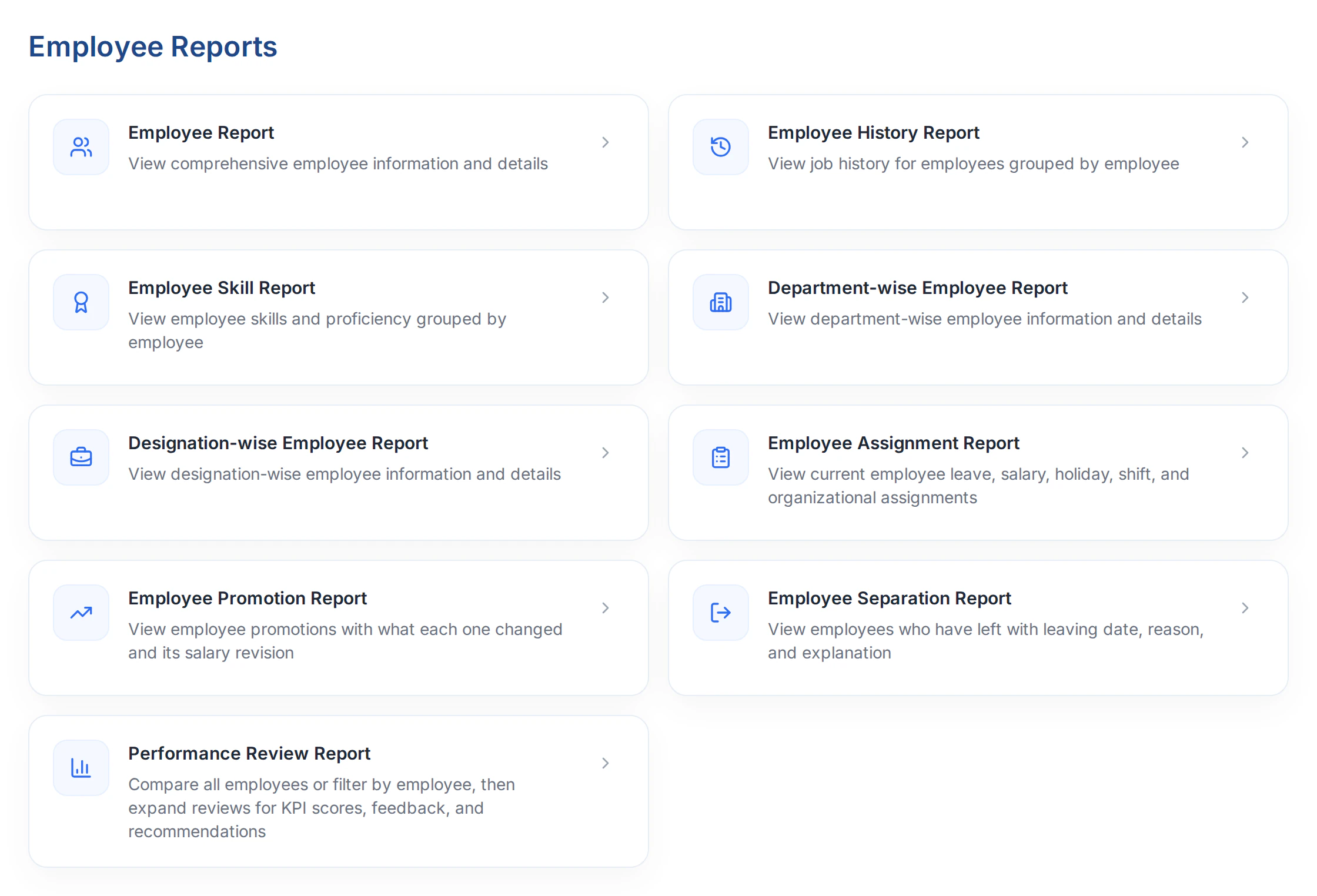
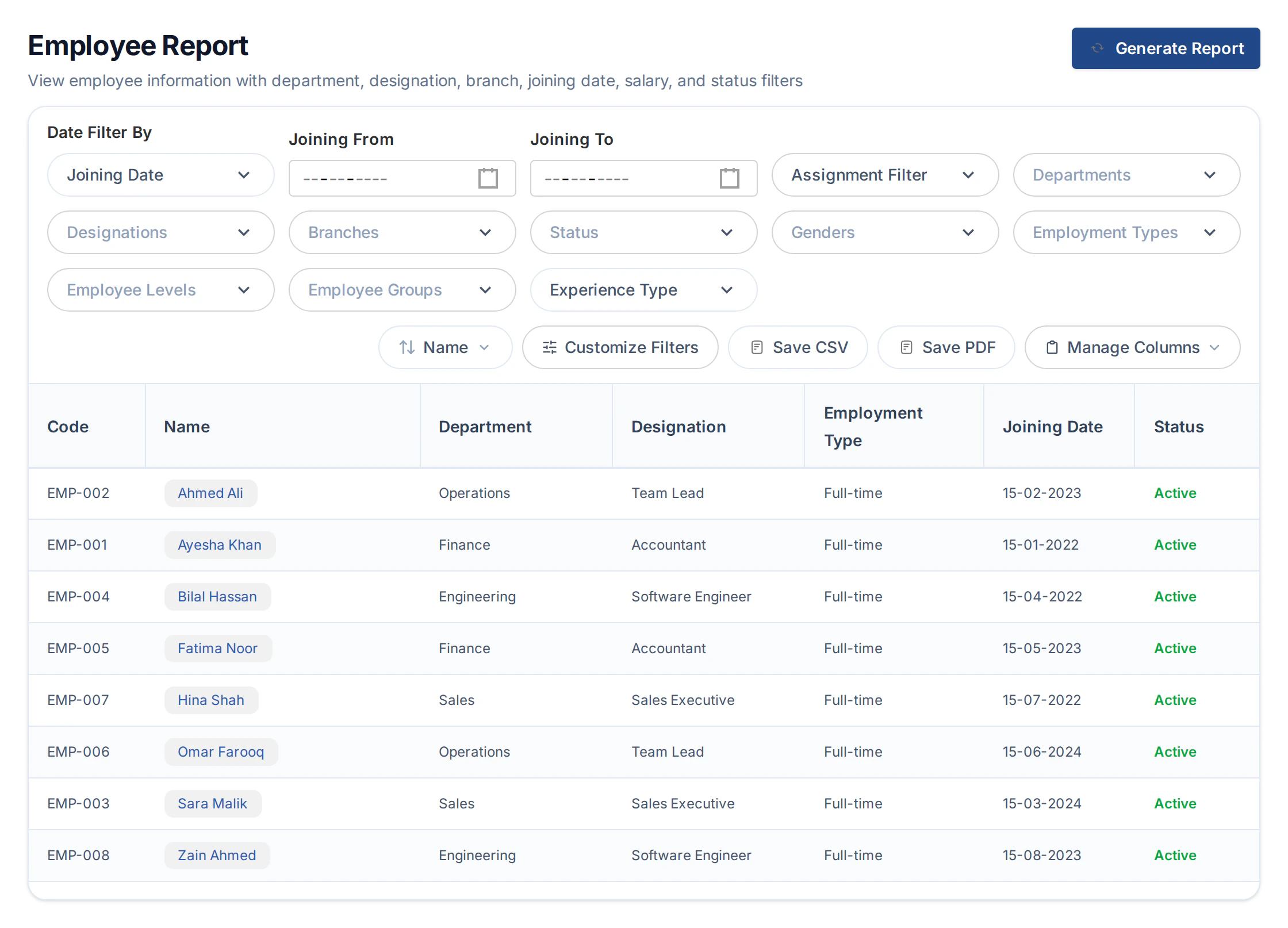
See who is on your team, where they work and when they joined. Review employee records by department, designation and employment status, with supporting reports for history, skills and performance.
- Employee records by department and designation
- Salary, shift and leave assignments in one view
- History, skills, promotions and performance reviews
View all 9 reports
- Employee Report
- Employee History Report
- Employee Skill Report
- Department-wise Employee Report
- Designation-wise Employee Report
- Employee Assignment Report
- Employee Promotion Report
- Employee Separation Report
- Performance Review Report
Shift & attendance reports
Make sense of every working day.
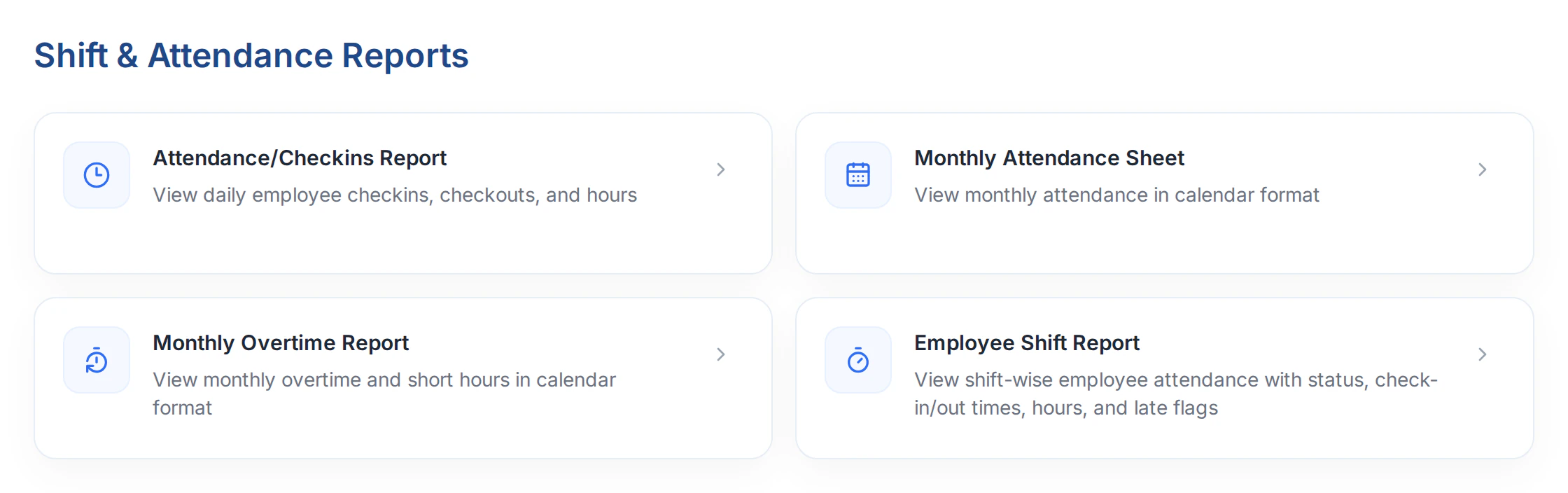
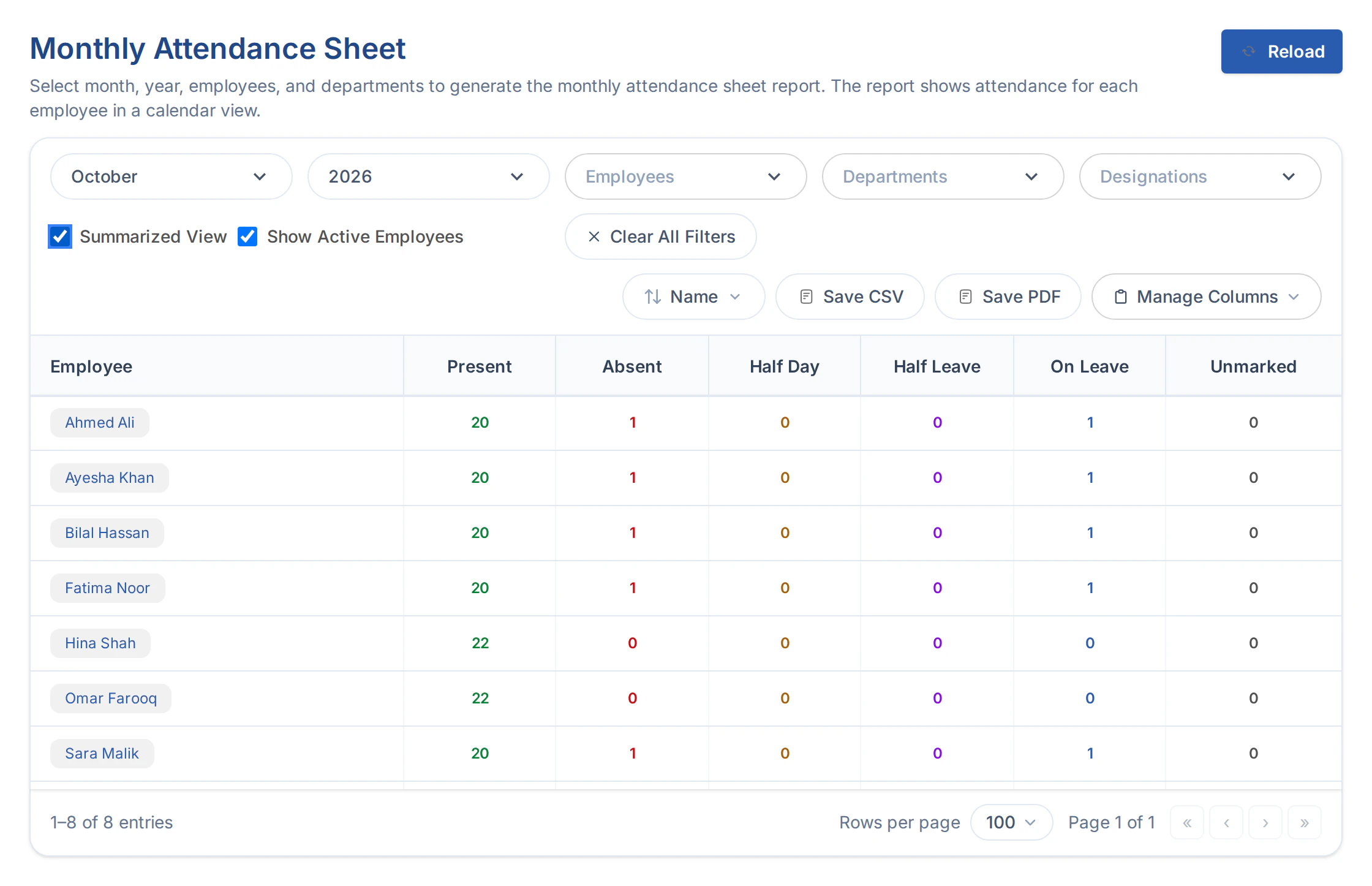
Go from a month of attendance to the daily punches behind it. Review present days, absences, overtime and short hours before the next pay run.
- Daily check-ins, check-outs and working hours
- Monthly calendars and attendance summaries
- Overtime, short hours and shift-wise attendance
View all 4 reports
- Attendance/Checkins Report
- Monthly Attendance Sheet
- Monthly Overtime Report
- Employee Shift Report
Leave reports
Every leave day, accounted for.
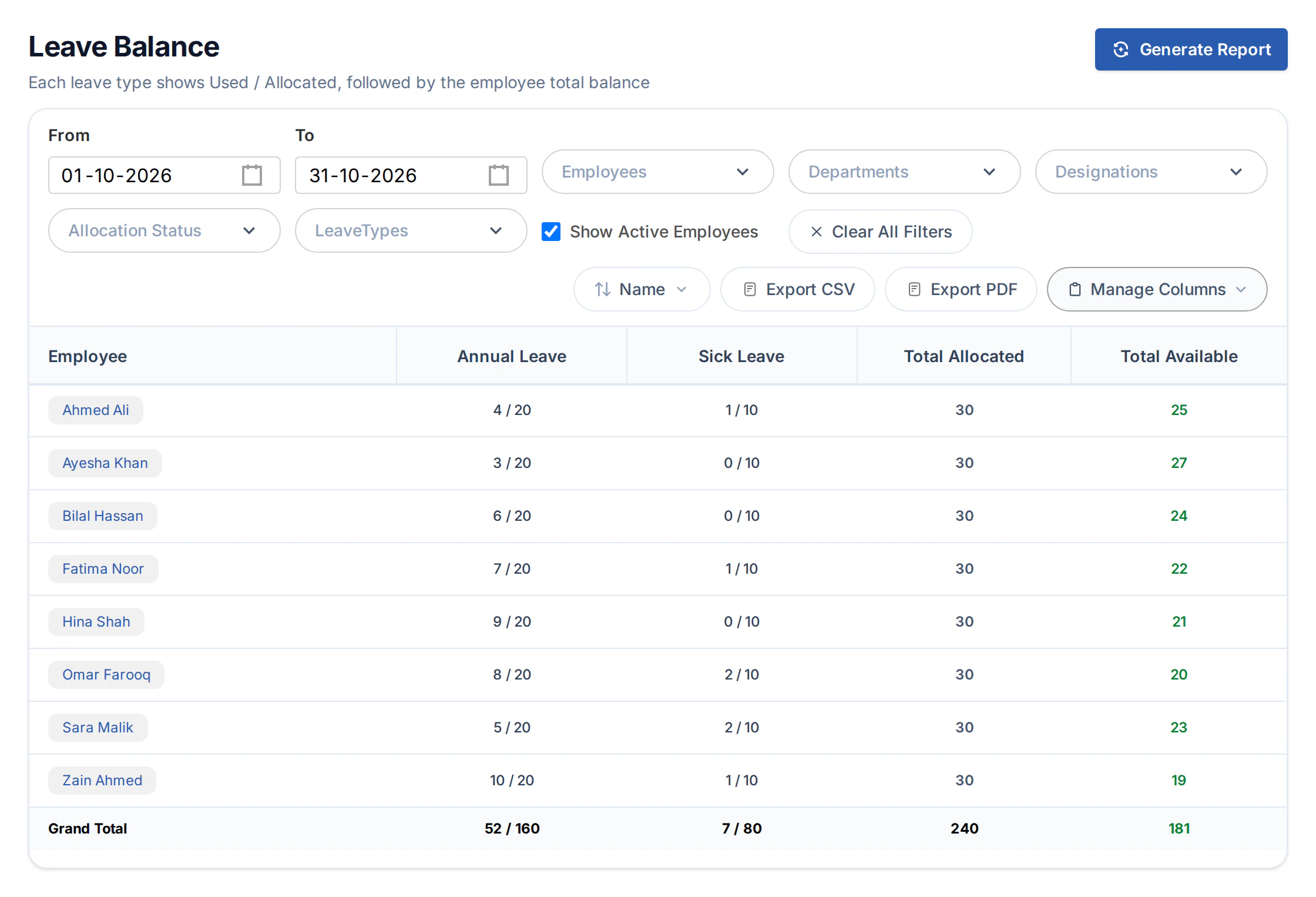
Answer how much leave is available, then explain how it got there. Keep allocations, usage, reversals and adjustments connected to their source transactions.
- Used and allocated days for each leave type
- Available leave for every employee
- A running ledger with links to source records

Payroll reports
The detail behind every payday.
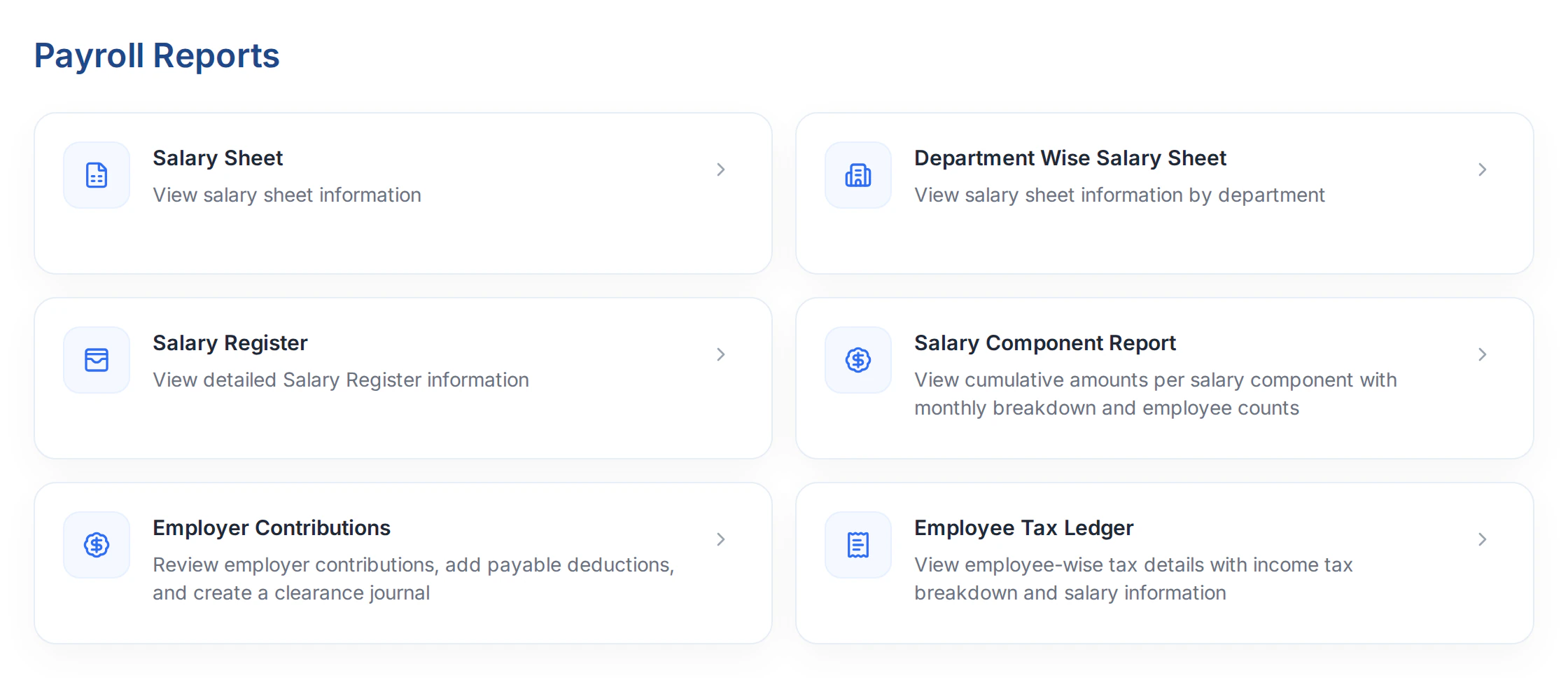
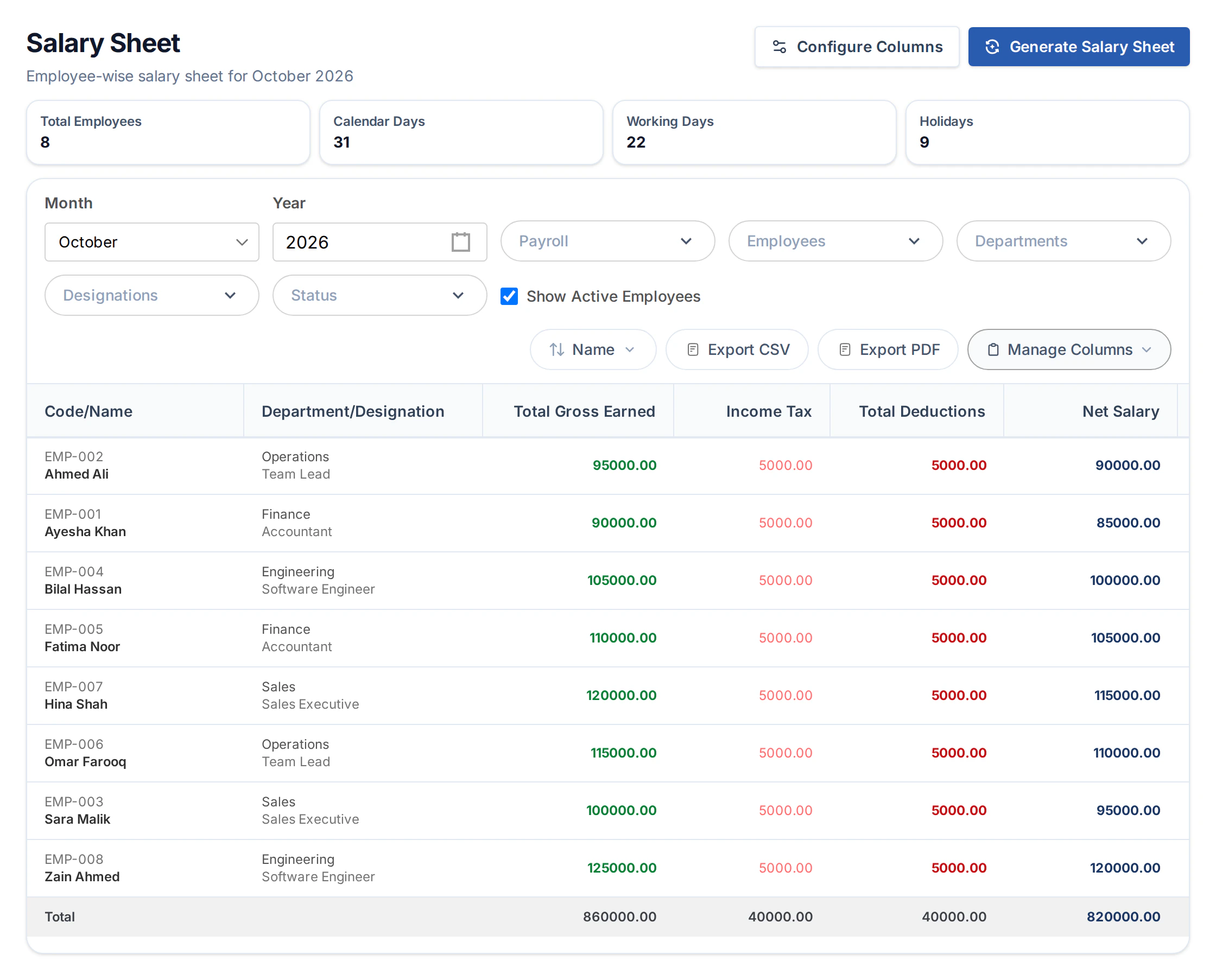
Bring HR and Finance to the same numbers. Review generated salary slips by employee, department or component, with tax and employer contributions in their own reports.
- Employee and department salary sheets
- Earnings, deductions and net pay
- Salary registers, tax and employer contributions
View all 6 reports
- Salary Sheet
- Department Wise Salary Sheet
- Salary Register
- Salary Component Report
- Employer Contributions
- Employee Tax Ledger
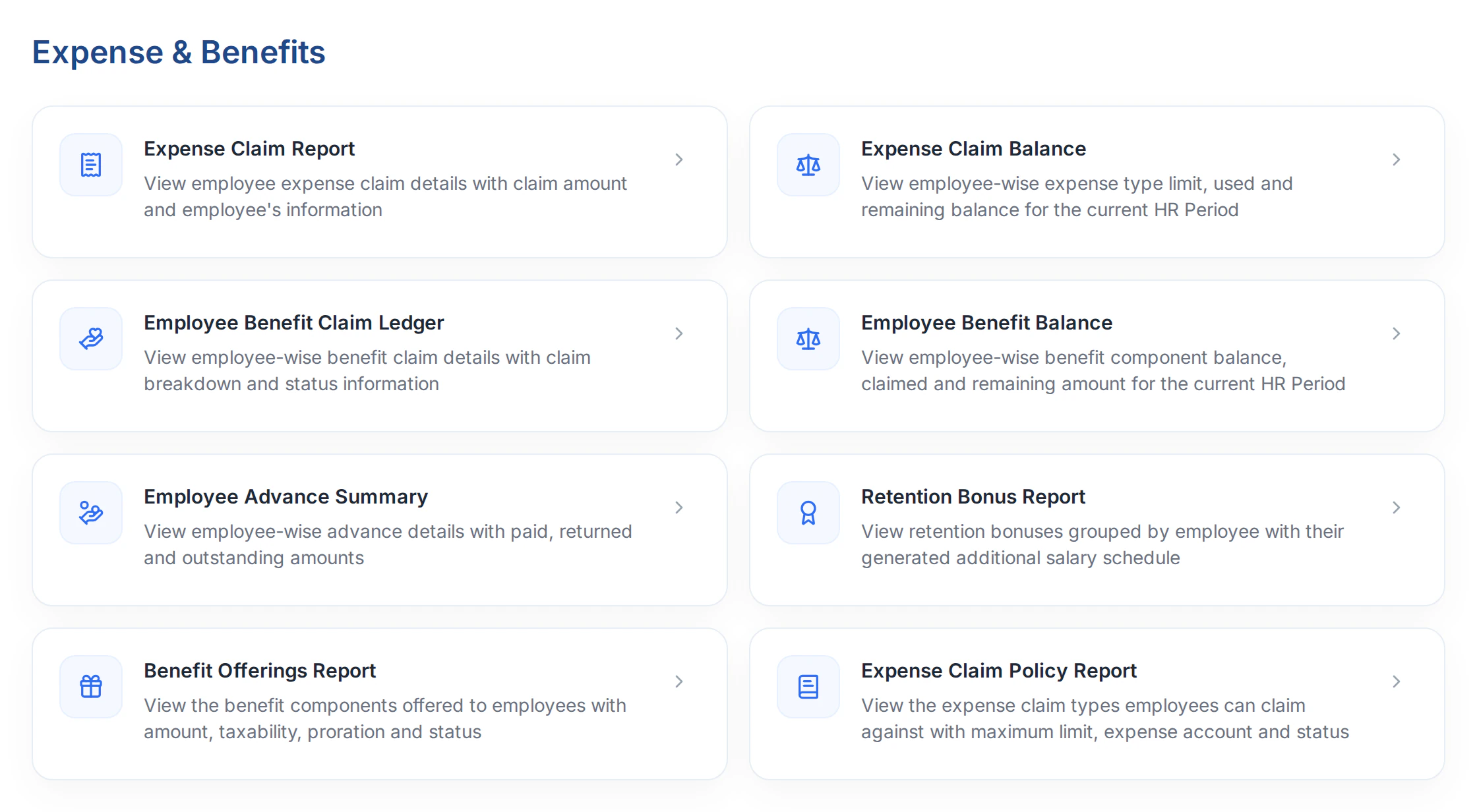
Expenses, benefits & advances
Keep every balance in sight.
See what has been claimed, what remains available and which advances need recovery. Follow unpaid claims, benefit activity and retention bonus schedules through the supporting reports.
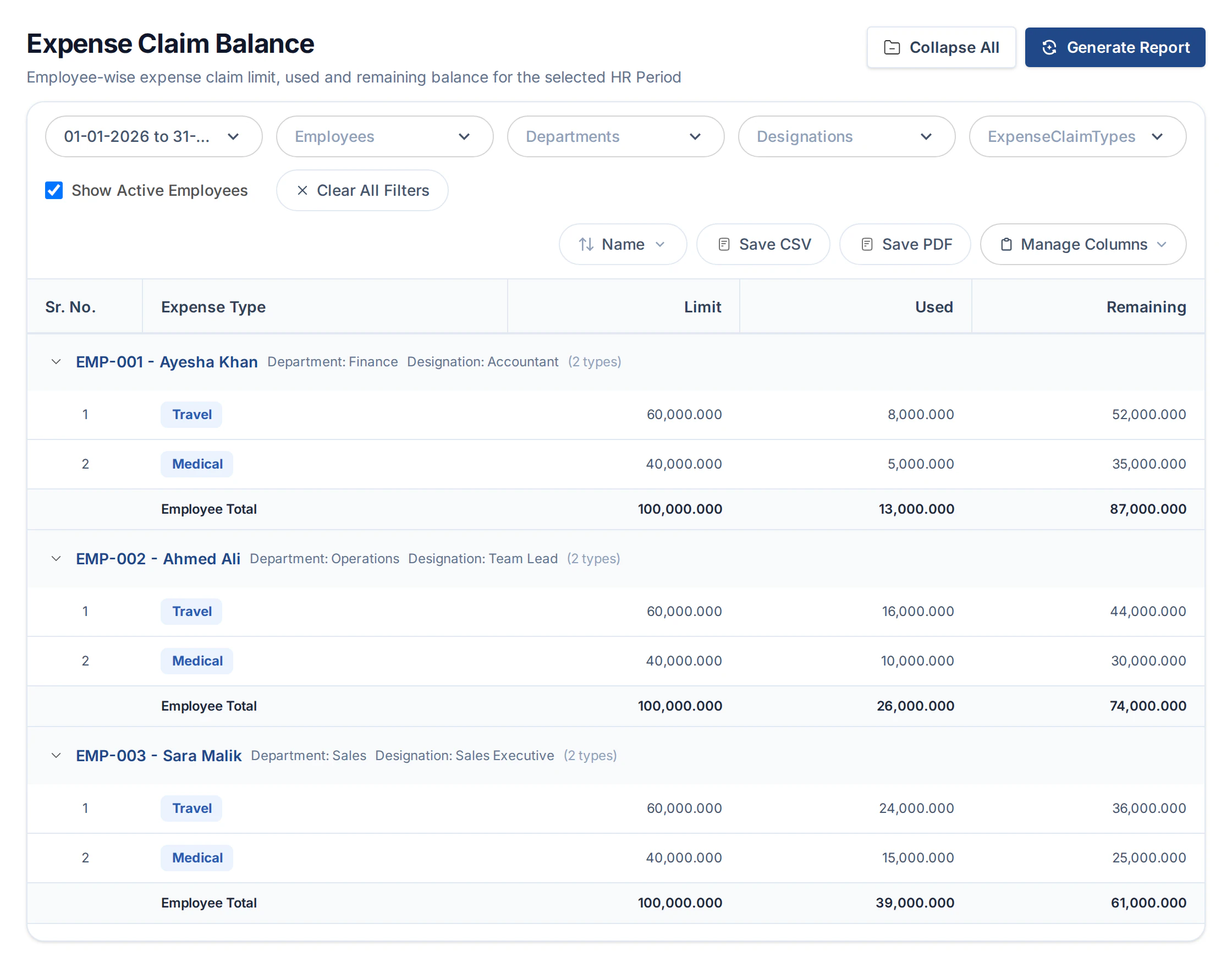
- Expense limits, used amounts and remaining balances
- Benefit claims, entitlements and policy details
- Advance recovery and retention bonus installments
View all 8 reports
- Expense Claim Report
- Expense Claim Balance
- Employee Benefit Claim Ledger
- Employee Benefit Balance
- Employee Advance Summary
- Retention Bonus Report
- Benefit Offerings Report
- Expense Claim Policy Report
Explain with AI
Understand the figures. Ask AI.
Generate a supported HR report, then choose Explain with AI to open ERPX’s assistant. Explore the figures with your reporting period and filters in context, get plain-language explanations, and ask follow-up questions. Attendance and payroll analysis can also bring the patterns into view with charts.
Available on supported reports with AI access enabled.
Explore AI in ERPXStart with a question
Attendance & check-ins
“Which departments have the most overtime or short hours?”
Payroll figures
“How are earnings and deductions split by department?”
Expense balances
“Which employees have used most of their expense allowance?”
From question to next step
Find it. Focus it. Follow through.
Use the same records your HR team works with every day, with the filters and exports available for each report.
- 01
Choose the question
Start with people, attendance, leave, pay or balances.
- 02
Narrow the view
Use the filters available for the report and period.
- 03
Follow the detail
Review source records and use available CSV or PDF exports.
Part of your HR system
Good reports start with connected records.
Employees, attendance, leave and payroll work together in ERPX. Keep the source information close to the decisions it supports.
Buyer questions
Your HR reporting questions, answered.
Which HR report families are available?
There are five families: Employee Reports, Shift & Attendance Reports, Leave Reports, Payroll Reports, and Expense & Benefits. They cover employee records and performance reviews, time and leave, salary and tax, employer contributions, claims, benefits, advances and retention bonuses.
Can we review employee assignments before payroll?
Yes. The Employee Assignment Report brings current salary, leave, holiday, shift and reporting assignments together so HR can check missing or incorrect setup before a run.
What do payroll reports use as their source?
Payroll reports read generated salary slips. An approved payroll entry does not appear in these reports until its salary slips have been generated. Use the relevant status filters when reviewing draft, unpaid, paid or cancelled slips.
Can reports be exported?
CSV and PDF exports are available on supported HR reports. Available formats and filters depend on the report.
How does Explain with AI work on HR reports?
Generate a supported report, then select Explain with AI to open ERPX’s AI assistant with the report context. Ask for an explanation of attendance, payroll or expense balances and continue with follow-up questions. Supported attendance and payroll analysis can include charts. The feature requires AI access and uses the permissions available to your account.
Which period do expense and benefit balances use?
Expense Claim Balance and Employee Benefit Balance use the current HR Period. These balance views do not follow arbitrary transaction-date filters.
Personalized ERPX demo
Bring one real workflow.See it running in ERPX.
A focused walkthrough built on how your team works today and what you want to improve next.
Pick a workflow from
- Operations
- Finance
- People
- Projects