
People at the account
Leads and Contacts
Several interested people can belong to the same company. Each Lead keeps its own status and owner.
ERPX CRM / Prospects & Contacts
ERPX CRM is contact management software for B2B sales. Every lead creates its Contact automatically, each email address belongs to exactly one record, and Prospects group the people and deals at one target company.
In the CRM journey
Contact management is keeping one accurate record for every person you sell to, with the company they belong to and every way to reach them. In ERPX, a Contact belongs to a Lead, Customer, Supplier or Prospect. A Prospect is a company-level container that groups that company’s leads and opportunities.
The company view
A Prospect is a target company. It groups existing Leads and Opportunities while each linked record keeps its own lifecycle and owner.
People at the account
Several interested people can belong to the same company. Each Lead keeps its own status and owner.
Prospect account
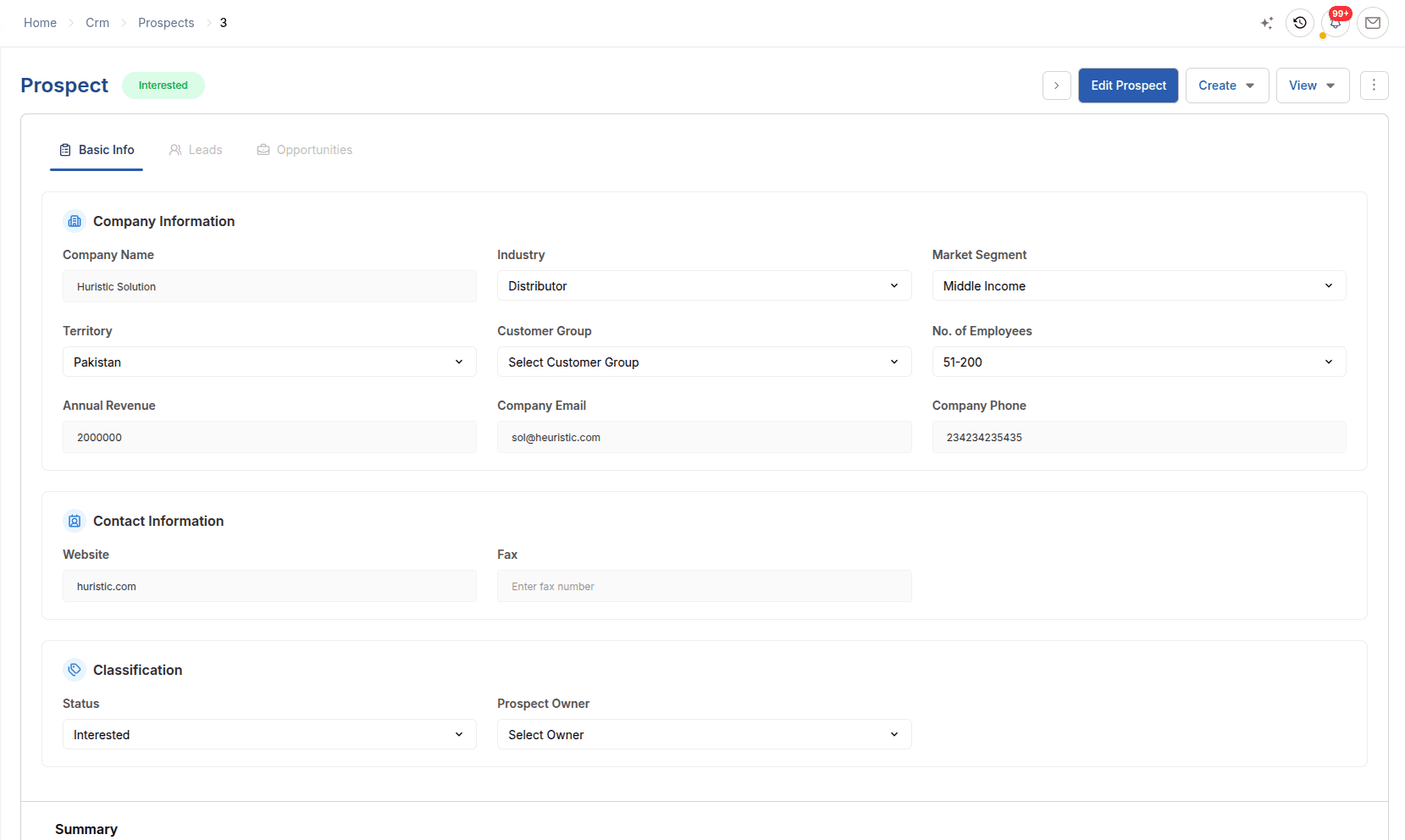
Industry, territory, customer group, size, revenue and account owner sit beside the linked work.
Open → Contacted → Interested
Commercial potential
Several Opportunities can be attached, each retaining its own stage, value and expected closing.
The account view
A Prospect carries the account profile and connects the people and opportunities involved without changing their individual status.
In detail
Contacts
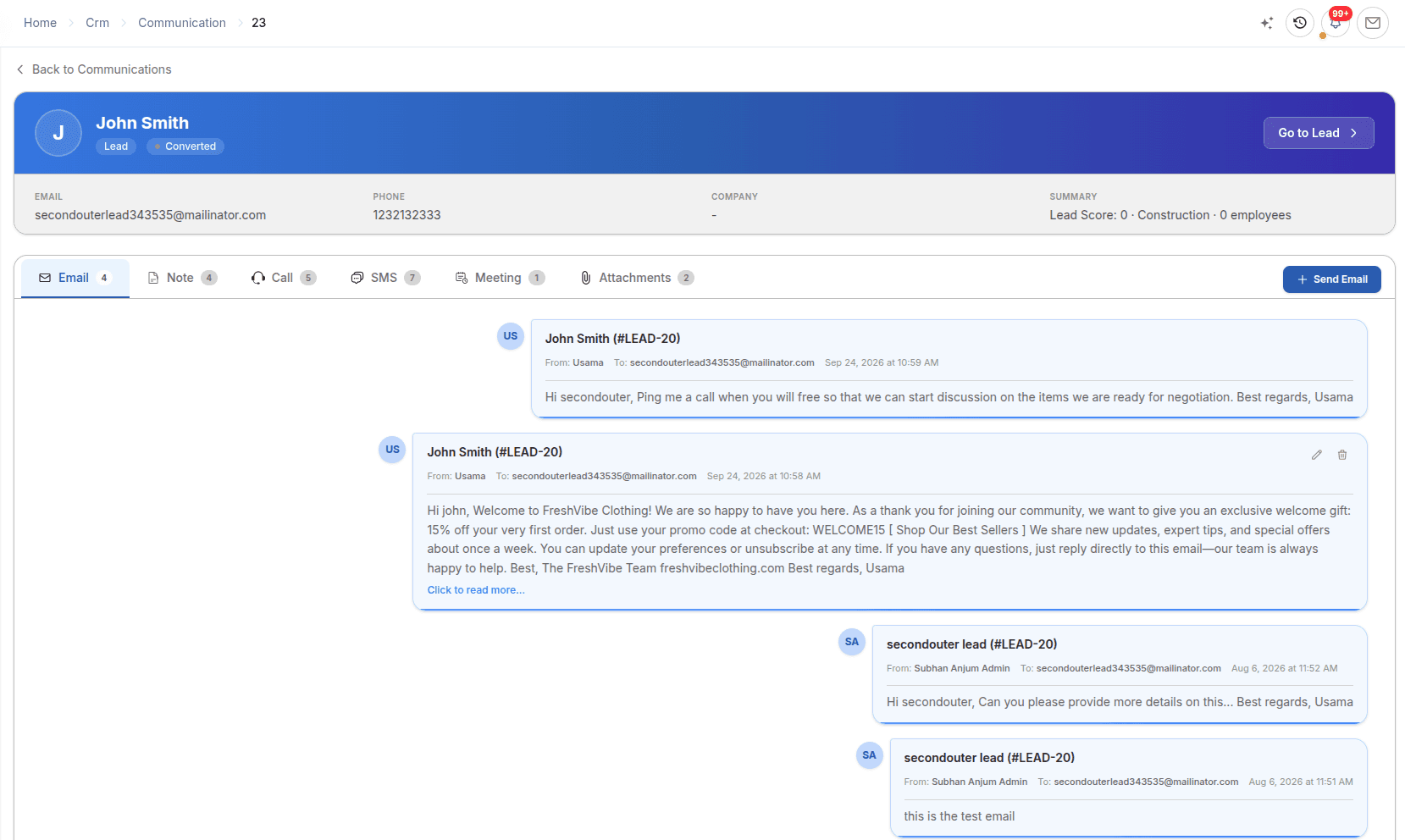
An email address can exist on only one record across leads, prospects and contacts. Saving a lead creates a linked Contact with its name, email and mobile marked as primary, and editing the lead keeps that Contact in step.
Prospects
A Prospect is a target company with its industry, market segment, territory, customer group, number of employees and annual revenue. Attach the leads and opportunities at that company to read the account on one screen.
Customer groups & history
Customer Groups classify who you sell to, such as Commercial, Government, Distributor or Export, in a tree with a default payment term and price list. Every email, call, note, SMS, meeting and attachment is logged against the Lead, Prospect or Customer.
Worked example
A home-textile importer is not yet a customer, but two of its people are talking to your team about two different orders.
| Record | What it represents | In this example |
|---|---|---|
| Prospect | The target company | The importer, with its industry, territory, size and customer group |
| Leads and Contacts | The people | The buyer and the quality manager, each a lead with an automatic contact |
| Opportunities | Separate deals | A towel programme and a bedding sample order, each at its own stage |
| Communications | Recorded interactions | Calls, emails and meeting notes logged against the leads and the prospect |
| Sales Quotation | The commercial offer | Addressed to the Prospect in ERPX Sales before it becomes a customer |
The account view groups the work without merging the people or the deals into one record.
Connected work
Each part of ERPX CRM keeps its own purpose while preserving the relationships needed by the rest of the journey.
Lead management software that gives every enquiry an owner, territory, source and follow-up date, and converts only Qualified leads into opportunities.
ExploreSales pipeline software that tracks each deal’s amount, probability, close date and stage, then continues into Sales Quotations and Sales Orders.
ExploreCRM activity tracking that logs emails, calls, notes, SMS, meetings and attachments on each lead, prospect and customer in one timeline.
ExploreBuyer questions
Contact management software stores the people you deal with, how to reach them and which company they belong to. In ERPX CRM, contacts are linked to a Lead, Customer, Supplier or Prospect, can hold several emails and phone numbers, and share one email-uniqueness rule with leads and prospects, so each person exists once.
Yes. ERPX contacts can be linked to a Lead, Prospect, Customer or Supplier, and email addresses are unique across all of them. The same rules and the same records serve the sales team and the purchasing team, instead of a CRM contact list and a separate supplier address book.
Yes. Saving a lead in ERPX creates a linked Contact with the lead’s name, company, email and mobile, marked as the primary email and phone. Editing the lead updates the contact, and deleting the lead deletes it. You add contacts by hand only for extra people, such as a second buyer or a finance approver.
ERPX treats email addresses as one namespace across leads, prospects, CRM contacts and customer and supplier contacts. If an address already exists, the save is rejected, which usually means the person is already in the system. Each contact can have only one primary email and one primary phone.
In ERPX, a lead is a person with a sales status and follow-up date. A contact is an address-book entry for a person, created automatically for every lead. A prospect is a target company that groups several leads and opportunities. A prospect never turns into a lead, and a lead does not need a prospect.
Yes. ERPX Sales Quotations can be addressed to a Customer, Lead or Prospect, so you can quote a target company before it becomes a customer. Before the quotation’s Agreed lines can become a Sales Order, the prospect must be converted into a customer, which ERPX links back to the quotation.
Personalized ERPX demo
A focused walkthrough built on how your team works today and what you want to improve next.
Pick a workflow from