
Accepted → owned Lead
A new Lead and linked Contact enter the owner’s CRM workflow.
ERPX CRM / CRM Forms
ERPX CRM Forms are lead capture software built into your ERP. Share a form by link or embed it on your website, and every genuine submission becomes a lead with its source, status and owner already set.
In the CRM journey
Lead capture software collects enquiries from a website and turns them into CRM records. In ERPX, a CRM Form maps its fields to the lead, then checks every submission with a rate limit of 10 per minute per IP, Cloudflare Turnstile CAPTCHA, a honeypot and allowed sites. Duplicates by email or phone create no new lead.
Public intake, controlled handoff
Hosted or embedded CRM Forms turn genuine submissions into Leads and linked Contacts. Every accepted or rejected outcome remains visible.
Public intake
A new Lead and linked Contact enter the owner’s CRM workflow.
Duplicate, spam and failed submissions stay recorded. Domain, CAPTCHA, honeypot, rate and duplicate checks protect intake.
The intake source
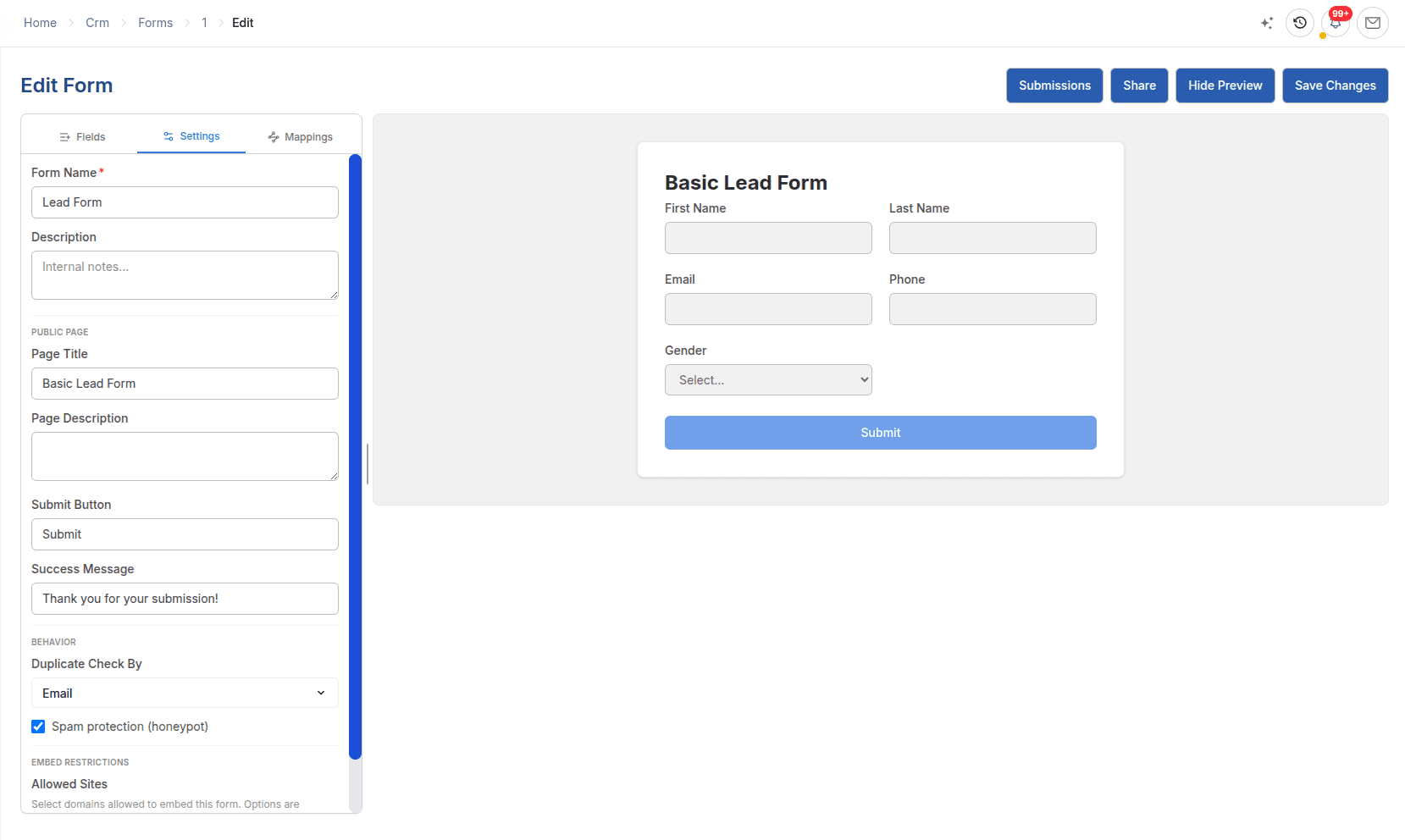
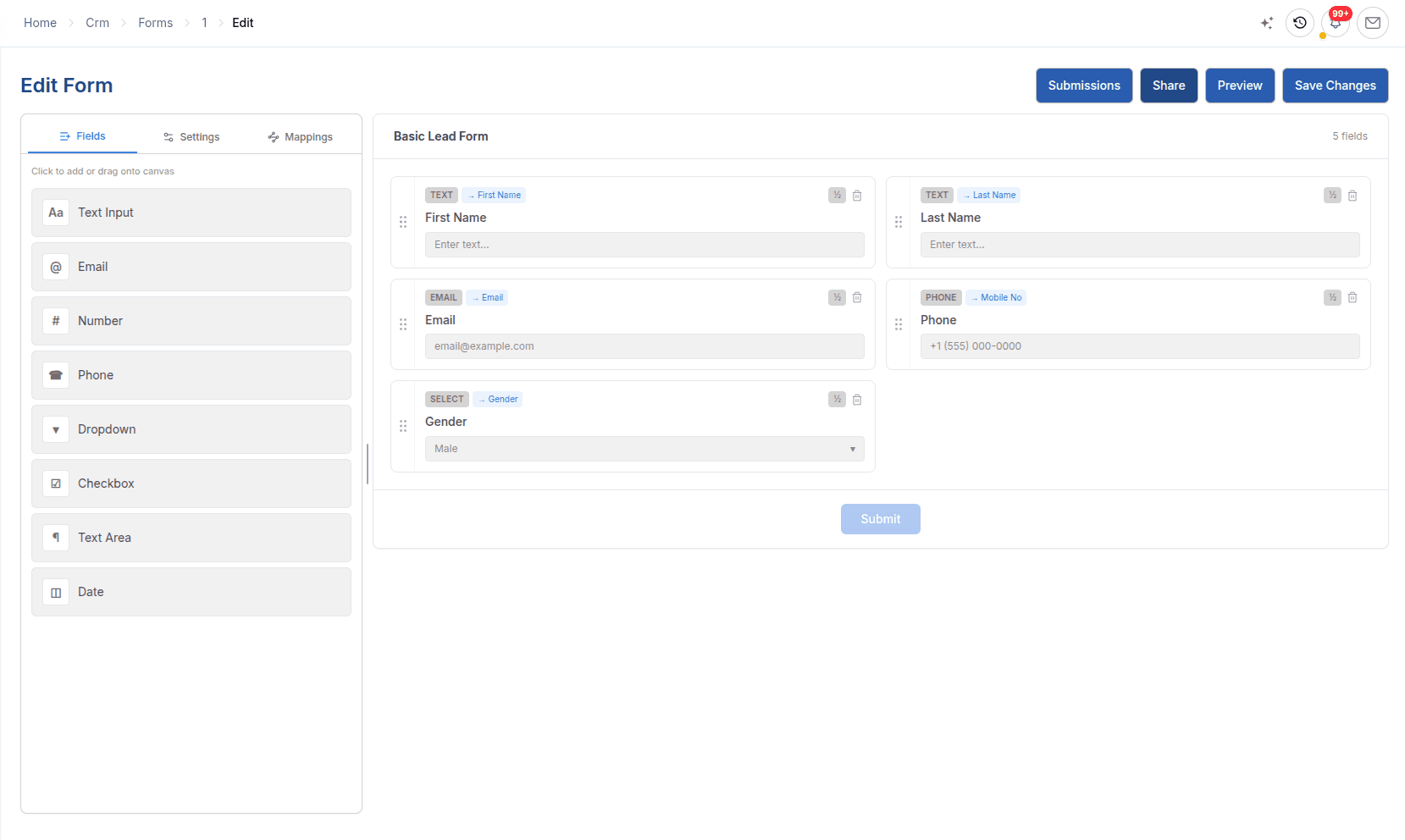
The form defines the fields and defaults, while submission outcomes show which enquiries became Leads.
In detail
Form builder
Drag in Text Input, Email, Number, Phone, Dropdown, Checkbox, Text Area and Date fields, then map them to lead fields such as name, email, phone, mobile, website, address and description.
Lead capture system
Each active form has a shareable link and an embed script. Set a default lead source, starting status and auto-assigned owner, and add notification emails so the team hears about each submission.
Spam and duplicate protection
Four checks run on every submission: a rate limit, Cloudflare Turnstile CAPTCHA, a honeypot and allowed-site checks. A repeat submitter is matched by email, or phone if configured, and linked to the existing lead.
Worked example
A manufacturer adds an enquiry form to its product pages so that buyer requests arrive as owned leads.
| Setting | Example value | Effect |
|---|---|---|
| Fields | Name, email, phone, company and message | Mapped fields fill the new lead and its Contact |
| Default Lead Source | Website | Every lead from the form carries the same source |
| Owner and status | Export sales manager, Open | The lead is assigned the moment it arrives |
| Protection | Allowed site, honeypot, CAPTCHA and duplicate check on email | Spam and repeat submissions create no new lead |
| After submit | Success message or redirect | The buyer sees confirmation on your site |
Territory and industry cannot be set from a public form, so the owner fills them in on first contact.
Connected work
Each part of ERPX CRM keeps its own purpose while preserving the relationships needed by the rest of the journey.
Lead management software that gives every enquiry an owner, territory, source and follow-up date, and converts only Qualified leads into opportunities.
ExploreBulk email campaigns to leads, customers and email groups, with Sent, Failed, Bounced, Unsubscribed and Opened status for every recipient.
ExploreCRM reporting on total and weighted pipeline, win rate, the sales funnel and each lead’s lifecycle from first enquiry to Sales Quotation.
ExploreBuyer questions
Lead capture software collects contact details from website visitors and turns them into sales leads. ERPX CRM Forms do this inside the ERP: a visitor fills in a hosted or embedded form, and each genuine submission creates a lead and contact with a default source, status and owner, ready for follow-up.
No. You build the form in ERPX, then share it as a link or embed it on your website. Each genuine submission creates a lead in ERPX directly, after spam checks such as rate limiting, CAPTCHA, allowed sites and a honeypot field, so there is no third-party form tool or connector to maintain.
Yes. Each form has a Default Lead Source and an Auto-assign Owner. Every lead it creates is tagged with that source and assigned to that user, so new enquiries reach a named salesperson and lead source reports stay accurate. Using one form per campaign or placement keeps the analytics meaningful.
ERPX runs four checks on every form submission: a limit of 10 submissions per minute per IP address, Cloudflare Turnstile CAPTCHA, a hidden honeypot field and an allowed-sites list. Submissions that fail are recorded as Spam or Failed and create no lead, so you can still see them in form analytics.
Before creating a lead, ERPX checks for an existing lead with the same email, or phone if you configure it. A match is stored as a Duplicate submission and linked to the existing lead. An email that already belongs to a prospect or contact also produces a duplicate rather than a conflicting lead.
Yes. Every active ERPX CRM Form has a shareable link that hosts the form on its own page, and an embed script that renders it inline on your website. Allowed Sites controls which domains may submit it, and falls back to your organisation’s configured domains if the form’s own list is empty.
ERPX forms can map to simple lead fields: lead name, first, middle and last name, email, phone, mobile, website, street, state, postal code, gender and description. Territory, industry and other reference fields are deliberately not mappable from a public form; set them on the lead afterwards or default them in the form settings.
Personalized ERPX demo
A focused walkthrough built on how your team works today and what you want to improve next.
Pick a workflow from