
Customer
Keep commercial identity, contacts and account context together.
Sales module
- Identity
- Contacts
- Defaults
ERPX Sales
Built for SMEs, manufacturers, traders and exporters, ERPX connects sales quotations and orders with inventory, production, finance and AI-assisted export documentation.
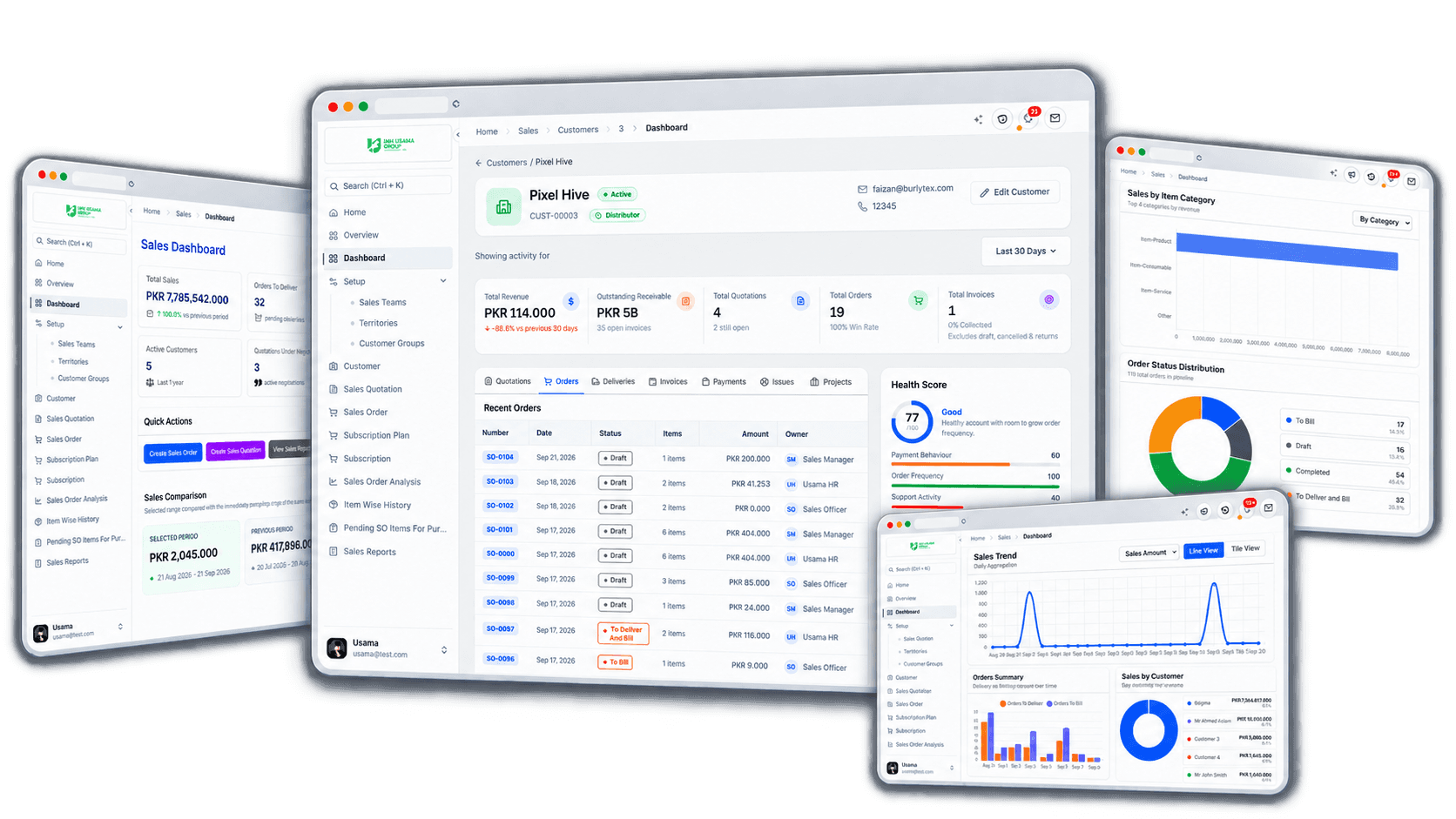
Direct answer
ERPX Sales is sales order management software that connects customer context, an optional sales quotation, the confirmed Sales Order, and each downstream delivery, sales invoice, and payment. Sales owns quotation and order records; Inventory and Financials complete the connected order-to-cash cycle.
Know
Customer identity and account context
Agree
Commercial terms and accepted quantities
Fulfil
Order progress, dispatch and billing handoff
Connected sales
Customer context flows into an optional quotation and the confirmed Sales Order. Inventory owns the Delivery Note, while source links and remaining quantities keep the fulfilment handoff traceable.
Commercial document chain
Source links and remaining quantities preserve the handoff from an agreed offer to physical dispatch.
Keep commercial identity, contacts and account context together.
Agree item-level pricing and carry settled work forward.
Hold the commitment and see what remains to fulfil and bill.
Dispatch against the order and update stock and fulfilment.
Reporting from the same trail
Group completed sales by who bought and which products moved.
Review quotations by customer or item with line agreement status.
Review pending orders, stock reservations, and the transaction chain.
Service billing, proforma, export, purchase and production routes remain available where the transaction requires them. They are not mandatory steps in every sale.
Inside ERPX Sales
Four connected records carry the sale forward. Each view supports a distinct responsibility while retaining the source, quantities, and status needed for the next handoff.
Customer context
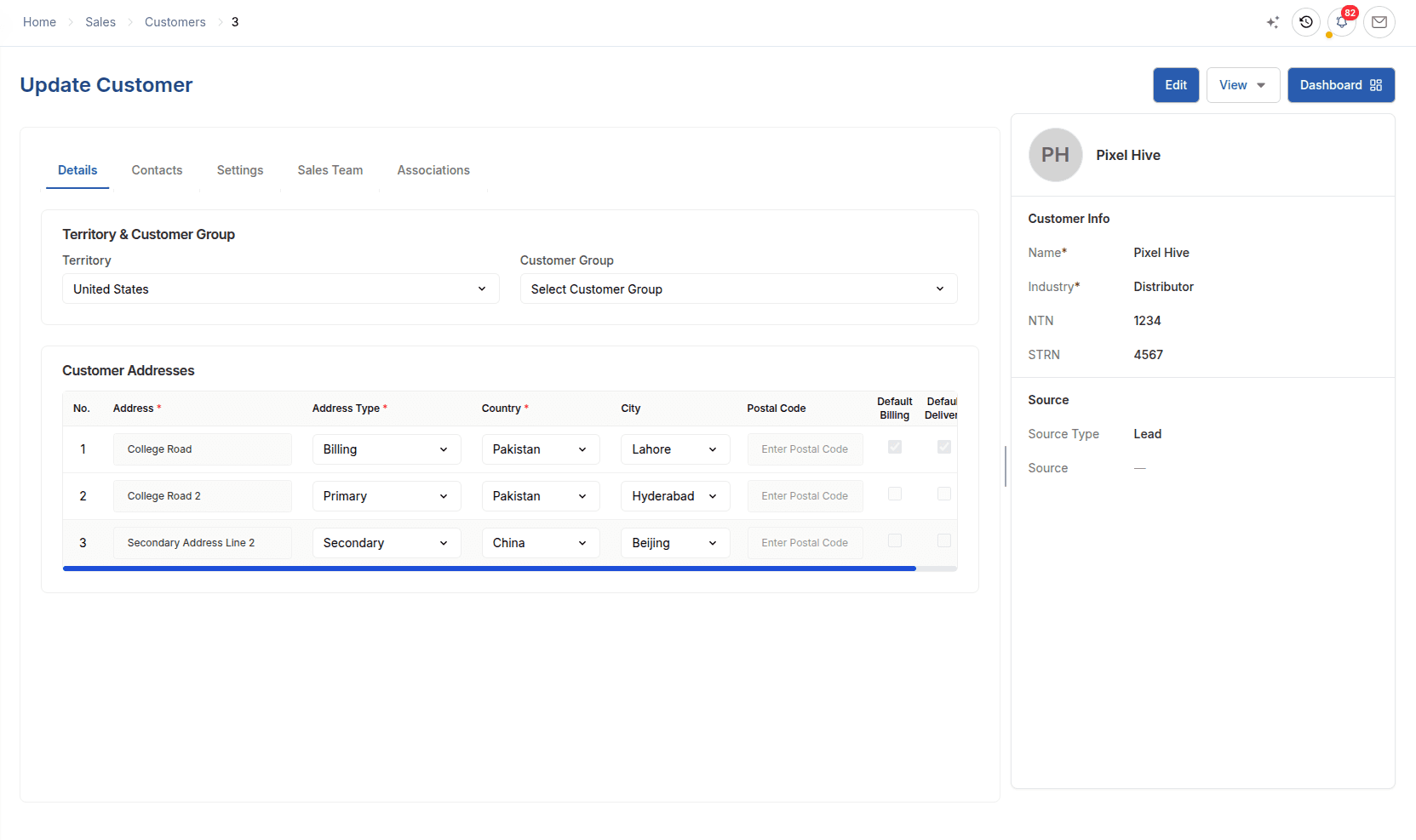
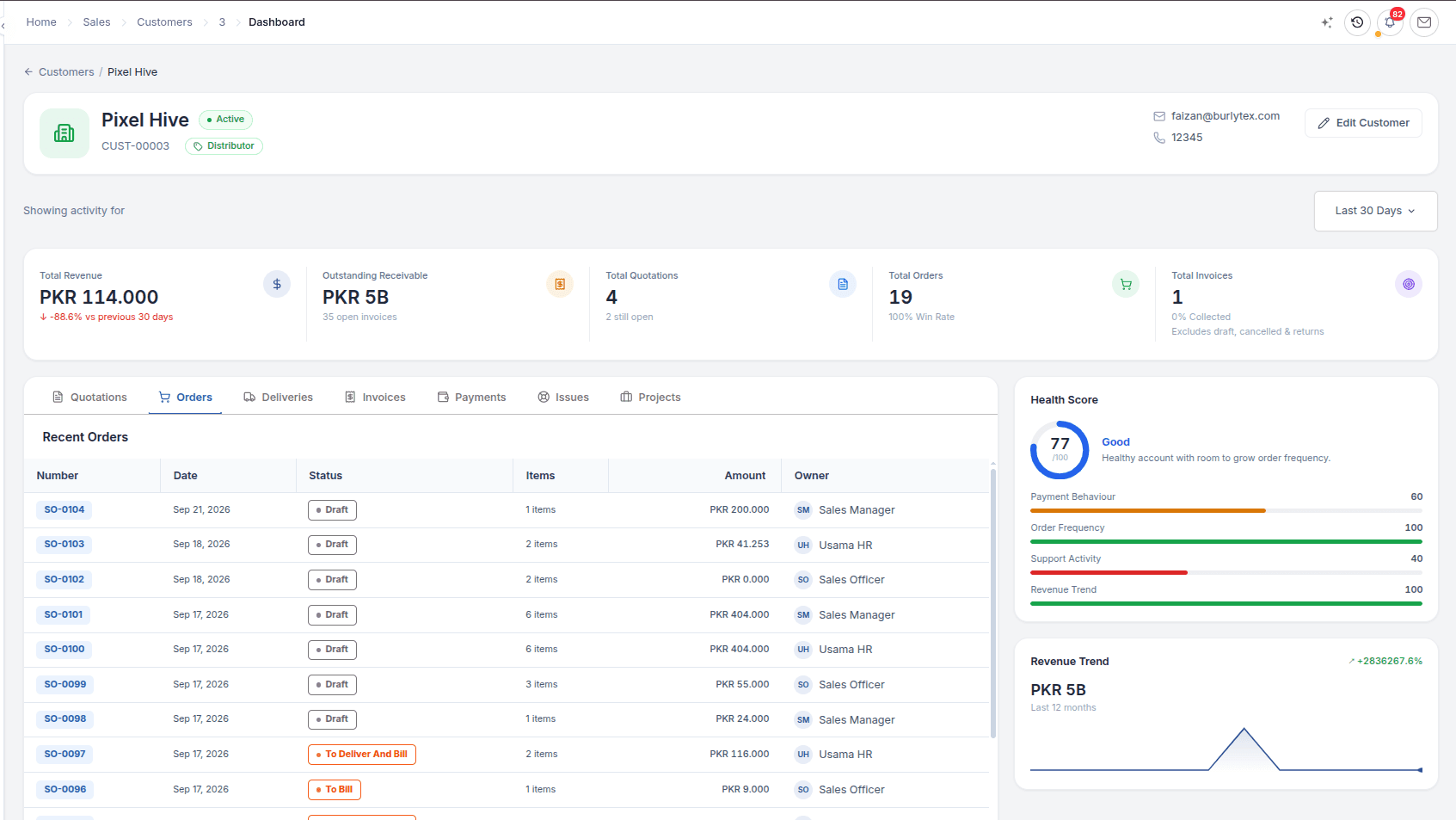
Keep the commercial identity behind every transaction in one customer record. Contacts, billing and delivery defaults, sales ownership and linked activity give teams a useful starting point before they quote or fulfil an order.
Sales Quotation
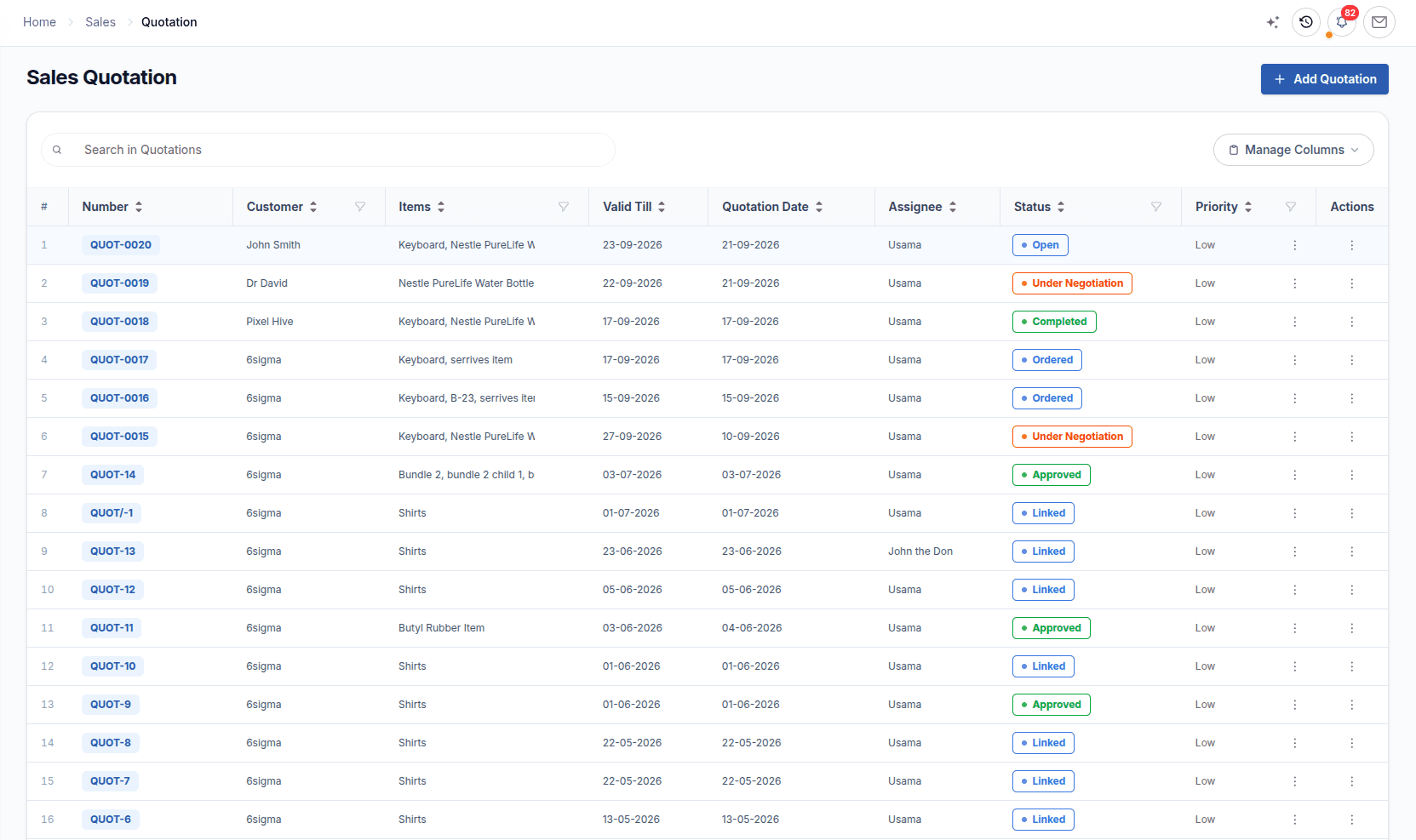
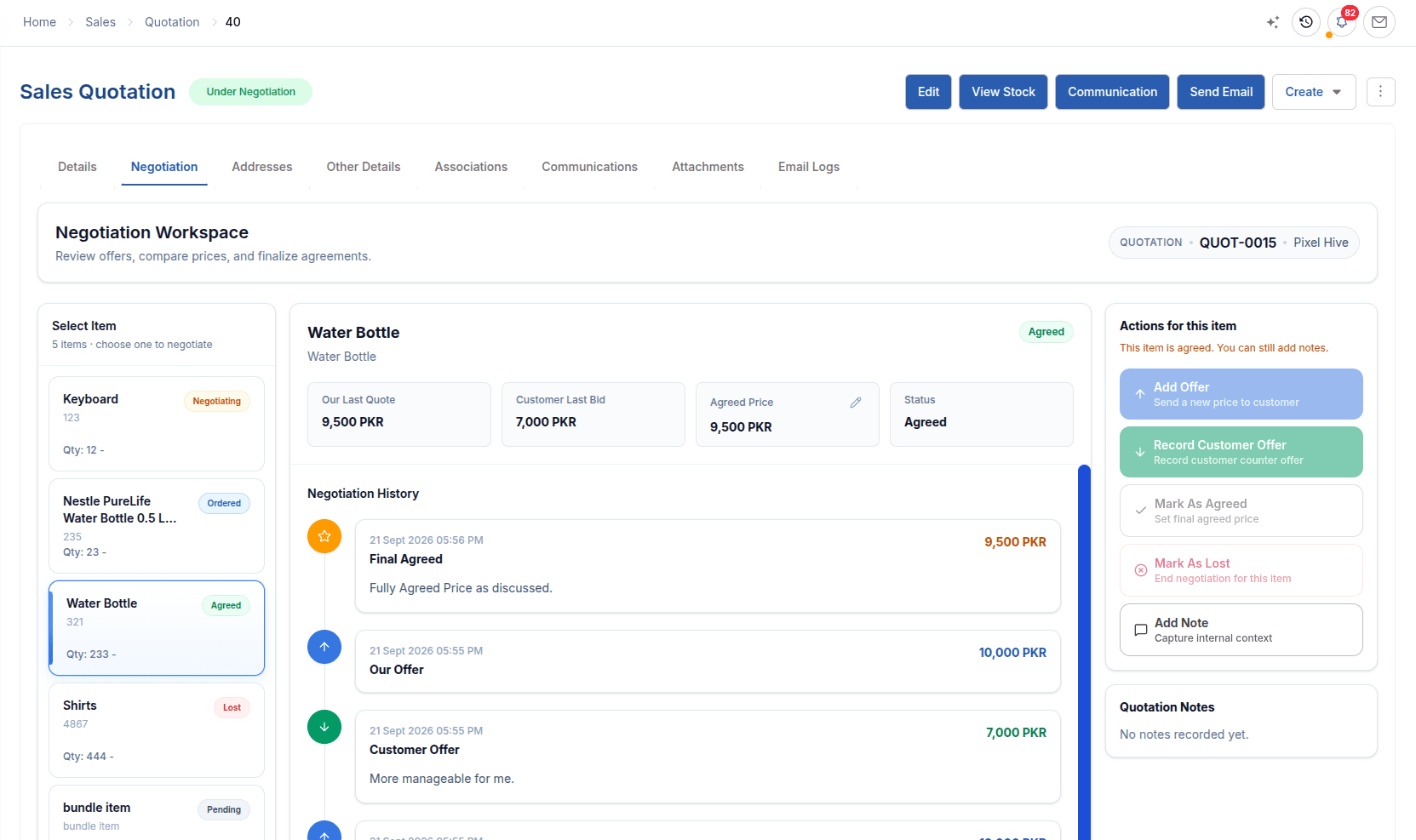
A sales quotation in ERP should remain part of the transaction trail. Build the commercial offer with items, quantities, rates, taxes and terms; item-level negotiation retains offers and counter-offers, while conversion protects the order from carrying unagreed or already-converted quantities forward.
Sales order management
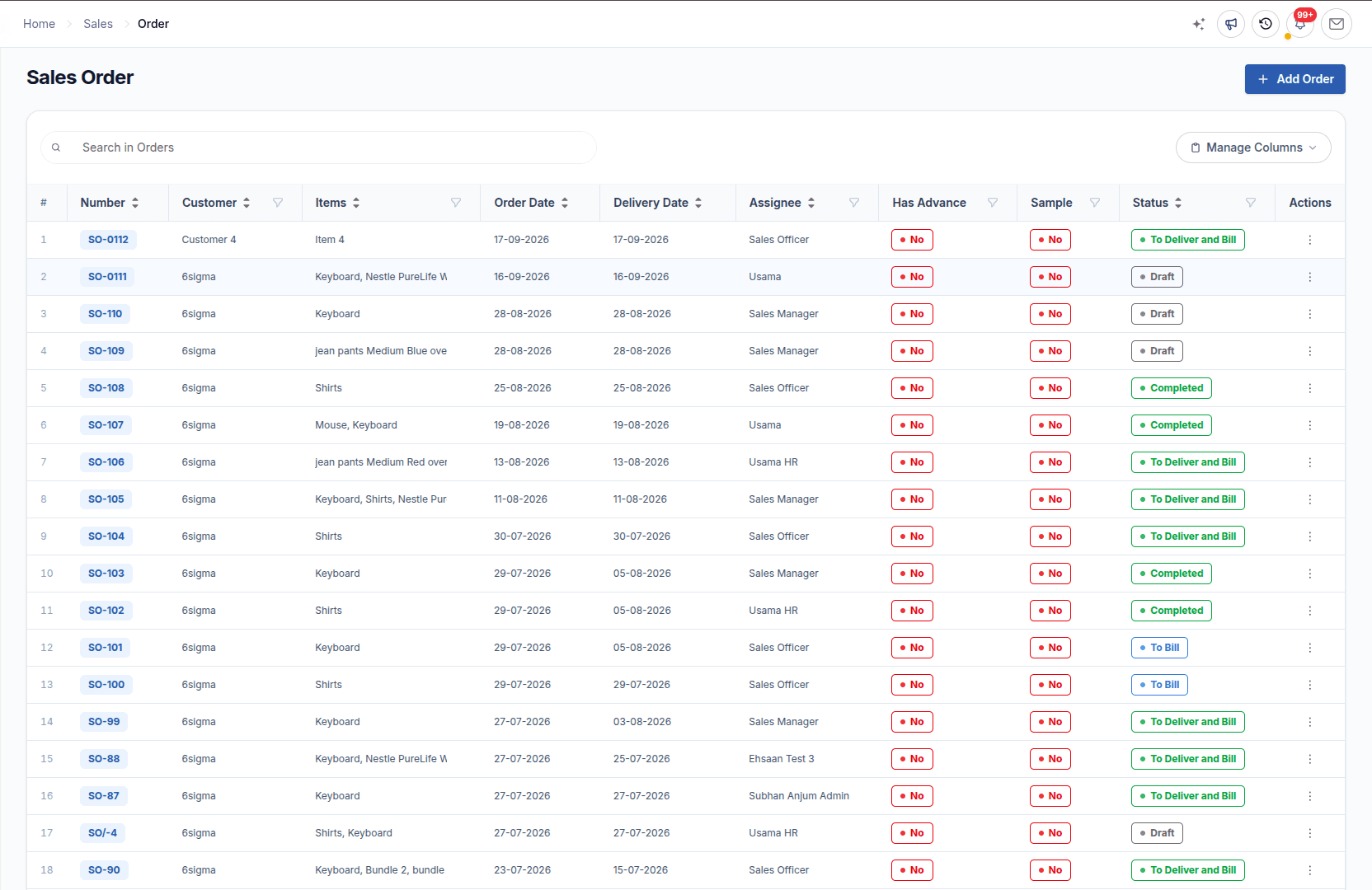
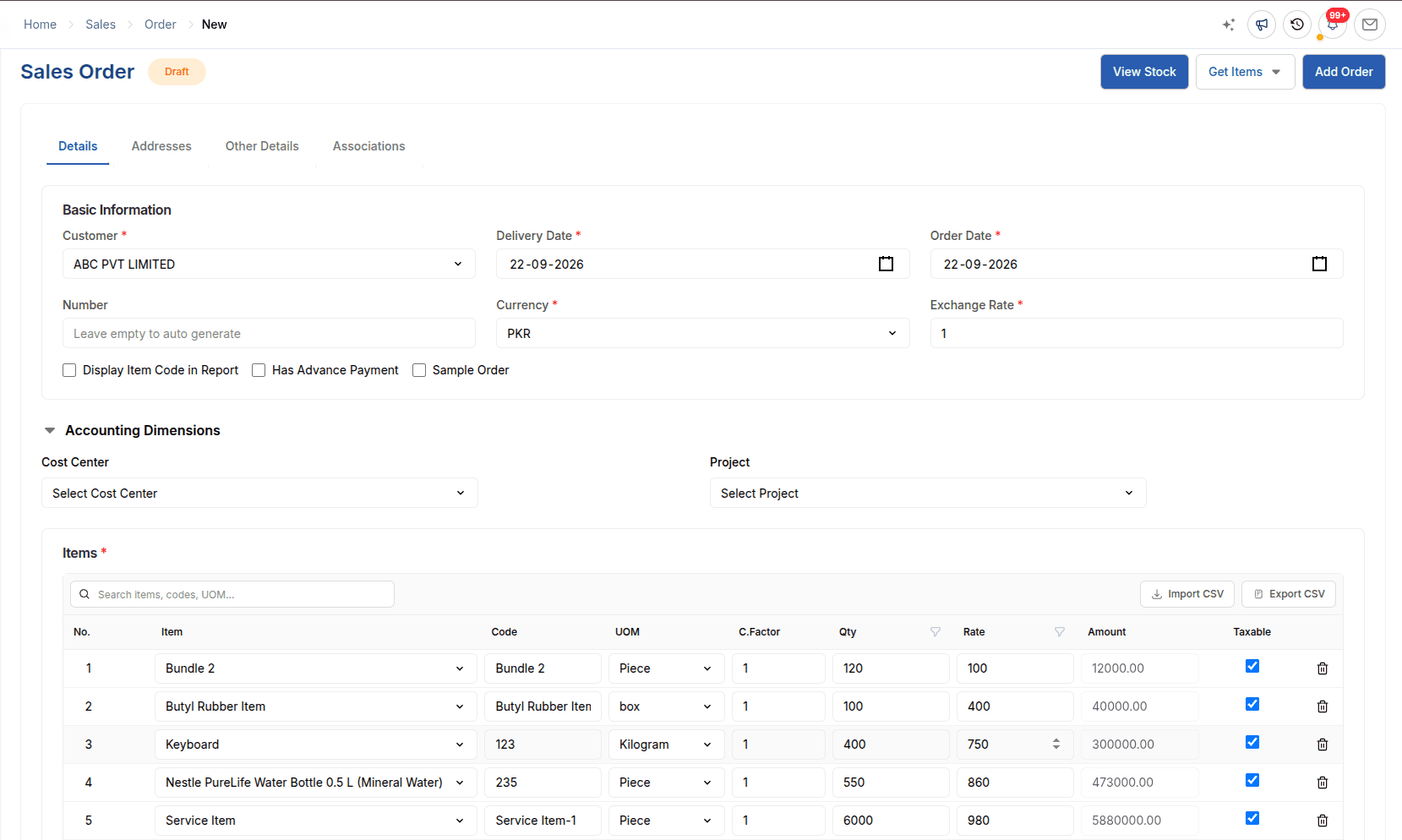
At the center of ERPX sales order management, the Sales Order preserves the agreed source, delivery date, customer reference, terms and totals. Ordered, delivered and billed quantities show whether the next action belongs with fulfilment, billing or neither, while connected demand can move into purchasing or manufacturing.
Inventory-owned fulfilment
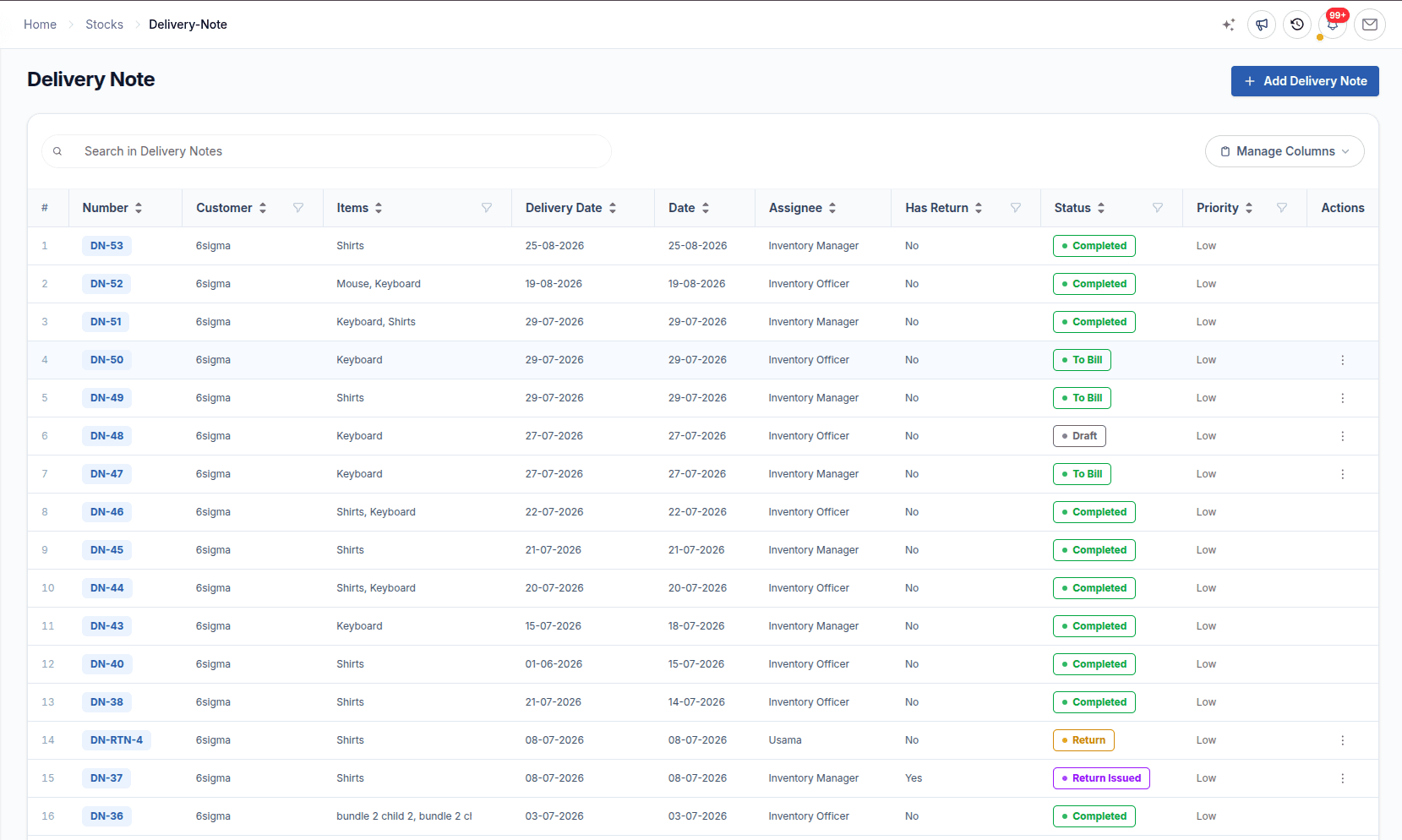
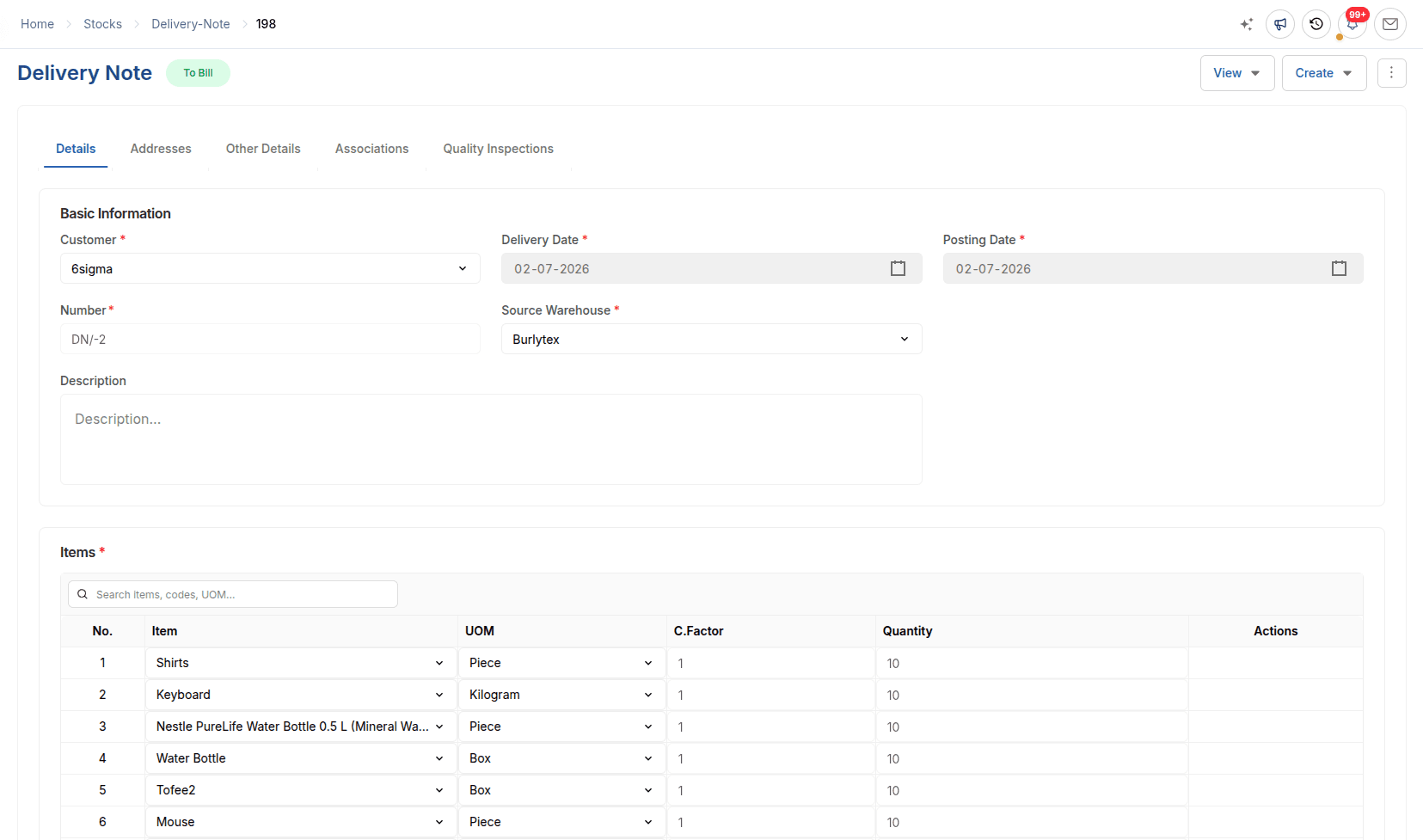
Pull eligible quantities from the Sales Order into a warehouse-backed dispatch record. ERPX supports partial delivery and validates the quantity being shipped; approval updates stock, cost entries, delivered quantity and the order’s next state.
Sales order management
A Sales Order is the seller’s working record of what the customer agreed to buy. ERPX keeps that commitment connected to its source, the supply needed to fulfil it, the quantities dispatched, and the value still waiting to be billed.
01
Start directly, convert agreed quotation lines, or pull items from a Proforma Invoice.
02
Retain the customer PO, delivery date, currency, prices, taxes, terms and export fields.
03
Connect demand to available stock, purchasing, manufacturing and partial dispatches.
04
Compare ordered, delivered and billed quantities so the next responsible team is clear.
Need field-level steps, statuses and rules? Continue into the product guide for the complete Sales Order workflow.
Read the Sales Order guideConnected module handoffs
ERPX Sales remains the hub. The operational and accounting records continue in the modules that own their controls.
Inventory owns fulfilment
Pull eligible Sales Order quantities into a Delivery Note, support partial dispatches, and update stock and order progress when the delivery is approved.
Explore ERPX InventoryFinancials owns billing
Create the Sales Invoice from delivered quantities or directly from a service-only order. Then carry the receivable into payment allocation and reconciliation.
Explore ERPX FinancialsSales reports
Eight focused reports turn the same commercial trail into customer, item, pricing, quotation, pending-order, reservation, and document-chain views.
Read sales value by customer, item, and latest selling price.
Group sales by customer, then expand into the source documents and item lines behind each account.
Review which items sold, who bought them, and the quantity, rate, amount, and currency recorded.
See each item’s latest posted sales-invoice price with expandable customer-wise price history.
Review quoting activity from the customer or item view.
Review item-level quotations with validity, quotation status, and the negotiation state of each line.
Review every quotation for a customer with its dates, status, quoted lines, and commercial totals.
See open commitments and the stock reserved to fulfil them.
Compare ordered, delivered, and billed quantities to see the customer commitments still open.
See reserved quantities by Sales Order, item, and warehouse together with stock remaining available.
Follow one transaction through its connected document trail.
Trace quotations, orders, deliveries, invoices, and accounting documents through their linked source trail.
Use the report guide for filters, columns, generation steps, and the business question each report answers.
Open Sales Reports documentationConnected capabilities
The essentials stay close to the transaction without turning the Sales workspace into a collection of disconnected tools.
Carry only the quotation or delivery quantity that remains.
Retain currency, UOM, tax, charges, discounts and terms.
Route applicable demand to stock, purchasing or production.
Use assignments, sales teams and permission-aware actions.
Generate transaction PDFs and send quotations with history.
Use supported, permission-aware AI actions on quotations.
One commercial trail, a clearer view of what remains, and a safer handoff from Sales to warehouse and finance.
Read the Sales documentationExport-document connection
When the sale begins in Export Documents, ERPX can pull Proforma Invoice items into the Sales Order. The confirmed order can then stay connected to Letter of Credit, delivery, invoicing and shipment records without re-entering the same commercial lines.
Explore Export DocumentationSelling across borders
Quotations, orders and invoices carry their own currency and exchange rate, while the ledger keeps the company-currency value. Taxes and charges come from templates you configure for each company and country, so the same order flow works for domestic and export customers.
Buyer questions
Direct answers about sales orders, quotation conversion, fulfilment, and the documents buyers commonly compare during ERP evaluation.
A sales order is the seller’s confirmed record of a customer commitment. It specifies what the customer agreed to buy, including items, quantities, prices, delivery dates and commercial terms. In ERPX, the Sales Order becomes the operational source for fulfilment and retains its connection to the original quotation or Proforma Invoice.
Sales order management software organizes confirmed customer orders and the work required to fulfil them. ERPX keeps customer references, agreed terms, ordered quantities, delivered quantities and billed quantities on a connected record, helping Sales, Inventory, Purchase, Manufacturing and Financials identify what has happened and what remains.
ERPX can carry agreed Sales Quotation lines into a Sales Order without bringing forward unagreed or already-converted quantities. The approved order then shows the quantities still requiring fulfilment, while the Inventory-owned Delivery Note records warehouse dispatch and updates delivered quantities for partial or complete delivery.
Yes. In ERPX, agreed item quantities from a Sales Quotation can be converted into a linked Sales Order at the settled rate. Unagreed and previously converted quantities remain excluded, preserving a traceable quotation-to-sales-order path without duplicating the commercial data.
A sales order confirms what the seller has committed to supply, but it does not move stock or create a customer receivable. A sales invoice bills delivered goods or an eligible service-only order and records the amount the customer owes in Financials. The order tracks the commitment; the invoice records the financial claim.
A purchase order is issued by a buyer to request goods or services from a supplier. A sales order is the seller’s internal confirmation of what a customer has ordered. ERPX keeps purchasing and selling records separate while allowing purchase or manufacturing activity to respond to demand from an approved Sales Order.
Sales order software helps manufacturers connect confirmed demand with stock, purchasing and production, while ordered, delivered and billed quantities keep fulfilment visible. For exporters, ERPX can create a Sales Order from a Proforma Invoice and retain relevant commercial and shipment context for the connected export-document workflow.
Separate quoting, invoicing and stock tools each hold part of the order, so someone has to keep them in step. In ERPX, the quotation, Sales Order, Delivery Note, Sales Invoice and payment are linked records in one system. Delivered and billed quantities update on the order itself, and the invoice posts the receivable to the ledger directly.
Yes. The Transaction Chain report starts from a customer, quotation, Sales Order, Delivery Note or Sales Invoice and shows every linked document, including the accounting entries. Administrators use it to answer questions like "which invoice covers this delivery?" or "what did this quotation become?" without searching several systems.
Yes. An export Sales Order can start from a Proforma Invoice and link to a Letter of Credit. Delivery Notes can pull their items from the letter of credit, and ERPX Export Documentation can read the LC with AI and prepare the documents it requires from the same order data.
Yes. Quotations, Sales Orders and Sales Invoices carry their own currency and exchange rate, for example EUR for a customer in Europe. The ledger keeps the company-currency value alongside, and the receivable is booked to an account in the invoice currency.
A credit note is raised against the original Sales Invoice and must use the same currency and exchange rate. ERPX tracks how much of a delivery has already been returned, so the quantity available to bill or credit is always the remaining balance, and the original invoice shows when a credit note has fully offset it.
Personalized ERPX demo
A focused walkthrough built on how your team works today and what you want to improve next.
Pick a workflow from