
Request and source
Record the need as a Purchase Request, send a Request for Quotation, then compare Supplier Quotations.
Purchase moduleOptional step
- Purchase Request
- RFQ
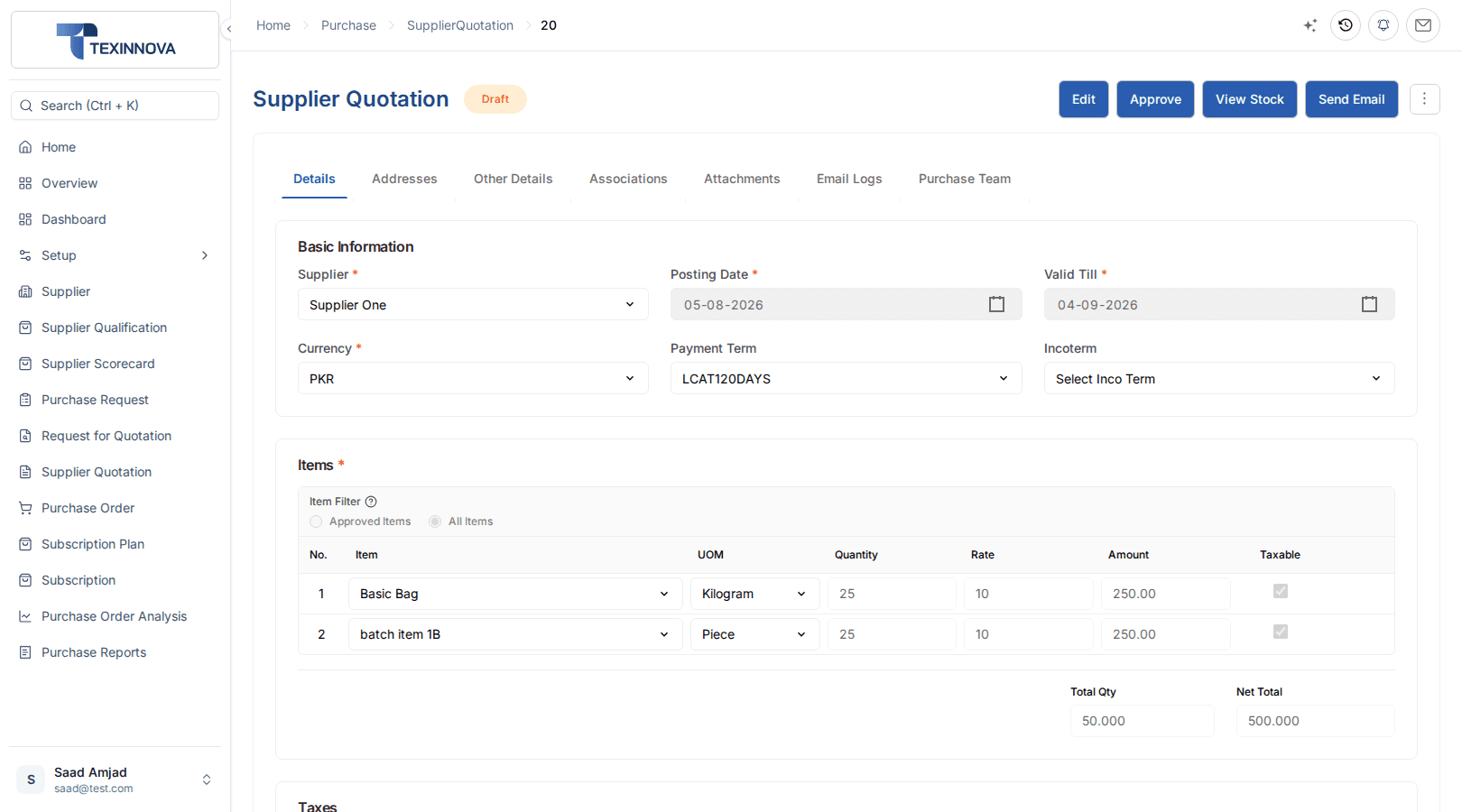
- Supplier Quotation
ERPX Purchase
Built for manufacturers, traders, distributors and exporters, ERPX Purchase takes a need from Purchase Request to an approved Purchase Order, then hands receipt to Inventory and the bill to Financials.
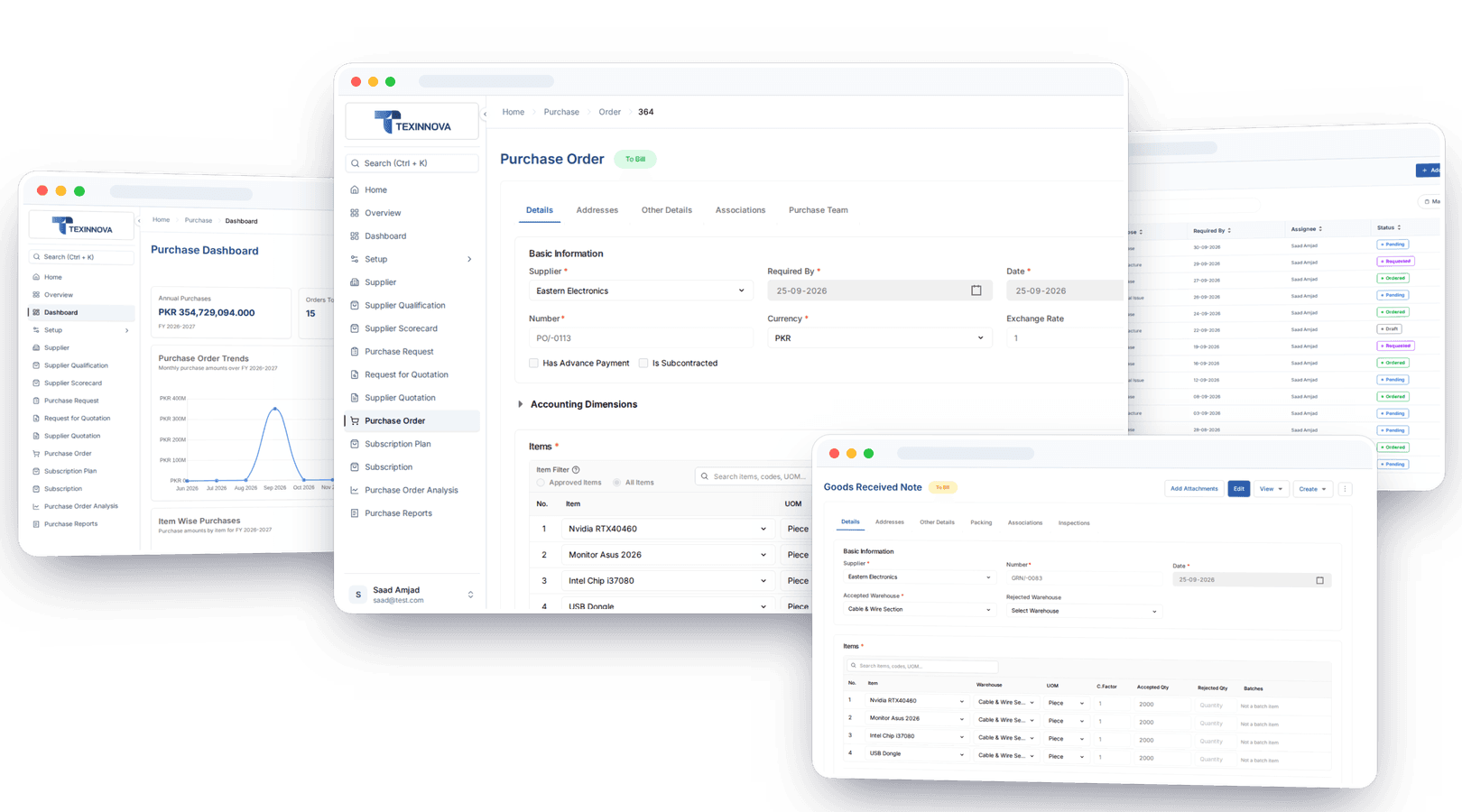
Direct answer
ERPX Purchase is procure-to-pay software that qualifies and scores suppliers, then takes a need from Purchase Request through Request for Quotation and Supplier Quotation to an approved Purchase Order. Purchase creates the commitment; Inventory records the stock movement on the Goods Received Note; Financials records the money on the Purchase Invoice.
Commit
Purchase: request, quotation and order
Receive
Inventory: Goods Received Note and stock
Pay
Financials: Purchase Invoice and payable
Connected procurement
Purchase creates commitments. Inventory records stock movement. Financials records the money. Approving a Purchase Order moves no stock and posts no accounting entry.
Purchase document chain
Requests and quotations make the order defensible. The order anchors the receipt, and the receipt anchors the bill.
Record the need as a Purchase Request, send a Request for Quotation, then compare Supplier Quotations.
Commit to supplier, items, quantity, price and date. Approval moves no stock and posts no entry.
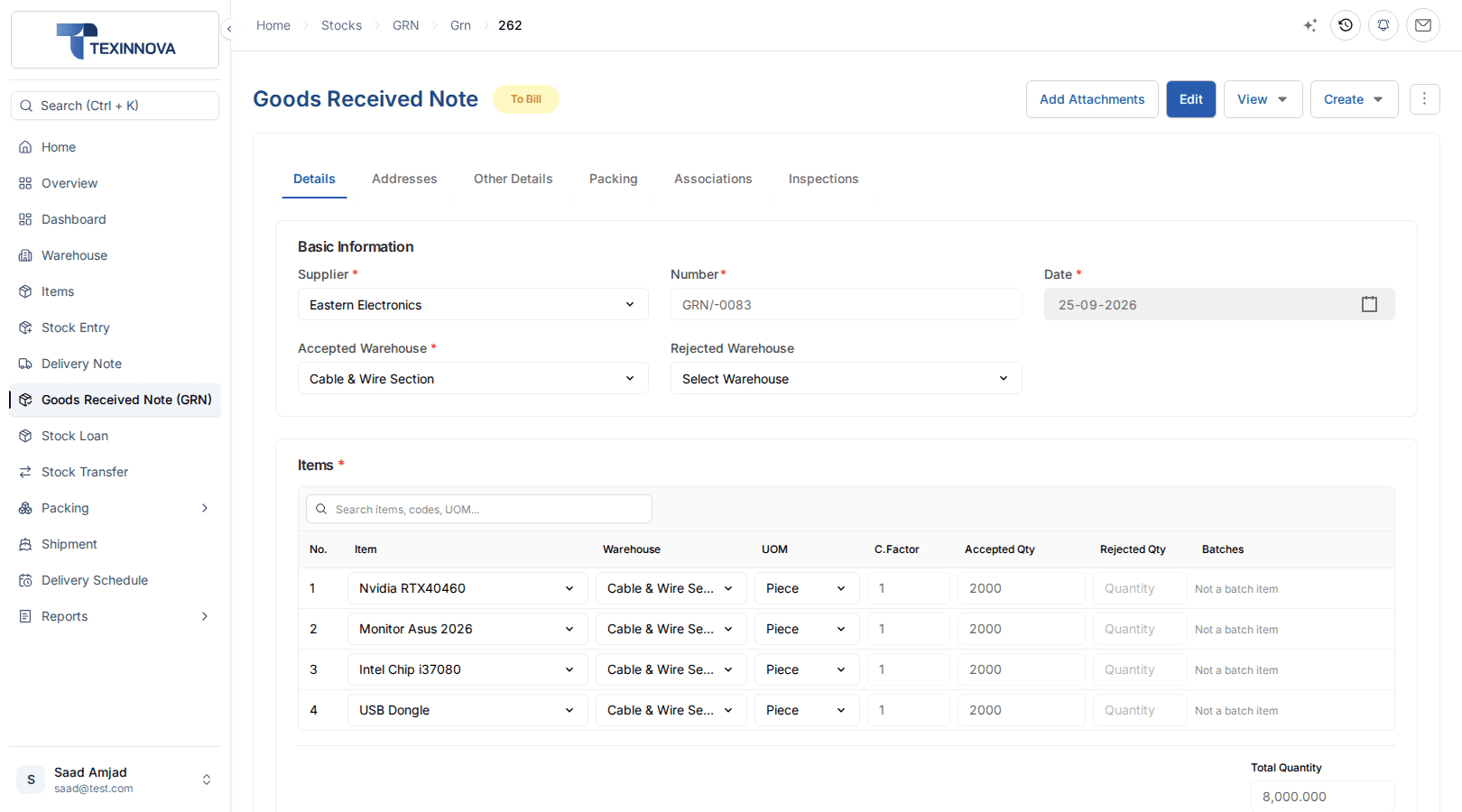
Receive stock items against the order. Approval moves stock in and sets the cost.
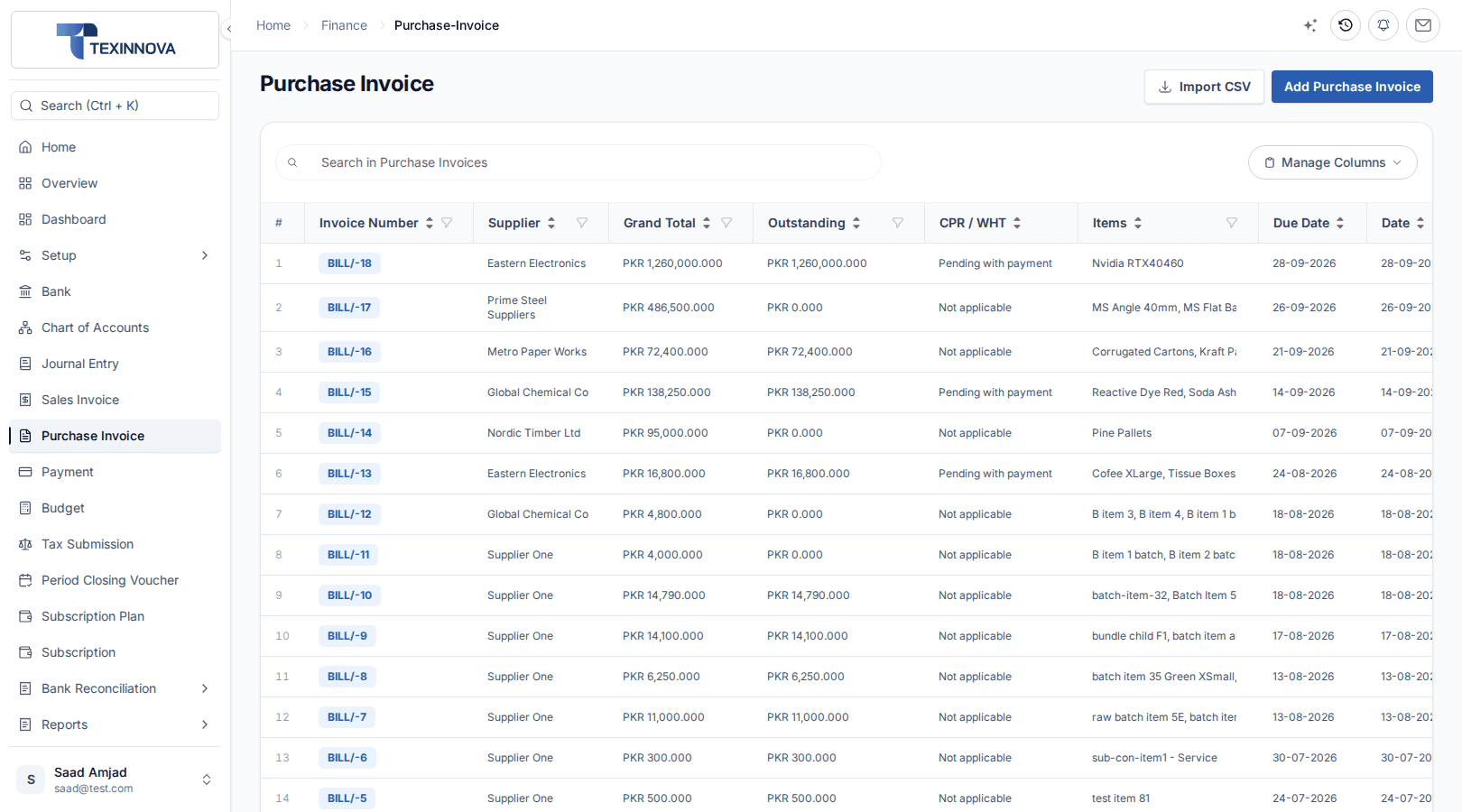
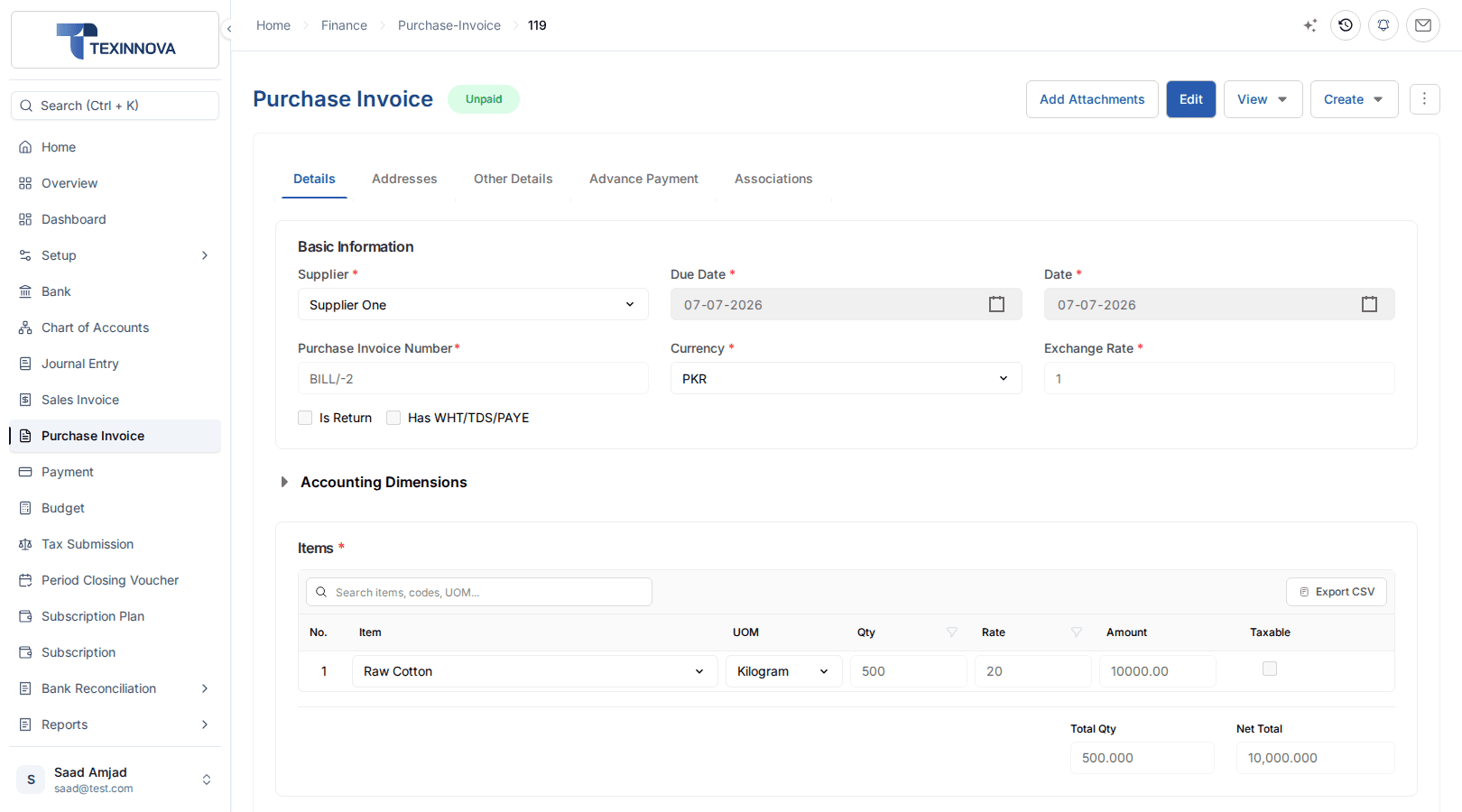
Record what you owe. Posting creates the payable and updates Billed Quantity on the order.
Reporting from the same trail
Purchase by Supplier, Purchase by Item and Supplier Quotation Comparison.
Pending Purchase Order and Purchase Order Analysis.
Procurement Tracker and the Transaction Chain.
Inside ERPX Purchase
Seven working areas carry a purchase from supplier approval to payable. Each keeps the source, quantities and status the next team needs.
Suppliers
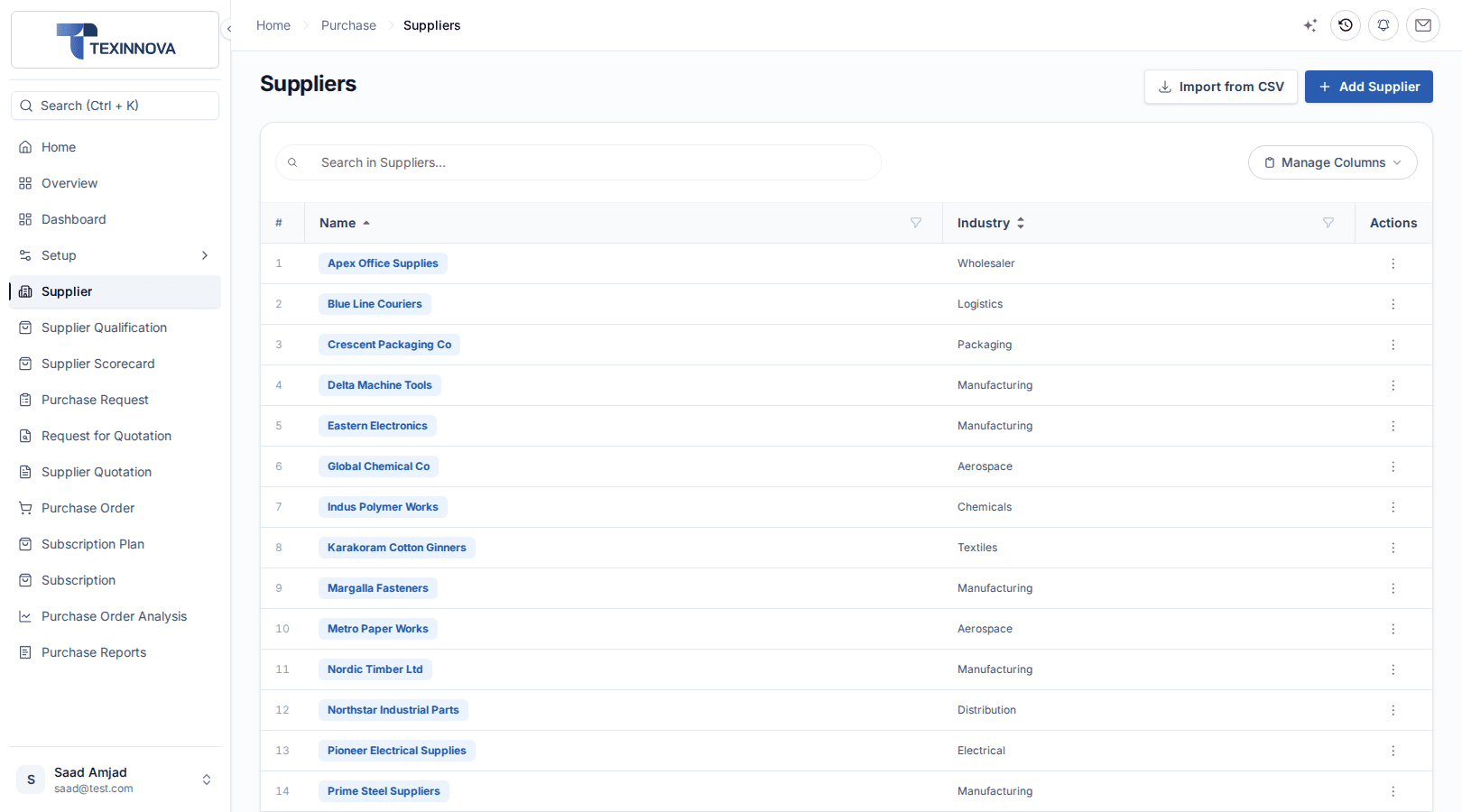
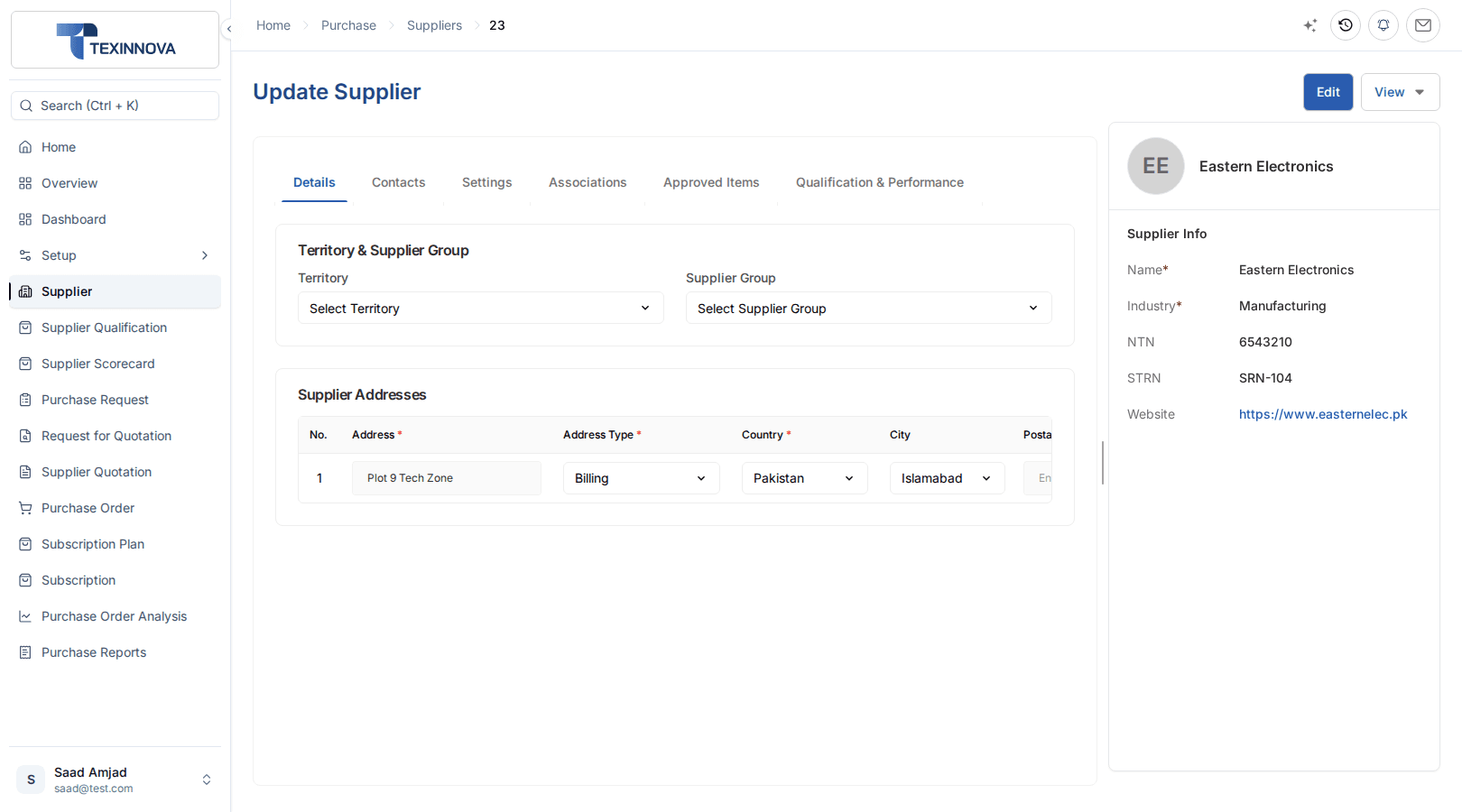
One supplier record feeds every quotation, order, GRN, invoice and payment, and suppliers share the same party record as customers.
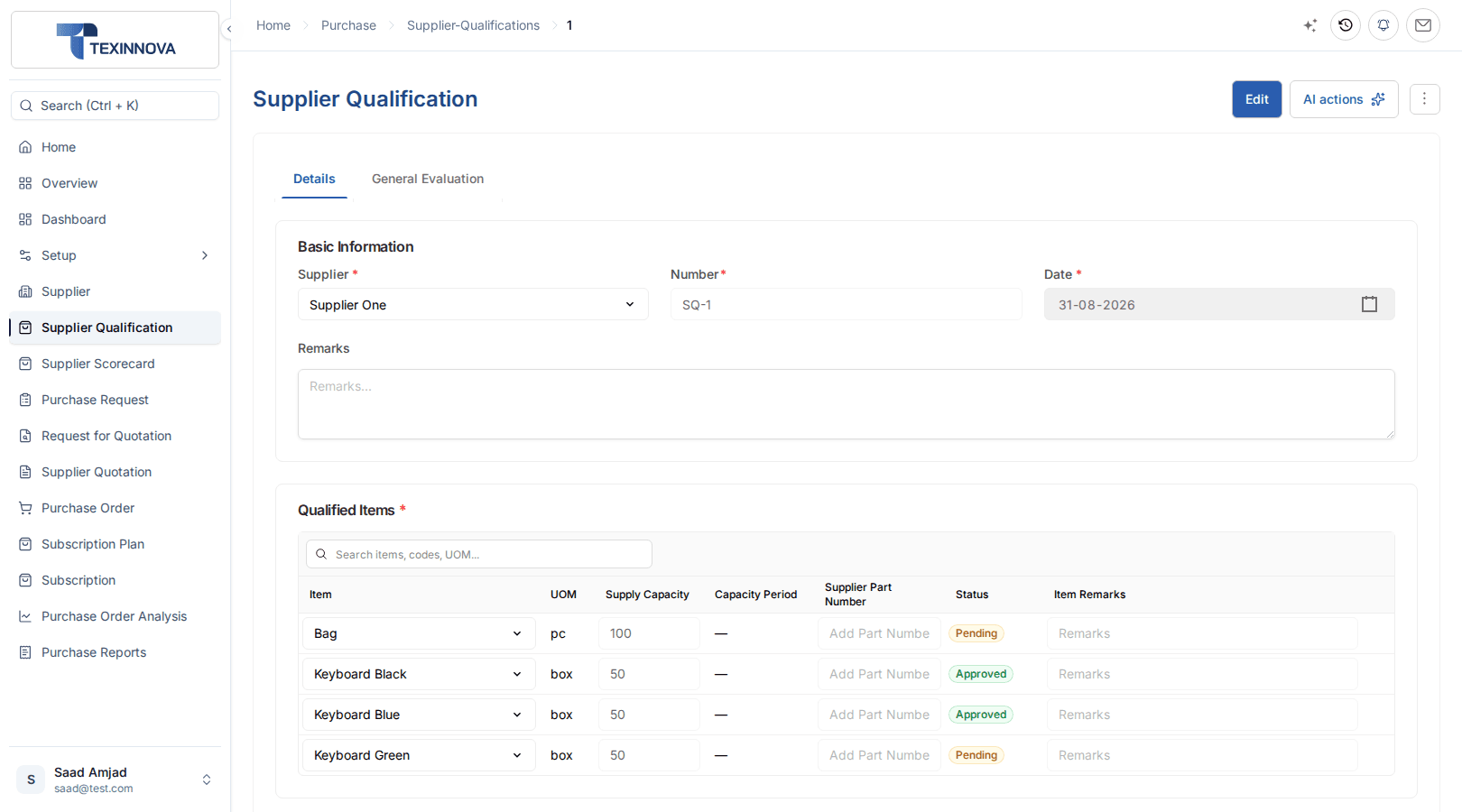
Supplier Qualification and Scorecards
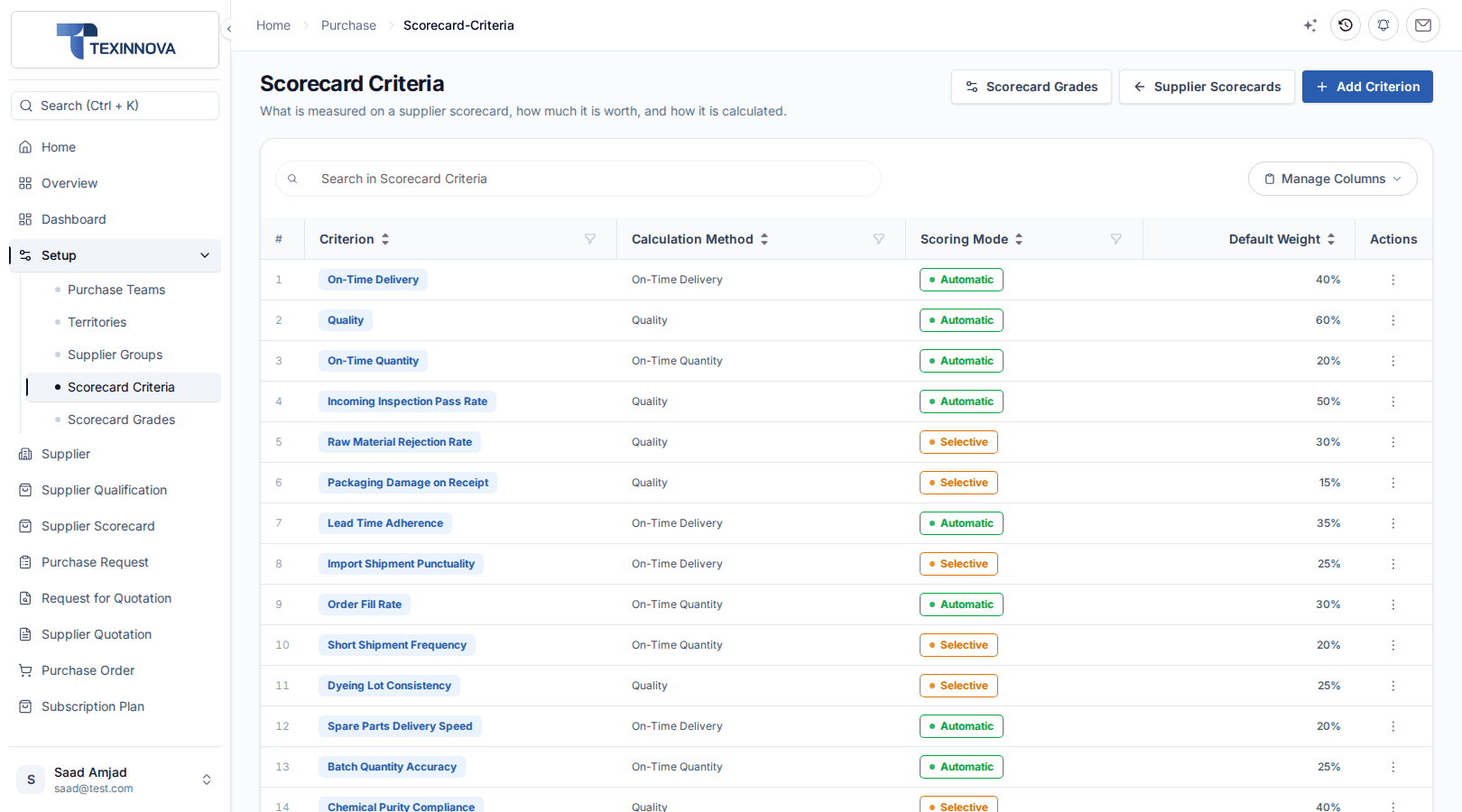
Qualify each supplier against registration, tax, bank, audit and certification checks, approve them per item, and grade their delivery performance with weighted scorecards.
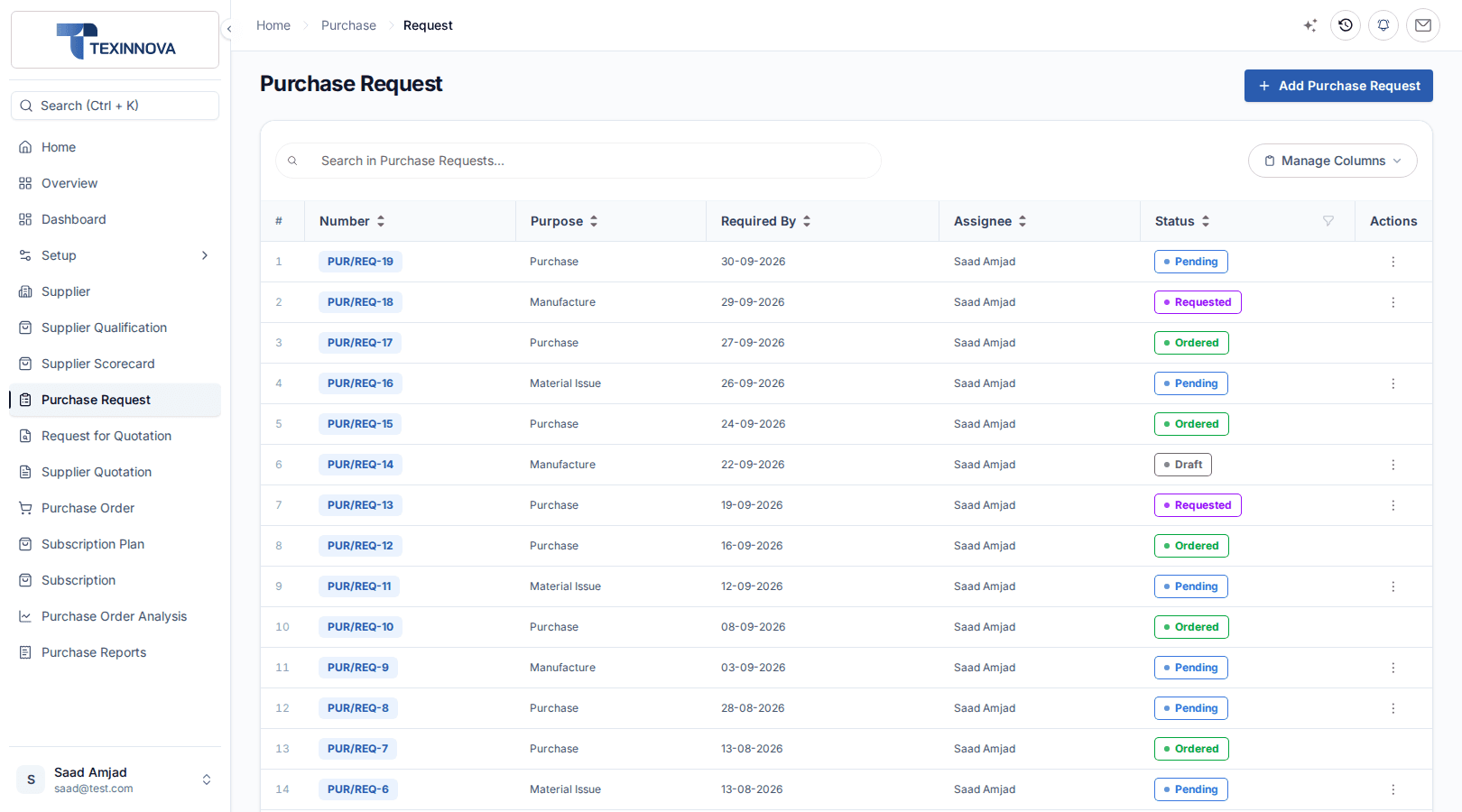
Purchase Request
A Purchase Request records what is needed, how much and by when. It carries no supplier, no price and no stock movement.
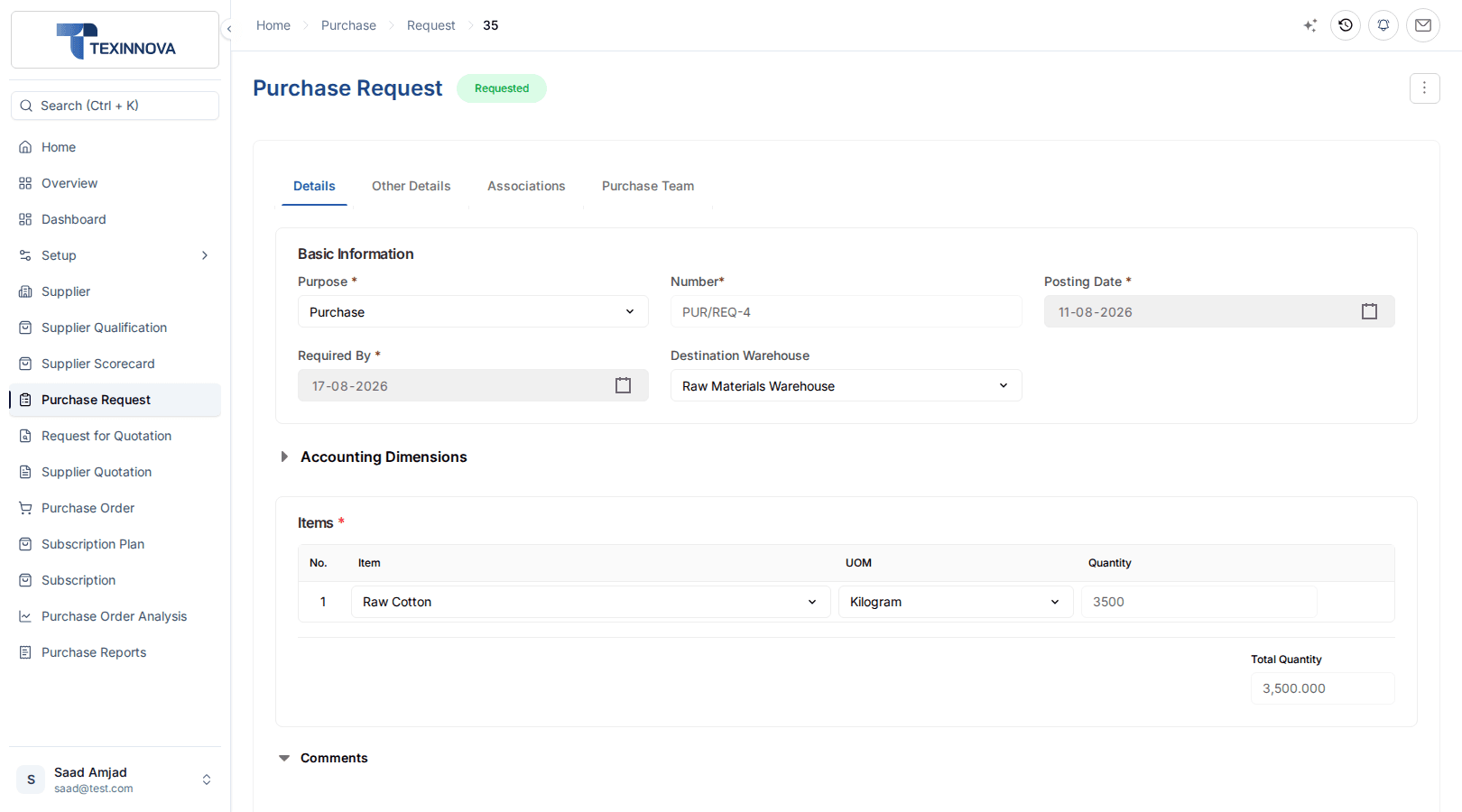
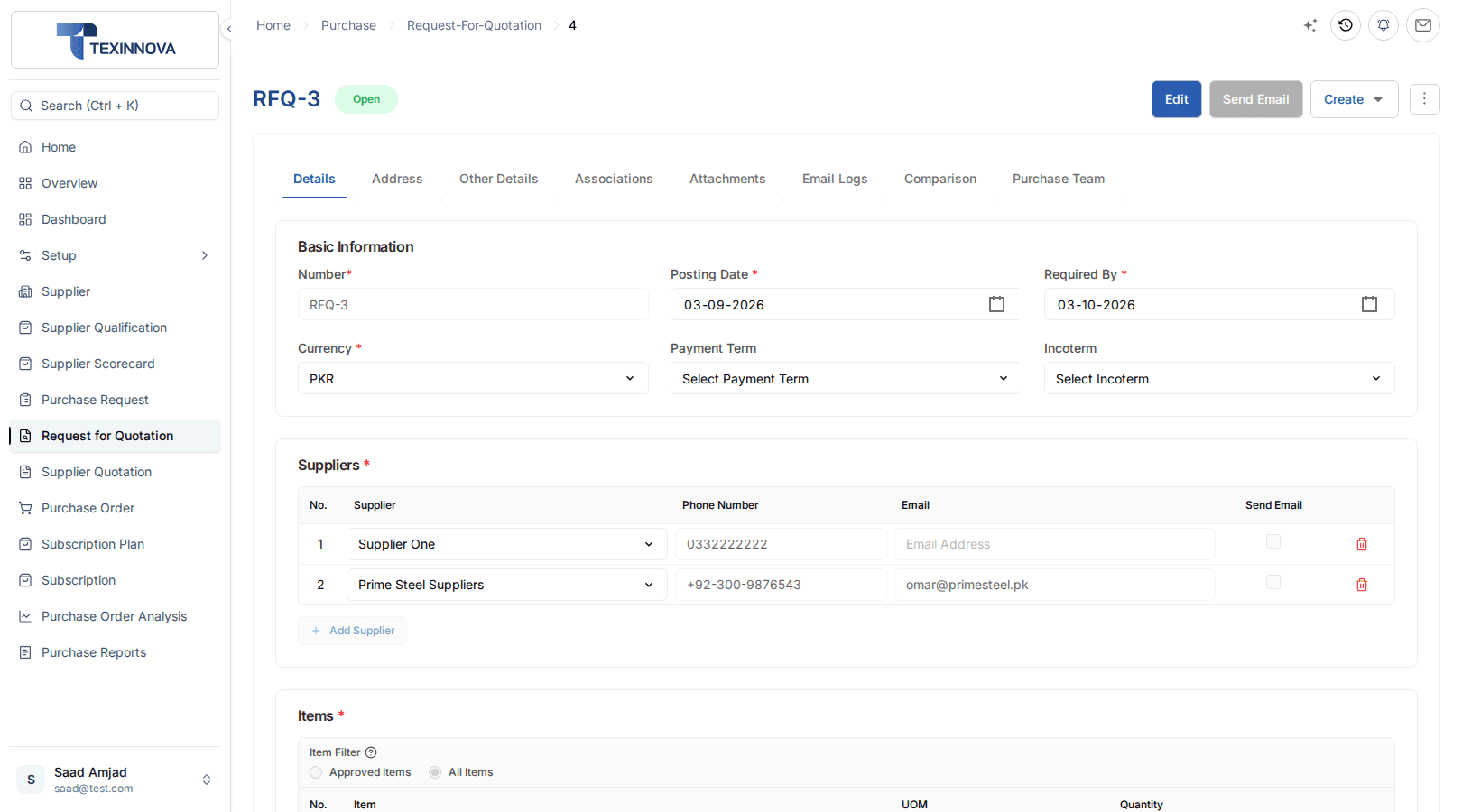
Request for Quotation and Supplier Quotation
Email an RFQ to selected suppliers, record their replies as Supplier Quotations, and let the comparison highlight the best offer.
Purchase Order
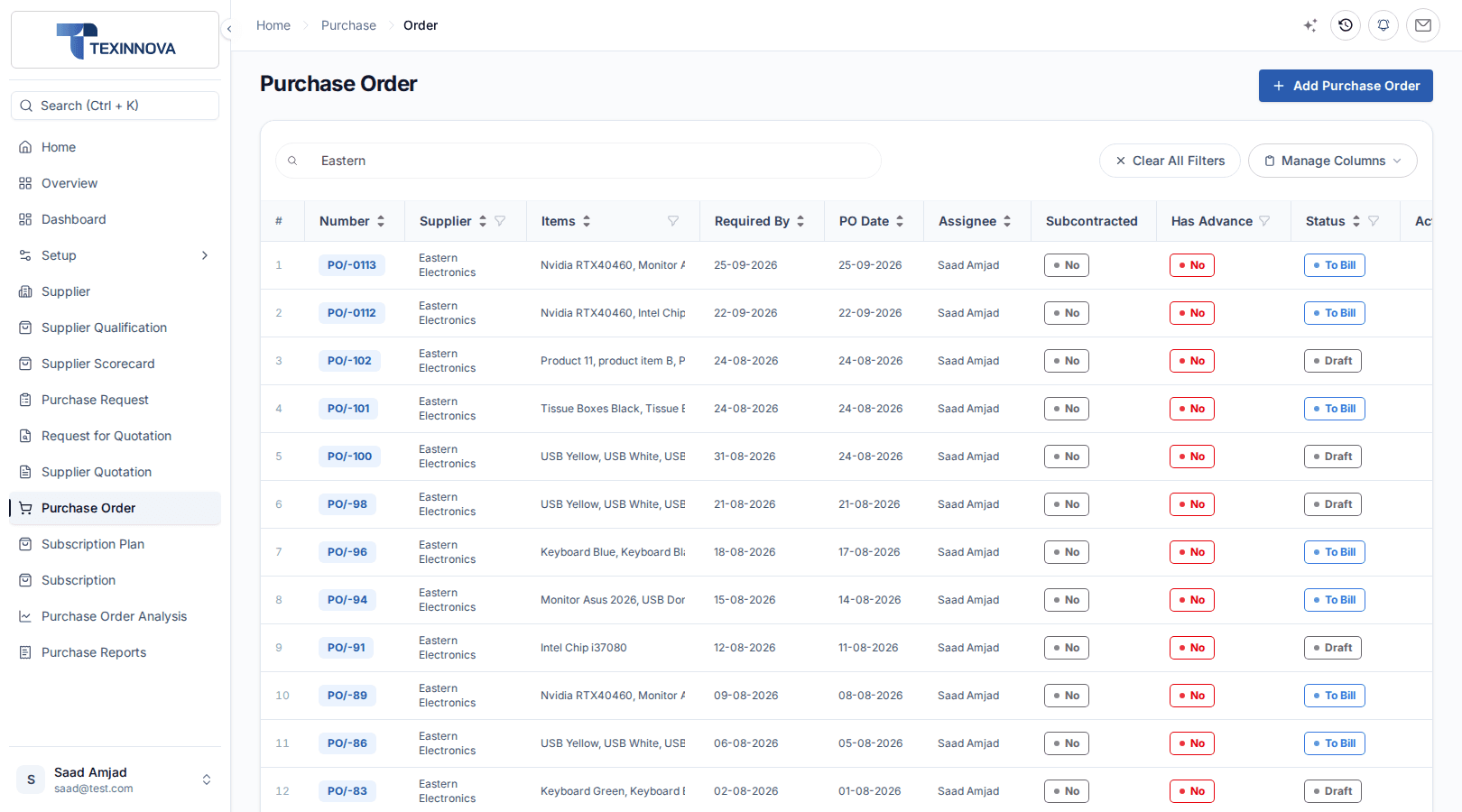
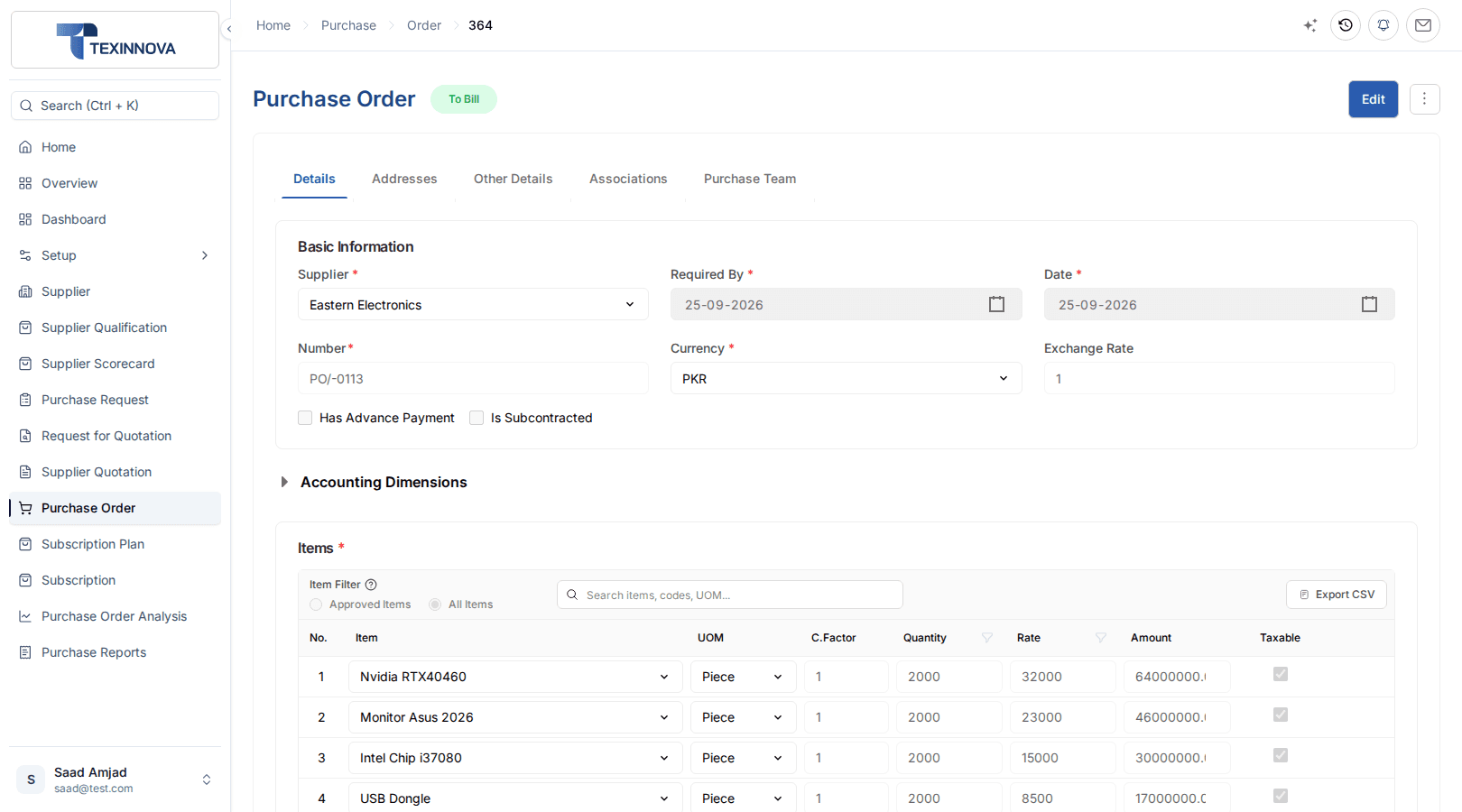
The Purchase Order is the only mandatory purchase document. Approval records the commitment; stock and payables follow on the GRN and Purchase Invoice.
Goods Received Note · Inventory
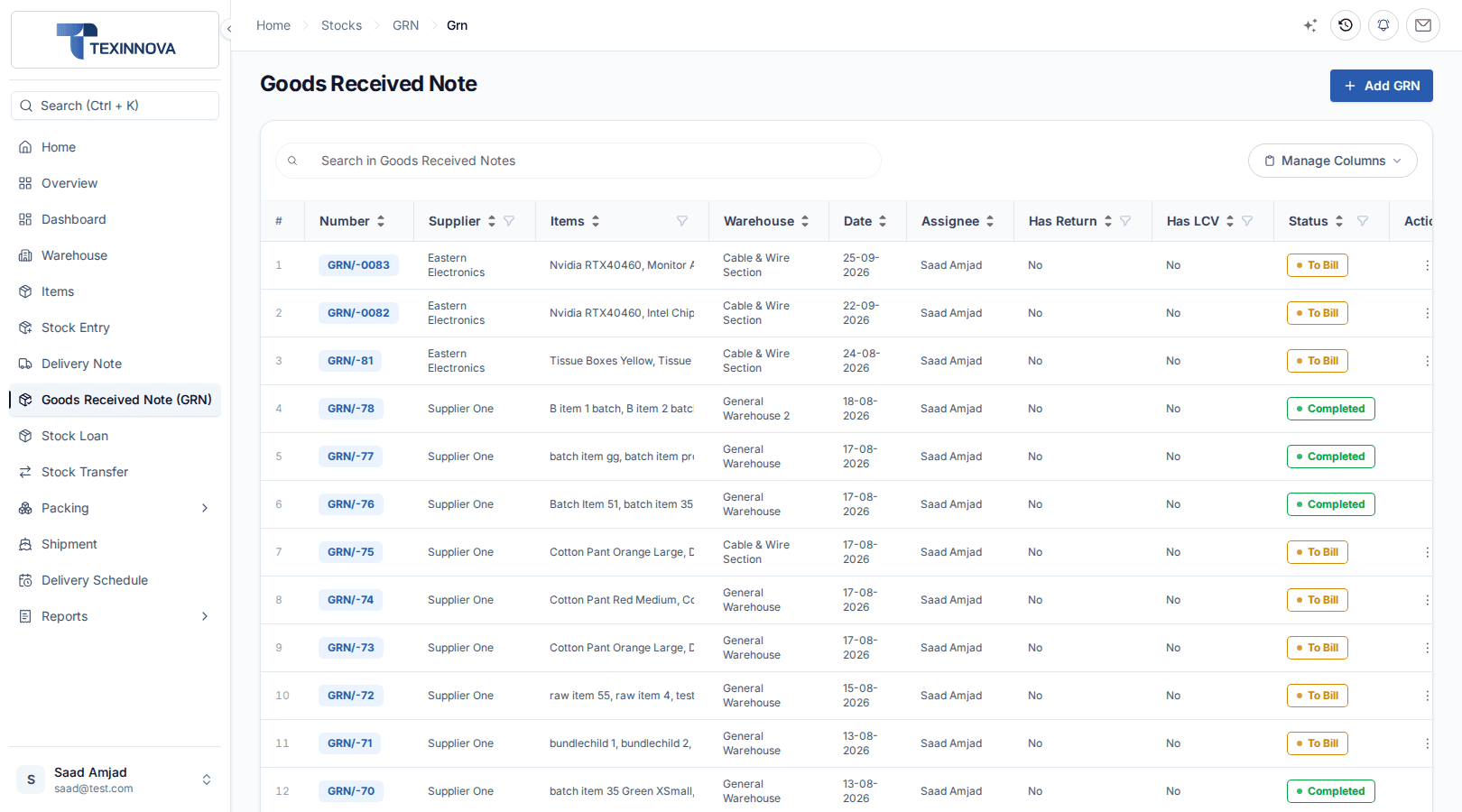
A GRN is always pulled from an approved Purchase Order, so nothing is received that was not ordered. Approval moves stock in and sets its cost.
Purchase Invoice · Financials
Stock items are invoiced from the GRN and services from the Purchase Order, completing the three-way match before the payable is posted.
Connected module handoffs
ERPX Purchase owns the commitments. The Goods Received Note, Landed Cost Voucher and Purchase Invoice continue in the modules that own their controls.
Inventory owns the receipt
Receive open Purchase Order quantities with a GRN, then push freight, duty and clearing into item cost with a Landed Cost Voucher.
Explore ERPX InventoryFinancials owns the money
Book the supplier bill from the GRN, or from the order for services, then settle it with a payment and review ageing.
Explore ERPX FinancialsManufacturing creates demand
Raise Purchase Requests from Work Order material needs, and use subcontracted Purchase Orders to buy back processed output.
Explore ERPX SubcontractingSales drives buy-to-order
Pull Purchase Order rows from a Sales Order when you are buying to fulfil a specific customer order.
Explore ERPX SalesPurchase reports
Purchase reports read approved documents. Receipt and billing reports in Inventory and Financials close the loop on every order.
Who you buy from, what you buy most and how offers compare.
Purchase value grouped by supplier.
Purchase value grouped by item.
Each RFQ item alongside every non-draft Supplier Quotation raised against it.
Annual Purchases, Orders To Receive, Orders To Bill and Active Suppliers, with purchase order trends and item-wise purchases.
What is ordered but not yet received or billed.
Orders with quantity still to receive.
Order values and billing progress by fiscal year, including orders received but never invoiced.
Follows each Purchase Request through to how far the resulting order has been fulfilled.
Reports in Inventory and Financials that close the purchase loop.
Goods received but not yet fully invoiced.
Whether each supplier delivered on the dates they committed to.
PO → GRN → invoice → payment, end to end.
Use the report guide to see which report answers each procurement question, from supplier spend to where a request went.
Open Purchase Reports documentationConnected capabilities
Replenishment, buy-to-order and subcontracting work inside the same documents your buyers already use.
Raise Purchase Requests automatically when stock breaches its reorder level.
Pull Purchase Order rows from a Sales Order when buying for a customer.
Mark a Purchase Order as subcontracted to send material and buy back the output.
Flag an advance on the order and settle it against the eventual invoice.
Quote and order in the supplier’s currency with an exchange rate per document.
Organize Purchase Managers and Purchase Officers into a team hierarchy.
Classify suppliers in a hierarchy with default payment terms and price list.
Send RFQs to supplier contacts with attachments, and keep a log of every send.
Purchase → Overview groups requests, quotations and orders into To Assign, To Do and To Approve.
Nothing received that was not ordered, and nothing paid that was not received.
Read the Purchase documentationBuyer questions
Direct answers about purchase requisitions, supplier quotations, purchase orders, goods receipt and three-way matching.
Procure-to-pay software manages buying from the first internal request to the supplier payment. In ERPX the chain is Purchase Request, Request for Quotation, Supplier Quotation, Purchase Order, Goods Received Note and Purchase Invoice. Purchase owns the commitments, Inventory owns the receipt and Financials owns the payable, all in one ERP.
No. In ERPX the Purchase Request, which is ERPX’s purchase requisition, is optional, and so is the Supplier Quotation. Only the Purchase Order is mandatory. Requests and quotations exist to make the order defensible: what was needed, who quoted what and why a supplier was chosen.
A Request for Quotation (RFQ) in ERPX asks selected suppliers to price a need pulled from Purchase Requests or a Sales Quotation, and can be emailed to them from ERPX. Their replies become Supplier Quotations, which the RFQ comparison scores on quantity coverage, price and terms before you raise the Purchase Order.
Supplier Qualification records registration, tax, bank, audit, certification and reference checks, then approves, rejects or suspends the supplier item by item. Supplier Scorecards score delivery performance against weighted criteria such as Quality and On-Time Delivery, taken from Goods Received Notes and delivery schedules, and assign a grade.
Three-way matching compares the Purchase Order, the Goods Received Note and the Purchase Invoice before you pay. In ERPX it is structural: a GRN can only be created from an approved Purchase Order, and a stock-item Purchase Invoice is raised from the GRN. Nothing is received unordered or paid unreceived.
No. Every GRN row must be pulled from an approved Purchase Order with Get Items. Free-typed rows are rejected because the parent order is required. Receipts that do not come from a supplier order use a Stock Entry in Inventory instead.
Purchase Order status in ERPX is derived from received and billed quantities, and there is no partially-received status. A partial receipt leaves the order at To Receive And Bill. For actual progress, read Received Quantity and Billed Quantity on the order lines or run the Pending Purchase Order report.
Freight, duty and clearing charges that belong in item cost go on a Landed Cost Voucher in Inventory, applied to an approved GRN. Charges are distributed by amount, quantity or manually, and the item’s valuation is recalculated. They are not added as Purchase Invoice lines.
Standalone procurement and accounts payable tools usually import orders and receipts from another system before they can match an invoice. In ERPX, the Purchase Order, the Goods Received Note in Inventory and the Purchase Invoice in Financials are linked records in one ERP, so matching, stock valuation and the payable all use the same data without a sync.
Yes. Supplier Quotations, Purchase Orders and Purchase Invoices carry the supplier’s currency and an exchange rate per document, for example USD for an imported raw material. The ledger keeps the value in your company currency, and freight and duty can be added to item cost with a Landed Cost Voucher.
Yes. The supplier record has fields for the national tax number and the sales tax registration number, alongside currency, payable account and addresses. These print on purchase documents. ERPX stores the numbers you enter; it does not verify them with a tax authority.
Personalized ERPX demo
A focused walkthrough built on how your team works today and what you want to improve next.
Pick a workflow from