
Set up
Define the warehouse tree, items and item variants, units, batches, serials and reorder levels.
Inventory moduleRequired step
- Warehouses
- Items
- Variants
ERPX Inventory
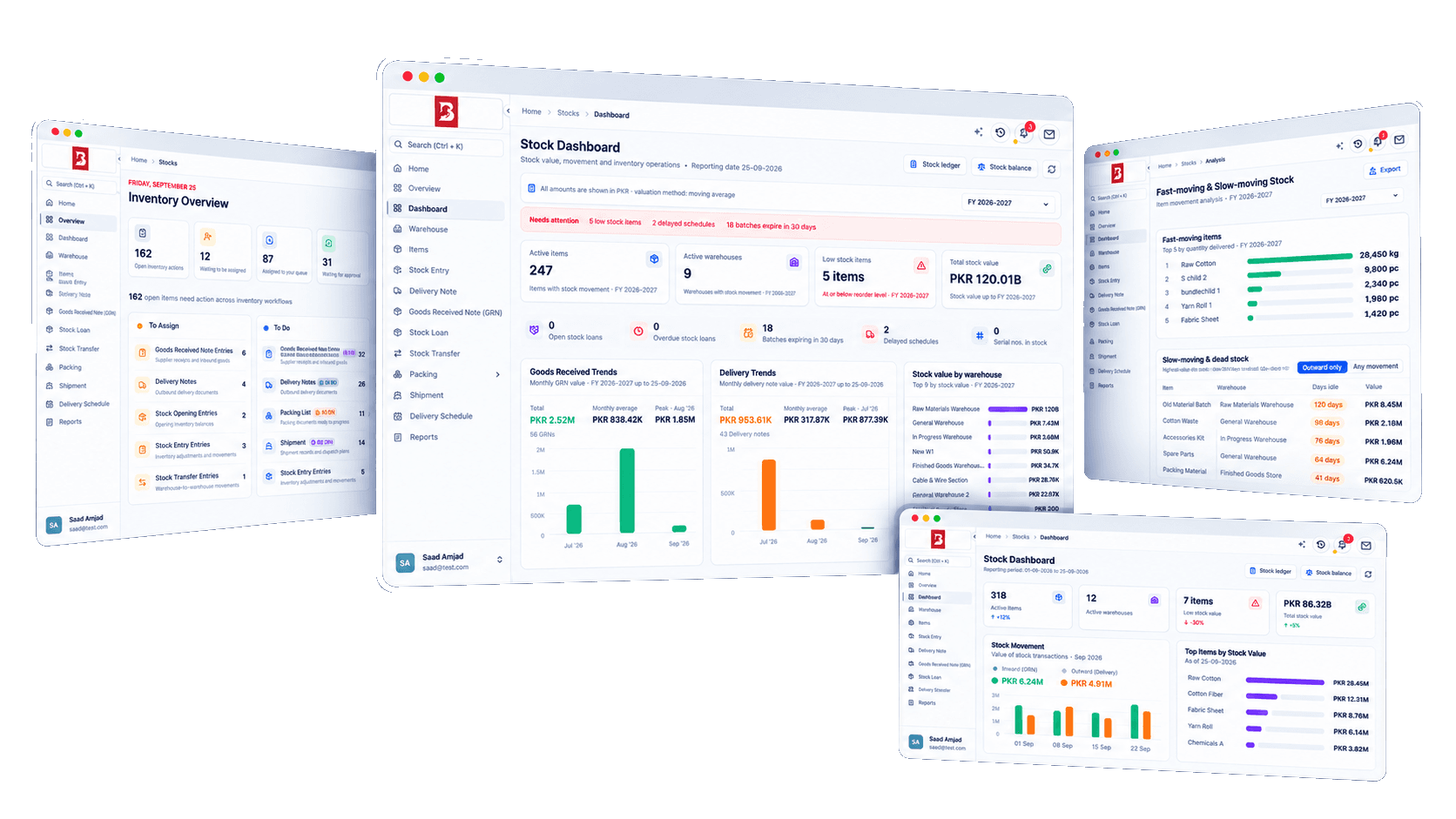
Built for manufacturers, traders and exporters, ERPX connects warehouses, items and every stock movement with purchasing, sales and accounting.
Direct answer
ERPX Inventory is inventory management software that records every receipt, transfer, issue and dispatch in the Stock Ledger, with quantity and value by item and warehouse. Goods Received Notes are created against Purchase Orders and Delivery Notes against Sales Orders, and each approved movement posts its accounting entry in Financials.
Set up
Warehouses, items, variants, batches and serials
Move
Receipts, transfers, issues, counts and dispatch
Value
Stock value tracked, accounting entries posted
Connected inventory
Configure warehouses and items once, record opening stock, then receive, move and dispatch it. Each approved document updates stock quantity and value, and posts its accounting entry in Financials.
Stock document chain
Orders feed receipts and deliveries, while transfers and counts keep every warehouse accurate in between.
Define the warehouse tree, items and item variants, units, batches, serials and reorder levels.
Record the quantity and cost already on hand in each warehouse.
Receive goods against a Purchase Order, then move and adjust stock between warehouses.
Ship goods to the customer against a Sales Order.
Reporting from the same trail
Stock Balance and warehouse valuation read from the Stock Ledger.
Stock, item, warehouse, batch, serial and packing ledgers.
GRN, delivery, pending and schedule reports for each handoff.
Packing, shipment, stock loans and landed costs join the flow when a consignment needs them. They are not mandatory steps for every movement.
Inside ERPX Inventory
Four working areas carry stock from setup to dispatch. Each keeps the source document, warehouse and status needed for the next handoff.
Warehouses, items and variants
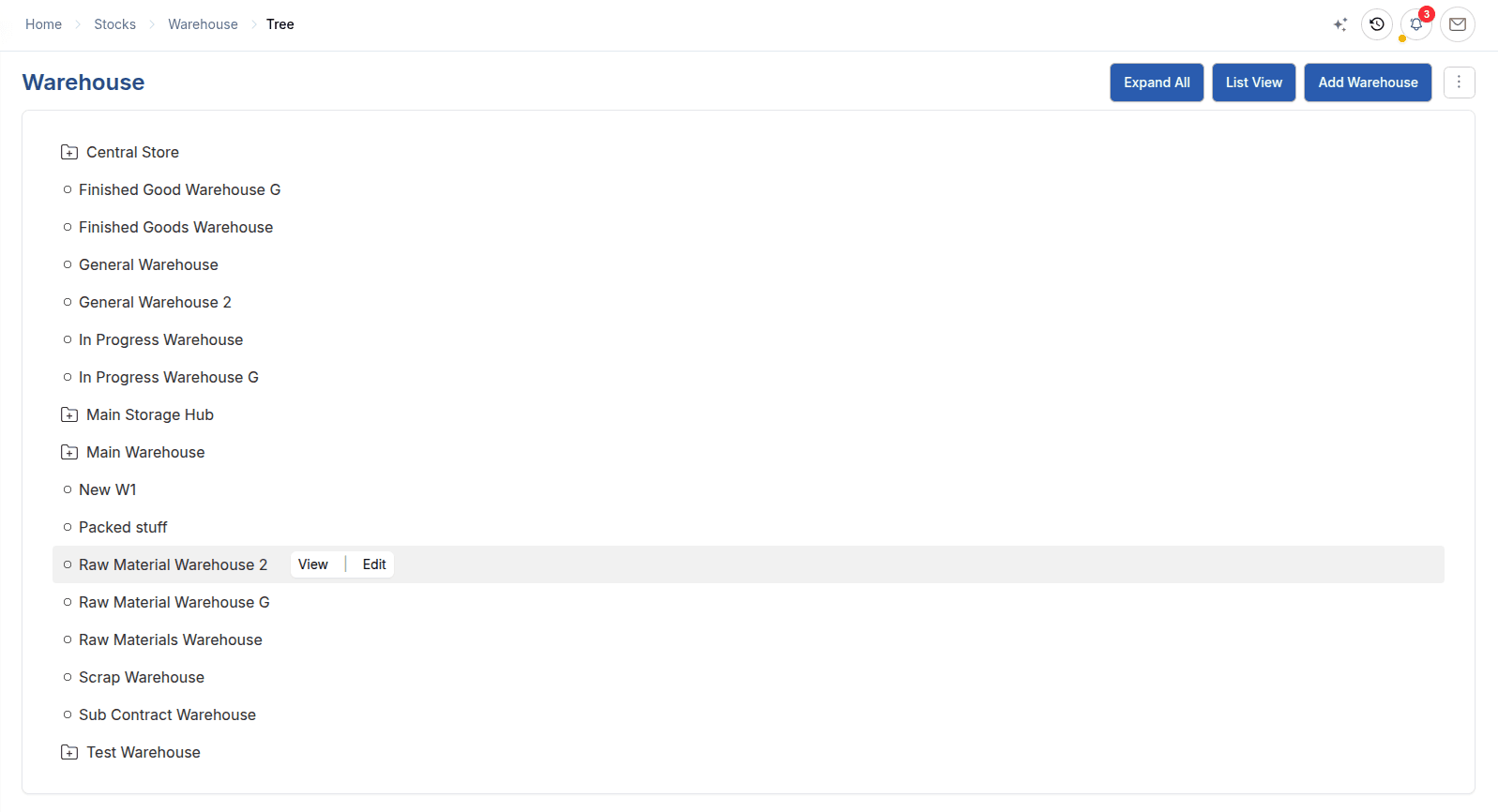
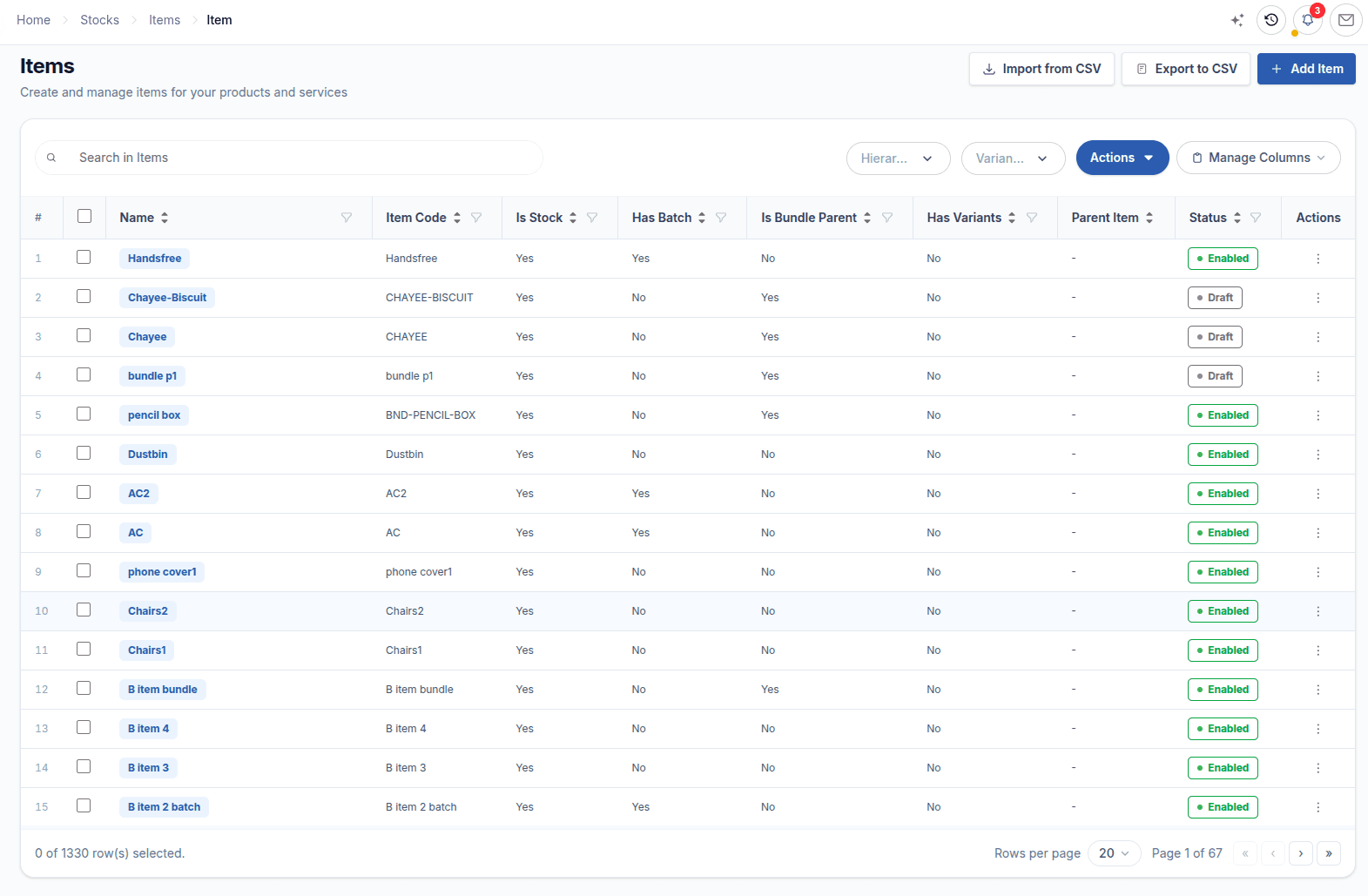
Run multi-warehouse inventory from one warehouse tree: group warehouses such as a plant or site roll up reporting, while the leaf warehouses beneath them hold the stock. Then build the item master with item types, brands, units, batch and serial tracking, bundles and reorder levels, so every transaction starts from clean master data.
Stock Opening
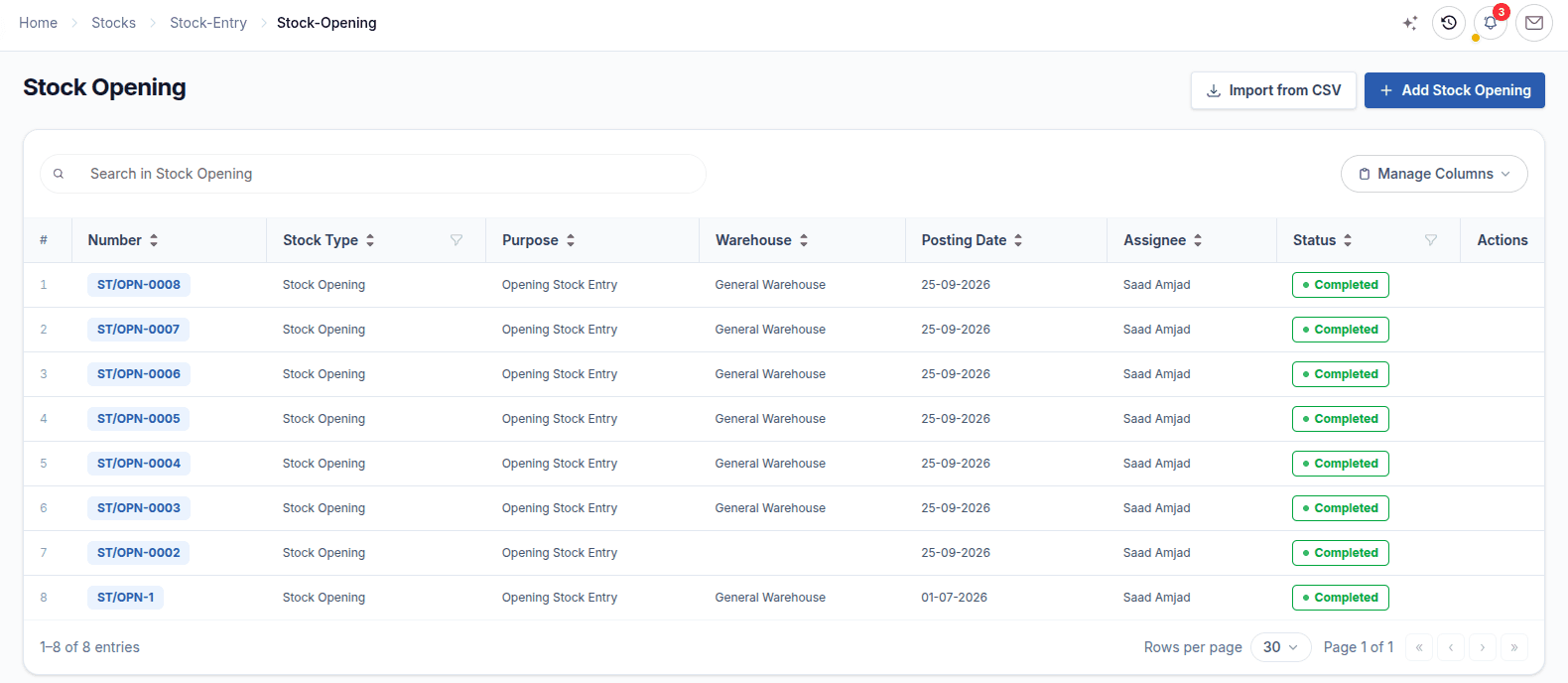
Stock Opening records how much of each item already sits in each warehouse and at what cost rate. It is the earliest stock document for an item, and its rate is the starting point of the moving average, so every later receipt, transfer and delivery builds on a correct balance.
Goods Received Note and Delivery Note
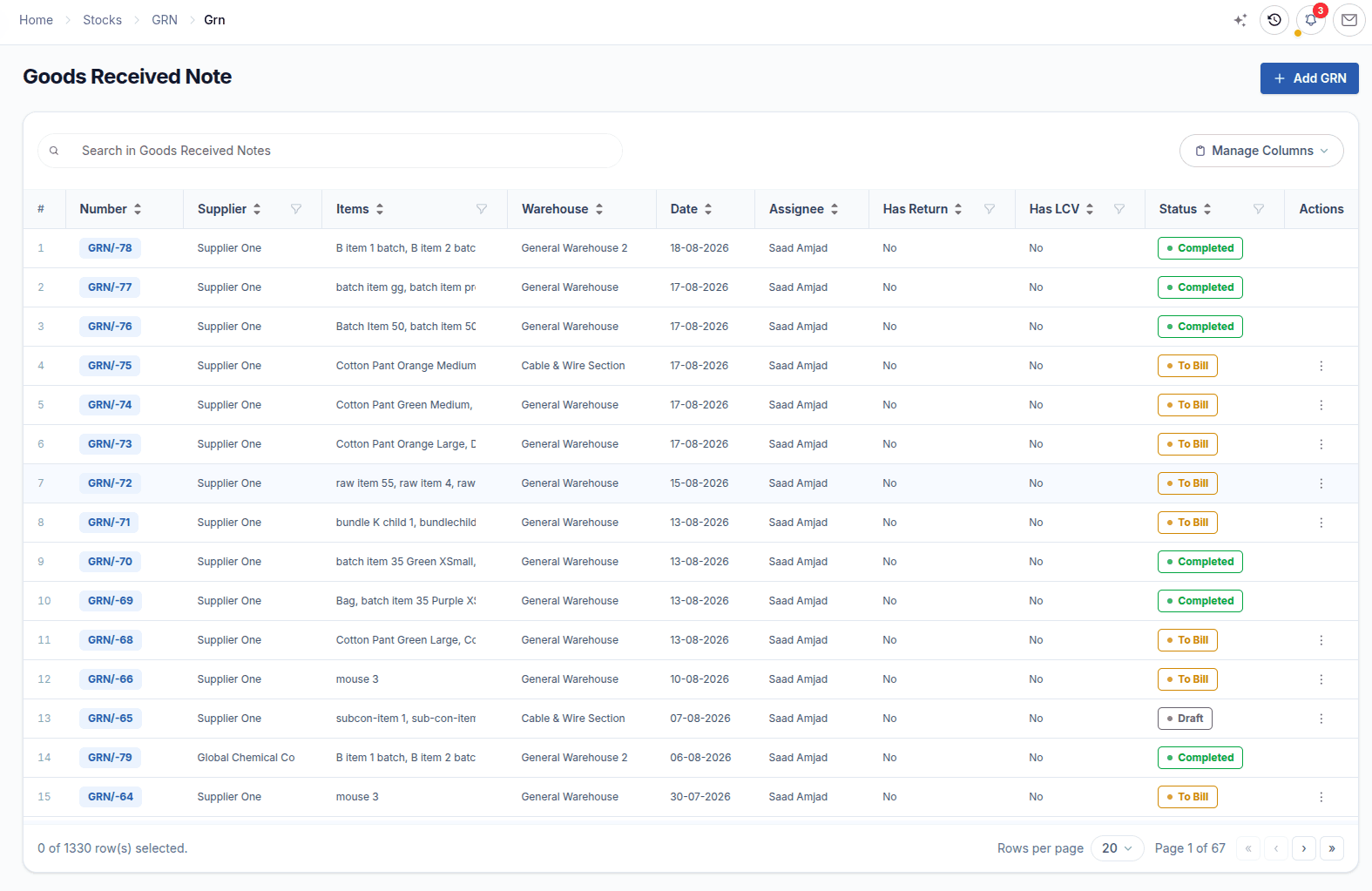
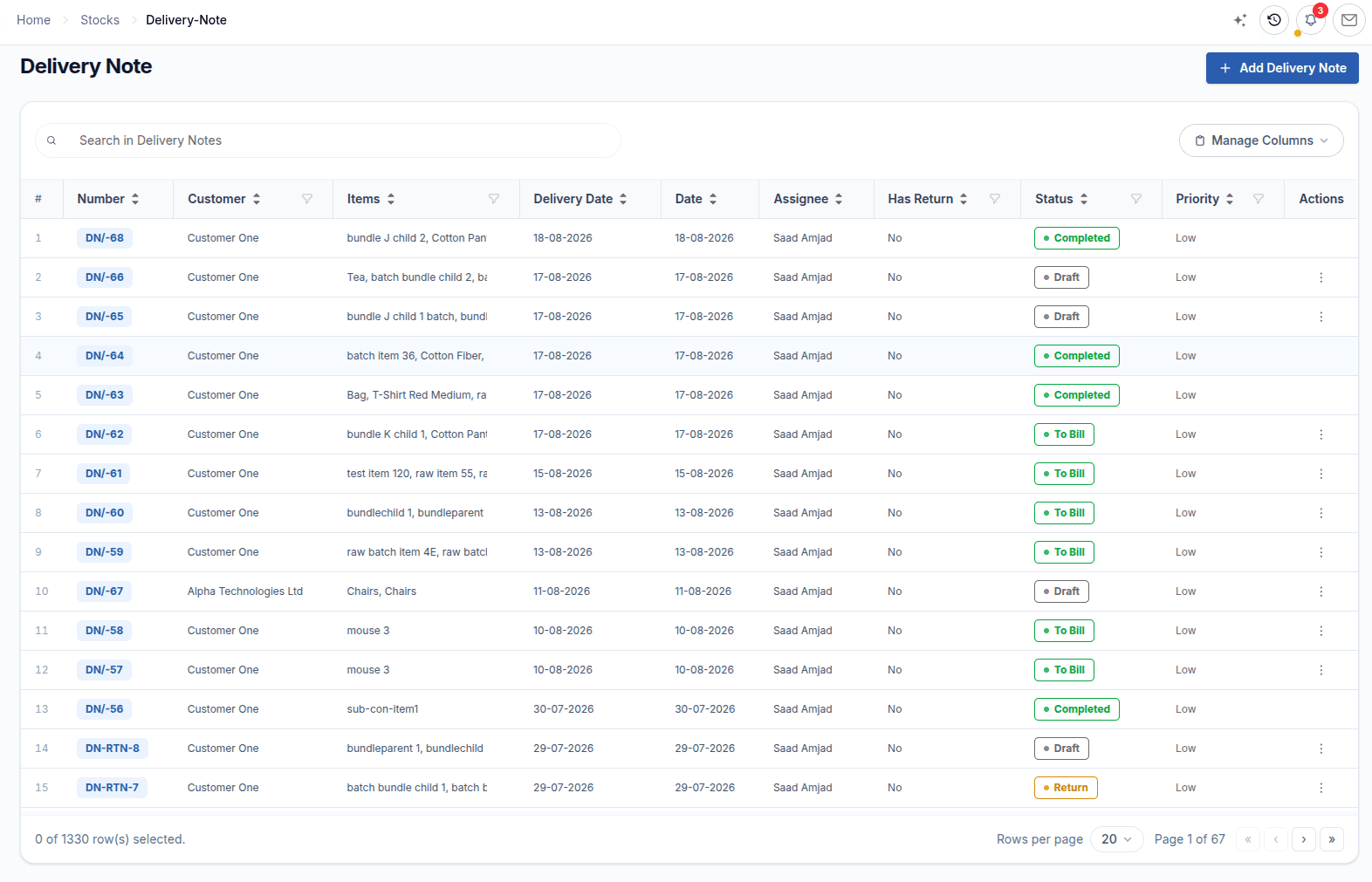
A Goods Received Note is created against a Purchase Order, and a Delivery Note against a Sales Order or Letter of Credit. Partial quantities, batches, serials and rejections are handled on the document, and approval updates stock, cost and the source order in one step.
Stock Entry and Stock Transfer
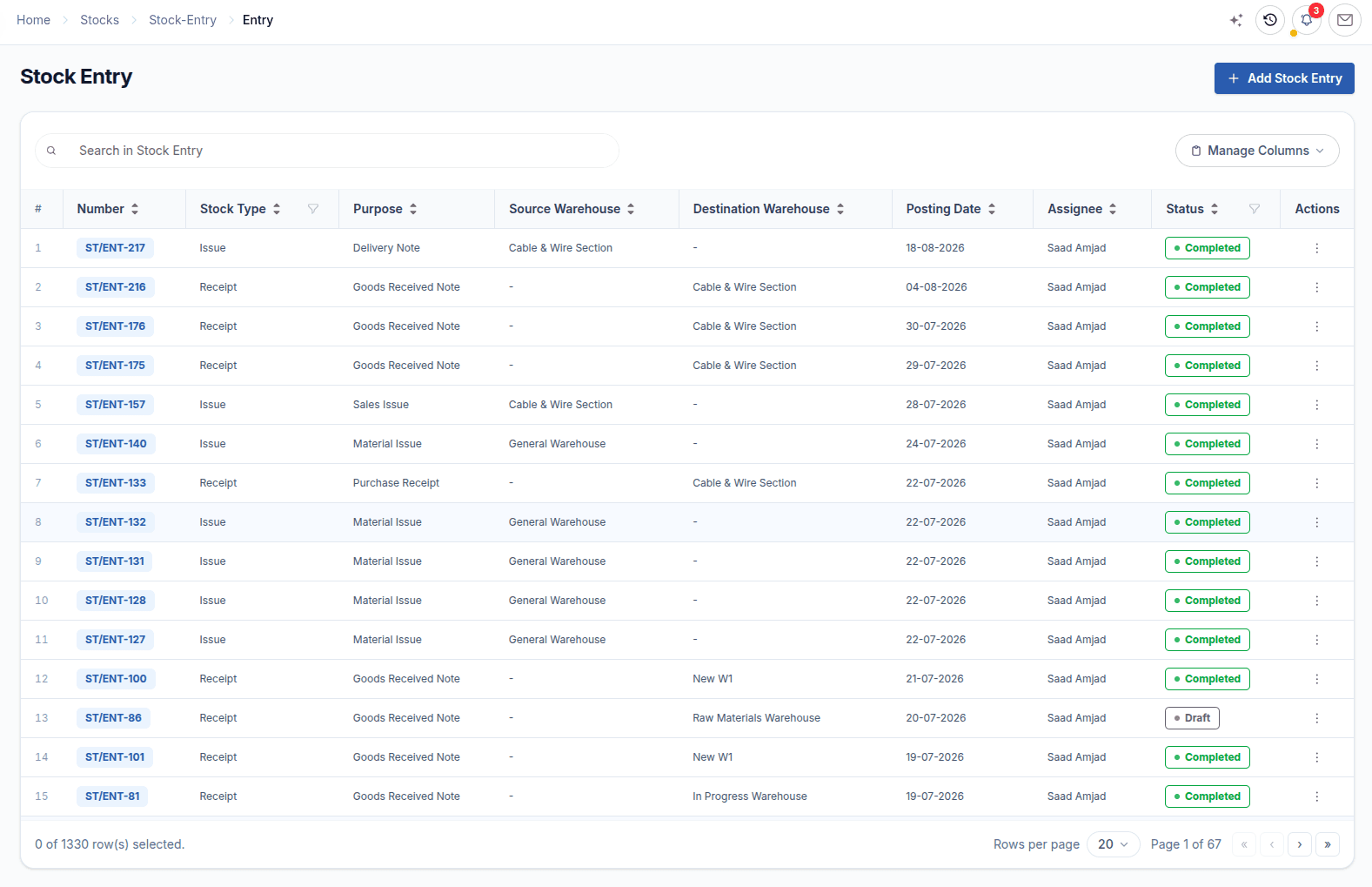
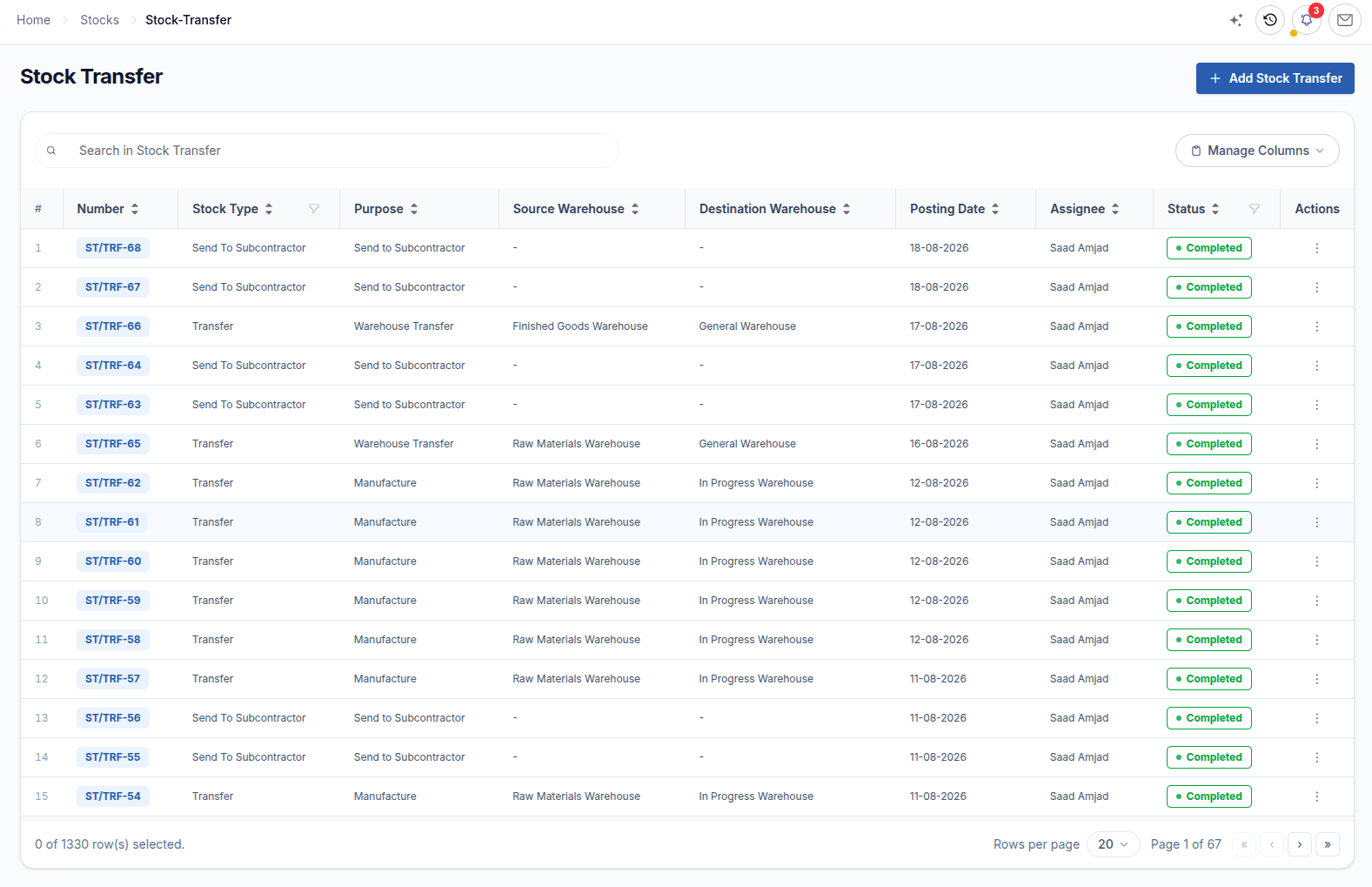
Stock Entries record receipts and issues with a clear purpose, while Stock Transfers move quantities between warehouses, to manufacturing or to a subcontractor. When a physical count disagrees, a Stock Reconciliation (inventory reconciliation) sets the true quantity and posts the difference.
Inventory submodules
From the warehouse tree to shipment, each submodule has one clear responsibility in the stock workflow.
Configure once: where stock sits, what it is, and the rules it follows.
Multi-warehouse setup with tree and list views of every store, hub and location.
The item master with hierarchical item types, brands, item groups and units.
Define attributes such as Colour and Size and generate item variants.
Batch and lot tracking with expiry and FIFO picking, or serial number tracking per unit.
Sell a kit as one line and dispatch its component items automatically.
Reorder levels (reorder points) per warehouse: warn, block or raise a purchase request.
Open, receive, issue, move, count and lend stock every day.
Load starting quantities and values before any other stock document.
Receipts and issues for consumption, adjustments and other movements.
Move stock between warehouses, into production or to a subcontractor.
Inventory reconciliation: set the counted quantity and post the difference.
Lend stock out, track loan returns and see open or overdue loans.
Documents that connect the warehouse to Purchase and Sales orders.
Receive against a Purchase Order with batches, serials and rejections.
Add freight, duty and other charges into the cost of received items.
Dispatch against a Sales Order or Letter of Credit, including returns.
Commit dates and quantities, then track on-time versus delayed fulfilment.
Pack and ship consignments, then watch stock and open work.
Packing structures, cartons and pallets, and export packing lists per consignment.
Shipment records and dispatch plans built from packed deliveries.
Stock value, trends and alerts, plus a work queue of open documents.
Connected module handoffs
Purchase, Sales and Manufacturing create the demand for stock movements. Financials records their value. Inventory owns the movement itself.
Purchase feeds receiving
Receive open Purchase Order quantities with a GRN, then continue into the Purchase Invoice and any Landed Cost Voucher.
Explore ERPX PurchaseSales drives dispatch
Deliver eligible Sales Order or Letter of Credit quantities, including partial shipments, bundles and customer returns.
Explore ERPX SalesManufacturing consumes and produces
Transfer materials to work-in-progress warehouses or subcontractors and receive finished goods back into stock.
Explore ERPX ManufacturingFinancials records the value
Each approved movement posts its accounting entries at the same time, so stock value matches the Balance Sheet.
Explore ERPX FinancialsInventory reports
Balance, ledger, receiving, delivery and traceability reports all read the same approved movements, so every figure can be traced to its source document.
What is on hand, where, and what it is worth.
Quantity in, out and on hand with valuation rate and stock value by item and warehouse.
Stock value held in each warehouse.
Why a balance changed, down to the batch, serial or carton.
Every stock transaction with running balance, valuation rate and source document.
One item across warehouses, or one warehouse across items, with running balances.
Trace a lot from receipt to delivery, or a single unit for a warranty claim.
Packing movements, splits, merges and the current nested packing of items.
Inbound and outbound activity, and what is still pending.
Goods received by item or supplier, and receipts not yet fully invoiced.
Deliveries by customer or item, and Sales Order quantities still to deliver.
Scheduled versus fulfilled quantities with in-time, delayed and delay percentage.
Item pricing and the full document chain behind stock.
Pricing summary and last order details for each item.
Trace any stock document through linked purchase, sales, production and accounting records.
Use the report guide to choose between ledgers and to see which report answers each stock question.
Open Inventory Reports documentationConnected capabilities
Valuation, traceability and replenishment rules work inside the documents your team already uses.
Every approved movement is recorded with its quantity, value and source document.
A global weighted-average rate per item, recalculated on each receipt.
FIFO batch picking, expiry tracking and unit-level history.
Warn, block or auto-raise a purchase request when stock runs low.
Assign, progress and approve documents from the Inventory Overview.
Ask for a plain-language explanation of stock reports and documents.
Every movement recorded, valued and traceable from the order to the shelf.
Read the Inventory documentationBuyer questions
Direct answers about stock valuation, receiving, dispatch, traceability and counts that buyers compare during ERP evaluation.
Inventory management software, also called an inventory management system or stock management software, records what stock a business holds, where it is held, and every movement in or out. ERPX Inventory records receipts, transfers, issues and deliveries in the Stock Ledger with their quantity and value, and posts the matching accounting entries in Financials, so stock reports and the Balance Sheet agree.
A standalone inventory app usually syncs stock and cost of goods sold to separate accounting software. In ERPX, Inventory shares its records with Purchase, Sales, Manufacturing and Financials, so every receipt, issue, transfer and delivery posts to the ledger at its valuation rate as it happens. There is no sync to monitor or reconcile at month end.
Yes. Warehouses form a tree. Group warehouses, such as a plant or a distribution center, roll up reporting, and leaf warehouses hold the stock. Each warehouse has a type, an optional default stock account and its own address. Stock Transfers move goods between warehouses, and reports show balances per warehouse or for the whole tree.
Yes. Packing records how stock is physically arranged, not just how much there is. Packing structures define reusable templates, such as 24 pieces per carton and cartons per pallet. Packing details track the real cartons, which can be split, converted and nested, and the packing list document travels with each shipment or inbound consignment.
Yes. An item can require quality inspection before purchase or before delivery. A Goods Received Note for that item cannot complete until its inspection passes, and a Delivery Note warns before approval if an inspection was rejected. Inspection is part of ERPX, not a separate quality tool.
ERPX uses a moving (weighted) average cost that is global per item. Each receipt re-averages the rate; each issue or delivery goes out at the current rate without changing it. Because the rate is shared across warehouses, warehouses differ in valuation reports only by quantity.
No. A GRN in ERPX is always created against a Purchase Order and can only receive the quantities still open on that order. For receipts that do not come from a supplier order, use a Stock Entry receipt instead.
Yes. Turn on Has Batch Number or Has Serial Number per item. Batches support expiry tracking and FIFO picking on issue, while serial numbers trace individual units end to end. Batch-wise and serial-wise ledgers show the full movement history of each lot or unit, from receipt to delivery.
You set a reorder level per item and warehouse. When an outward document would take stock below that level, ERPX warns, blocks the transaction, or automatically raises a purchase request, depending on your Reorder Rules.
Use a Stock Reconciliation. You enter the counted quantity and ERPX posts the difference, up or down, as an adjustment. Use the Stock Balance report as the count sheet, because it is the figure the reconciliation compares against.
Create a Stock Opening for each warehouse with the quantity and cost rate of every item already on hand, including batch numbers or serials for tracked items. It must be the earliest stock document for that item and warehouse, and hundreds of rows can be imported at once with CSV.
Yes. Items marked Has Batch Number record each batch with its expiry, and batches are picked FIFO when stock is issued.
Landed cost is the purchase price plus the costs of getting goods into stock, such as freight, customs duty and other charges. In ERPX you create a Landed Cost Voucher from the Goods Received Note, and those charges are added into the item valuation, which updates the weighted-average rate.
In practice, yes: both mean the stock quantity at which you should reorder. ERPX calls it the reorder level and sets it per item per warehouse.
No. When stock falls below the reorder level, ERPX can warn, block the transaction, or automatically create a Purchase Request, instantly or at midnight. Your team then converts the Purchase Request into a Purchase Order.
Personalized ERPX demo
A focused walkthrough built on how your team works today and what you want to improve next.
Pick a workflow from